Guillemets are the quotation marks « », commonly used in French, Russian, and several other languages. The symbol « is called the left guillemet, while » is the right guillemet. Although most keyboards don’t include dedicated keys to insert them, here are some easy keyboard shortcuts for typing them on different devices.
On Windows
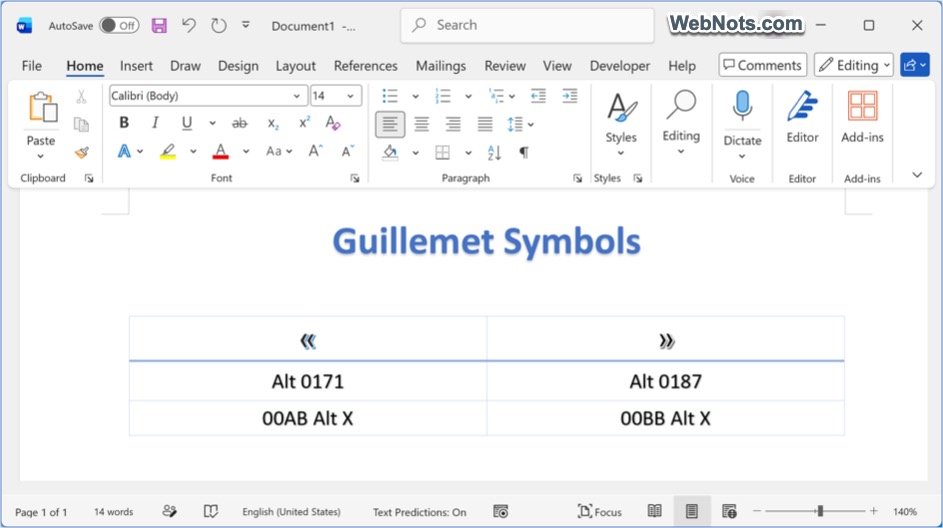
If you have a full keyboard with a numeric keypad, this is your fastest bet:
- Turn on Num Lock.
- Hold down the Alt key.
- While holding Alt, type 0171 on the numeric keypad for inserting « symbol.
- For », do the same but type 0187.
Don’t worry, if you don’t have a numeric keypad. In Microsoft Word (and some other programs that support Unicode), you can do this:
- Type the code 00AB for « or 00BB for ».
- Immediately after, press Alt + X.
- The code magically transforms into the symbol.
On a Mac
This one’s refreshingly easy as no codes to memorize.
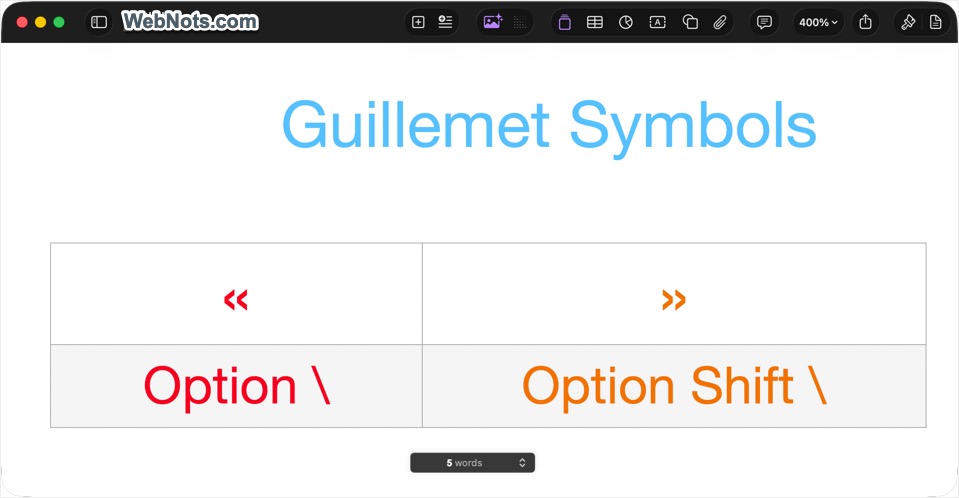
- On a Mac keyboard, press Option + \ keys to make «.
- Similarly, press Option + Shift + \ to make ».
On Linux
The below method works on most Linux desktops.
- Press Ctrl + Shift + U together. You’ll see an underlined “u” appear.
- Type the code 00ab for « or 00bb for ».
- Press Enter (or the spacebar) and the symbol appears.
On iPhone and iPad
Apple’s iOS and iPadOS keyboards hide these pretty well, but they’re in there:
- Tap the 123 button to switch to the numbers and symbols view.
- Press and hold the double-quote " key.
- A little popup menu will appear with extra quotation mark options.
- Slide your finger over to « or » and let go.
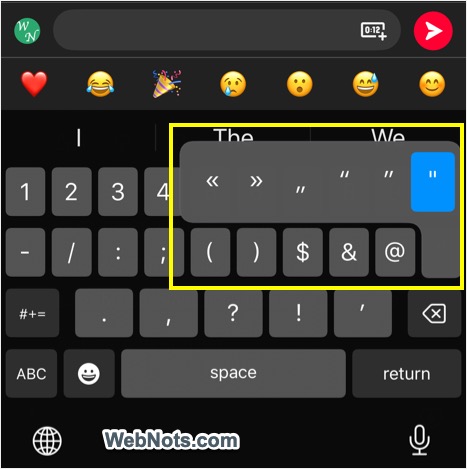
If you don’t see them (it depends on your keyboard language settings), the old copy-paste trick always works.
On Android
On Android, the exact method depends on your keyboard app using (Gboard, SwiftKey, Samsung Keyboard, etc.) and what languages you have enabled. The general rule though:
- Go to your symbols/number view.
- Press and hold the double-quote " key.
- Look for « and » in the popup options.
If they’re not there, you might need to add French as an input language in your keyboard settings.
Quick Reference
Alt Code Shortcuts:
| Symbol | Name | Windows | Mac |
|---|---|---|---|
| « | Left guillemet | Alt + 0171 | Option + \ |
| » | Right guillemet | Alt + 0187 | Option + Shift + \ |
Unicode Codes:
| Symbol | Unicode | Official Name |
|---|---|---|
| « | U+00AB | Left-pointing double angle quotation mark |
| » | U+00BB | Right-pointing double angle quotation mark |