
If you own an iPhone, you probably recognize this moment. You open an app, and suddenly a pop-up appears saying that the app wants to paste content from another app or device, asking whether you want to allow it. You are then given two options: “Don’t Allow Paste” or “Allow Paste”. The prompt can feel intrusive and often appears when you aren’t even trying to paste anything. However, this pop-up isn’t a bug or a careless design choice by Apple. It is a deliberate, powerful privacy feature that was introduced in response to a real security concern.
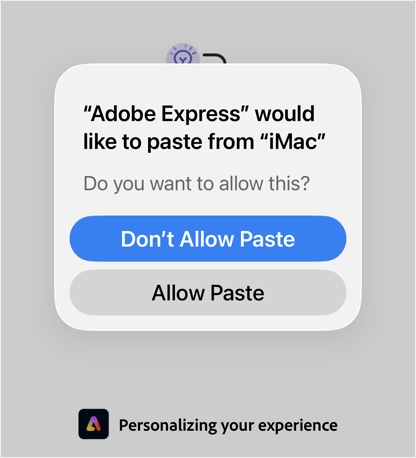
Here is why the “Allow Paste” pop-up exists and why it’s likely here to stay.
The Security Issue That Sparked the Change
Before iOS 16, apps could read your clipboard (also called the “pasteboard”) silently in the background without any notification. You never knew when an app was snooping on the text, link, or password you had just copied. In 2020, two developers discovered that popular iOS apps like TikTok was constantly reading data from the users’ clipboards. In fact, hundreds of other apps, including major news outlets, games, and shopping apps, were also scraping clipboard data.
Why? Because the clipboard is a goldmine of data. It often contains:
- Passwords copied from password managers.
- Cryptocurrency wallet addresses.
- Personal notes and sensitive messages.
- Tracking codes that allow apps to see where you came from.
When Apple introduced iOS 14, they added a one-time notification that simply said something like, “[App] pasted from [App / Device]”. While this exposed who was snooping, it caused a user backlash against apps. Rather than stop snooping, many apps adapted by creating workarounds to check the clipboard without technically “pasting”, which still violated user’s privacy.
Apple’s final answer came with iOS 16: the “Allow Paste” pop-up.
How the New System Works?
With iOS 16 and later, Apple closed the loophole. Apps cannot silently check or read your clipboard. If an app wants to access what you have copied, it must explicitly ask for your permission every single time.
From a security standpoint, this is excellent. It turns clipboard access from a silent background surveillance tool into a deliberate action. If you are using a password manager and want to paste a complex password into a login field, you click “Allow Paste”. If you open an unrelated app and it suddenly asks to paste, you know something is off and can hit “Don’t Allow Paste”.
Why Does it Pop Up So Often?
The reason this pop-up frustrates users is that many developers initially implemented poor coding practices. To make features like “tap to paste” or auto-detection of URLs feel seamless, developers used to pre-emptively check the clipboard every time an app came to the foreground.
Because of the new iOS rules, those old coding habits trigger the pop-up constantly. If you have something copied in your memory and you switch between apps, you might see the pop-up repeatedly as each app tries to “check” what is there. Also, using Apple’s Universal Clipboard (copying on your Mac and pasting on your iPhone) will trigger the prompt more frequently, as the system verifies the cross-device transfer.
While Apple has since added a feature in iOS 16.2 that allows apps to ask for a “one-time” paste or to stop asking for that specific app, the initial friction was high because developers had to update their apps to respect Apple’s new, stricter API guidelines.
The Privacy Trade-Off
The clipboard is a universal carrier of data and holds the keys to your digital life, if only for a few minutes. So, Apple has decided that users have a right to know when an app is accessing data that they did not explicitly type into that app. Forcing the pop-up results in two things:
- User Awareness: You are now aware of which apps are trying to access your clipboard.
- Developer Accountability: Apps can no longer snatch clipboard data without the user’s explicit, moment-by-moment consent.
Is There a Way to Stop it?
At this point, most major apps (like TikTok) have updated their code to avoid checking clipboard content or trigger the pop-up only when you tap a text field and explicitly hit “Paste”. However, some apps like Pinterest and Adobe Express added an option in the app’s settings page to allow or deny pasting permission. So, you will still see a pop-up if the app has a setting for allowing pasting permission.
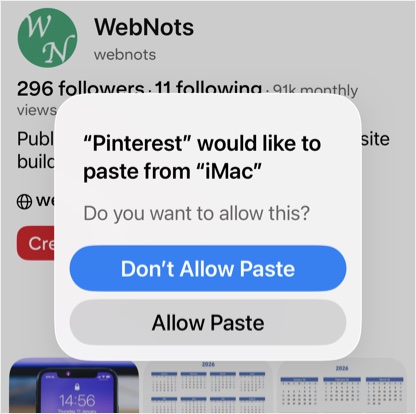
- If an app keeps asking repeatedly, go to “Settings > Apps” section and tap on the app’s name.
- Select “Paste from Other Apps” option and set “Deny”.
- If you set it to “Allow”, the app will have permanent access to your clipboard without asking.
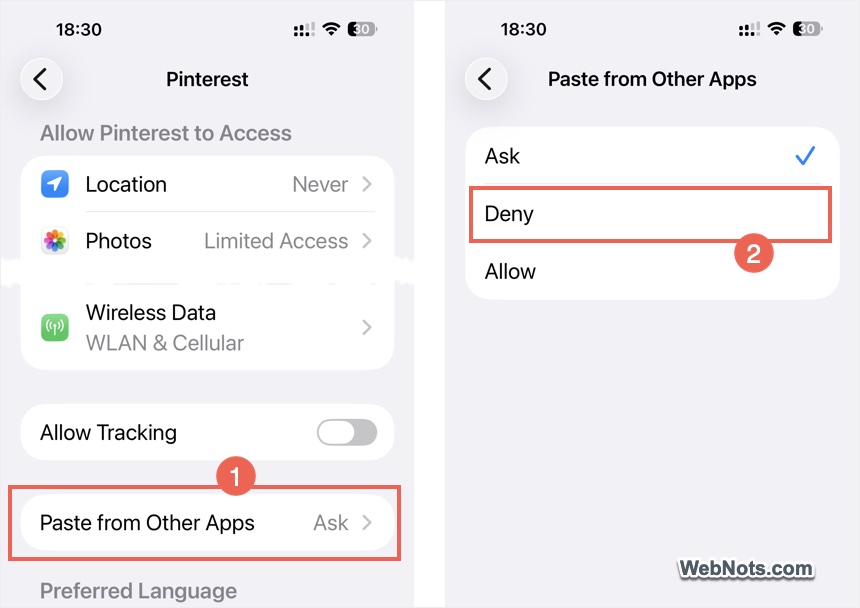
This is a per-app setting and not available for all apps as that would defeat the privacy purpose. Another easy option is to clear the content in your clipboard as the pop-up only appears when there is actually something copied. You can simply copy a blank space or another text to delete the previously stored item from your Phone’s clipboard.


