WeChat (or Weixin) is one of the most popular instant messaging apps in China. In addition to chatting, the app offers a payment gateway called WeChat Pay. Though sending and receiving digital payments is easier through WeChat, it’s important to set restrictions for your kids to avoid overspending and to encourage good digital spending habits. If you (as a parent) and your kids are using WeChat, here is how you can set a payment limit for WeChat Pay.
Parental Control Mode in WeChat
Setting a payment limit is part of the Parental Control Mode in WeChat. This means you can only set up the control for your kids as a guardian, and you can’t restrict your own payments. First, make sure you and your kid have already set up WeChat Pay in the app by going to “Me > Pay and Services”. If needed, check our step‑by‑step guide on how to set up WeChat Pay, then follow the steps below.
Setting You as a Guardian
- Open WeChat on your kid’s phone and navigate to “Me > Settings” section.
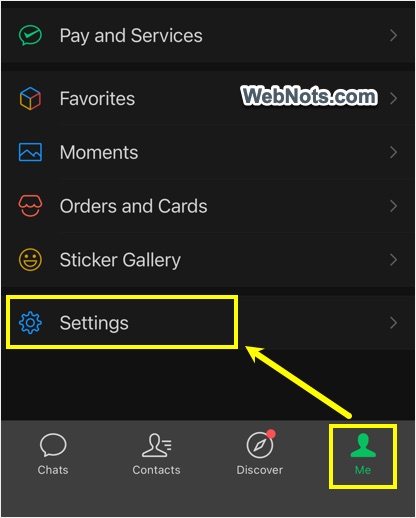
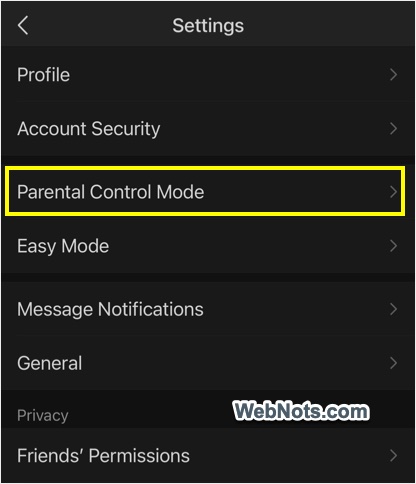
- Find and tap on “Parental Control Mode” option.
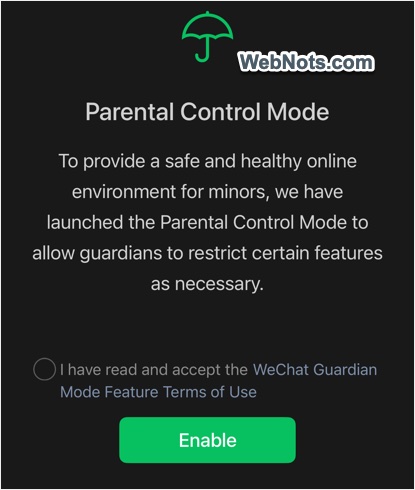
- Accept the terms and enable the parental controls.
- Enter a four digit passcode for access.
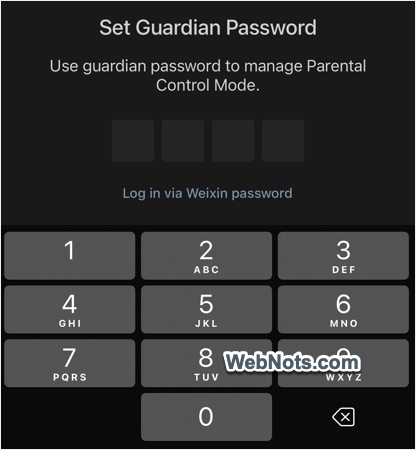
- Select your name (parent name) to set as a guardian.
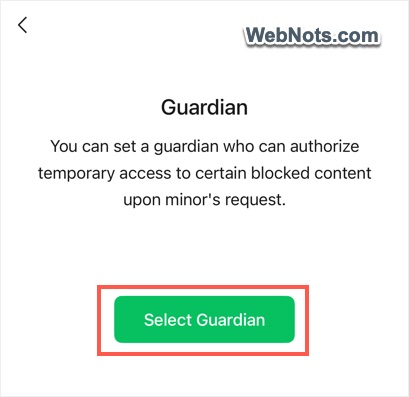
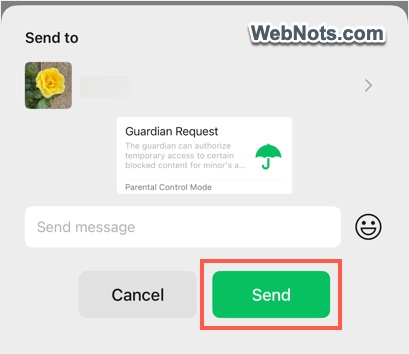
- Find your name from the contact list and send a guardian request.
- Open WeChat on your phone and approve the request (you can find it in your kid’s chat section).
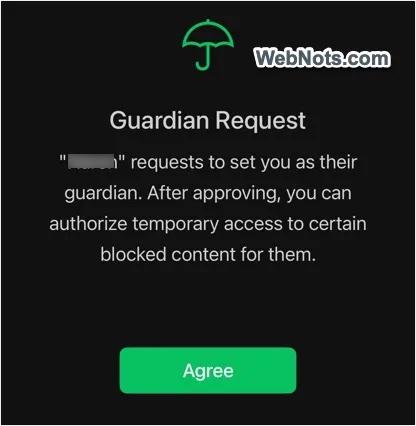
This will set you as a guardian for your kid’s activities.
Setting WeChat Pay Limit
- Go to “Me > Settings > Parental Control Mode” on your kid’s phone.
- Enter the passcode and you will see a list of activities for setting restrictions.
- By default, WeChat Pay (shown as “Weixin Pay”) will have no limit and tap on that option.
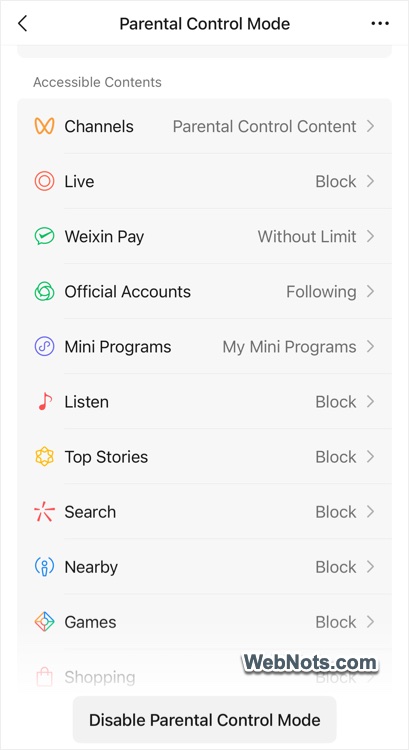
- Set up a payment limit and close the app.
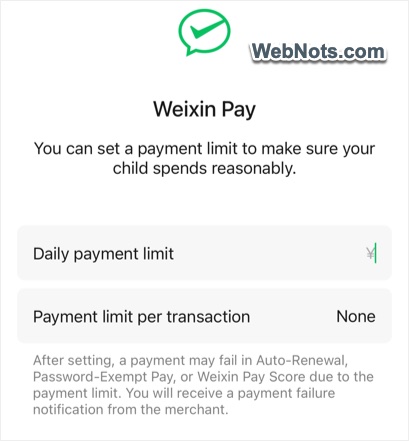
Payment Limit Options
As you can see, there are two options to set a limit:
- Daily payment limit – enter an amount; that will be the money your kid can spend per day.
- Payment limit per transaction – if you want to restrict your kid from spending a higher amount in one go, set the limit here, which acts as a ceiling per transaction.
The best way is to use both options to avoid unexpected spending by your kid. For example, set ¥100 as the daily limit and ¥40 as the per‑transaction limit.
Removing or Changing the Payment Limit
Unlike other restrictions in Parental Control Mode, the payment limit imposes a strict restriction on WeChat Pay. This means your kid will not be able to send a request to use more money or to remove the limit. The only way to increase or remove the limit is to enter the parental control passcode on your kid’s WeChat app. This could be a problem in emergency situations, because your kid cannot spend beyond the limit even if they have money in their balance. So, set the limit carefully, based on your kid’s needs.
In addition, you will not receive any WeChat notification on your phone if the passcode is used on your kid’s phone and the payment limit is changed. Therefore, this is only partial control to guide your kid, rather than full control over them.