Developing a WordPress website directly on a live server is not always the best approach. Testing new themes, installing plugins, modifying PHP code, and experimenting with website designs can introduce errors that affect a live website. This is where local WordPress development applications come into picture as they allow you to install and run WordPress on your own computer. If you are planning to launch a new WordPress site, it is also a good idea to learn WordPress locally on your computer before you purchase a multi-year hosting contract.
In this article, we will explore the top 10 local WordPress development applications and you can choose the one that suits your needs.
Why Use Local WordPress Development Apps Instead of Online Dummy Site Creators?
Online WordPress playgrounds and dummy site creators, like TasteWP, allow users to create temporary WordPress websites directly in a web browser. Even official WordPress.org site offers a Playground feature to test the setup online. These services are useful for quickly testing plugins, exploring themes, demonstrating WordPress features, or creating a disposable website without installing anything on a computer. However, local WordPress development applications provide several advantages for developers, website owners, and WordPress enthusiasts.
Complete Control Over the Development Environment
Online testing platforms usually provide a predefined environment with certain limitations. Local applications give you greater control over the web server, PHP version, database, WordPress installation, and configuration. You can experiment with different server settings, modify configuration files, and test custom PHP code.
Develop Websites Without Internet Access
Once the required local development application and WordPress files are installed, you can work on your website without an active internet connection. This is particularly useful when developing websites on a laptop, traveling, or working in an environment with limited internet access.
No Temporary Website Expiration
Some online dummy site creators provide temporary WordPress installations that expire after a certain period. Local WordPress installations remain available on your computer until you decide to remove them. You can maintain multiple development projects and continue working on them over several weeks or months.
Better Performance for Large Projects
Local development environments use your computer’s hardware resources. This can be beneficial when working with large WordPress websites, extensive databases, custom plugins, or complicated themes. Performance depends on your computer’s available memory, processor, storage, and the configuration of the local environment.
Test Custom Themes, Plugins, and PHP Code
Local development applications are particularly useful for developers who want to:
- Develop custom WordPress themes and plugins.
- Test PHP code before deploying it to a live website.
- Experiment with WooCommerce stores.
- Debug WordPress errors.
- Test different WordPress and PHP versions.
- Modify database tables and configuration files.
Reduce Hosting Costs During Development
You do not need to purchase a hosting plan simply to experiment with WordPress or develop a website from scratch. You can build the entire website locally and move it to a hosting provider when it is ready for publication.
Note: Local development is not a complete replacement for online testing. A local website may behave differently from a live website because of differences in server configuration, caching, DNS, email delivery, SSL certificates, and hosting restrictions. For that reason, a local environment is best used alongside a staging website when preparing a production site.
Summary of the Top 10 Local WordPress Development Apps
The following applications cover different development requirements, from beginner-friendly WordPress installations to advanced development environments. The list includes both graphical applications and command-line tools.
| Sl.No. | Tool | Best Suited For | Platform |
|---|---|---|---|
| 1. | Local | Easy WordPress development | Windows, macOS, Linux |
| 2. | MAMP | Mac and Windows users | macOS, Windows |
| 3. | XAMPP | General-purpose local server setup | Windows, macOS, Linux |
| 4. | WampServer (WAMP) | Windows-based development | Windows |
| 5. | DevKinsta | WordPress development and Kinsta workflows | Windows, macOS |
| 6. | Laragon | Lightweight Windows development | Windows |
| 7. | WordPress Studio | WordPress-focused development | Windows, macOS, Linux |
| 8. | DDEV | Professional and team development | Windows, macOS, Linux |
| 9. | wp-env | WordPress theme and plugin development | Windows, macOS, Linux |
| 10. | Lando | Configurable development environments | Windows, macOS, Linux |
Some applications are designed specifically for WordPress, while others provide a complete PHP development stack that can be used to install WordPress manually.
1. Local (by WP Engine)
Local is one of the most popular applications for developing WordPress websites on a computer. It was originally known as Local by Flywheel and is now associated with WP Engine. Unlike traditional local server applications, Local is designed specifically for WordPress. It automates much of the installation and configuration process, allowing users to create a fully functional WordPress website without manually configuring Apache, PHP, or MySQL.
- One-click WordPress installation with site cloning and blueprint creation option.
- Automatic local SSL certificate creation, which is important for testing plugins like WooCommerce.
- Support for Apache and Nginx and the ability to switch PHP versions.
- Built-in WordPress administrator login with WP-CLI and shell access.
- Email testing through Mailpit and Live Links for sharing local websites.
- Integration with selected WP Engine and Flywheel hosting services.
The Live Links feature is very useful for developers who want to share a locally developed website with a client or colleague without deploying the entire website to a live hosting account. Local also includes tools for exporting and importing websites, making it easier to move projects between development environments (hosted on WP Engine or Flywheel).

2. MAMP
MAMP is a local server application that allows you to run PHP-based websites on your computer. The name traditionally represents macOS, Apache, MySQL, and PHP, although MAMP is also available for Windows. MAMP provides the essential components required to run WordPress locally, including a web server, PHP, and a database server. Unlike Local, MAMP is not exclusively designed for WordPress. It can also be used to develop other PHP applications.
- Local Apache and database server environment.
- PHP support for running WordPress and suitable for developing other PHP applications.
- Database management through phpMyAdmin or Adminer.
- Support for multiple websites.
- MAMP PRO provides additional virtual host and configuration options.
The free version of MAMP is sufficient for many basic WordPress development tasks. However, you need MAMP PRO for getting additional features like local SSL (HTTPS) and multiple virtual servers.

3. XAMPP
XAMPP is one of the oldest and most widely used local server applications. It is maintained by Apache Friends and provides a complete development environment for PHP-based websites.
- Apache web server and MariaDB database server.
- PHP support and phpMyAdmin for database management.
- Free, open source, and available cross platform.
- Ability to host multiple local websites with additional configuration.
However, XAMPP does not provide the same level of automation as Local (for WordPress sites) and you need to manually download WordPress, create a database, configure the installation.

4. WampServer (WAMP)
WampServer or WAMP (stands for Windows, Apache, MySQL, and PHP) is a local web development application designed specifically for Windows.
- Apache web server, MySQL, and MariaDB database support.
- PHP support and database management through phpMyAdmin.
- Support for switching between installed PHP versions.
- Virtual host management with the ability to run multiple local websites.
One advantage of WampServer is its ability to manage multiple PHP versions, which can be useful when testing WordPress websites with different server requirements. However, beginners may find the installation and configuration process more complicated than using Local or WordPress Studio.

5. DevKinsta
DevKinsta is a local WordPress development application created by Kinsta, a managed WordPress hosting provider. It is designed to simplify the process of creating WordPress websites locally and uses Docker-based components to run the local development environment.
- One-click WordPress installation with Nginx web server.
- MySQL database and support for different PHP versions.
- Built-in database management through Adminer.
- Email testing through MailHog.
- Integration with Kinsta hosting workflows.
DevKinsta is particularly useful for developers who build websites for clients hosted on Kinsta. It allows you to develop and test a WordPress website locally before moving it to a live hosting server. However, Docker-based applications can require more system resources than simpler local server installations.

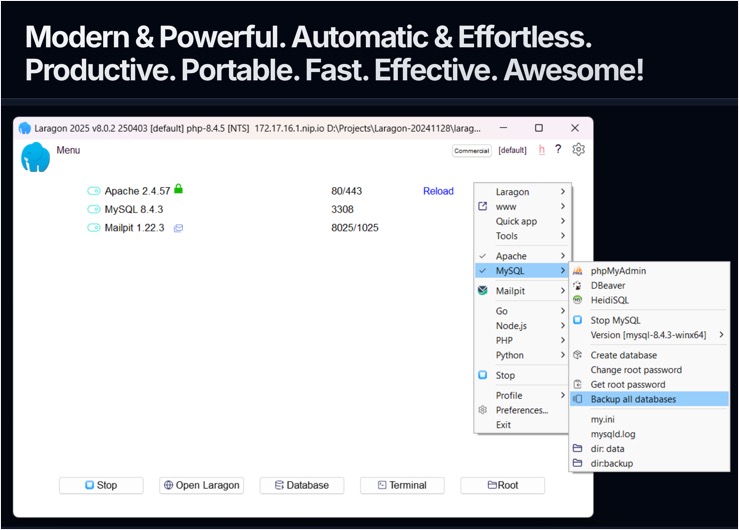
6. Laragon
Laragon is a lightweight local development environment designed primarily for Windows. It supports PHP, Node.js, Python, Ruby, and other development technologies.
- Lightweight development environment with Apache and Nginx support.
- PHP and database version management with automatic virtual host creation.
- Quick application installation with pretty local URLs such as http://myapp.test.
- Support for multiple web development technologies.
Laragon includes a Quick App feature that can automatically create a WordPress installation with a database (similar to Local app). This reduces the amount of manual work required to create a new WordPress website. This app is primarily useful for Windows developers who want a lightweight and flexible alternative to XAMPP or WampServer.
7. WordPress Studio
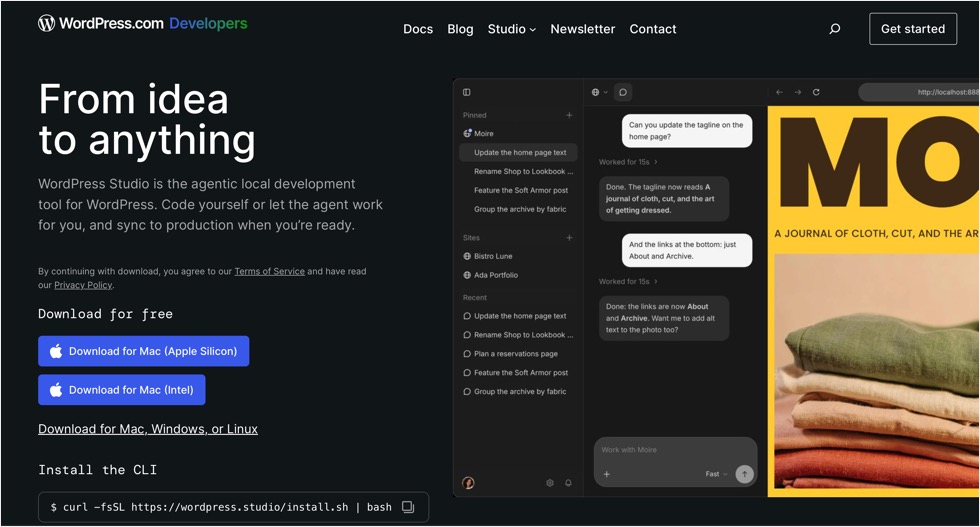
WordPress Studio is a free, open source local WordPress development application developed by the WordPress.com team. It is designed specifically for WordPress and provides a straightforward way to create, manage, and test WordPress websites locally.
- Create local WordPress websites, import existing WordPress websites, and export local websites.
- Manage multiple WordPress projects and blueprints for reusable website configurations.
- Support for custom local domains and SSL.
- Debugging tools, including Xdebug and database management through phpMyAdmin.
- Studio CLI for command-line workflows.
- Sync and preview features for supported hosting services.
Studio also supports workflows for publishing to WordPress.com and Pressable.
8. DDEV
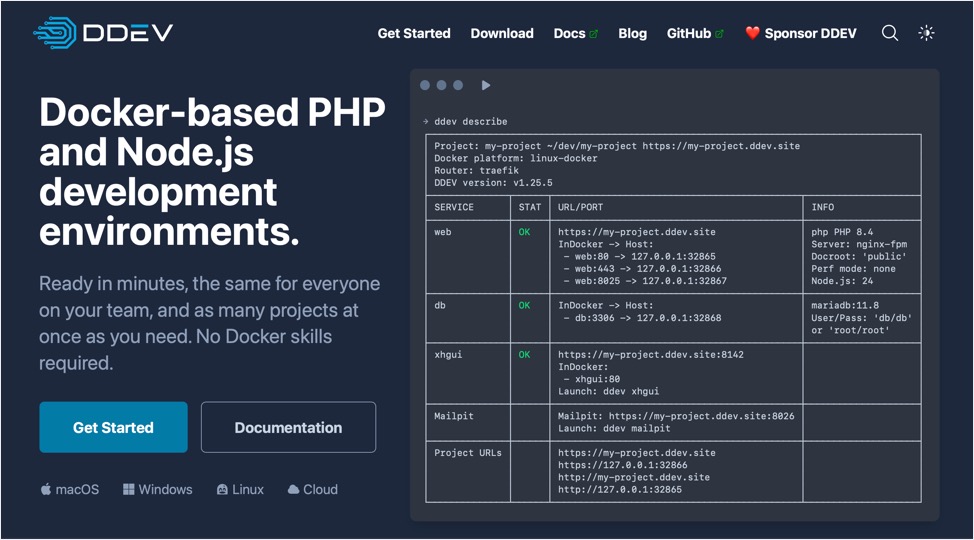
Unlike Local or WordPress Studio, DDEV primarily uses the command line. It is built around Docker and allows developers to create isolated development environments for individual projects. DDEV is not limited to WordPress. It supports a range of PHP-based applications and content management systems.
- Docker-based development environments.
- Configurable PHP versions with support for multiple projects.
- Database and web server configuration.
- Xdebug integration and project configuration that can be shared through version control.
- Support for development workflows involving PHP and Node.js.
DDEV allows developers to define their local environment through project configuration files. This is useful for teams because developers can share the same configuration and reproduce a consistent development environment on different computers.
9. wp-env
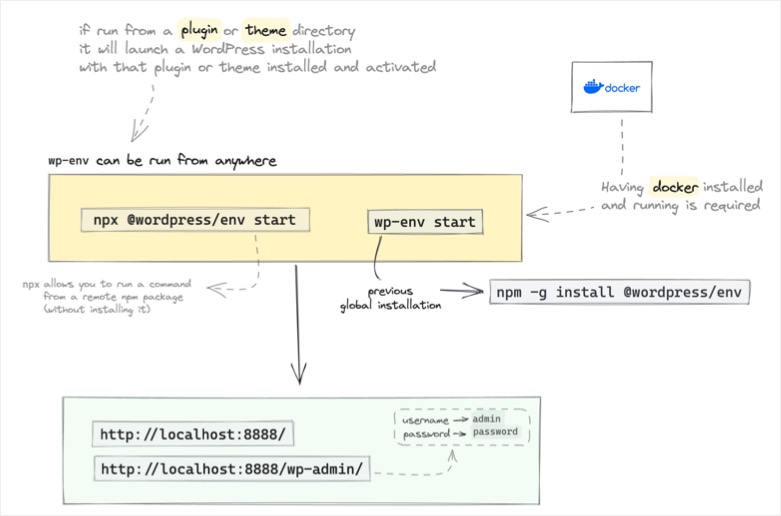
wp-env is a local development tool maintained by the WordPress developer community. It is designed primarily for WordPress theme and plugin developers who want to create a consistent development environment without manually configuring a complete server stack.
- WordPress development environment through the command line.
- The tool uses Docker and Node.js setup.
- Support for plugin and theme development.
- Configurable WordPress versions and useful for automated testing.
The tool is very useful when developing plugins or themes that need to be tested against different WordPress configurations. However, For someone who simply wants to install WordPress and experiment with a theme, wp-env may be more complicated than necessary.
10. Lando
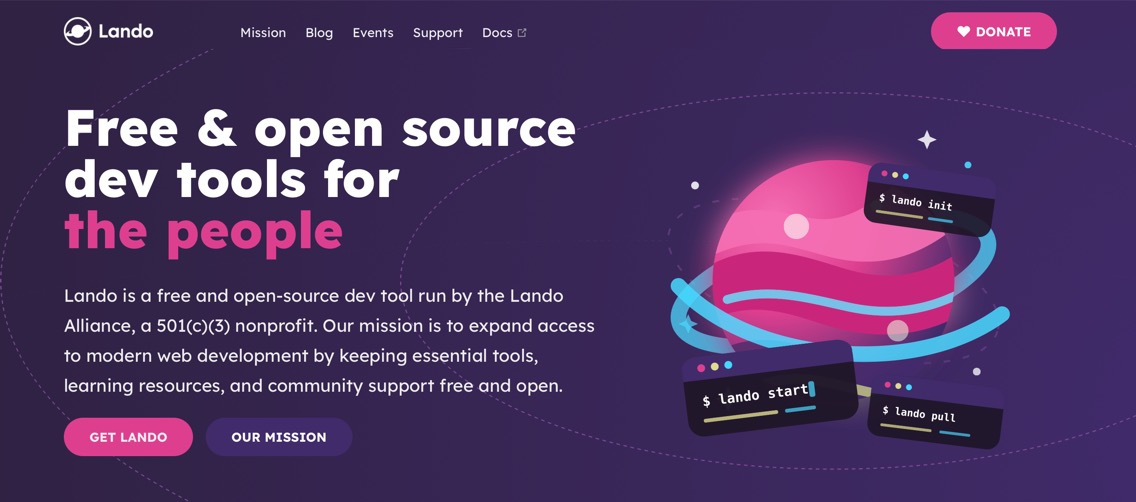
Lando is an open source local development environment that uses Docker to run web applications. It supports WordPress and other PHP-based applications. Lando is designed to simplify the process of configuring development environments while providing flexibility for developers who need more control over their server setup.
- Docker-based local development with configurable PHP and database services.
- Support for multiple projects with reproducible development environments.
- Integration with development and testing workflows.
- Support for different web development technologies.
This tool is useful for developers who work with multiple projects or need to reproduce a development environment similar to their production server. Like DDEV and wp-env, Lando is more appropriate for developers who are comfortable with technical configuration than for beginners who simply want to create a test WordPress website.
Which Local WordPress Development App Should You Choose?
The best application depends on your development requirements, operating system, and technical experience.
| Requirement | Recommended App |
|---|---|
| Create WordPress websites quickly | Local |
| Simple WordPress development on Mac | Local or WordPress Studio |
| Traditional local server environment | XAMPP |
| Windows-based local server | WampServer |
| Mac and Windows PHP development | MAMP |
| Lightweight Windows development | Laragon |
| WordPress.com and Pressable workflows | WordPress Studio |
| Kinsta hosting workflows | DevKinsta |
| Professional development teams | DDEV or Lando |
| WordPress theme and plugin development | wp-env |
For most WordPress users, Local is a practical starting point because it automates WordPress installation and provides a straightforward graphical interface. WordPress Studio is another strong option, particularly for users who want a free, open-source application developed by the WordPress.com team. Developers who need greater control over server configuration can consider XAMPP, MAMP, or WampServer. For more advanced development workflows, DDEV, wp-env, and Lando provide additional flexibility.
Frequently Asked Questions
Yes. These applications provide the server environment required to run WordPress locally. You do not need a hosting account or domain name to develop a website on your computer.
Yes. You can migrate a local WordPress website to a live hosting provider. Depending on the application and hosting provider, you can use a migration plugin, export the website files and database, or use an available deployment integration.
Most local development applications allow you to work offline after installation. However, some features, such as downloading plugins, installing updates, syncing with hosting providers, or sharing preview links, require an internet connection.