Apple is planning to launch a new app bundle called Apple Creator Studio on January 28, 2026 entering a competitive creative world dominated by Adobe Creative Cloud, the long-standing leader in professional creative software. Both services offer subscription-based model to access a bundled tools for video, audio, design, and productivity. This article compares how Apple’s new offering stacks up against Adobe’s established offering.
Apps Included in the Bundle
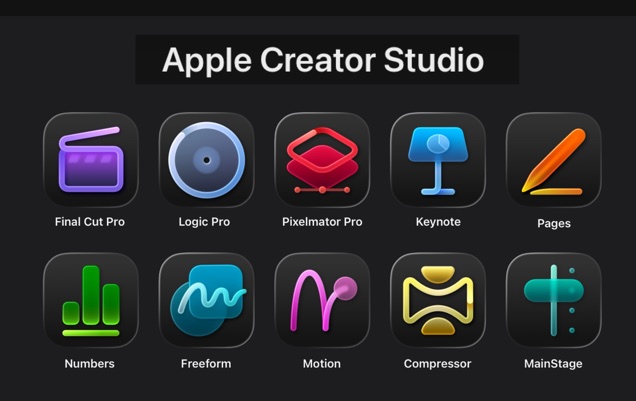
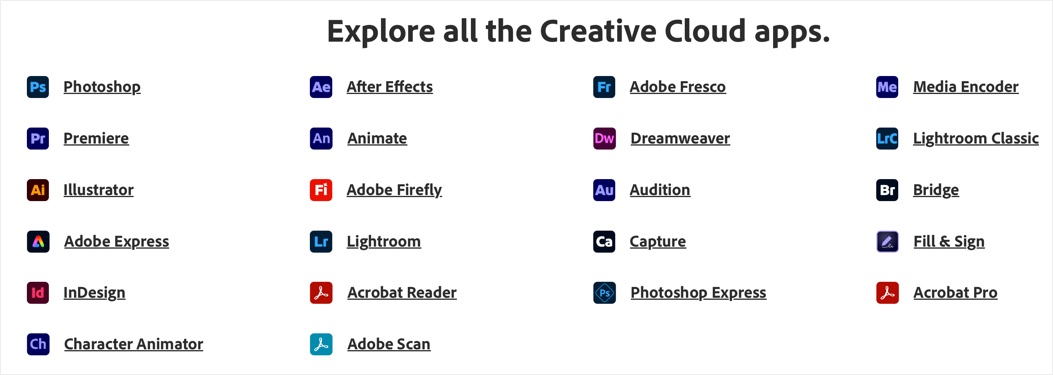
Apple Creator Studio bundles a set of pro-level apps tailored for video, music, imaging, and productivity, with an emphasis on creative workflows. It’s more niche, centering on Apple’s own tools plus Pixelmator Pro. Adobe Creative Cloud, in contrast, offers a vast array of over 20 apps, covering everything from photography to web design, making it a one-stop shop for multimedia professionals.
| Category | Apple Creator Studio Apps | Adobe Creative Cloud Apps (Pro Plan) |
|---|---|---|
| Video Editing | Final Cut Pro (Mac/iPad), Motion (Mac), Compressor (Mac) | Premiere Pro, After Effects, Media Encoder, Animate, Character Animator |
| Audio/Music | Logic Pro (Mac/iPad), MainStage (Mac) | Audition |
| Image/Design | Pixelmator Pro (Mac/iPad) | Photoshop, Illustrator, InDesign, Lightroom, Lightroom Classic, Fresco, Dreamweaver, Bridge, Capture |
| Productivity/PDF | Keynote, Pages, Numbers, Freeform (enhanced with premium content; base versions free) | Acrobat Pro, Adobe Express, Adobe Scan, Fill & Sign, Acrobat Reader |
| Other | N/A | Adobe Firefly (standalone AI tool), Photoshop Express |
| Total Apps | ~10 (including productivity enhancements) | 20+ |
Apple’s suite is streamlined for creators who stay within its hardware ecosystem, with apps like Final Cut Pro and Logic Pro optimized for Apple silicon. Adobe’s broader selection supports diverse workflows, such as animation and web development, and includes utilities like Bridge for asset management.
Pricing Comparison
While both companies offer subscription-based models, Apple’s entry-level pricing is lower, appealing to individuals and students. Adobe’s plans are pricier but offer more flexibility with single-app options and a free tier. Apple’s Family Sharing allows up to six users, while Adobe focuses on individual or business licensing.
| Plan Type | Apple Creator Studio | Adobe Creative Cloud Pro |
|---|---|---|
| Individual | $12.99/month or $129/year | $69.99/month |
| Students/Educators | $2.99/month or $29.99/year | Students & Teachers: $24.99/month for first year and $39.99/month afterwards.Schools & Universities: $34.99/month per license. |
| Business | Not available (individual/family focus) | $99.99/month |
| Free Options | Base productivity apps free, one-month free trial, three months free with new Mac or iPad | 7-days free trial, 14-days money back guarantee, limited access to some free apps like Adobe Express |
| One-Time Purchase | Individual apps available for one-time purchase depending on the device (Example: Final Cut Pro $299.99 for Mac) | $22.99 /month for any one app for individuals; $37.99 /month for any one app for business; buy any standalone app separately on monthly subscription |
| Extras | Family Sharing for up to 6 | Unlimited AI image access, 4000 AI credits /month, 100GB cloud storage. |
Apple’s lower cost could attract hobbyists and emerging creators, equating to about 5 months of Adobe’s Pro plan annually. However, Adobe’s single-app plans make it cheaper for specialized needs (for example, Illustrator can be purchased for $22.99/month standalone).
AI Integrations and Other Key Features
Both leverage AI to accelerate workflows, but Apple’s approach is on-device and privacy-centric, building on Apple Intelligence. Adobe’s Firefly is cloud-based and generative, with access to AI models from Google and OpenAI.
- AI in Apple Creator Studio: Includes Transcript Search, Visual Search, Beat Detection, Montage Maker in Final Cut Pro; Synth Player, Chord ID in Logic Pro; Warp tool in Pixelmator Pro; Image Playground, Super Resolution, Auto Crop in productivity apps. Focuses on efficiency and augmentation without data sharing.
- AI in Adobe Creative Cloud: Firefly enables text-to-image/video, Generative Fill in Photoshop, and tools for masking/subtitles. Pro plan offers 4,000 credits for premium AI features (like Text to Video) with unlimited standard AI image features (like Generative Fill). Emphasizes generative creation from natural language, integrated across apps like Photoshop and Premiere.
Apple’s features are tailored for quick, intelligent editing in its apps, while Adobe’s are more expansive for content generation. Adobe also provides over 30,000 fonts, a million Stock assets, 100GB storage, and cloud libraries. These extras not offered in Apple’s bundle, which instead offers a Content Hub for premium media in productivity apps.
Platform Compatibility and Ecosystem
- Apple Creator Studio: Optimized for Apple devices only and you need the latest macOS / iOS / iPadOS for best performance (though the apps work on older OS versions). Seamless cross-device workflows like start editing on iPad and continue your work on Mac or iPhone. No Windows and Android compatibility.
- Adobe Creative Cloud: Cross-platform on desktop, mobile, web across Windows, macOS, iOS, and Android. Apps like Lightroom work anywhere, with cloud sync for assets.
Adobe wins for versatility in mixed environments, while Apple’s deep integration with its hardware appeals to loyal Apple users.
Target Audience and Potential Success Factors
Apple Creator Studio targets basic level of creators in all disciplines like professional designers, content creators, students, and entrepreneurs emphasizing accessibility and joy in creation. It’s ideal for Apple ecosystem users seeking affordable, privacy-focused tools for video podcasts, music, and social content.
Adobe Creative Cloud suits enterprise pros, agencies, and cross-platform teams needing industry standards like Photoshop and Premiere. Its maturity (over a decade old) gives it an edge in features and community support.
Pros & Cons Summary
| Service | Pros | Cons |
|---|---|---|
| Apple Creator Studio | Lower subscription price. Seamless working on Apple ecosystem. On-device AI privacy. | Fewer apps. Platform dependent. |
| Adobe Creative Cloud | Comprehensive toolkit. Generative AI depth. Universal compatibility. | Higher cost for beginners. |
Conclusion: Which One Wins?
Although both services target the creative userbase, they differ in scope, ecosystem focus, pricing, and AI integration. Apple Creator Studio emphasizes seamless integration within the Apple ecosystem (Mac, iPad, iPhone) with privacy-focused AI, while Adobe Creative Cloud provides a broader, cross-platform toolkit with extensive industry-standard apps and generative AI via Firefly. Apple could succeed by converting their massive user base through free trials and with device purchases. However, Adobe’s broader scope and established dominance make it the go-to for professionals needing versatility.
If you’re deep in Apple’s world, Creator Studio might be the smarter pick with competitive pricing model; otherwise, Adobe remains the powerhouse.