Normal users can easily get confused when frequently seeing the pop-ups to use passkeys for Google, Microsoft, and other accounts. Although passwords are still primarily used for logins, they remain one of the weakest links in digital security. The reasons are obvious that people often reuse passwords, choose predictable combinations, or accidentally give them away through phishing attacks. Passkeys are designed to solve many of these problems. If you are using traditional passwords for logins, this article is for you to understand more details about passkeys and how they differ from passwords.

What is a Passkey?
A passkey is a passwordless sign-in credential based on public-key cryptography. Instead of storing a password that you type into a website, your device creates a unique cryptographic key pair for the account.
The key pair consists of:
- A private key, which remains protected on your device.
- A public key, which is registered with the website or service.
Here is how the entire process works:
- You select the passkey sign-in option.
- The website sends a cryptographic challenge.
- Your device asks you to verify your identity.
- You use your fingerprint, Face ID, Touch ID, Windows Hello, PIN, or screen lock.
- The device uses the private key to respond to the challenge.
- The website verifies the response using the public key.
- You are signed in.
At no point do you need to type a password.
Passkey vs. Password
The biggest difference is how the secret used for authentication is handled.
- With a traditional password, you create a secret that you and the service use to authenticate your account. If the password is stolen, an attacker may be able to use it elsewhere, particularly if you reused it.
- With a passkey, the private key is not something you normally type, copy, or send to a website. The website receives only the corresponding public key.

This makes passkeys fundamentally different from simply replacing a password with a shorter PIN. For most users, a properly implemented passkey is the better authentication option.
| Feature | Passkey | Password |
|---|---|---|
| Needs to be remembered | Yes | No |
| Can be reused across websites | Often | No |
| Vulnerable to traditional phishing | Yes | Highly resistant |
| Can be stolen through a fake login form | Yes | Not in the same way |
| Requires typing | Usually | No |
| Uses cryptographic keys | No | Yes |
| Can use fingerprint or face authentication | Not directly | Yes |
| Can be synchronized across devices | Through password managers | Supported by many platforms |
| Completely hack-proof | No | No |
Why Passkeys Safer Than Passwords?
Passkeys eliminate several common weaknesses associated with passwords. They are particularly resistant to phishing because a passkey is cryptographically tied to the website or app for which it was created. For example, if you accidentally visit a fake website designed to look like your bank’s login page, a traditional password could potentially be entered into the fake site. However, a properly implemented passkey authentication system will not simply provide the attacker with your private key. Passkeys also make password reuse much less of a problem. There is no password for an attacker to steal and try against your other accounts.
This does not mean passkeys make phishing completely impossible. Attackers can still trick users through social engineering, fake applications, malicious links, or other methods. However, stealing a passkey by simply convincing someone to type it into a fake login form is not how passkeys work.
Where are Passkeys Stored?
Passkeys can be stored on your device and, depending on the platform and configuration, synchronized across your devices through a password manager or platform credential manager. For example, Apple devices synchronize passkeys in iCloud Keychain (using the Passwords app) so that you do not have to create a completely separate credential every time you switch between devices. This is one of the reasons passkeys are becoming more practical for everyday users.

Using biometric data is another concern for many users. When you use a fingerprint or facial recognition to approve a passkey, the website generally does not receive your fingerprint or face data. The biometric authentication takes place locally on your device. Although the exact implementation depends on the operating system, device, browser, and authentication hardware, the basic design keeps biometric information local rather than sending it to every website where you use a passkey.
What If You Lose Your Phone?
Losing your phone does not necessarily mean losing access to every account protected by a passkey. If your passkeys are synchronized through a supported credential manager, they may be available on another device after you authenticate to the same account or password manager.
Some services also provide account recovery methods or allow you to register additional passkeys on other devices. For important accounts, it is still a good idea to have a recovery method and more than one trusted authentication device where supported.
Do Passkeys Replace Passwords Completely?
Not yet. Passkeys are increasingly supported by websites, apps, browsers, operating systems, and password managers, but passwords are still widely used. You may encounter several situations where a service offers both password and passkey authentication. Most companies such as Google, Apple, and Microsoft require a password during initial account setup or account recovery.


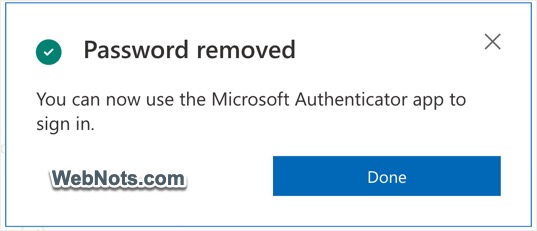
Passkeys are used on top the account passwords. Also, companies like Microsoft allow users to remove the password and use the Authenticator app for two-step verification process. As passkey adoption increases, you can expect more services to make passwordless authentication a primary option.

Should You Start Using Passkeys?
For your most important accounts, such as email, cloud storage, financial services, and social media, using a strong authentication method is especially important. If a service supports passkeys, they are generally worth considering instead of relying solely on a traditional password. You should also keep your devices updated, use a screen lock, protect your primary account and password manager, and maintain appropriate account-recovery options.