MacBooks models are popular for their sleek design and robust security with macOS. However, they are the costliest laptop models with the MacBook Air’s price starts from $999 and the MacBook Pro starts from $1599. Due to this higher cost, people after purchasing the MacBook, hesitate to invest further on accessories. But the truth is that you can gain health as well as productivity benefits from a thoughtfully chosen collection of accessories. Below, we explore ten of the best Mac accessories that promise to elevate your productivity, enhance comfort, and inspire creativity.
1. External Monitor: Expand Your Digital Canvas
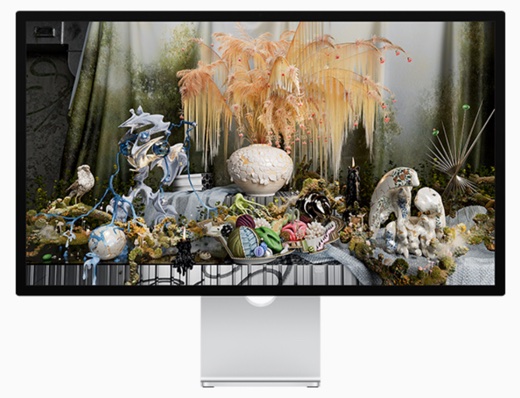
If you have ever worked on 24-inch iMac, you will hate the 13 to 16 inches smaller MacBook screens. Fortunately, adding an external monitor to your MacBook is super easy (except the cost part). You can try the high-resolution displays like LG’s UltraFine 5K or Apple’s own Studio Display to get large screen real estate for multitasking, editing, and immersive experiences. An external monitor makes it easier to keep reference materials, chat windows, and creative projects open side by side, reducing time lost to window-switching.
2. Ergonomic Mouse or Trackpad: Precision Meets Comfort
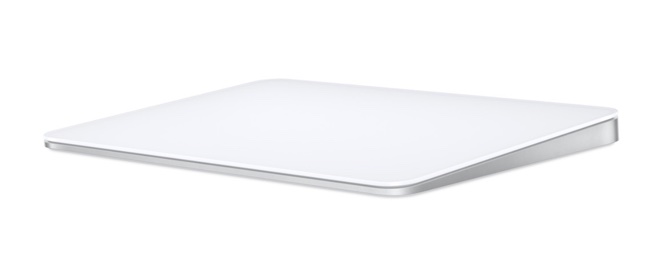
While the Mac’s built-in trackpad works well for its gestures, a dedicated mouse or a larger trackpad improves precision and reduces strain. The Logitech MX Master series, for example, is lauded for its ergonomic contours, multi-device pairing, and customizable buttons. Alternatively, Apple’s Magic Trackpad 2 offers a smooth, expansive surface for fluid gestures and force touch controls, ideal for creative tasks and navigation. You can also try Apple Magic Mouse which blends nicely due to its nativity.
3. Magic Keyboard with Touch ID: Seamless Security and Comfort
Apple’s Magic Keyboard with Touch ID brings convenience and security together in a minimalist design. The slim, wireless keyboard features responsive scissor-switch keys and a built-in Touch ID sensor, letting you unlock your Mac, authorize payments, and switch user accounts with a simple fingerprint scan. Its long battery life and effortless pairing make it an indispensable tool for both office and home use.

Unfortunately, Magic Keyboard (as an accessory) does not support the backlit light for keys. This makes it difficult to work on night with room light switched off. You can try any other third-party keyboards especially if you purchase monitor, keyboard, and mouse together from a single company.
4. Adjustable Laptop Stand: Elevate and Ergonomize
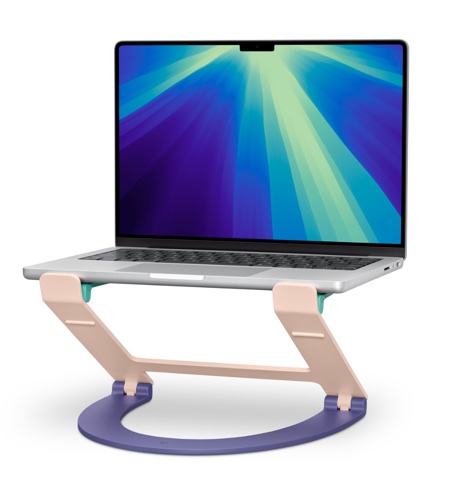
A laptop stand is a simple accessory with profound benefits. By raising your MacBook to eye level, a stand such as the Rain Design mStand or Twelve South Curve helps promote better posture and reduces neck strain. Many models also improve airflow to keep your laptop cooler under heavy loads, and feature cable management to minimize desktop clutter. Pair your stand with a wireless keyboard and mouse for a truly ergonomic setup.
5. USB-C Hub or Dock: Unlock Connectivity
Modern Macs are marvels of minimalism, but their streamlined port selection can pose a challenge for those with multiple peripherals. The latest MacBook Air and Pro models come with Thunderbolt 4 or 5 and HDMI ports.
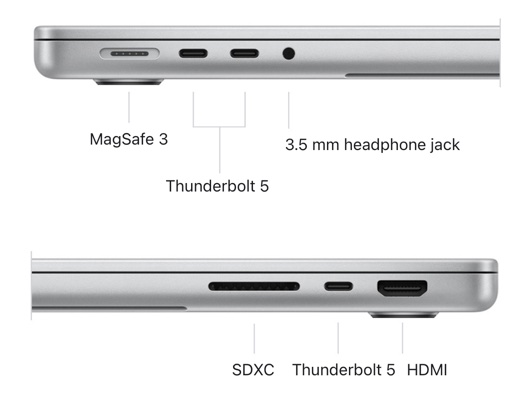
A USB-C hub or dock transforms a single port into a gateway for HDMI, USB-A, SD cards, Ethernet, and more. Look for models from trusted brands like Anker, CalDigit, or Satechi that offer power delivery, fast data transfer, and ample port variety – ensuring you never run out of connections for your devices.
6. External SSD: Fast, Portable Storage
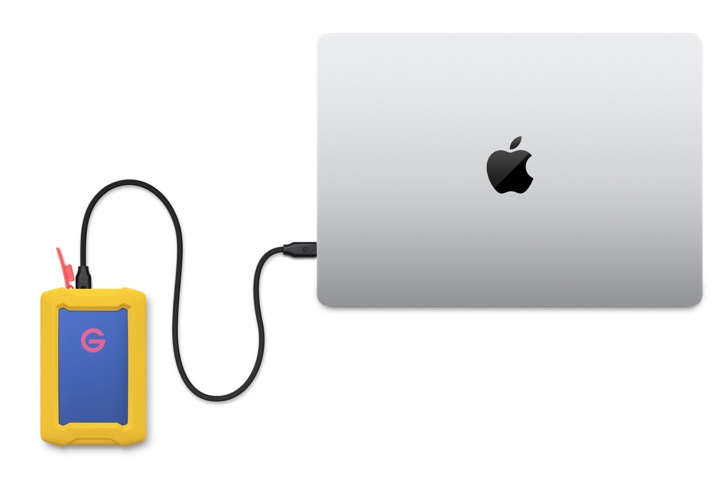
By default, Apple offers 5GB free storage space as part of iCloud setup. This is insufficient and you need to upgrade or use any other cloud services like Dropbox, Google Drive, or OneDrive. The best alternative with one-time investment is to purchase an external SSD. If you are working with large files, fast and reliable external storage make big difference. An external SSD (solid-state drive), such as the Samsung T7 or SanDisk Extreme Portable SSD, offers blazing-fast read and write speeds, compact size, and rugged durability. These devices are perfect for backing up your Mac, storing media libraries, or transferring data between devices – keeping your workflow smooth and secure.
7. High-Quality Webcam: Professional Video Calls
The 12MP Center Stage camera that comes with MacBook may be sufficient for simple video calls. If you have to frequently deal with video conferencing and recording stuffs, a high-quality webcam can make all the difference. External webcam like the Logitech Brio 4K or Elgato Facecam delivers superior image quality, low-light performance, and adjustable settings for a polished, professional presence on every call.
8. Noise-Cancelling Headphones: Focus Amid the Chaos
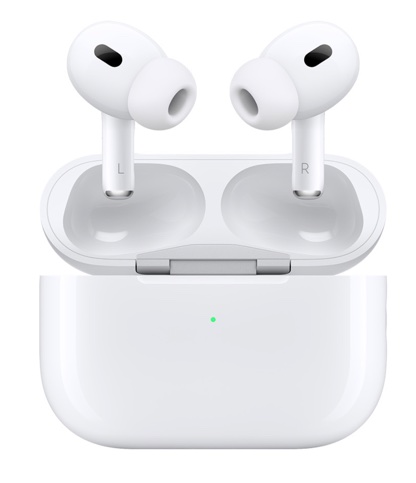
Whether you’re working in a bustling office or the comfort of your home, noise-cancelling headphones help you find your focus. The Apple AirPods Pro and the Sony WH-1000XM5 are favorites for their comfortable fit, exceptional sound, and advanced noise-cancellation technology. With features like transparency mode, seamless switching between Apple devices, and long battery life, you will stay in your zone no matter where you work.
9. Desk Organizer: Tame the Clutter
A cluttered desk can disrupt even the most disciplined mind. Investing in a stylish and functional desk organizer – whether it’s a sleek tray, cable management system, or modular drawer unit – keeps your workspace tidy and your essentials within easy reach. Look for options that complement your Mac’s aesthetic and offer designated spots for everything from charging cables to pens and notebooks.
10. Smart Lighting: Set the Mood for Productivity
Lighting can profoundly influence your mood and productivity. Smart lighting solutions like the Philips Hue system or Nanoleaf light panels let you customize the color, brightness, and scheduling of your workspace illumination. Tune your lights to energizing cool tones during the day and soothing warm hues in the evening, all controllable from your Mac or iPhone. The right lighting not only reduces eye strain but also personalizes your workspace to suit any task or mood.
Maximizing the Mac Experience
MacBooks are known for their durability and can function for several years without significant issues. So, investing money on accessories not only helps to make the most out of your Mac but also benefit your health. For example, using a 13-inch MacBook Air and constantly bending your neck to use the trackpad can lead to serious health issues. Also, you need a bigger screen when multi-tasking to improve the productivity. Choose the right combination of accessories depending on your need and unlock your Mac’s full potential.