Staying ahead in the dynamic SEO world requires right tools for analyzing, optimizing and monitoring your strategies efficiently. Chrome extensions offer a convenient way to integrate powerful SEO functionalities directly into your browser, saving time and providing real-time insights. Here is a list of top 10 Chrome extensions for SEO in 2026. These extensions can help you with keyword research, on-page audits, competitor analysis, and do SEO audits to fix the issues.
1. SEO Checker Tool – Get Free SEO Audit Analysis
This is a free Chrome extension to perform on-page search engine optimization audits with one click. It is designed for website owners and marketers who want a quick assessment of technical and content-related SEO factors and actionable suggestions to improve search rankings.
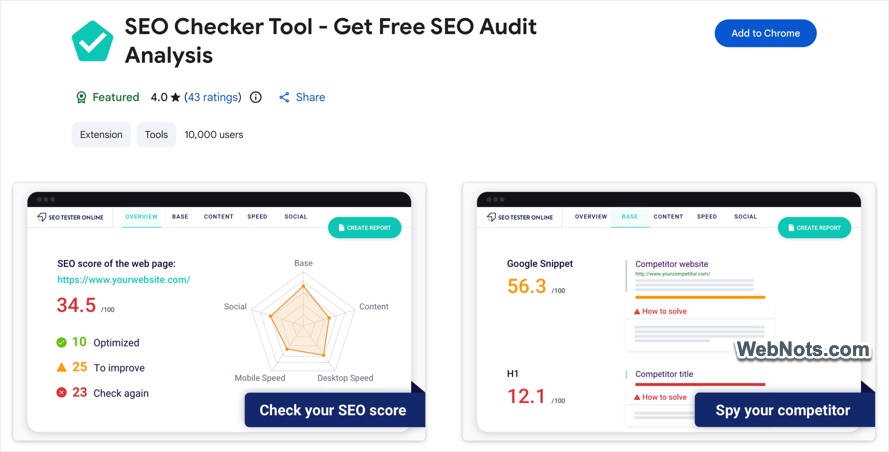
- One-Click SEO Audit: Analyze any web page instantly and generate a comprehensive SEO audit report.
- Customized Suggestions: Get tailored recommendations to fix SEO issues that may affect rankings on Google, Bing, Yahoo, and other search engines.
- On-Page Element Analysis: Review important on-page SEO elements, including title tags, meta descriptions, H1-H6 headings, and URL structure.
- Technical SEO Check: Check HTTP/HTTPS status, mobile and desktop loading speed, structured data, robots.txt, and XML Sitemap availability.
- Content Analysis: Evaluate keyword usage, image alt text, and other content quality factors that can influence search visibility.
- Competitor Page Analysis: Audit competitor web pages to compare SEO strengths, weaknesses, and optimization opportunities.
- Multi-Search Engine Compatibility: Assess SEO performance with optimization factors relevant to Google, Bing, Yahoo, and other search engines.
- Free to Use: Access the core SEO audit features and optimization suggestions at no cost through the Chrome extension.
The extension places an SEO analysis toolbox in the browser, enabling users to inspect and improve optimization elements without external applications or dashboards.
2. Redirect Path
Redirect Path extension helps you to diagnose and understand how web pages are redirected and how HTTP responses are delivered. It highlights the specific response codes and headers encountered when loading a URL, making it useful for technical SEO audits and troubleshooting redirect issues directly in the browser. It has positive ratings and is used by hundreds of thousands of SEO professionals and developers.
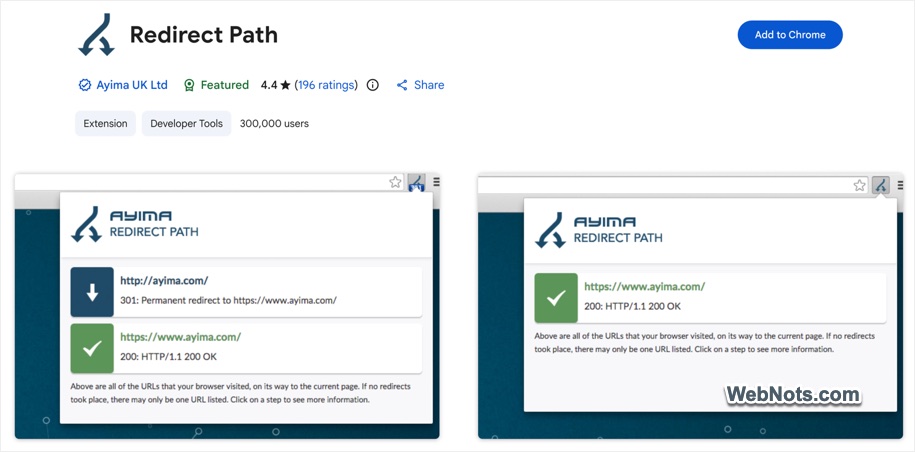
- HTTP Status Code Detection: Identify important HTTP response codes such as 301, 302, 404, and 500 to quickly spot redirects, broken pages, and server errors.
- Client-Side Redirect Detection: Detect Meta Refresh and JavaScript-based redirects that may not be visible through standard HTTP response checks.
- HTTP Header Information: View useful HTTP headers, including server details and caching information, to understand how requests and responses are handled.
- Redirect Chain Visualization: See the complete redirect path from the original URL to the final destination, making redirect chains easier to troubleshoot.
- Server IP Address: View the IP address of the server handling the request for troubleshooting, hosting checks, and network analysis.
- Local Processing: Perform checks and display available information locally on your device, helping minimize unnecessary external data requests.
- Quick Browser Access: Get essential HTTP and redirect information directly from your browser without opening developer tools or using separate utilities.
Redirect Path places essential redirect and HTTP response data within easy reach of users navigating web pages, supporting faster troubleshooting and better technical SEO understanding.
3. SEOquake
SEOquake is another free extension developed by Semrush that delivers key search engine optimization metrics and tools directly in Google Chrome. It is designed to help users quickly assess the SEO value of web pages and search engine results without leaving the browser environment. The extension is widely used, with over one million users and strong user ratings.
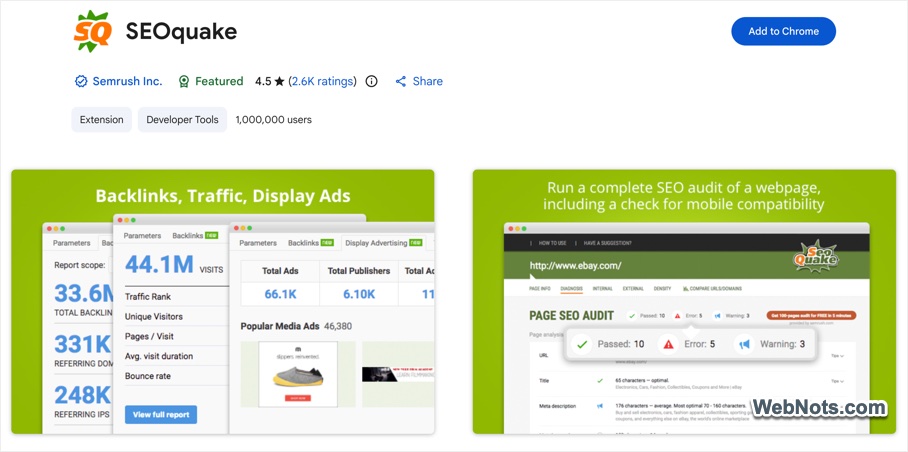
- Immediate SEO Metrics: Quickly view important SEO metrics for any web page you visit.
- SERP Analysis: Analyze search engine results pages (SERPs) and export collected results to CSV for further analysis.
- Keyword Difficulty: Instantly estimate how competitive a keyword is and assess its ranking difficulty.
- SEO Audit: Perform a comprehensive SEO audit of web pages, including mobile compatibility and other important optimization factors.
- Social Statistics: View available social media metrics, including Facebook-related data, directly from the analysis.
- Link Reports: Generate detailed reports of internal and external links found on a web page.
- Keyword Density Analysis: Analyze keyword frequency and density, with options to customize stop words for more accurate results.
- URL & Domain Comparison: Compare SEO metrics and performance between different URLs or domains to identify strengths and optimization opportunities.
SEOquake incorporates tools such as an SEO toolbar and a search overlay that display metrics in context while browsing or viewing search results, making it suitable for both quick checks and more detailed SEO work.
4. SEO Search Simulator
SEO Search Simulator helps to simulate Google search engine queries from any location and check website rankings. It is designed for SEO professionals and marketers who need to monitor their own site or competitor rankings in search engine results without using a VPN or external tools. The extension has strong user ratings and a large user base on the Chrome Web Store.
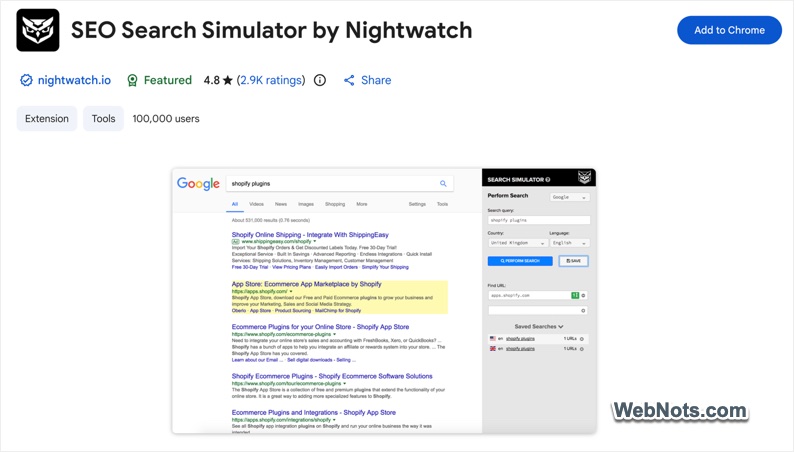
- Search Simulation from Any Location: Simulate unbiased Google searches from different geographic locations to check local search results and keyword rankings.
- Website & Competitor Rank Tracking: Check search rankings for your own website or competitor websites directly from the browser extension.
- SERP Position Monitoring: Monitor website positions in search engine results pages (SERPs) for selected keywords and search queries.
- No VPN Required: Check location-specific search results without using a VPN or repeatedly clearing browser cookies.
- Simple Browser Integration: Run search simulations and ranking checks directly within Chrome without switching to separate SEO platforms.
- Privacy-Conscious Design: Uses a lightweight extension and is designed to limit data usage to its core functionality.
- Regular Updates & Support: Receives ongoing updates and provides developer support through Nightwatch.
The extension’s primary purpose is to save time and effort for SEO users by delivering rank checking and SERP simulation features directly in the browsing experience.
5. Keywords Everywhere – Keywords Tool
Keywords Everywhere is a freemium Chrome extension providing keyword and marketing insights. It is designed to help users performing online marketing and search engine optimization by showing keyword level data, traffic estimates, link metrics, and related metrics without switching between tools. The extension is used on more than one million installations and holds strong user ratings.
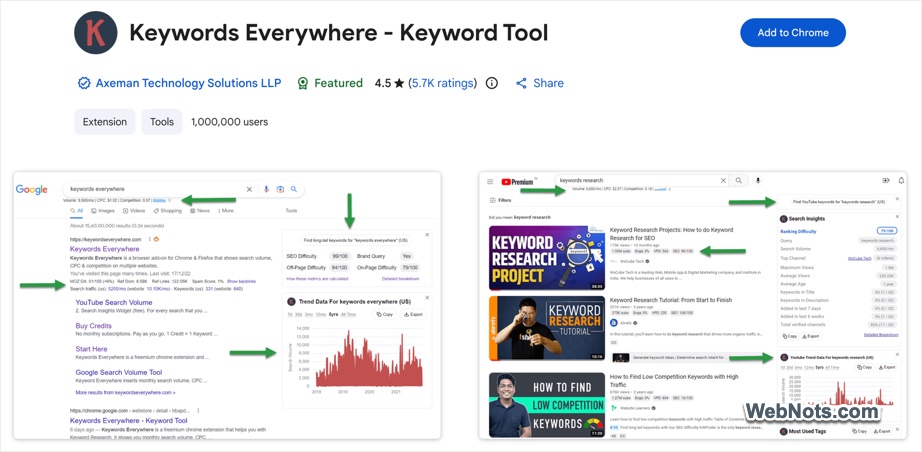
- Keyword Search Volume, CPC & Competition: View estimated monthly search volume, cost-per-click (CPC), and competition data across 15+ platforms, including Google Search Console, YouTube, Amazon, and eBay.
- Website Traffic Metrics: Check estimated monthly website traffic and discover up to 10,000 top-ranking keywords for a URL or domain.
- Link Metrics: Access Moz-based metrics such as Domain Authority (DA), DA trends, Spam Score, referring domains, and backlink data.
- SEO Metrics: Evaluate SEO difficulty, on-page and off-page difficulty, brand queries, and other important optimization metrics.
- AI-Powered SEO Reports: Generate SEO reports using integrated AI platforms such as ChatGPT, Gemini, Claude, and DeepSeek based on collected SEO metrics.
- YouTube & SERP Insights: Analyze search results, SERP metrics, video performance insights, and YouTube tag suggestions.
- Local SEO Metrics: Access Google Maps-related data to analyze and improve local search visibility.
- Keyword Suggestions: Discover related keywords, topical keywords, People Also Search For (PASF) queries, and long-tail keyword opportunities.
- On-Page Analysis: Analyze any web page for keyword usage, frequency, and keyword density.
- Social & Platform Metrics: Access Instagram hashtag suggestions, Instagram and Twitter engagement metrics, Pinterest insights, and other social media data.
- API & Bulk SEO Tools: Paid features include historical trend charts, bulk keyword imports with metrics, competitor gap analysis, and keyword data across multiple platforms.
This extension integrates rich keyword data and marketing metrics into the browser interface so users can perform research and analysis while browsing search results and webpages.
6. Ahrefs SEO Toolbar
Ahrefs SEO Toolbar delivers comprehensive search engine optimization insights for free. It enables users to assess on-page SEO, analyze links, explore keyword data, and review search results without switching tools. The extension is used by hundreds of thousands of SEO professionals and marketers worldwide and offers additional enhanced metrics for users with an Ahrefs subscription.
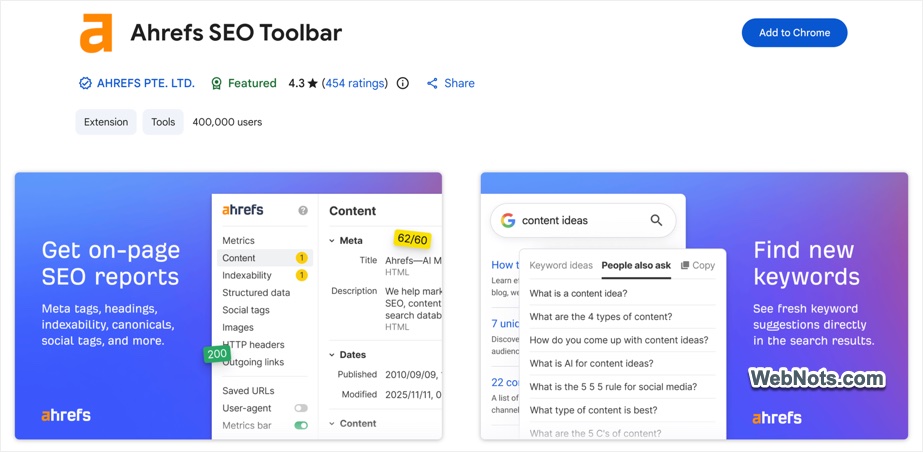
- On-Page SEO Data: Quickly access page titles, meta descriptions, headings, canonical tags, and indexation directives directly from the browser.
- Global SEO Research: Select a country, Google domain, and language to explore localized search results and keyword ideas without using a VPN.
- Link Analysis & Highlighting: Identify and highlight links, trace redirects, filter outgoing links, detect broken links, and export link data to CSV.
- SEO Research Tools: Access useful tools such as a user-agent switcher, HTTP header viewer, performance insights, and options for saving URLs from browser tabs or SERPs.
- SERP Insights: Enhance search results with SEO metrics, keyword suggestions, and location-specific ranking information.
- Ahrefs Metrics Integration: Ahrefs subscribers can view metrics such as Domain Rating (DR), URL Rating (UR), ranking keyword counts, estimated traffic, and referring domains.
- Technical SEO & Redirect Tools: Track complete redirect chains, inspect HTTP headers, and troubleshoot technical SEO issues related to indexing and site structure.
- Workflow Enhancements: Use keyboard shortcuts and export SERP and link data for further analysis and reporting.
The toolbar serves as a consolidated SEO toolkit that supports on-page audits, link checks, competitive research, and keyword insights inside the browsing experience.
7. META SEO inspector
This Chrome extension enables web developers, marketers, and curious users to quickly inspect the underlying HTML and metadata of any web page. It reveals hidden SEO elements and highlights issues that could affect search visibility, helping users verify metadata and improve on-page optimization directly from the browser.
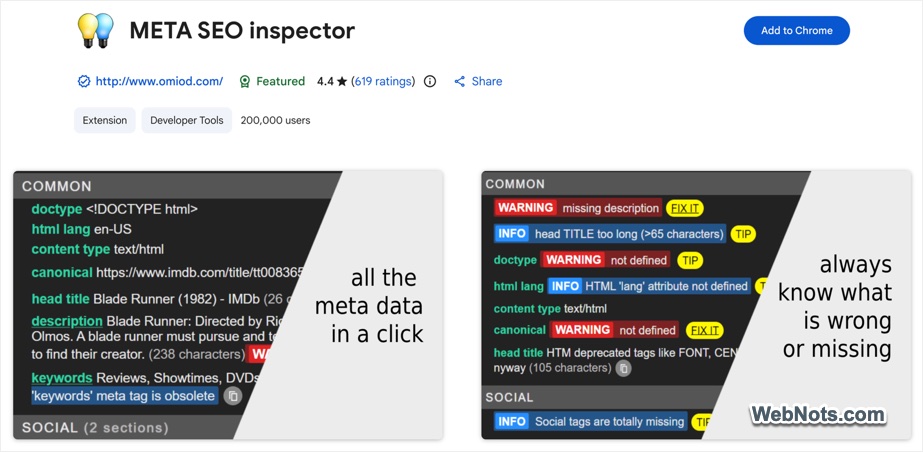
- One-Click Metadata Insights: Instantly view page metadata and structured data, including complete JSON-LD markup, with a single click.
- Smart SEO Alerts: Identify missing, excessively short, or overly long metadata tags that may affect search engine optimization.
- Actionable SEO Advice: Get practical recommendations for fixing detected issues and improving Core Web Vitals and search visibility.
- Convenient Sidebar View: Keep the extension open in a browser sidebar for continuous SEO insights while navigating different pages.
- Competitor Analysis: Inspect competitors’ website structure, metadata, and structured data to identify optimization opportunities.
- Export & Reporting: Copy metadata values, print reports, or export collected information for further analysis.
- Multilingual Interface: Access the extension in multiple languages for easier use by users worldwide.
- Free & Regularly Updated: Use the extension for free without creating an account or signing in, with ongoing updates from the developer.
Meta SEO Inspector places a robust on-page SEO analysis tool in the browser, making it easier to check and optimize meta elements without separate SEO dashboards or external tools.
8. MozBar
MozBar, created by Moz, provides search engine optimization metrics and analysis for websites and search engine results pages. It is used by SEO professionals and marketers to quickly assess key ranking signals without leaving the current webpage. The extension supports both free community access with core metrics and paid Moz Pro access for advanced features.
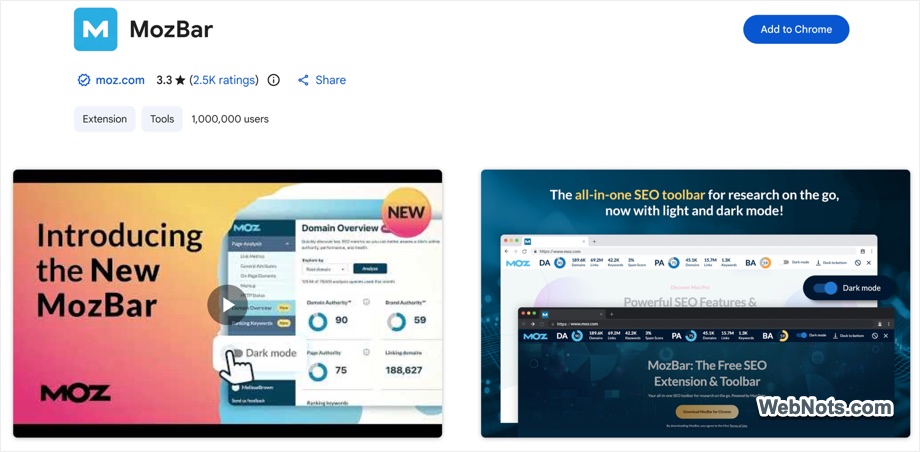
- Page & Domain Authority: View Moz’s Page Authority (PA) and Domain Authority (DA) scores to estimate the ranking potential of individual pages and domains.
- Brand Authority: MozBar Premium users can access Brand Authority metrics to evaluate a brand’s overall online strength and influence.
- On-Page SEO Analysis: Examine important SEO elements such as page titles, headings, hreflang tags, robots.txt, Sitemap URLs, and schema markup.
- Link Highlighting: Highlight and categorize followed, nofollowed, internal, and external links directly on a web page.
- SERP Overlay: Display Moz SEO metrics directly within search engine results pages (SERPs) and export SERP analysis data to CSV.
- Link Metrics Comparison: View and compare link-related SEO metrics across different pages while browsing.
- Keyword Snapshot: Access a quick overview of top-ranking keywords through Moz Pro integration.
- Page Optimization Insights: Identify factors that may influence a page’s ability to rank and discover potential areas for SEO improvement.
MozBar combines toolbar and popup interfaces to give users instant SEO insights as they navigate the web and review search results.
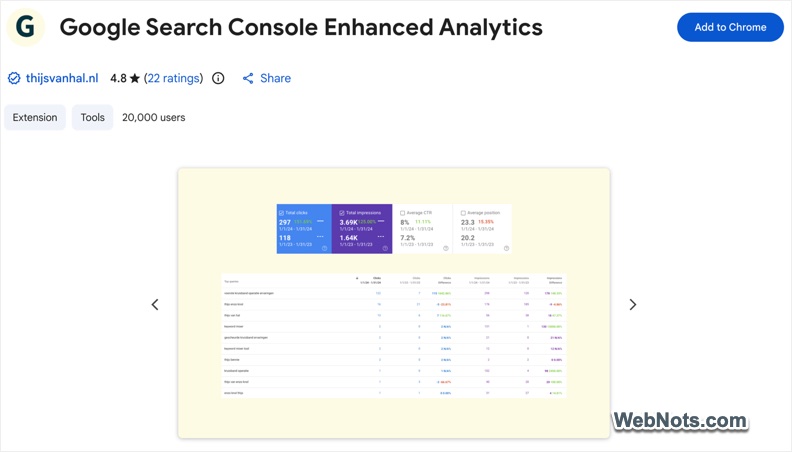
9. Google Search Console Enhanced Analytics
Google Search Console Enhanced Analytics expands the analytical capabilities of the standard Google Search Console performance reports. It enables users to perform custom comparisons, calculate percentage changes, and view search volumes directly within the browser, helping SEO professionals and site owners analyze performance more efficiently without needing external tools or access credentials.
- Custom Date Range Selection: Select and compare specific date ranges for performance metrics beyond the standard Google Search Console options.
- Quick Performance Comparisons: Quickly compare two time periods for important metrics such as clicks, impressions, CTR, and average position.
- Percentage Change Calculations: Automatically calculate percentage increases or decreases in clicks, impressions, CTR, average position, and other performance metrics.
- Search Volume Data: Generate search volume estimates for queries directly within the tool to add useful context to search performance data.
- Exact Metrics Above Charts: Display precise metric values above performance charts for faster and clearer analysis.
- Data Export: Export generated performance data to Excel for additional analysis, reporting, or record keeping.
- No Property Access Required: Analyze Search Console information using data available in the current browser session without requiring separate access to the property.
- Local Data Processing: Perform calculations locally in the browser without externally transmitting or storing analyzed data, helping protect user privacy.
The extension is tailored for anyone who regularly uses Google Search Console and needs more flexible analytical options directly within the interface.
10. SEO Analysis & Website Review
This free extension delivers comprehensive website reviews and search engine optimization insights directly within the browser. It analyzes both on-page and off-page data to produce clear, actionable reports on optimization performance, mobile friendliness, usability, and more. The extension is available without account registration and has been installed by around 200K users on the Chrome Web Store.
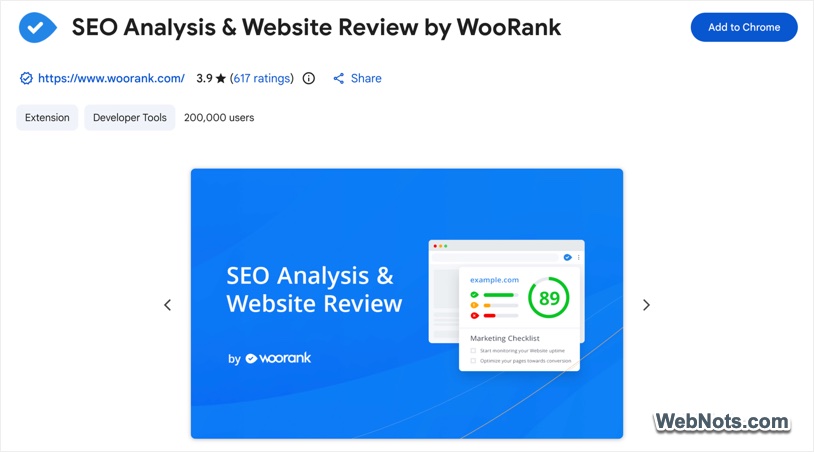
- Deep SEO Analysis: Instantly analyze on-page and off-page SEO metrics to get a comprehensive overview of a website’s search optimization.
- Mobile-Friendliness Check: Evaluate how well a website performs on mobile devices, including important mobile usability factors.
- Usability Evaluation: Review accessibility, navigation, and user experience elements that may affect visitor engagement and website performance.
- Structured Data Insights: Detect structured data implementations and identify potential issues or opportunities for improvement.
- Backlink & Technology Overview: Examine backlink information and identify technologies being used by the website.
- Social Media & Traffic Indicators: View social media presence metrics and general website traffic indicators as part of the overall analysis.
- Fresh Data Retrieval: Refresh analyzed data whenever needed to ensure SEO reports contain the latest available information.
- Easy One-Click Analysis: Generate a complete SEO report with a single click without requiring sign-in or additional permissions.
The extension aims to help website owners, marketers, developers, and SEO professionals quickly assess a website’s strengths and weaknesses and gain insights that support optimization and marketing decisions.
Final Words
We have only listed 10 most useful SEO related extensions available in Chrome Web Store. However, there are also special purpose extensions like (Check My Links for finding broken links a webpage). These extensions can significantly enhance your SEO workflow straight from the Chrome browser. You may need to combine them with best practices like quality content creation and ethical link building to get better results.