Low sales on your WordPress website can be frustrating, especially when you know you’re offering a good product or service. If you’re a business owner and this problem sounds familiar, you’re not alone. Many WordPress sites struggle not because of poor offerings, but because the website itself is not optimized to convert visitors into customers. Your website is more than an online brochure. It’s a sales tool that should actively guide visitors toward taking action. When done right, WordPress can be a powerful platform for generating leads, nurturing prospects, and increasing revenue.
In this article, we’ll cover practical and proven ways to boost your sales using WordPress. These are not theoretical ideas. They are quick wins and long-term strategies that focus on improving user experience, building trust, and increasing conversions.
Why Website Optimization Matters for Sales?
Before getting into specific tips, it’s important to understand why website optimization plays such a critical role in sales. Visitors form an opinion about your website in seconds. If it loads slowly, looks outdated, or feels confusing, they leave. When that happens, you lose potential customers before you even get a chance to pitch your offer.
An optimized WordPress site removes friction. It makes it easy for visitors to understand what you offer, why it matters, and what to do next. Every improvement you make, no matter how small, can have a direct impact on your bottom line.
1. Improve Page Loading Speed
Page speed is one of the most important factors affecting conversions. Here is what statistics says for one-second delay in page load time:
- Result in a 7 percent loss in conversions.
- 16 percent decrease in customer satisfaction.
- 11 percent fewer page views.
Those numbers add up quickly. A slow website frustrates users. People expect pages to load almost instantly, especially on mobile devices. If your site takes too long, visitors won’t wait around.

Here is how to improve the speed of your WordPress site:
- Avoid themes packed with unnecessary animations, sliders, and features you don’t use. Simpler themes like Astra, GeneratePress or Kadence load faster.
- Large image files are a common cause of slow pages. Compress images before uploading them.
- Caching plugins like WP Rocket store static versions of your pages so they load faster for repeat visitors.
- Too many plugins can slow down your site. Remove anything you don’t absolutely need.
- Cheap hosting often means slow performance. Investing in reliable hosting like SiteGround Cloud pays off in the long run.
Speed improvements alone can lead to immediate increases in conversions without changing any content.
2. Turn Your WordPress Site into an Online Store
If you’re not selling directly from your website, you may be leaving money on the table. WordPress makes it relatively easy to turn a site into a fully functional online store. An ecommerce plugin like WooCommerce allows you to sell physical products, digital downloads, or services directly from your site. This removes unnecessary steps in the buying process and keeps customers within your ecosystem.

Here are some benefits of selling directly on your site:
- Full control over branding and user experience.
- No marketplace fees cutting into profits.
- Direct access to customer data.
- Ability to upsell and cross-sell.
A well-structured online store includes clear product descriptions, quality images, transparent pricing, and a smooth checkout process. Even small improvements in product pages can lead to noticeable increases in sales.
3. Start a Blog to Drive Targeted Traffic
Blogging is one of the most powerful tools WordPress offers, and it costs nothing to start. A blog helps you attract visitors who are actively searching for information related to your business.

The key is not to write random posts, but to create content that solves real problems for your target audience. Here is how blogging can boosts your sales:
- Increases organic traffic from search engines.
- Builds authority and trust in your niche.
- Educates potential customers before they buy.
- Provides opportunities to promote products naturally.
Consistency matters. Even one high-quality post per week can make a significant difference over time.
4. Add Email Subscription
While social media is useful for visibility, email marketing remains one of the most effective ways to generate sales. Unlike social platforms, you own your email list. You’re not at the mercy of changing algorithms. Adding email subscription forms to your WordPress site allows you to capture leads and stay in touch with visitors who aren’t ready to buy yet.
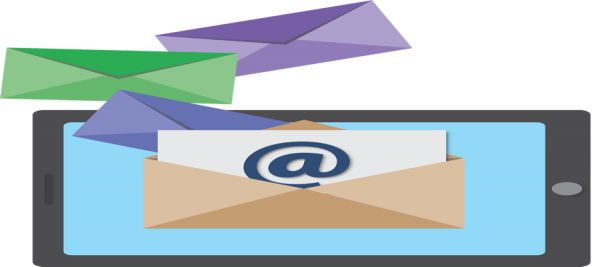
You can place the email signup forms on homepage, blog posts, sidebar, footer, dedicated landing pages, or use exit-intent popups. Offer something valuable in exchange for an email address. This could be a free guide, checklist, discount, or email course. Once subscribers are on your list, you can nurture them with helpful content and promotional offers.
Over time, email subscribers often become your most loyal and profitable customers.
5. Build Optimized Landing Pages
Landing pages are essential for converting traffic into leads or sales. Unlike regular website pages, landing pages are focused on a single goal. There are no distractions, unnecessary links, or confusing navigation. A good landing page answers three key questions:
- What is being offered?
- Why should I care?
- What should I do next?

Use the following elements on your landing page to improve the conversion rate:
- Clear and compelling headline.
- Concise explanation of benefits.
- Strong call to action.
- Social proof such as testimonials or reviews.
- Mobile-friendly design.
Landing pages are especially useful for advertising campaigns, email promotions, and lead magnets. Even small changes, like improving a headline or simplifying a form, can dramatically improve conversion rates.
6. Design Clear and Compelling Call to Action
A call to action (CTA) tells visitors exactly what you want them to do next. Surprisingly, many websites lack clear CTAs, leaving visitors unsure of how to proceed. Every important page on your site should have a primary call to action. Whether it’s “Buy Now,” “Request a Quote,” or “Download the Free Guide,” the message should be clear and easy to spot.

Here are some tips for creating better CTAs:
- Use action-oriented language.
- Make buttons visually stand out.
- Place CTAs above the fold and throughout the page.
- Focus on benefits, not just actions.
A strong CTA can be the difference between a visitor leaving and becoming a customer.
7. Use Social Proofs to Build Trust
People are more likely to buy when they see that others have already done so. Social proof builds credibility and reduces hesitation. Here are some of the social proofs to add on your site:
- Customer testimonials.
- Reviews and ratings.
- Case studies.
- Client logos.
- Trust badges and certifications.
Displaying honest feedback from real customers reassures visitors that your business is legitimate and reliable.
8. Optimize for Mobile Users
More than half of all web traffic now comes from mobile devices. If your WordPress site isn’t mobile-friendly, you’re losing sales.

A mobile-optimized site should be easy to navigate, load quickly, and display content clearly on smaller screens. Forms should be simple, buttons easy to tap, and text readable without zooming. Testing your site on multiple devices helps ensure a smooth experience for all users.
9. Track Performance and Test Changes
Tracking user behavior helps you understand what’s working and what’s not. Use analytics tools (like Google Analytics) to monitor page views, bounce rates, conversion rates, and traffic sources.
A/B testing different headlines, CTAs, layouts, and offers can uncover insights that lead to higher conversions over time.
10. Use Abandoned Cart Recovery
Not every visitor who adds a product to their cart will complete the purchase. In fact, cart abandonment is one of the biggest challenges for online businesses. Many potential customers leave simply because they get distracted, want to compare prices, or aren’t ready to buy at that exact moment. The good news is that abandoned carts don’t have to mean lost sales forever. With the right strategy, you can recover a significant percentage of those would-be customers.
There are plenty of WordPress plugins available (based on your store setup) to track the abandoned carts. After a set period, an automated reminder is sent to encourage them to return and finish the purchase. These reminders usually come in the form of emails, but they can also include browser notifications or SMS messages.
Wrapping Up
WordPress is a flexible and powerful platform that allows you to improve sales without rebuilding your site from scratch. By focusing on speed, content, usability, and conversion optimization, you can turn more visitors into paying customers. Start with the basics to improve page speed and add clear calls to action, then use advanced strategies like landing pages, email marketing, and performance tracking. Small improvements, applied consistently, can lead to big results. Use these tips today, and you’ll be well on your way to boosting sales with your WordPress website.