If you are struggling with a surge in direct traffic to your websites, you are not alone. This is becoming a big headache thanks to automated bots, and GA4 often can’t differentiate them from real users. If you are frustrated by inflated numbers in your traffic reports, here is how you can block unnecessary direct traffic to your site.
What is Direct Traffic?
In simple words, direct traffic means someone visits your website by opening a URL directly, without coming through a search engine like Google or Bing. However, it gets more complicated when automated bots are involved, because these bots crawl your site directly.
Technically, the HTTP protocol (used for visiting webpages) includes a Referrer header (commonly called the referrer), which identifies the source of the traffic (who sent the user to your page). Traffic is classified as “direct” when this header is blank.
Let’s look at a few examples:
| Scenario | Expected Referrer |
|---|---|
| User comes to your site from Google Search | www.google.com |
| User comes to your site from Bing Search | bing.com |
| Googlebot or Bingbot crawling your pages | Blank |
| ChatGPT or Perplexity bots crawling your site | Blank |
| Background jobs running on your own server | Blank |
| User visiting from bookmarks or an RSS feed | Blank |
Websites using the rel="noreferrer" link attribute | Blank |
| Bad crawlers scraping your content | Blank |
Everything in the list above is for good reasons except the last one. In addition, there are bots like SemrushBot or TikTok Spider that crawl your content for marketing purposes. Because there are so many bad crawlers, you should consider blocking them to save your server resources.
Why You Should Block Direct Traffic?
Your hosting company doesn’t care whether a good crawler or a bad crawler visits your website. In most cases, they simply charge based on resource usage or visits, and you could end up paying a hefty monthly fee because of bad crawlers. That’s on top of losing your content when those bad crawlers scrape it for AI training, marketing, and advertising purposes.

Finally, the experience of real visitors can suffer when server resources are consumed by bad crawlers. So, you need to take action on direct traffic to protect your server resources for genuine users.
GA4 and Direct Traffic
Google Analytics is another pain point. Older Universal Analytics (GA3) was very useful for monitoring both real-time and overall traffic reports. However, GA4 often fails to effectively distinguish real users from bots.
You will obviously notice traffic spikes with no increase in sales or ad revenue. When you explore traffic sources, it is easy to see that most traffic comes from the “Direct” source. While this is a quick way to spot a problem (especially Referral traffic from a particular website), GA4 counting direct bot traffic makes all traffic reports meaningless. For example, you will have real trouble getting approval from ad networks when direct traffic is huge compared to organic sources.
Using Cloudflare
Unless you have a lot of time to check server logs and manually block crawlers, there is an easier but slightly risky way – Cloudflare. You can connect your site to Cloudflare’s DNS network, route all your traffic through them, and use their security filters to block or challenge direct visitors.
It is easy because Cloudflare maintains a list of known bots and can block them based on rules you set. It is risky because you need to point your DNS to their servers, and you may not get granular reports on the bots that were blocked. You still need to check manually and understand what’s happening.
Set Up Security Rules to Block Direct Traffic in Cloudflare
- Log into your Cloudflare account and select your site.
- Go to “Security > Security rules” section and create a custom rule with the following conditions:
| Field | Operator | Value |
|---|---|---|
| Referrer | Equals | Leave it blank |
| Known Bots | Equals | Turn off the button |
- This rule matches requests with an empty Referer that are not from Cloudflare’s list of known (good) bots. If you are worried about accidentally blocking some good bots that do not always send a Referer, add exceptions to the rule. For example, you can skip requests where:
| Field | Operator | Value |
|---|---|---|
| User Agent | Does not contain | |
| Known Bots | Does not contain | Bing |
| Known Bots | Does not contain | ChatGPT |
| Known Bots | Does not contain | Perplexity |
- In our cases, we also exclude our server’s AS number (15169 for Google Cloud Platform) to allow WordPress cron jobs to run without being challenged. It should look something like below in your Cloudflare account.

- The “Expression Preview” should be like below:
(http.referer eq "" and not cf.client.bot and ip.src.asnum ne 15169 and not http.user_agent contains "google" and not http.user_agent contains "bing" and not http.user_agent contains "chatgpt" and not http.user_agent contains "perplexity")- Set the action to “Managed Challenge” and move the rule to the top (order first).
- Deploy your rule and all direct traffic from bad bots will now be challenged with a CAPTCHA.
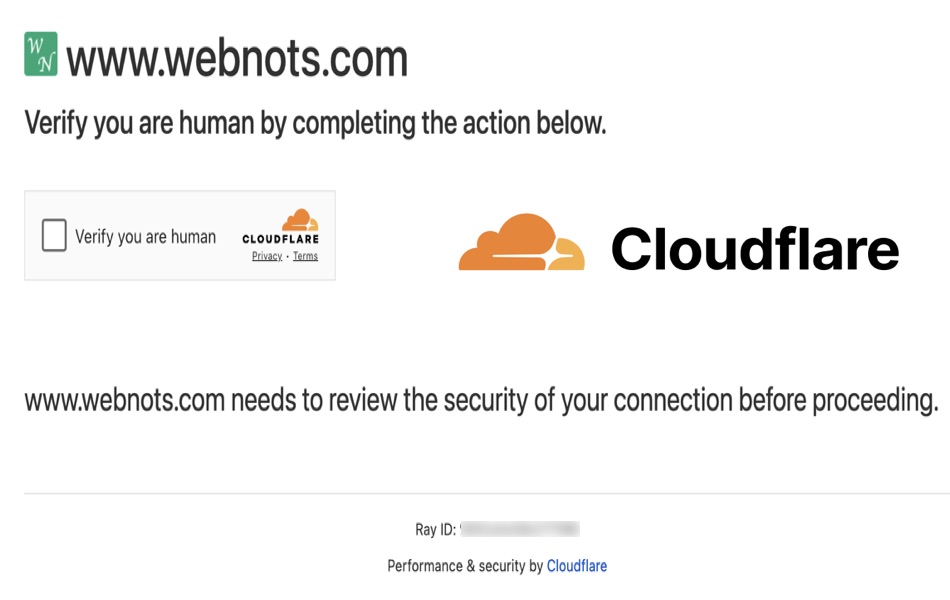
Note: The “Known Bots” list is managed by Cloudflare. Although it is comprehensive, it is not always correct for every specific need. For example, SemrushBot is considered a known bot (good) by Cloudflare, but you might not want it crawling your site every few seconds. You may need to create additional rules to block marketing and advertising bots if you do not need them.
Monitoring the Blocking Status
Since bots can’t pass the CAPTCHA, they will all fail. You can view the number of blocked events for the past 24 hours in the “Security > Security rules” section.

Click that number to go to the “Analytics” section, where you can see details of each recorded event. From this report, you can easily find the source of direct traffic like which country or IP it’s coming from, or which page is being targeted and fine-tune your rule accordingly.

Hover over the number under the “CSR” (Challenge Solved Rate) column on the “Security rules” page to see how many challenges were issued versus resolved. The solve rate should be low, indicating that bots are effectively blocked. If the solve rate is high, you may need to adjust the rule so real users are not being challenged unnecessarily.

Potential Impact on Your Traffic
As mentioned, direct traffic includes crawling by some good bots and visits from real users through bookmarks or other websites that use noreferrer. That is why you should choose “Managed Challenge” instead of “Block” action. However, even with Managed Challenge (which displays a “Verify you are human” checkbox) a few users may simply close the tab instead of passing it.
Also, Cloudflare’s known bots list is not reliable and it will block real users as explained in our earlier article, leading to a small loss of visitors and blocking other needed services.
Final Words
Gone are the days when you could simply create a website and ask users to read your content. Today, the internet is ruled by automated crawlers, both good and bad. As a site owner, you have a responsibility to block bad bots to protect your content and your server.