
Have you ever looked at your server log or firewall / security logs? You will be surprised with the astonishing number of automated bots crawling your website. With every company out there is having their own AI models (Google, Meta, Open AI and Perplexity to name a few), they all want to scrape your content for training their models. These large volume of crawling requests, which is of no use to you, can easily take down even a dedicated server. Though there are multiple ways to block these bots, Cloudflare is one of the best options. However, you should manually create security rules for this purpose instead of using Cloudflare’s Known Bots blocking feature.
Cloudflare’s Known Bot Feature
This feature is available for all plans including free users.
- All you need to do is create a security rule that blocks all bots except known crawlers. You can choose to either block them entirely or present a challenge to verify that the visitor is human.
- Cloudflare maintains a list of known bots for allowing to crawl with no restrictions. So, you don’t need to worry about manually finding the bot’s or user agent’s names.
After logging into your Cloudflare account, go to “Security > Security rules” section and create a custom rule. Simple select the followings for matching incoming requests:
- Field: Known Bots
- Operator: equals
- Value: Turn it off
The expression should show as (not cf.client.bot) and select the action as “Managed Challenge”. Deploy the rule and all unknown bots will be blocked and challenged by Cloudflare.
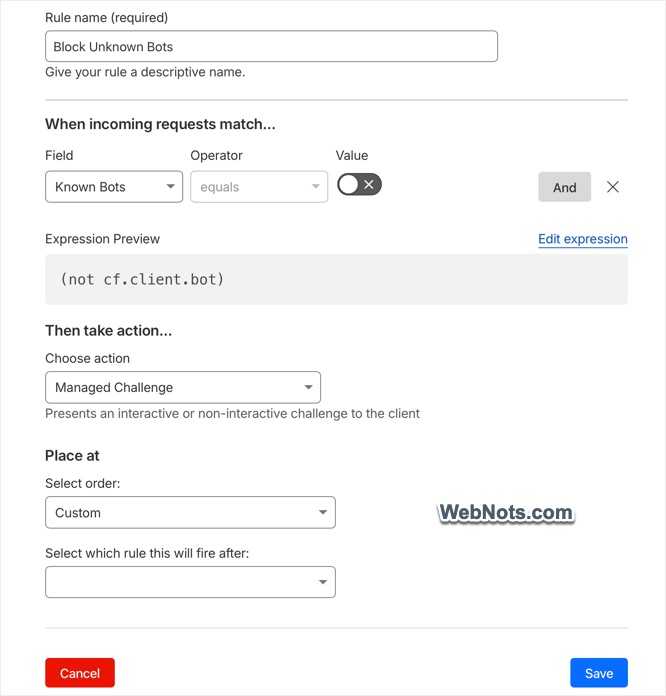
Simply? Yes, it will take only few minutes. However, it can be annoying and destroy your traffic.
1. Block You and Real Users
If you think the security rule will only block unknown bots, you are wrong!!! It will block all human users from accessing your site and show a verification box like below.
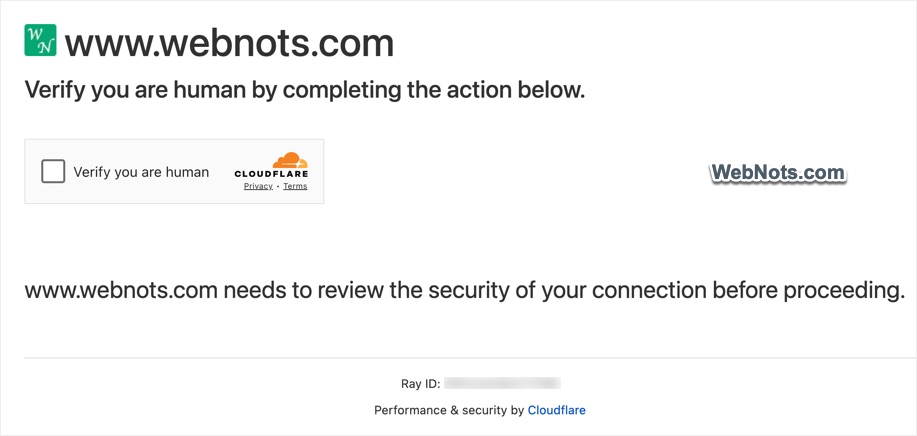
- The verification challenge will show even when you navigate from one page to another by clicking on a hyperlink.
- You will be stopped when editing content in administrator panel (like in WordPress admin panel).
- Login page will also be blocked.
It will be super annoying to verify yourself to access your own site.
2. Known Bots are Not Genuine for All Cases
Cloudflare manages a list of almost 400 verified bots (this is called known bots) and also adds additional bots to the allowed list. The bots are categorized and ranked based on the number of overall generated crawl requests. Let’s say, you are not using any advertisements on the page. In this case, it does not make sense to allow the bots under “Advertising & Marketing” category. Similarly, bots like Semrush and AhrefsBot are of no use though they are grouped under Search Engine Optimization category.
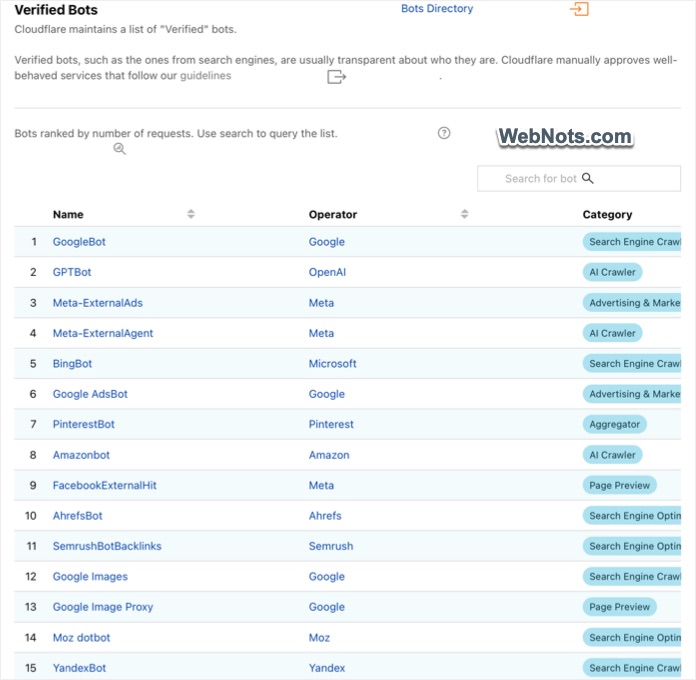
So, there is no one size fits all approach. Allowing all these verified bots is no different from not using a security rule at all.
3. Block Genuine Bots
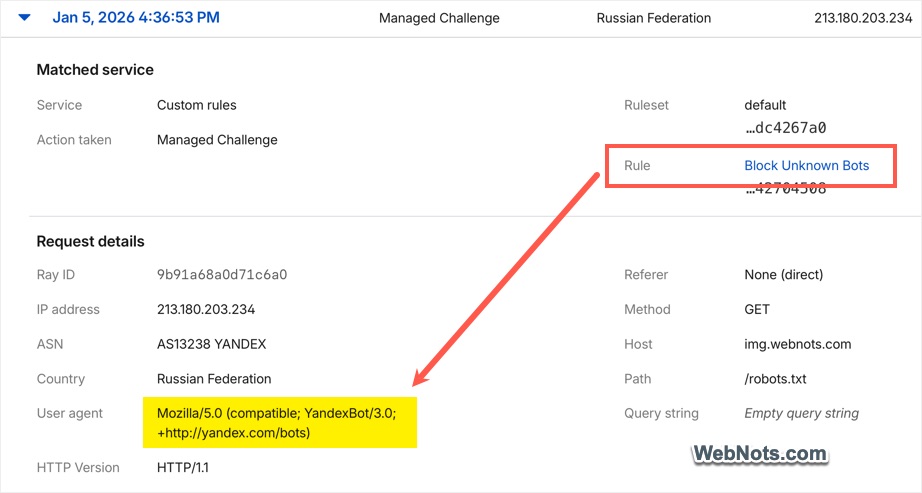
Cloudflare has a known issue of blocking Yandex and Baidu spiders though they are in the verified bots list. Some other genuine bots also will be blocked with this common security rule just because they are not in the list.
After deploying the rule, go to “AI Crawl Control” section from the sidebar. You will find all AI crawler requests are unsuccessful and denied although they are part of known bots under “AI Crawler” category. So, you cannot be sure what is blocked and what is allowed.
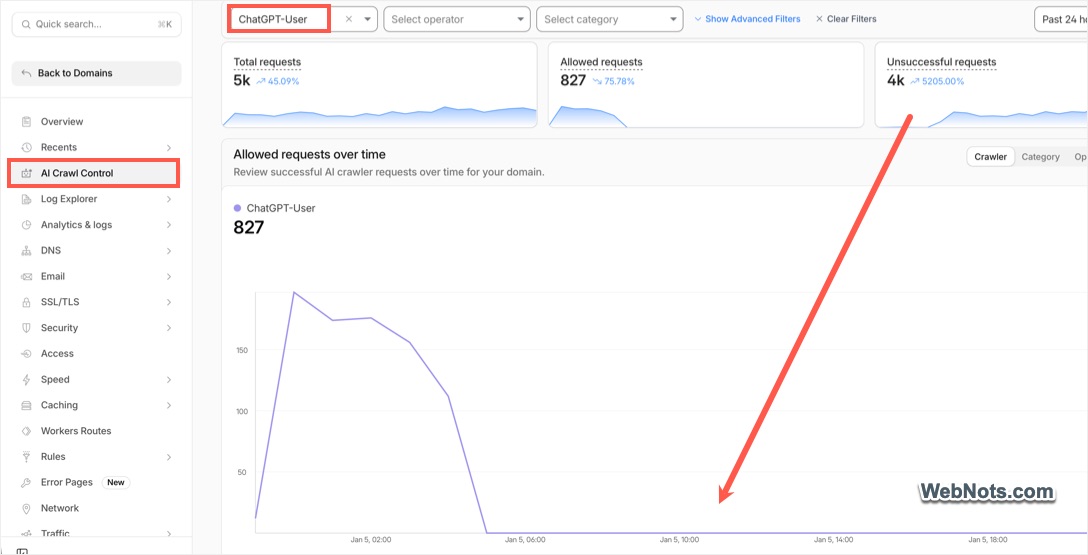
4. Block Third-Party Services
If you are using any third-party services like for monitoring your website, they all will be blocked with Cloudflare’s known bots rule. For example, UptimeRobot will send you an email that your website is down while it is up and working fine.
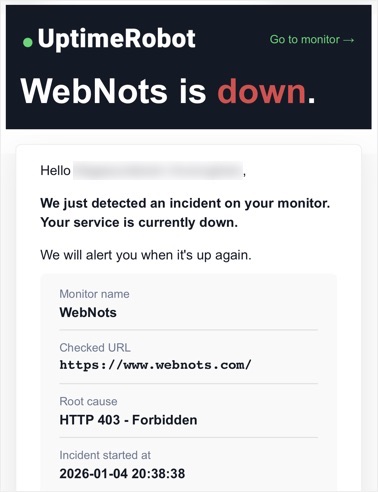
Funny part is that UptimeRobot is in the Cloudflare’s verified bots list but the security rule will still block it.
5. Problems with WordPress
Some content management system’s features will also be blocked when you enable known bots feature in Cloudflare. As mentioned above, WordPress login page and admin panel pages will be blocked and you need to verify for the access. Go to “Tools > Site Health” section in your admin panel and you will find few new issues for failures in loopback, REST API and page cache.
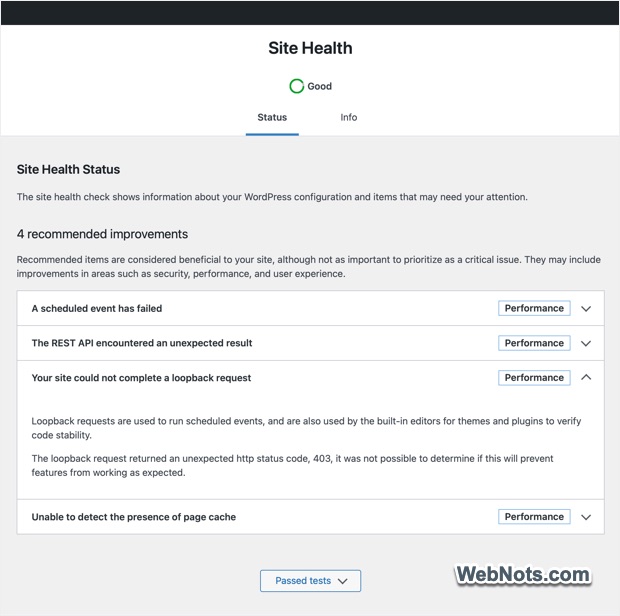
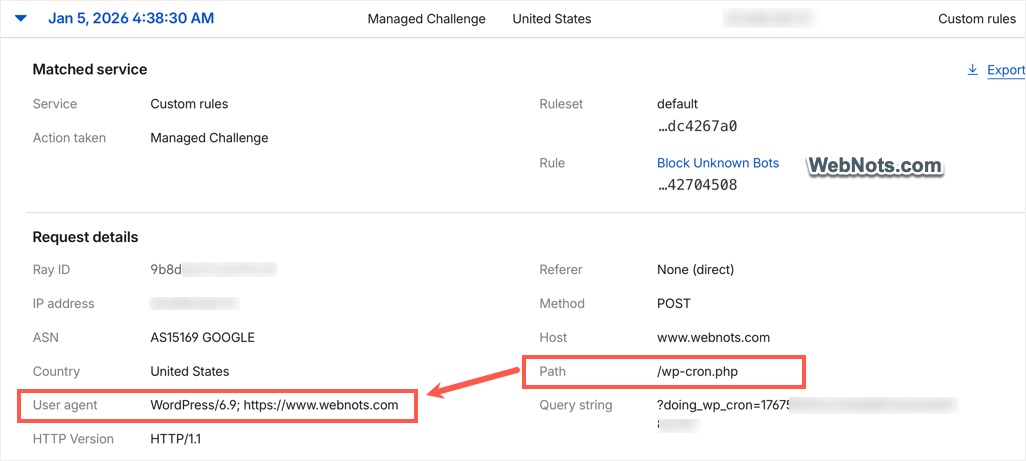
In addition, all scheduled WP Cron jobs will fail as these jobs are run by WordPress user agent (like WordPress/6.9 for version 6.9). Similarly, all scheduled actions by plugins will also fail as Cloudflare rule will block the default WordPress user agent.
In cases of manual activities, running tasks through a cloud phone desktop can be a practical alternative, as it provides isolated mobile environments with real device characteristics, reducing false positives caused by rigid user-agent or bot-detection rules.
How to Handle this?
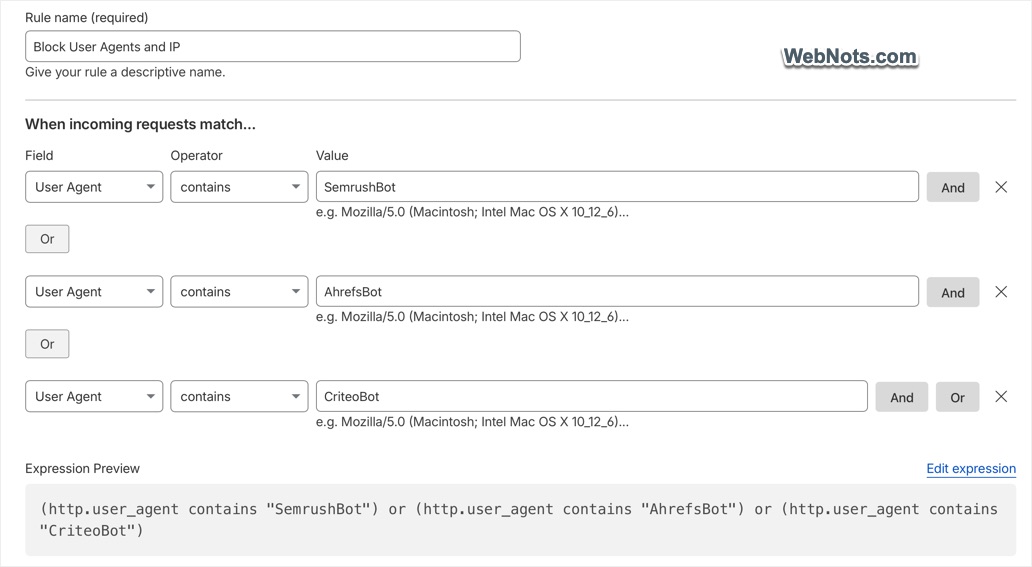
If you are already using the known bots rule, check the analytics to find which bots are sending too many requests. Otherwise, analyze your server log files to find the user agents crawling your site. Once you know the list of unnecessary bots, manually create a custom rule to block all those unnecessary user agents and IP addresses. Good thing is that you can include multiple criteria within in a single rule as free account is limited with only 5 rules.
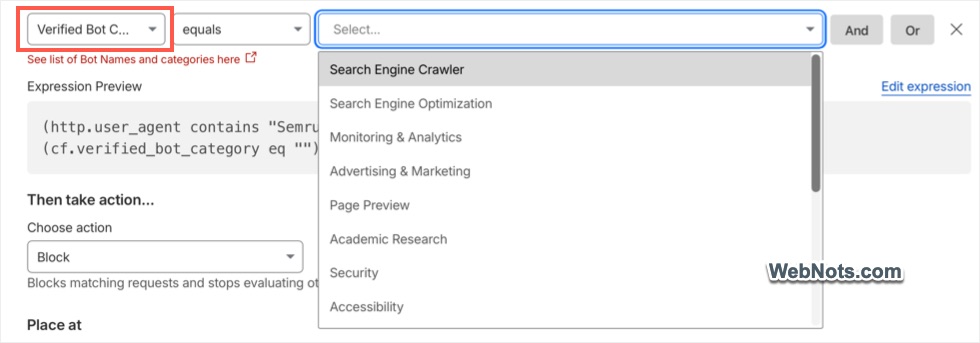
Another option is to select “Verified Bots Category” and select the category of bots that you want to block or challenge. However, as mentioned, this does not work perfectly like manually adding the user agent names.




Good point—manual rules really give more control than just enabling ‘Known Bots🤗👌