It is a common practice that webmasters update their site with new content or change the URL of an existing page for various reasons. Search engines take quite a long time to crawl your new content or replace the existing URL in the index with your new URL. In general, webmasters need to lose the traffic and wait till the time the new content or new URL is indexed in the search engine’s database. Bing offers a simple solution to help webmasters avoid waiting for the Bingbot to crawl and inform Bingbot instantly to index the new and changed URLs.
How to Submit New and Changed URLs to Bing?
Login to your Bing webmaster tools account and select the site you want to submit URLs. You must have added and verified your site in your account to use this feature. Go to “URL Submission” using the left sidebar navigation.

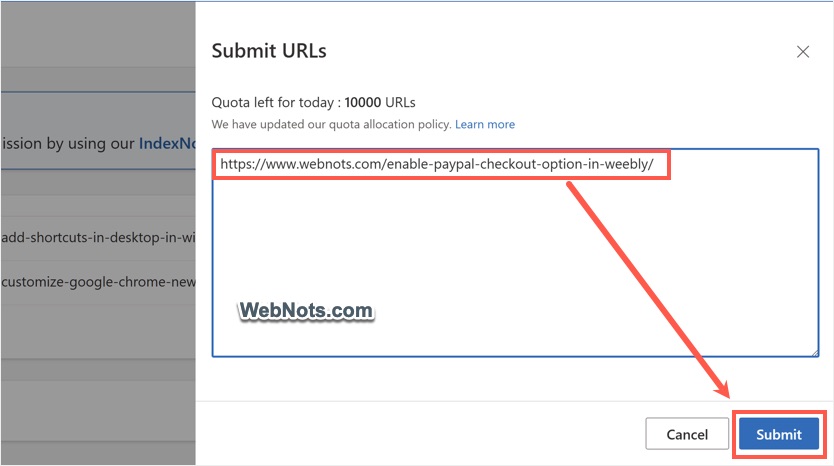
Enter the URLs one per line and click on “Submit” button.
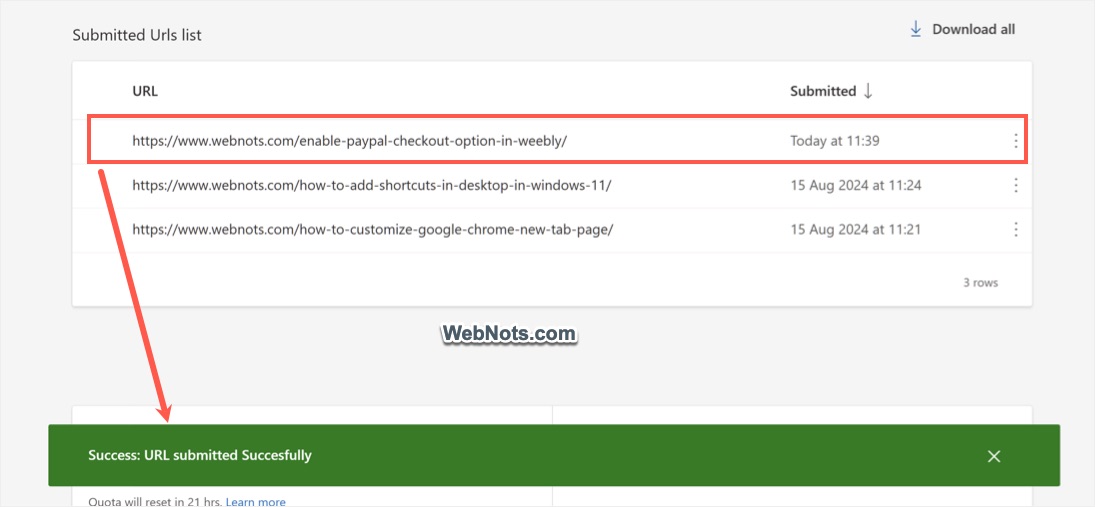
You will see a success notification message at the bottom. Once submitted, the URLs will be listed in the same page under “Submitted URLs List” section for your reference. The submitted URLs are crawled immediately to check the quality of modified content. If quality criteria meet with Bing webmaster guidelines, then the pages will be indexed and start showing in the search results.
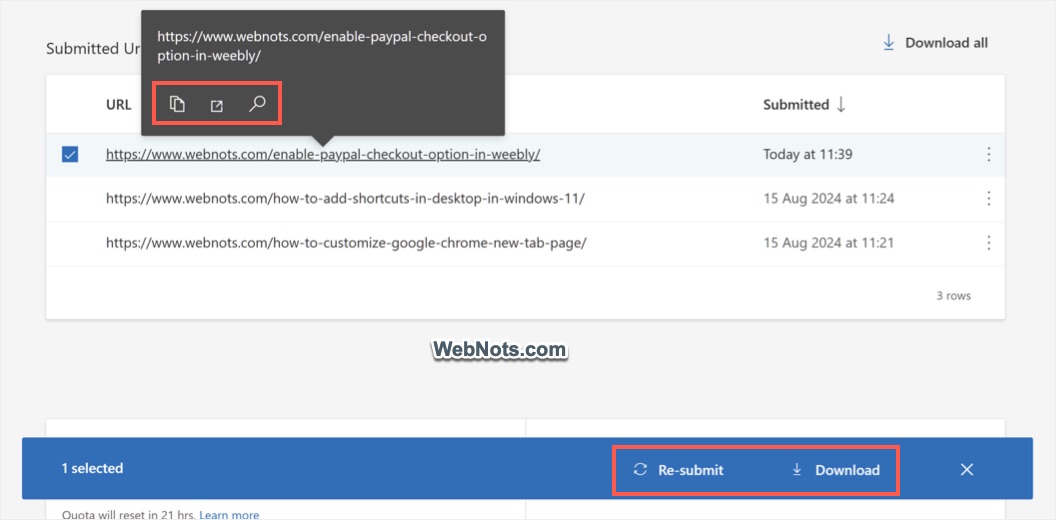
You can resubmit the same URLs anytime later by selecting and clicking on the “Resubmit” button.
Limitations of URL Submission Option
Though this is a very useful feature offered by Bing, there exist a certain limitations for submitting your URLs:
- Submit URL feature is available only for the top level or root domain sites. For example: www.webnots.com will have this feature but blog.webnots.com will not have this feature.
- This means free sites created as a subdomain (example: yoursite.weebly.com) will not have this feature enabled in Bing webmaster tools.
- For a root level domain also the number of submission is limited for submitting your URLs. You can submit maximum 10000 URLs per day. This limit is applicable at domain level which means each domain in your account will have this limit set per domain.
- You can find the remaining submissions on the same “URL Submission” page at the bottom under “Quota left for today (URL submission only)” section. You can also find after how many hours the count will be reset to plan your submissions accordingly.
URL Submission Vs URL Inspection Vs IndexNow
There are two more options available in Bing Webmaster Tools which are similar to URL Submission tool.
- URL Inspection – this tool will help to find whether a page is indexed in Bing, check the crawling errors and request for indexing.
- IndexNow – this is an API allows to instantly submit new and updated content to Bing. You can either manually setup this on your site or use CDN setup like Cloudflare. For WordPress sites, there are lot of plugins available which you can make use of.