WordPress is an open-source content management system developed and maintained by a global community of contributors. The software is available free of charge from WordPress.org, where users can also find documentation, support resources, development information, and release archives. A new WordPress version does not simply appear overnight. Major releases go through a structured development and testing process before they become available to the public. Understanding this process helps you know the difference between a development version, a beta, a release candidate, and a stable release.
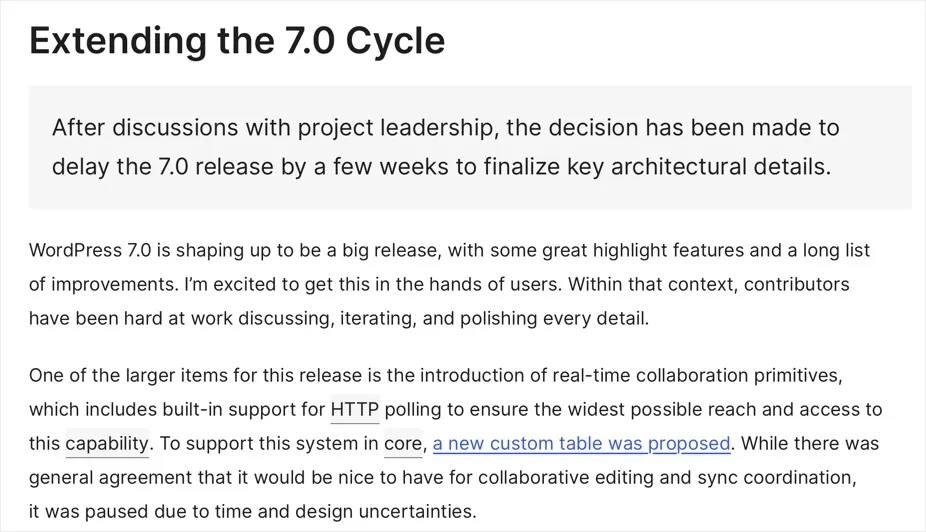
Note: Recently, WordPress has released several updates within a relatively short period, which may have caused some users to wonder why so many updates are necessary and whether they indicate problems with the security or stability of the software. Also, a major version was delayed due to testing of a specific function. This article explains why WordPress sometimes releases multiple updates close together, what these releases mean, and why a planned release may occasionally be delayed.
WordPress Release Cycle
According to the official WordPress Core Handbook, a typical major release cycle lasts around four months, from initial planning to launch. It means, you can expect at least three major releases in a year. However, this is a general guideline rather than a guaranteed schedule. Release dates and milestones can change depending on development progress and other circumstances. The current release process can be broadly divided into these stages:
- Planning
- Development
- Beta testing
- Release candidates
- Final release
- Maintenance and security releases
Let’s look at each stage.
1. Planning
The release process begins with planning for the next major version.
- WordPress contributors discuss what should be included in the upcoming release, identify areas of focus, and organize teams to work on the selected features.
- A Release Squad coordinates the release, while contributors from different WordPress teams work on development, testing, documentation, design, accessibility, and other areas.
The exact features included in a release are not simply decided at the beginning and then developed without change. The scope can evolve as development progresses.
2. Development and Alpha
During the alpha stage, developers work on new features and improvements in the development version of WordPress. The latest development code is commonly referred to as “trunk”. It is where work for the upcoming major release takes place before the release is branched for final testing and stabilization.
Alpha software is not intended for normal production websites. It is development software and can contain unfinished features, bugs, regressions, or other problems.
3. Feature Freeze and Beta Testing
Once a release reaches the beta stage, the focus shifts increasingly toward testing and fixing problems. No new enhancements or feature requests are committed for the rest of the release as testing is the important part of this stage.
- Beta versions are pre-release versions that are made available so contributors and testers can find problems under real-world conditions.
- They may still contain bugs and unfinished areas and should not normally be used on production websites.
- WordPress encourages users and contributors to test beta releases and report reproducible problems so they can be investigated and fixed before the stable release.
4. Release Candidate
After the beta stage, WordPress moves into the Release Candidate, or RC, phase. A Release Candidate is a version considered close enough to the final release for extensive final testing. It is not necessarily the final version. If serious problems are discovered, additional release candidates can be produced.
During the RC phase, the focus becomes even more heavily centered on stability and regressions.
Note: WordPress can publish multiple alpha / beta versions and Release Candidates during a release cycle.
5. Final Release
Once the Release Squad determines that the software is ready, the final version is released. The stable version becomes available for installation through various channels:
- Download and install from the official WordPress.org website.
- Users can normally update from the WordPress administrator panel under “Dashboard > Updates” section (instead of manually downloading the software).

- Most hosting companies offer auto-update feature to automatically push the final version.

A final release is the version intended for normal production use. However, the release process does not end when a major version is launched.
6. Maintenance and Security Releases
After a major release, WordPress continues to receive maintenance and security updates. These releases are commonly identified by an additional number. For example:
- WordPress 7.1 is a major release.
- WordPress 7.1.1 is a subsequent maintenance release.
Maintenance releases primarily address bugs and other issues discovered after the major release. Security releases address vulnerabilities and are particularly important because they can protect websites against known security problems. This is why updating WordPress is an ongoing process rather than something you do only when a new major version is released.
Should You Install Beta or Release Candidate Versions?
WordPress.org maintains an official archive of current and historical versions, including very old releases dating back to the early years of WordPress. The fact that an old version appears in the archive does not mean that it is safe or recommended for use.

- Beta and Release Candidate versions exist so that developers, site owners, plugin authors, theme developers, and other contributors can test upcoming changes and report problems. This is particularly important for websites that generate revenue or depend on plugins and themes.
- They should be tested on a staging site, development installation, or other non-production environment to find the compatibility problems that have not yet been discovered.
- For a production website, you should use a currently supported WordPress version and install security and maintenance updates when they become available.
Unlike the stable version, you can’t install the alpha, beta, and Release Candidate versions directly from WordPress admin Dashboard. You need to either download from the archive or use a WordPress Beta Tester plugin for this purpose.