IndexNow is a technology to collect webpage details and use for indexing them in search results. Webpages are submitted to a common pool through an API from where search engines can pick them up. Though this does not guarantee higher ranking, it helps to instantly index your new and modified content. Bing, Yandex and DuckDuckGo search engines use this and unfortunately Google does not.
Cloudflare and IndexNow
WordPress has dedicated and free plugins to submit your pages to the API. You can use the official IndexNow Plugin from Microsoft Bing or other SEO plugins like Rank Math for this purpose. However, you need to manually setup the environment for other content management systems which is really a complicated task for a normal user. What you can do is to use free Cloudflare CDN setup which helps to push your content to IndexNow API without any hassle.
First, add your site and setup the DNS in Cloudflare. If you need assistance, refer this article for WordPress and this one for Weebly.
Enabling IndexNow in Cloudflare
- Login to your Cloudflare account and select the site you want to enable.
- Expand “Caching” section and select “Configuration” option.
- Turn on “Crawler Hints” option.

That’s it!!! This will allow Cloudflare to push your content to IndexNow API. There are two ways to test whether it works on your site.
Check Page Submissions in Bing Webmaster Tools
First option is to check the status in Bing Webmaster Tools (WMT). If you are not using Bing WMT, check our article on how to add and verify site in Bing Webmaster Tools.
- Login to your Bing Webmaster Tools account.
- Go to “IndexNow” section and check the status.
- You should see Cloudflare as the “Sources” along with the number of URLs submitted in past 3 hours. You can also find the total URLs submitted and the detailed report on indexing.

Test By Publishing or Modifying Content
Do not worry if you are not using Bing WMT account. Simply create a new page or post as part of your regular content publishing routine. You can also modify any existing page’s content and re-publish the updated page. Wait for 5 to 10 minutes and go to bing.com. Search the keyword of your article and you should find the article is already indexed in such a short time.

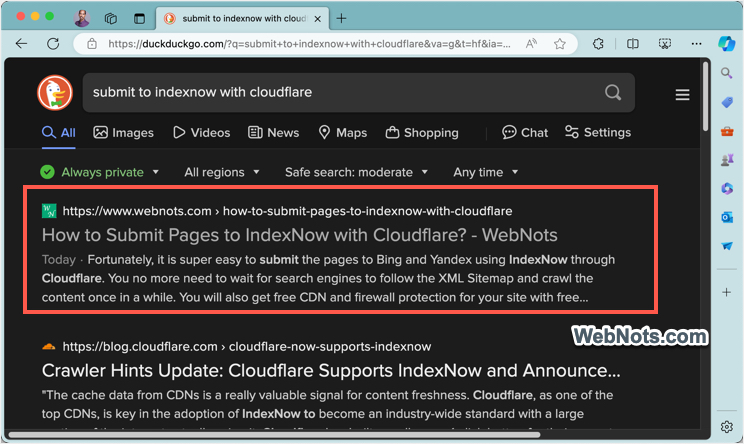
Though Bing shows the article was published 15 hours ago, it is less than 15 minutes and the page is already indexed and shown in the results. Same with DuckDuckGo with instant indexing, though Yandex took more time to pick up content from IndexNow API.
Final Words
With Google is making lot of mess in search results, it’s a good idea for website owners to focus on other search engines. Fortunately, it is super easy to submit the pages to Bing and Yandex using IndexNow through Cloudflare. You no more need to wait for search engines to follow the XML Sitemap and crawl the content once in a while. You will also get free CDN and firewall protection for your site with free Cloudflare account.