Reputation is one of the important factors in business world. That is why a successful business requires a website to accurately reflects the company’s vision. Since there are lot of website building solutions available, choosing the most suitable one is not so simple. The best website creation platform should offer an extensive range of opportunities not only for doing business on the Internet but also for promoting / selling goods and services to customers around the world. In this article, let us explore top website builders for businesses to help choosing the best one for you.
Top 10 Best Website Builders for Businesses
Before proceeding further, you need to understand one basic thing about websites – hosting. It is nothing but a storage space for your digital assets protected from malicious hackers and available for your legitimate customers. There are different categories of hosting available depending upon the platform you choose:
- Platforms that need premium hosting, which you can purchase from any service provider. WordPress.org, Joomla and Drupal are some of the best examples for this. The advantage here is that you can choose different hosting company based on the price and optimize the website building experience. However, this is a time consuming process for a business owner as you have to take care of the business and may not have much time for designing and optimization aspects of the website.
- Packaged hosting companies offer a custom platform for building your site which includes the hosting.
- Hybrid types in which you can build a static website using a desktop or mobile app on your local device. However, you need a premium hosting plan to upload the locally created website’s content so that it will be available online for public access.
Here we will list down the top 10 best website builder solutions from the last two categories which is more suitable for business owners.
1. Wix
Wix allows you to create smart business sites using interactive AI designer or with the help of an extensive template library. You can choose from the business specific templates for restaurants, fashion, fitness, etc. It is a NASDAQ listed company and one of the most reliable platforms for creating your site with a drag-and-drop editor interface. Wix offers the following features for business sites:
- Beginner-friendly with drag-and-drop editor.
- 2000+ predefined templates with AI integration.
- Online store to sell products and services.
- Contact form, Search box, Newsletter subscription, etc.
- SEO tools for search engine optimization.
- 1-year free domain.
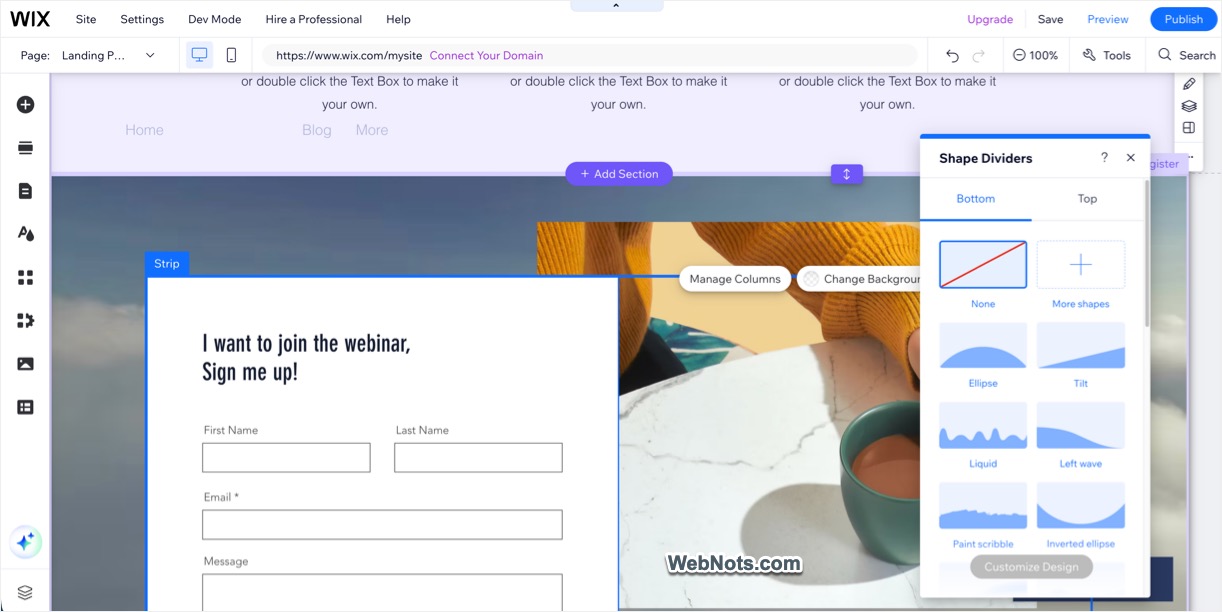
There is also a Wix App Market that will help to enhance your site with business tools. Here are just a few of them:
- Wix Bookings – an appointment for clients through the site.
- Moovit – allows customers to get directions to your offices.
- Traffic Generator – creates advertising campaigns to attract traffic to the site.
If you want to sell products on your website, Business Elite pricing plan will allow you to sell unlimited products with complete ecommerce features.
Wix has few significant limitations. The first is just 2 GB of disk space for the Light plan with no online store features is of no use for starting your business. You need to go for higher-level plans like Core (50 GB), Business (100 GB) or Business Elite (Unlimited). Obviously, these plans will cost you more to get the additional storage. Second is that you will not be able to make significant changes to the source code of your website. This means that no applications and plugins, other than those offered by Wix, cannot be integrated. Finally, although you can customize the template, you can’t switch the template of your site once selected.
2. Squarespace
Squarespace is renowned for its beautiful, design-focused templates, making it an excellent choice for small businesses that prioritize aesthetics. It offers an all-in-one platform that is easy to use, with features ideal for both personal and business websites. You can build a complete website with AI builder and edit the content to using AI tools.
- 200+ beautiful templates with Grid-Based drag-and-drop editor.
- Blueprint AI website builder as well as manual site creation options.
- SEO and GEO dashboard to monitor website traffic.
- Fully integrated ecommerce solutions with easy-to-manage stores.
- Integrated marketing tools for email campaigns, social media and analytics.
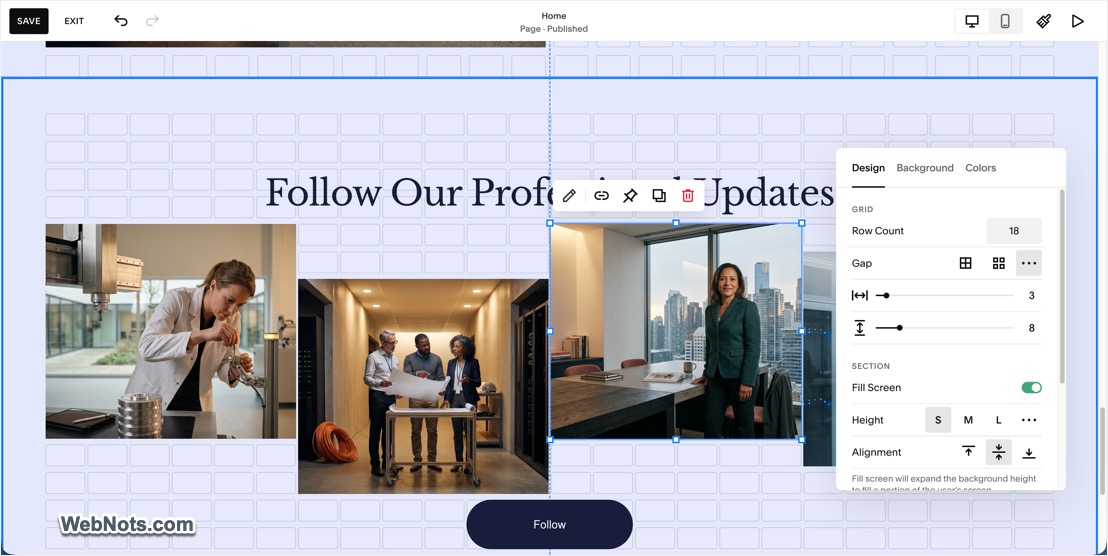
Squarespace does not offer a free plan though you have a 14-days free trial available without credit card. Similar to Wix, you can’t switch the template once chosen from the version 7.1 (earlier it was possible to switch).
3. Shopify
If your small business focuses on selling products online, Shopify is one of the best platforms available. It’s specifically designed for ecommerce, offering a wide range of tools to help you manage and grow your online store, from inventory management to payment processing.
- Built for ecommerce with inventory management, secure payment gateways, and shipping integrations.
- A range of professional templates tailored for online stores.
- Extensive app marketplace with additional features.
- Multichannel selling allows you to sell on social media platforms, marketplaces, and even in physical stores with Shopify POS.

No free plan is available though you have a 3-days free trial. Also, the pricing is much higher compared to other platforms listed in this article.
4. WordPress.com
First, do not confuse WordPress.com with the self-hosted WordPress.org platform. Though both platforms use the same WordPress software, WordPress.com includes a free hosting solution. Though WordPress cannot offer an interactive website builder (like Weebly or Wix), it is nevertheless one of the best web platforms in the world. There are thousands of business themes for WordPress – from the simplest sites of small firms to powerful portals of online stores. Automattic, the company behind WordPress.com, recently introduced many features to allow installing themes, plugins and optimize your site for search engines. They also offer freemium Jetpack plugin which is most useful for business owners to get traffic data and increase the user interaction.

The Commerce plan offers complete online store features built with WooCommerce plugin. You will have advanced design customization and full control over CSS and HTML elements within themes. In addition, you can get site backup and use SEO plugins like Yoast SEO to improve your search engine ranking efforts.
- Gutenberg block editor offers similar drag and drop features like Weebly and Wix site builders (though WooCommerce does not support Gutenberg at this point).
- You can add almost any plugins or components for business available on the Internet to your site. If the required plugin does not exist, you can create it yourself if you have the necessary skills or hire a developer to build for you.
- With WordPress powering more than 40% of the websites on the web, you will get top-notch website for your business to stand out from the crowd.
The only drawback of WordPress is that the system is not intended for beginners since the site needs to be maintained continuously to keep it safe and secure
5. Weebly
Weebly is a great drag-and-drop website builder tool with integrated ecommerce features. Though it is planned to be merged with Square Online (after Square bought Weebly), you can still use Weebly independently. It’s an excellent option for small businesses that need a simple, affordable solution without sacrificing essential features. Weebly also offers an extensive collection of applications in its App Center, which will help you grow your corporate website. Here are some of the applications available there:
- Logo Maker – allows you to create a logo and add it to the site
- Live Testimonials – allows you to add feedback to your site about your company from users
- Sell2Member – adds a paid subscription to the site
- Scheduler Pro – an appointment for clients through the site
- Easyship – gives customers access to more than 150 couriers for fast and cheap delivery

Although you can start with the Personal plan, it’s better to go straight to Professional or higher. In the Pro tariff plan, you will receive the advantages of Site Search, password protection, audio and video in HD quality, as well as get most ecommerce features. The Performance tariff plan allows you to get additional store features like PayPal integration, abandoned cart emails and product review from customers. As mentioned, Weebly is owned by the ecommerce giant Square which makes it easy to collect payments using Square payment gateway if you are an existing Square customer.
6. SITE123
If you need a simple corporate website, then SITE123 platform is quite suitable. You can create a site using the classic mode by selecting templates or use AI builder to automate everything.
- Responsive web design with the functionality of the online store.
- PayPal, wire transfer and other payment options from Stripe, 2Checkout, etc.
- Product restrictions with minimum or maximum order quantity.
- Complete package with 1 year free domain, SSL, SEO tools and App Market.
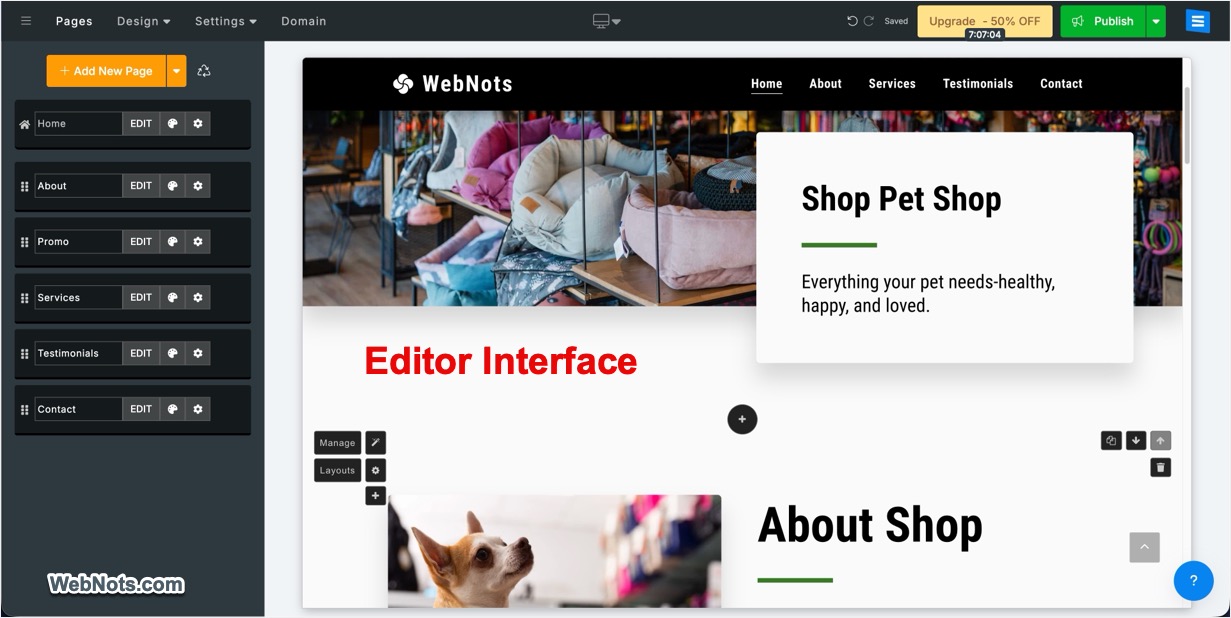
Note that the complete pricing plans can be seen only after creating an account. So, do not get confused with the pricing page you see on the public page, which shows a single premium plan with 3 GB restriction. The only problem is that you will not get the drag-and-drop builder interface like Weebly or Wix.
7. Nicepage
Nicepage offers both online as well as desktop apps for building responsive websites using drag and drop editor interface. You can either choose from thousands of individual blocks or download complete page templates to build your site in few minutes. The app also includes AI-powered tools like Page Builder, Block Builder, Text Builder and Personalized Content assistant to generate custom designs and content for your needs. The desktop apps support offline editing, so you can work without an internet connection (only for editing existing content). You can easily preview content, rearrange the blocks and adjust the page layout. Once the site is ready, you can connect a custom domain and publish it to Nicepage Cloud, import as HTML to upload to your own server or export as WordPress / Joomla files.
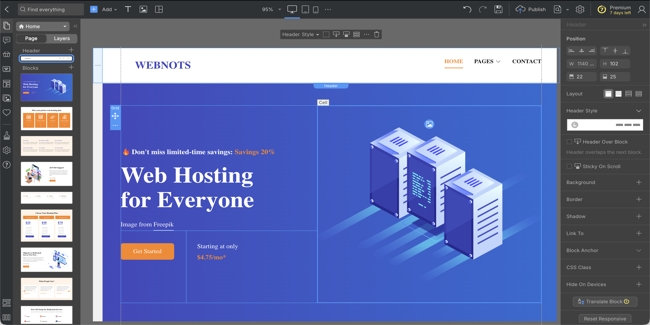
Some of the prominent features include:
- Variety of options to build websites that include desktop apps for Windows and Mac, online editor, WordPress plugin, and Joomla extension.
- Large number of premade blocks, page templates, grid layouts and stock images.
- Easily export your entire site as a WordPress theme and edit the content directly from admin dashboard.
- Create an online store with shopping cart and PayPal or Stripe payment gateways.
- Integrated contact form, calendar and modal pop-up.
Remember that Nicepage only offers HTML hosting option, otherwise, you need to purchase a hosting plan separately and upload your content. Though the app can used for free and comes with 7-days free trial, you need the Ultimate plan for getting complete features like unlimited products, 1 million visits per month and 20 published sites with custom domains.
8. GoDaddy Website Builder
GoDaddy is a well-known brand for domain registration, but it also offers a simple and efficient website builder. It’s perfect for small businesses that want to get online quickly and don’t need complex features.
- Simple setup process with a step-by-step website builder.
- Basic but professional templates for different industries.
- Integrated ecommerce functionality for online stores.
- Basic SEO tools to help improve search engine rankings.
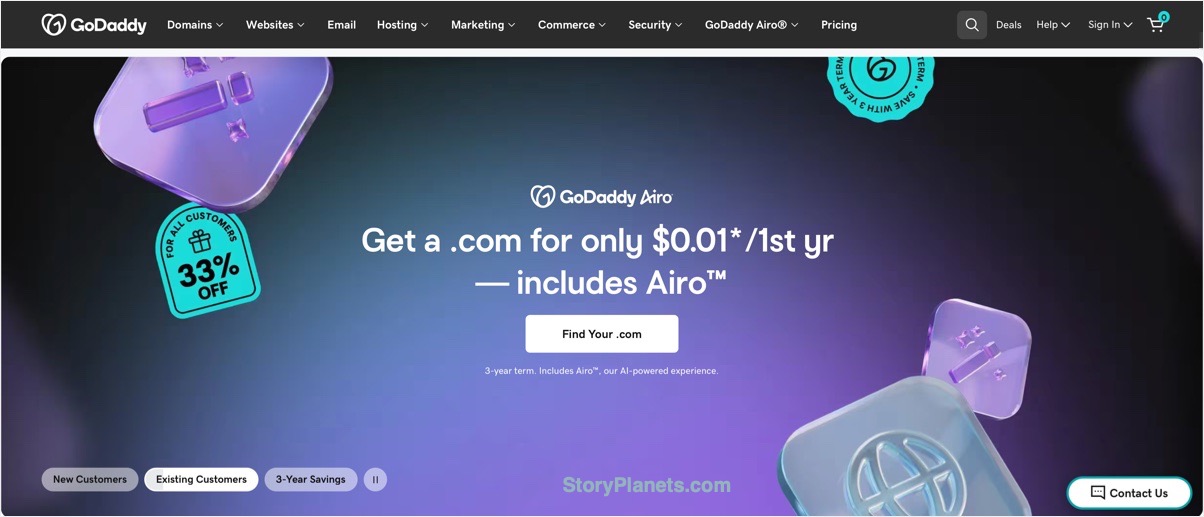
No free plan is available though you have a 7-days free trial and also you may get free trial when purchasing other products like domains.
9. Duda
Duda is a website builder that’s particularly well-suited for agencies or freelancers who manage multiple clients. It offers advanced customization options, team collaboration features, and client management tools.
- Professionally designed templates with mobile optimization.
- Features for teams to collaborate on web projects.
- Tools for agencies to manage multiple client websites.
- Built-in SEO features for improving search visibility.
- Custom features for Booking and ecommerce sites.

No free plan is available and the platform is not as beginner-friendly as Wix or Weebly.
10. Jimdo
Jimdo is another budget-friendly option for small businesses. It’s a straightforward website builder that caters to businesses that need an affordable solution without complicated features. Jimdo’s strength lies in its simplicity and affordability.
- Simple and easy-to-use interface.
- Basic but mobile-responsive templates.
- Full ecommerce tools with no transaction fees.
- Built-in SEO features.
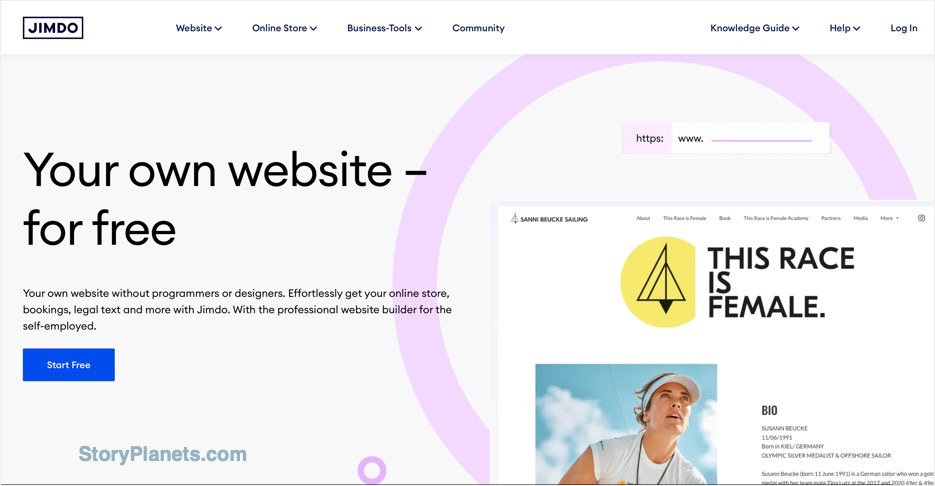
Jimdo offers a free plan to test before purchasing a premium plan.
Conclusion
Regardless of whether you want to create a simple website for your company or a full-fledged online store, the selected website builder platform should offer everything that is necessary for success. By choosing one of the best website builders from the above list, you can create a beautiful website for your company to effectively present it in the eyes of customers. Below is the summary of all 10 site builders we discussed in this article:
| Site Builder | Best For | Suitable Ecommerce Plan |
|---|---|---|
 | Design flexibility, ease of use | $29 per month Core plan |
 | Stunning design templates | $29 per month Core plan |
 | Ecommerce stores | $79 per month Grow plan |
 | Blogging and content-heavy sites | $45 per month Commerce plan |
 | Ease to use with simple editor | $26 per month Performance plan |
 | Simplicity and affordability | $24 per month Professional plan |
 | Desktop builder with limited ecommerce features | $18.75 per month Pro plan |
 | Quick setup, user-friendly | $24.99 per month Professional plan |
 | Client-based businesses | $20 per month Advanced plan |
 | Site builder with ecommerce transaction fees | $21 per month Business plan |
Note: All prices mentioned are the initial discounted offer prices available at the time of publication. Renewal prices may change, so make sure to check the current price and renewal terms before purchasing.