If you are managing your tasks with Reminders app in Mac, here is a good news for you. With macOS version 15 onwards, you can easily create and schedule reminders for your tasks within Calendar app. The items will be synchronized with Reminders app as well as across all your devices to manage them effectively.
Creating Scheduled Reminders in Mac Calendar App
As of macOS version 14, you can only create events in Calendar app. So, make sure your Mac is using version 15 or later to use reminders feature.
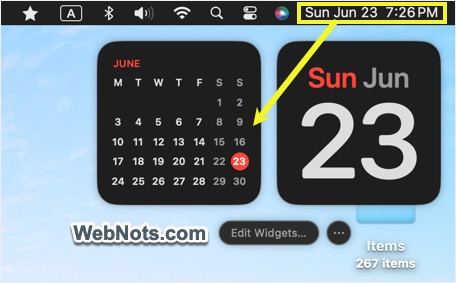
- Search and open Calendar app. Alternatively, click the date / time showing on top right corner of the menu bar and then click the calendar widget to open Calendar app.
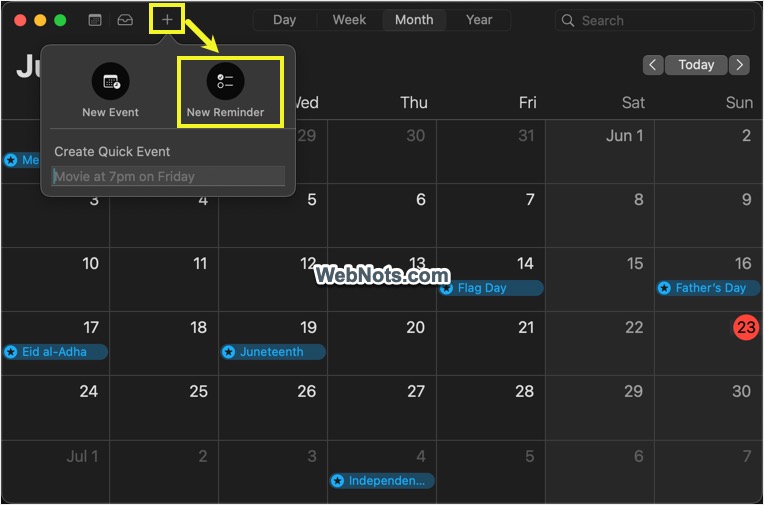
- For creating a quick reminder on the same day, click the + icon and select “New Reminder” option.
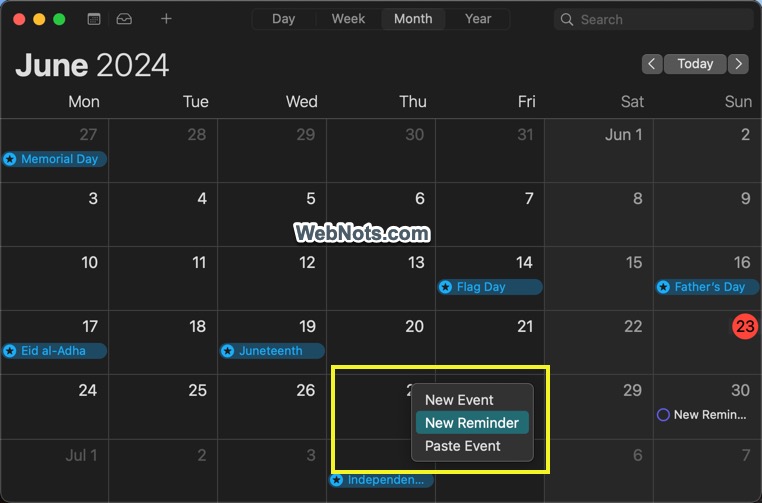
- For creating a reminder on any other day, control-click on that day and select “New Reminder” option.
- This will open a pop-up where you can fill the name, time, location, add contact, set repeat frequency, add early reminder time, set priority and add follow up flag.
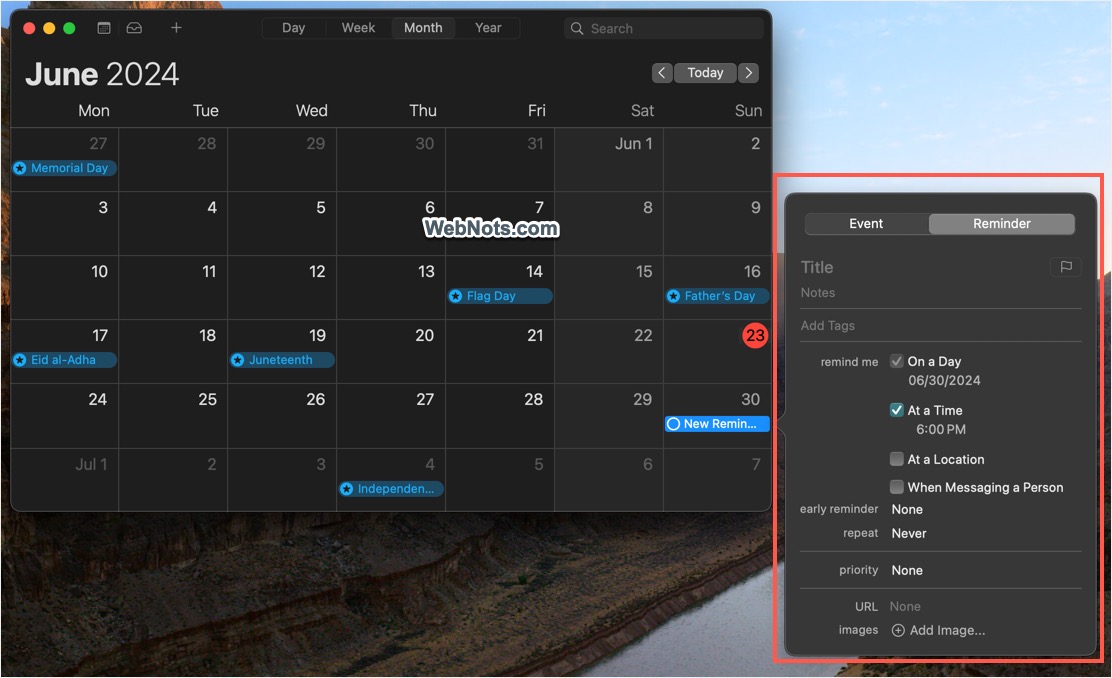
- After filling the details, click on the calendar and your reminder will show inside the date.
Viewing All Scheduled Reminders
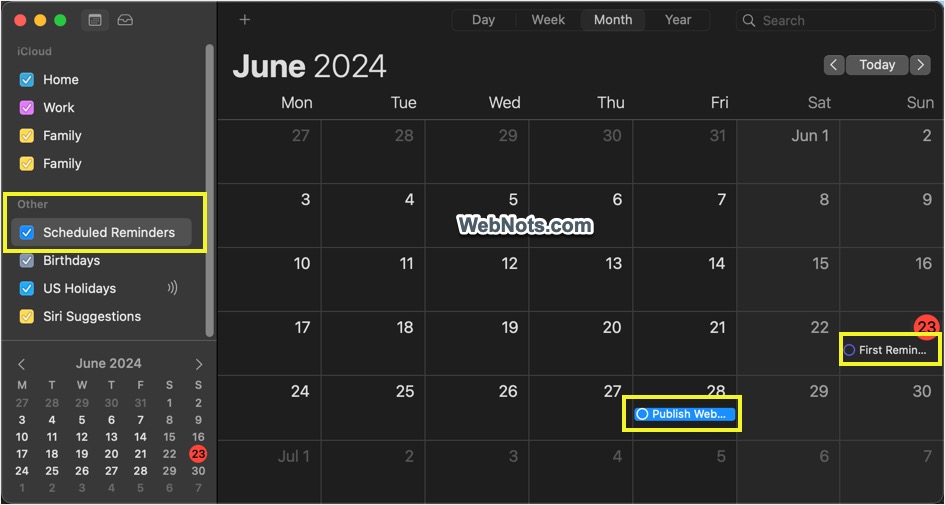
Change the calendar view to “Month” or “Week” to clearly view all your reminder items. If you are not seeing the reminders:
- Click the “Calendar View” icon or go to “View” menu and select “Show Calendar List” option.
- This will open the sidebar showing all category of items.
- Check “Scheduled Reminders” item showing under “Other” category.
- Now, you can view all your reminders items.
Managing Scheduled Reminders in Reminders App
Calendar app will show the scheduled reminders created within that app as well as all items with date/time from Reminders app. Similarly, all scheduled reminders created in Calendar will be automatically synced with Reminders app. So, open Reminders app and you will find the tasks created in Calendar on top or under the first list.
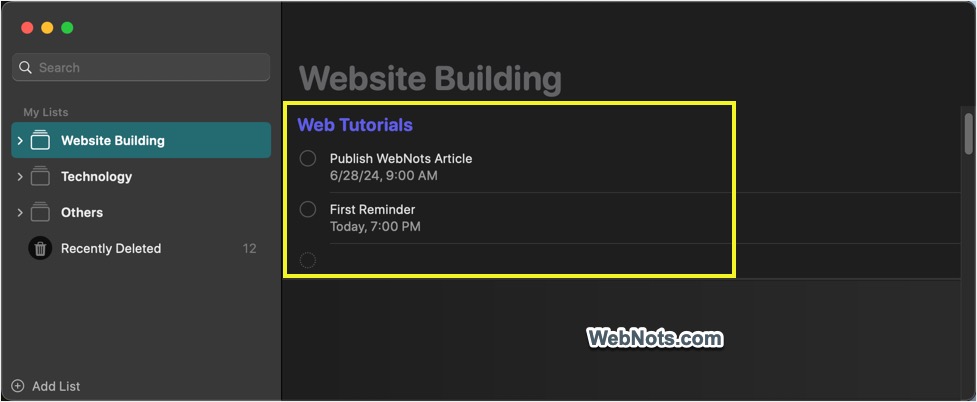
Mac will send a notification on set date / time and you can mark the task finished either from Calendar or from Reminders app.
Note: Reminder items will also be synced across your iPhone, iPad and Apple Watch when logged with the same Apple account.