Recent years, Google introduced plenty of ad formats for publishers using AdSense ads. Publishers can make use of the search ads, intent driven ads, siderails, vignette and anchor ads to increase their earnings. Offerwall or rewards ad is the latest addition in AdSense to earn more from the users visiting multiple pages on your site. In this article, we will explain how to create offerwall ad in Google AdSense account.
What is Offerwall or Reward Ad?
As the name indicates, reward ad allows users to browse your site freely after viewing an ad. This is something like you can view an ad to get an extra life in a mobile game. Reward ad can be shown:
- After a user visits certain number of pages (for example – after 3 page views).
- Allow user to continue browse through the pages on your site for certain time (for example – another 12 hours).
Creating Offerwall Reward Ad in AdSense Account
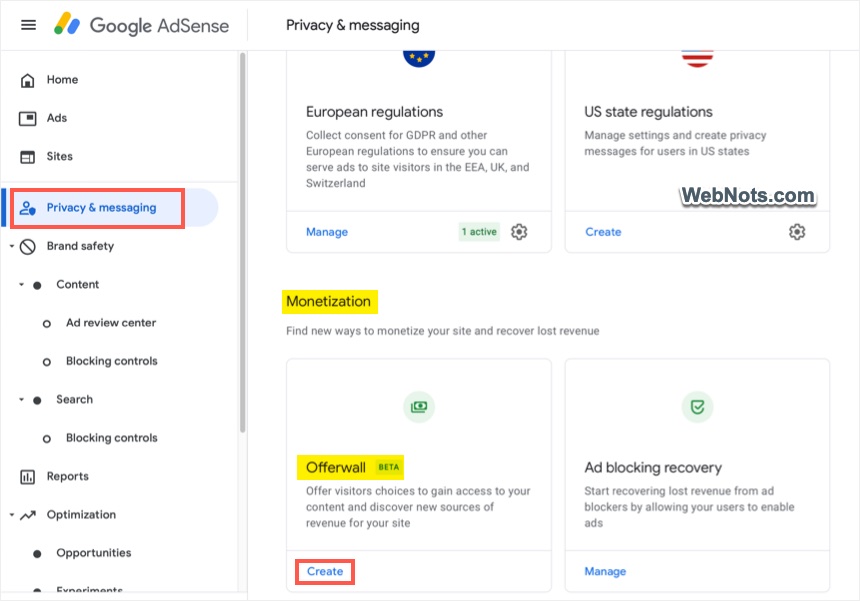
- Login to your AdSense account and navigate to “Privacy & messaging” section.
- Scroll down to bottom on the right pane to “Monetization” section.
- Click on the “Create” link showing under “Offerwall” card.
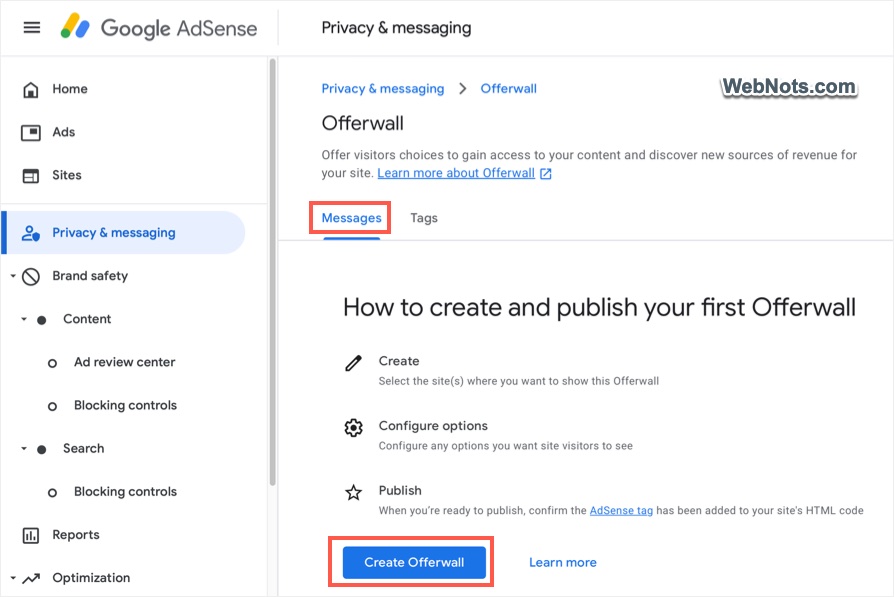
- Under “Messages” tab, click on the “Create Offerwall” button.
Customizing Reward Ad
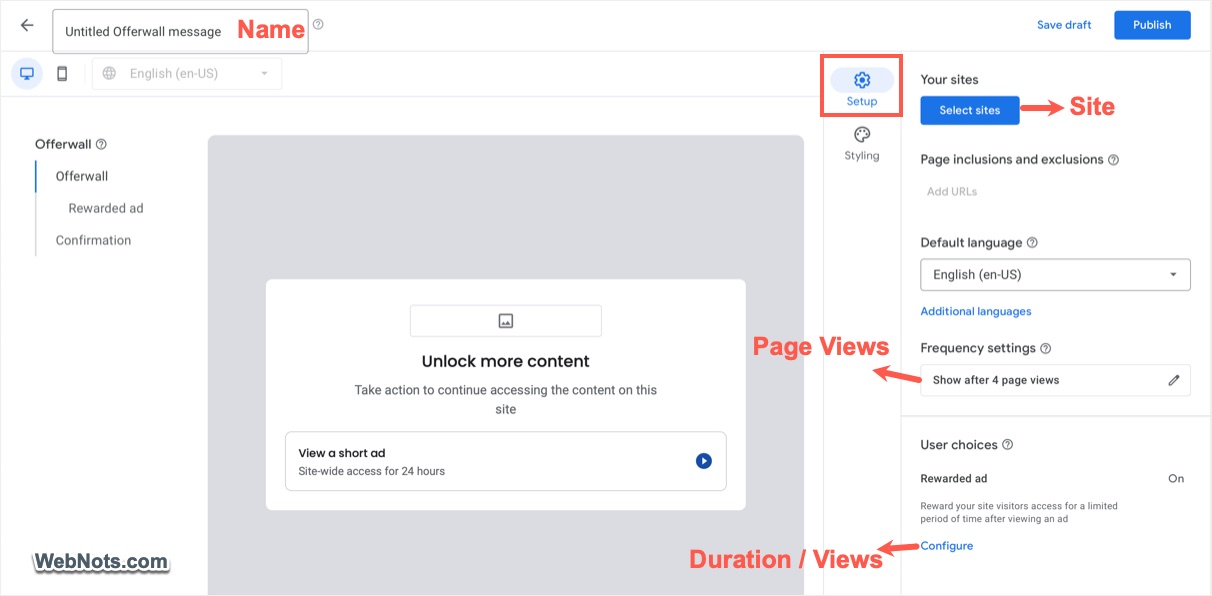
The process is similar to creating ad blocking or GDPR message. First, provide a name for your offerwall ad and go to “Setup” section.
- Click “Select sites” button and choose your site. If required, you can include the pages to show only ad on those pages or exclude pages to prevent ads on those pages. If you do not include / exclude pages, reward ad will be shown on all the pages.
- By default, frequency is set as “Show after 4 page views”. Change the frequency if needed.
- Click the “Configure” link under “User choices” section and select the reward. By default, users are given 24 hours free access to your site after viewing the ad. However, you can change the duration to any hour / day / week or even restrict with the number of page views.
Once finishing the setup, go to “Styling” section. Here you can upload the logo and customize the text shown in the ad.
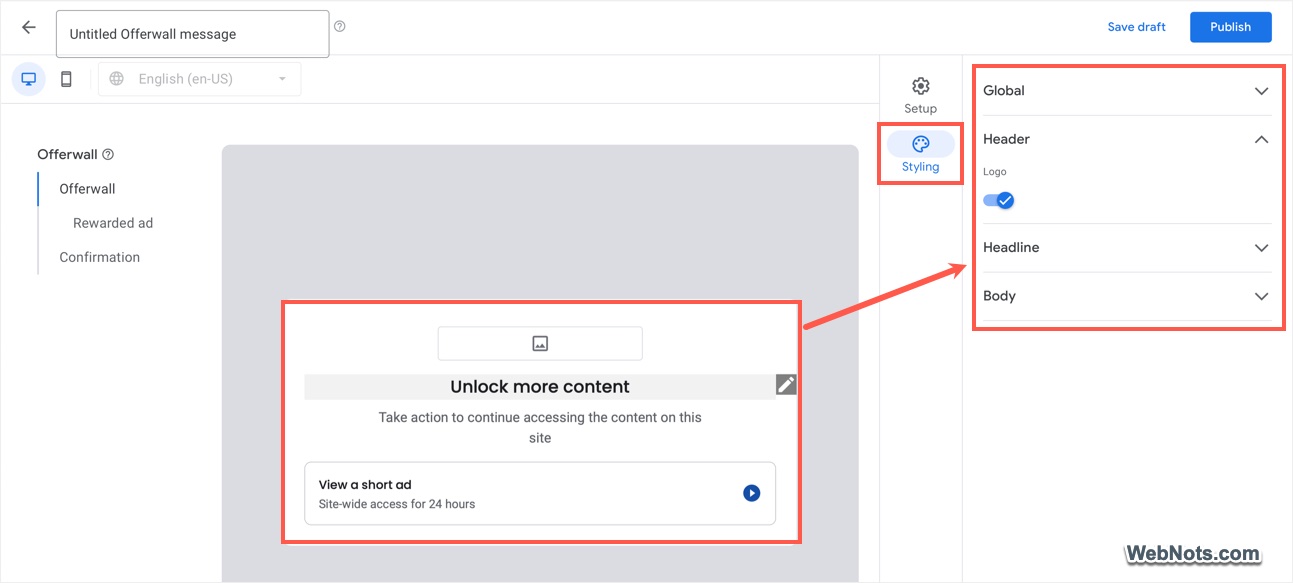
Click the sections on left sidebar to preview the setup and when you are ready, click on the “Publish” button. You will see a pop-up and click on the “Publish” option to start showing reward ad on your site.

The reward ad will be shown automatically using the existing ad tag and you do not need to add additional tag for this purpose.
How it Works?
Since we have setup 4 page views limit, reward ad will be shown to a user after visiting 4 pages on your site. Unlike vignette ad, which user can close it, reward ad can’t be closed. So, the user has options to either view the ad or exit the site.

If the user views the ad, additional permission (or reward) will be granted to browse through the site for another 12 hours (as configured in the AdSense account). After 12 hours, the reward ad will be shown again if the user visits 4 pages.
Final Words
Offerwall reward ads have higher CPM compared to normal display ads. So, it is a good opportunity to increase your revenue without disturbing users. However, there is a risk that the user can opt to close the site instead of viewing the ad. So, make sure to publish quality content to convince users to view the reward ad.