
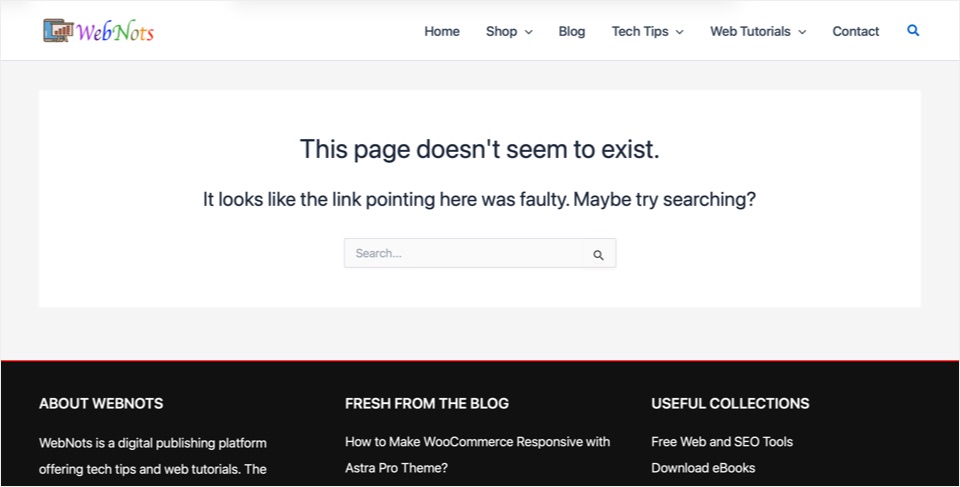
Free Astra theme is sufficient in most cases, while the pro version offers additional features like social sharing icons, author box, WooCommerce module, etc. By default, the theme will show a simple 404 page with few lines of text and a search box as shown below. This can create frustration for users landing on a 404 page already not finding what they are looking for. Good thing is that you can create a custom 404 page with additional elements to retain the users on your site.
Note: You can also create a custom 404 page using a plugin, which will be useful if you are using the free Astra theme. Learn more on that here.
Enable Site Builder Module
First step is to activate a module as part of the Astra pro add-on:
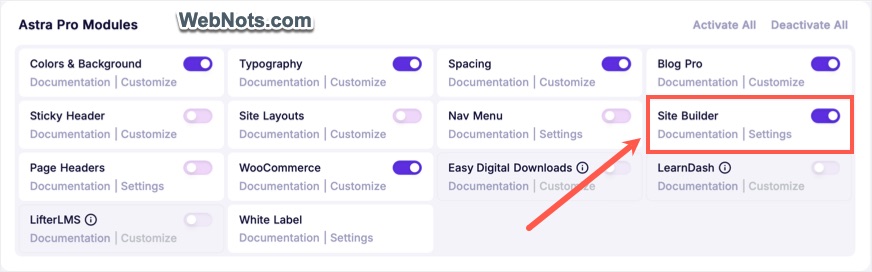
- Navigate to “Astra > Dashboard” section in your WordPress admin panel.
- Turn on “Site Builder” module, which will allow you to create custom layouts.
Create Custom 404 Layout
- Navigate to “Astra > Site Builder” section.
- Click the “+Create New” button or the + icon next to “404 Page”.
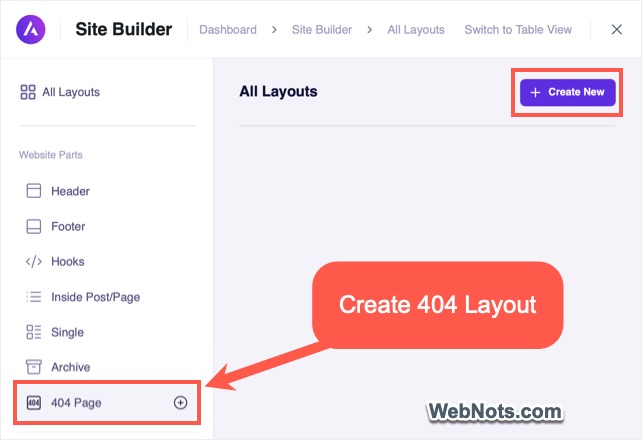
- This will open Gutenberg editor for creating a custom layout.
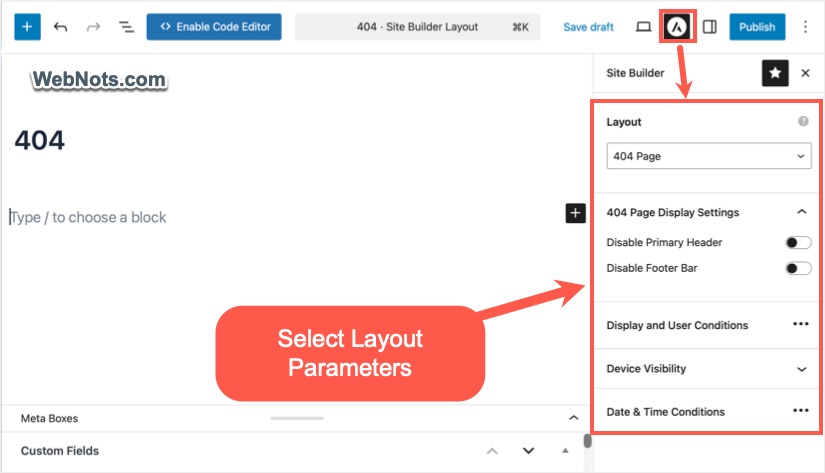
- Click the Astra icon on the top toolbar and select the following options:
- Layout: 404 Page
- 404 Page Display Settings: Enable or disable site header & footer.
- Display and User Conditions: Select “All” for “Display for User” option.
- Device Visibility: Select all devices.
- Date & Time Conditions: Turn off “Time Event” option.
Adding Required Blocks
Name your layout (like 404 or Not Found Page) and add page elements using Gutenberg blocks. You can add any default Gutenberg blocks or custom blocks from third-party plugins. Here are some options:
- Insert a “Group” block and add a heading, paragraph, and a search box blocks inside the Group block. You can add background color for the grouped blocks.
- Add latest posts from all or popular categories using the “Latest Posts” block.
- Insert social sharing icons for following your social profiles.
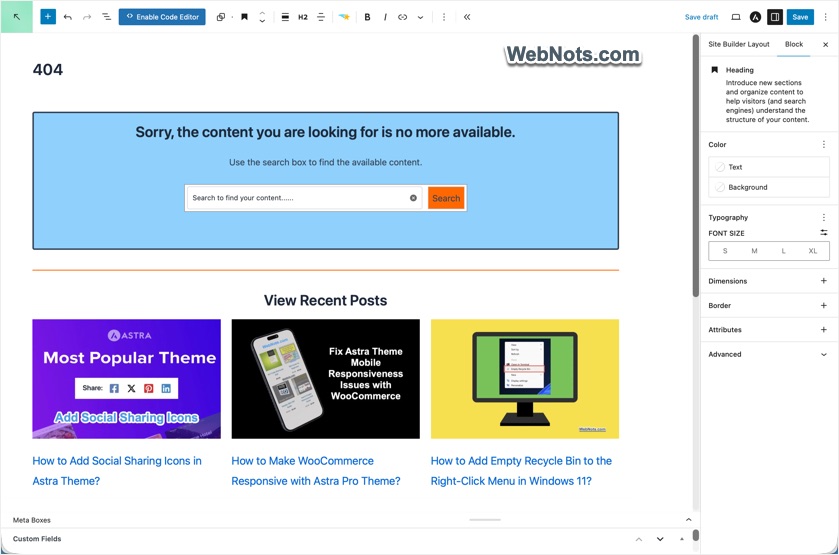
Finally, publish your layout and open https://yoursite.com/404 page in a new browser tab. Now, you should see the custom 404 page layout instead of the default one.
All custom layouts are available under “Astra > Site Builder” section and you can quickly edit or disable the layout to revert back to default 404 page.


