Google is consistently introducing new automatic ad formats for publishers to tap different revenue sources. In past few years, we had vignette, anchor, multiplex and side rail ad formats through AdSense account. Intent-driven ads are one of the latest additions to auto ads setup from AdSense. If you are already using auto ads, then all you need is to enable few items in the account to start using intent-driven ad format.
How to Enable Intent-Driven Ad Format?
Intent-driven ads are part of AdSense auto ads setup. So, if you are not using auto ads, make sure to setup that on your site and follow the below steps.
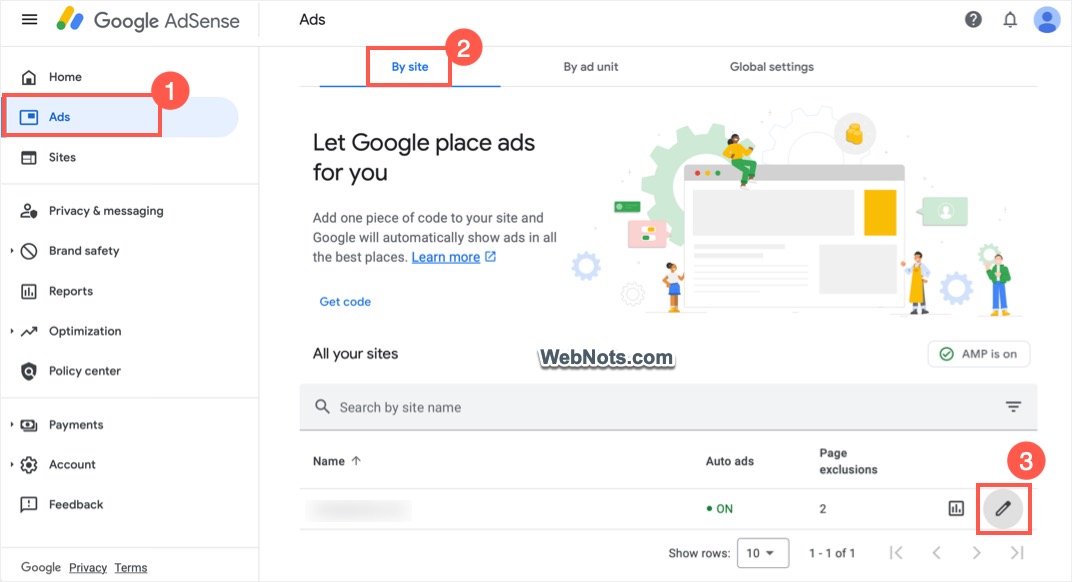
- Login to your AdSense account and navigate to “Ads > By site” section.
- Find from your site under “All your sites” list and click on the edit (pencil) icon showing against the site name.
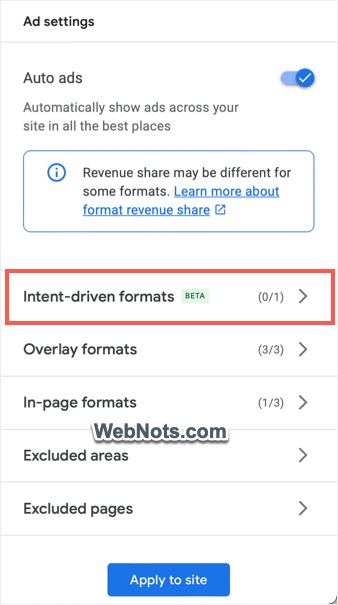
- On the next “Ad Settings Preview” screen, first make you have turned on “Auto ads” option and then click “Intent-driven formats” option.
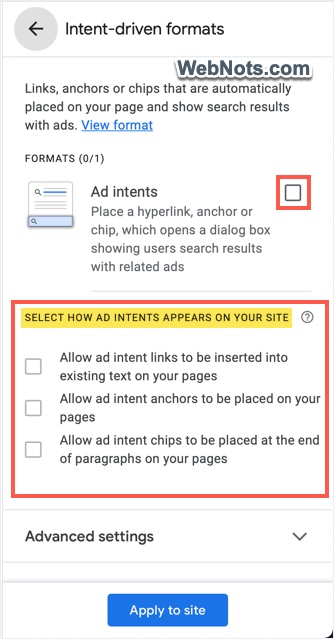
- Turn on “Ad intents” option and you can adjust the appearance under “Select How Intents Appears On Your Site” section. Make sure to select only the required options to avoid cluttering the page with intent ads.
- Check “Allow ad intent links to be inserted into existing text on your pages” to start showing intent link ads (shown as hyperlinks).
- You can also check “Allow ad intent anchors to be placed on your pages” option to show an automatically detected anchor tag on each page.
- Finally, use “Allow ad intent chips to be placed at the end of paragraphs on your pages” to show links after paragraphs.
Additional Settings for Ad Intents
Google also added additional settings for adjusting the ad type shown in the dialog or pop-up when clicked on the intent ad link or tag. Expand the “Additional settings” tab to find the available options.
- Always show display ads with organic search results.
- Show search ads with organic search results, and display ads if search ads are unavailable.
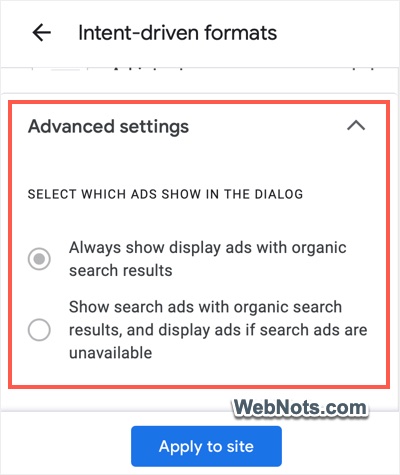
Select the first option to increase the earnings with both display ads which are generally having more CPM.
Preview and Apply Changes
Depending upon your settings, preview will be updated where you can see a floating anchor shows as a tab on page’s bottom (ad intent anchor). Ad intent links will show only when there are possible keywords available on the page. Generally, it does not show in the preview.
If you want to exclude pages or section of your site form showing intent ads, click on “Excluded pages” and add them in the exception list.
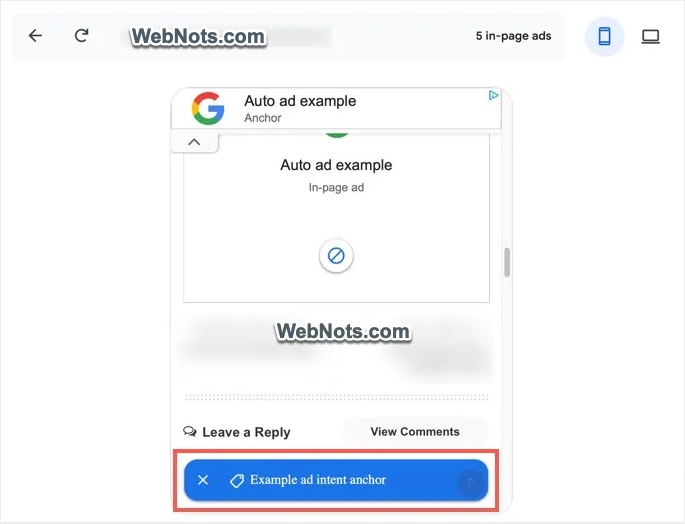
Finally, click on “Apply to site” button. You will be prompted to save or run an experiment and choose the option to run the ads immediately.
How Intent-Driven Ads Look on Your Site?
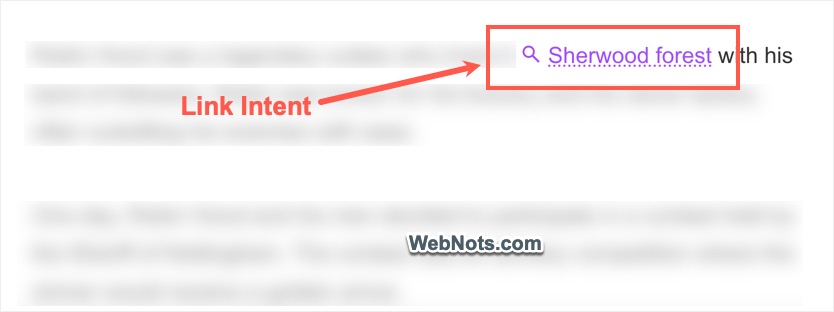
Once the settings are saved, you can immediately start seeing the intent ads on your pages. The link intent ad will show as below with a search lens icon in front of the automatically inserted links.
Whereas the anchor intent ad will show as a floating tab on the bottom of the page’s content.
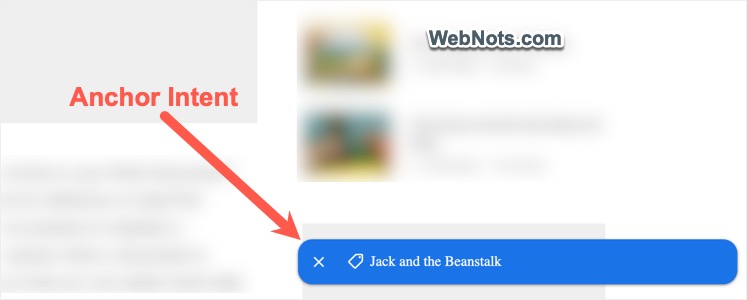
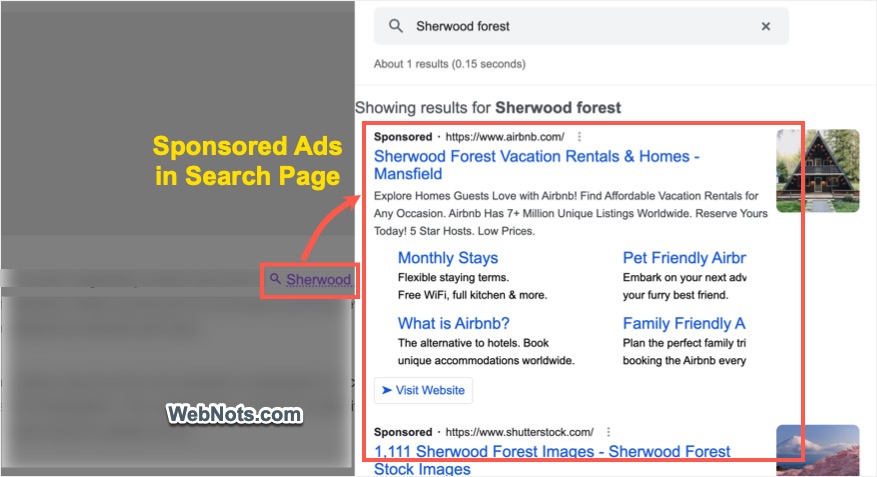
Clicking on the link or anchor will open a slide out panel with Google search page showing results for the link / anchor keywords. The search result page will show sponsored ads like ads on normal Google search pages. You will be paid when someone clicks on the sponsored link and view the advertiser’s website.
In addition, Google also will show a consent message at the page’s bottom. It will show a search lens icon at the front (like a legend) and reads that the page uses automatically generated AdSense ad intent links which helps publishers to earn money. Users do not have any option to opt-out from seeing the intent links or tab as the consent message is a plain notification without any possible action.

Final Words
Though intent ads can increase the revenue, it will definitely intrude with user’s experience. Users will get confused with the hyperlinks on your page mixing with the intent ad links. So, you can disable the link option and only enable the anchor (floating tab) to balance between making revenue and offering better user experience.