Astra has earned its reputation as one of the most popular WordPress themes in the world. According to WordPress.org, the free version is actively used on more than 1 million websites, while Astra’s official website claims the theme powers over 4.8 million websites worldwide across both free and Pro users. Known for its lightweight code, fast performance, and extensive customization options, Astra is a favorite among bloggers, business owners, freelancers, and agencies alike.
But one question often comes up: Is the free version enough, or is Astra Pro worth upgrading to? In this guide, we’ll compare Astra Free and Astra Pro side by side, examining their features, pricing, and ideal use cases to help you decide which version is right for your website.
Astra Free vs Astra Pro: Overview
The Astra theme itself is free and provides everything needed to build a professional website (including no credit in the footer). You can install the free theme by navigating to “Appearance > Themes” section in your WordPress admin dashboard. It’s a classic theme, which means it uses the customizer setup (Appearance > Customize) instead of full site editing (Appearance > Editor).
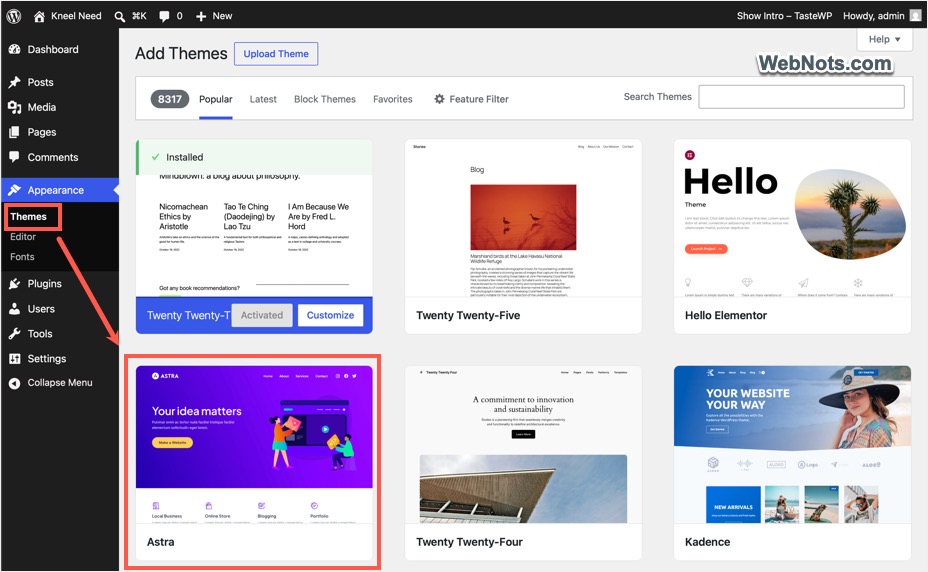
Astra Pro is a premium add-on plugin, which you need to purchase from the developer’s website and install (Plugins > Add New > Upload Plugin) it on your site when the Astra theme is active. The plugin extends the free theme with advanced design controls, custom layouts, WooCommerce enhancements, LMS integrations depending on your setup.
While Astra Free is a solid choice for many websites, Astra Pro unlocks a much deeper level of customization and functionality.
| Feature | Astra Free | Astra Pro |
|---|---|---|
| Core Theme | ✅ | ✅ |
| Custom Layouts | ❌ | ✅ |
| Advanced Headers & Footers | ❌ | ✅ |
| WooCommerce Enhancements | Limited | Full |
| LMS Integrations | Limited | Full |
| Premium Support | ❌ | ✅ |
| White Labeling | ❌ | ✅ |
| Ads for Upgrading | ✅ | ❌ |
| Beta and Rollback Option | ❌ | ✅ |
Astra Free: What You Get
The free version of Astra includes a surprisingly robust feature set. It offers fully responsive design making your site looks great on desktops, tablets, and mobile devices without additional configuration. You will have a built-in schema markup and seamless integration with popular page builders like Elementor, Beaver, Divi, and WPBakery. This flexibility makes it easy to use whichever builder you prefer.
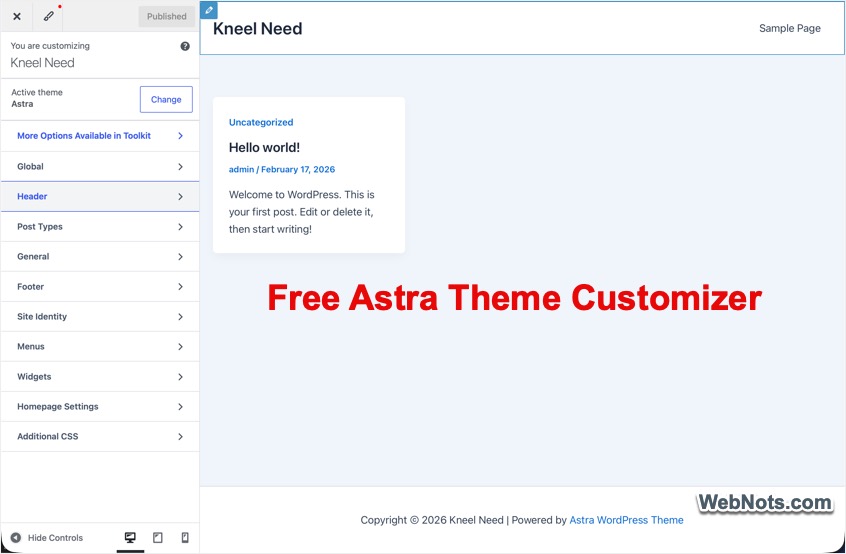
- You can customize the blog page and archive layouts, content width, post structure, and meta information visibility. These controls are often enough for personal blogs and basic business websites.
- If you are running a WooCommerce store, the free version includes basic features like dropdown cart, sale badge styling, product column controls.
- You can also customize colors, typography, layouts along with limited controls for header and footer customization.
Since the theme is fluid, you may have problems with the aggressive plugins like WP Rocket especially with the WooCommerce layouts on mobile screens. You may need to exclude the theme’s stylesheet to avoid broken layout and retain the responsiveness.
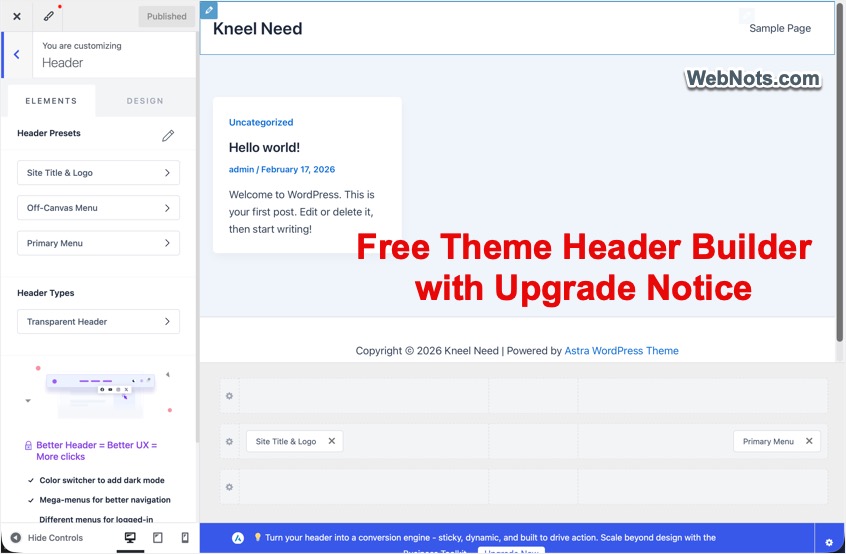
In summary, Astra free is an excellent choice if you’re building a personal blog, portfolio website, brochure-style business website, or a simple WooCommerce store. However, you will see the upgrade notifications throughout the dashboard and customizer setting pages.
Astra Pro: What You Unlock
As mentioned, Astra Pro is an add-on plugin that extends the free theme with a large collection of advanced features designed for professional websites.
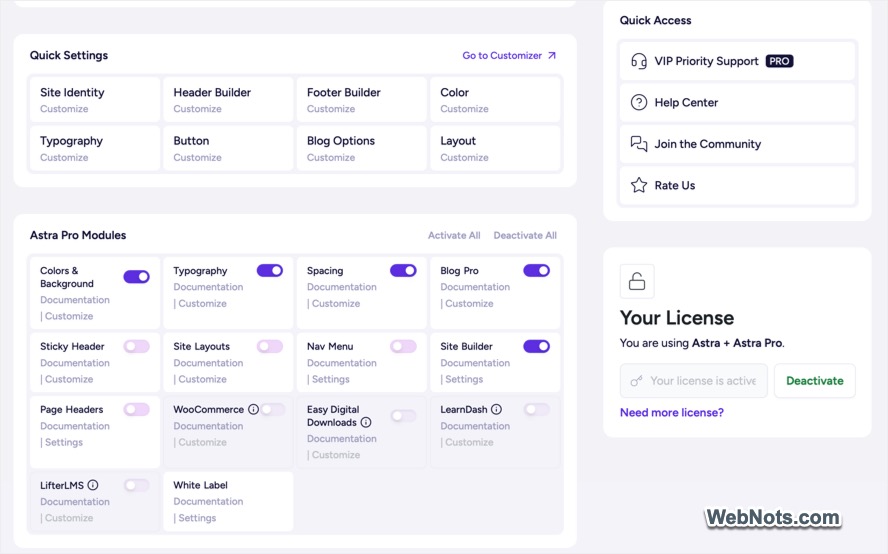
- Modular approach allows you to enable only the options you need.
- You will get the complete design controls for typography, spacing (padding & margin), and colors to customize your site’s visual appearance.
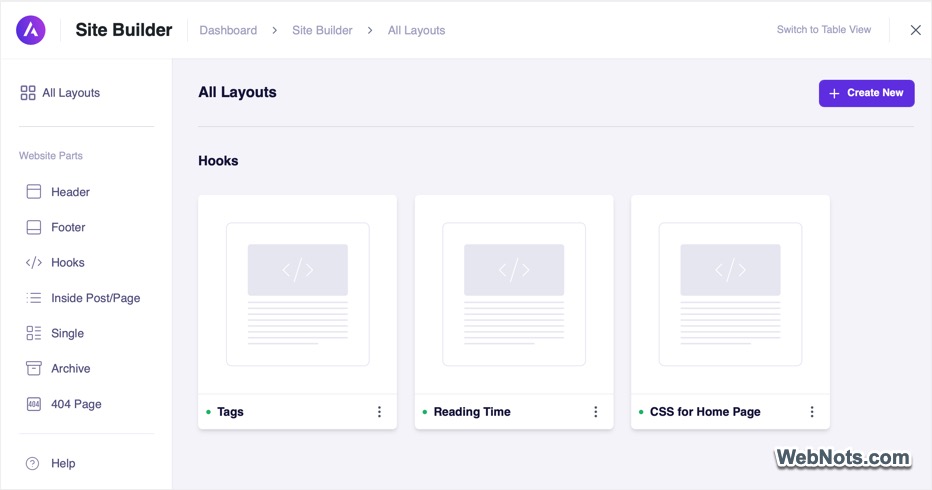
- Astra Pro comes with a “Site Builder” module, which allows you to create custom layouts for header, footer, 404 page, single post, and archive pages. You can also create hooks for inserting custom content and code anywhere on your site. This level of flexibility is especially useful for larger websites and client projects.
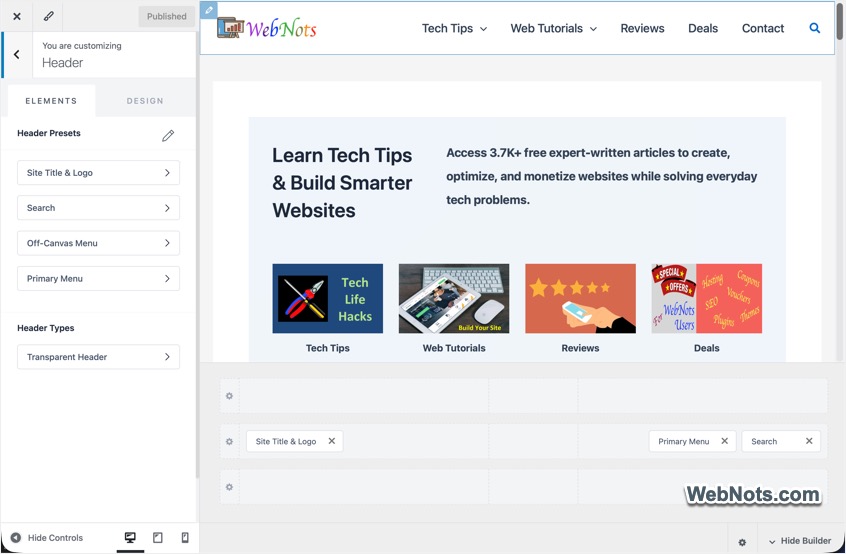
- One of Astra Pro’s biggest advantages is its advanced header builder. The available features include sticky headers, shrinking headers on scroll, mega menu, off-canvas menus (for mobile), and inserting HTML elements. These features help create modern navigation experiences that aren’t available in the free version.
- Astra Pro also expands footer customization significantly. You can create above / below footer sections and multiple column footer layouts.
- Content-heavy websites benefit from Astra Pro’s blog features lie masonry layouts, infinite scroll pagination, author boxes, and reading time display section. These features improve both design flexibility and user engagement.
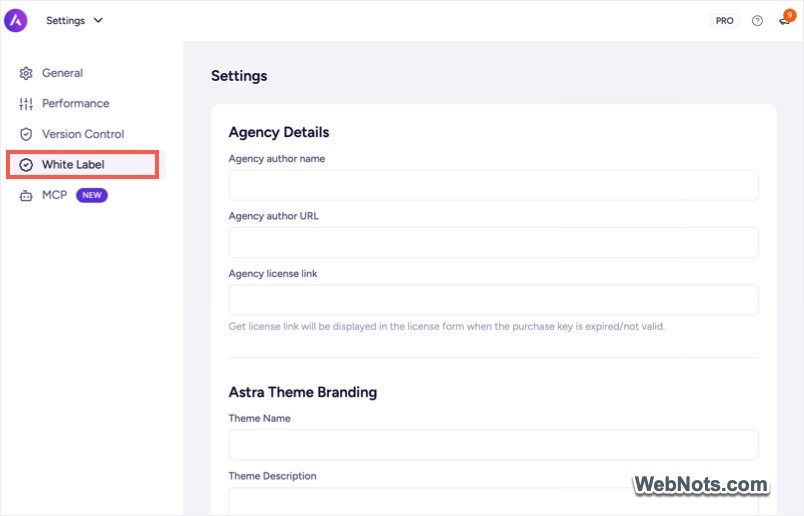
- Beyond design enhancements, Astra Pro also includes CSS file generation for improved performance, white labeling, and 24/7 premium support. These features are particularly valuable for freelancers and agencies managing client websites.
Additional Integrations with Pro Add-on
Another advantage of Pro version is the neat integration with the popular third-party plugins.
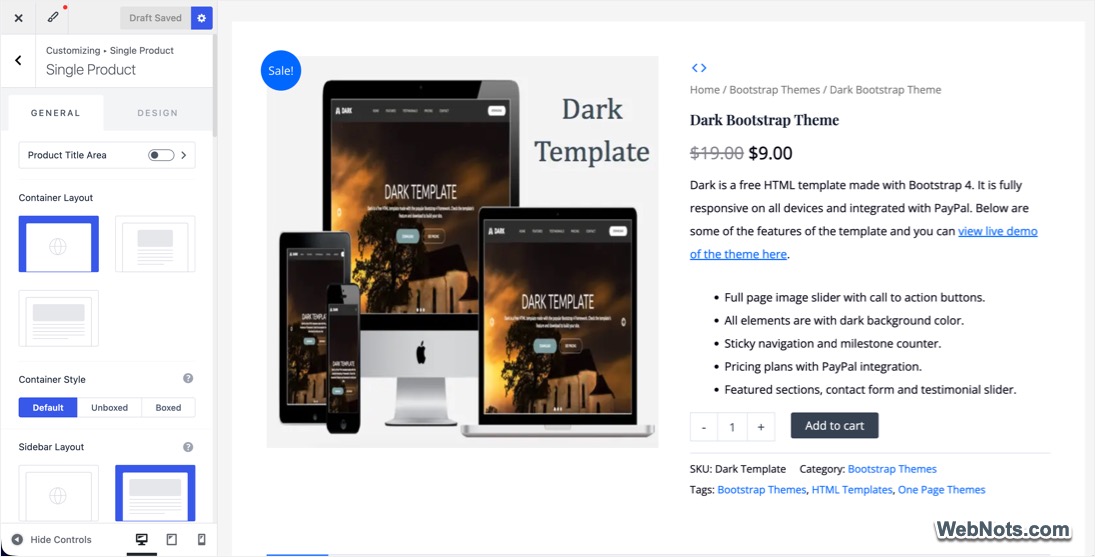
- For WooCommerce store, Astra Pro provides substantial improvements. You will get AJAX add-to-cart, product quantity controls, Quick View functionality, product image zoom, and distraction-free checkout. These enhancements can improve user experience and potentially increase conversions.
- For LMS, Astra Pro includes enhanced support for LearnDash and LifterLMS. You will get LMS features like distraction-free learning layouts, student profile menus, and improved course styling.
- Astra Pro includes useful shortcodes for breadcrumbs, search forms, WooCommerce mini cart, Easy Digital Downloads mini cart, LearnDash profile links, and LifterLMS profile links. Although we don’t recommend using shortcodes, they are always available at your fingers.
Astra Pricing Breakdown (2026)
There are various subscription-based as well as lifetime (one-time) pricing plans based on the number of websites and other features.
Astra Pro Standalone
If you only need Astra Pro, you can purchase the add-on separately.
| Plan | Price | Websites |
|---|---|---|
| Annual | $69/year | Up to 3 Sites |
| Lifetime | $249 one-time | Up to 3 Sites |
Astra Pro + AI Bundles
For users who want additional tools and AI features, Astra offers bundled plans.
| Plan | Annual | Lifetime | Sites | Best For |
|---|---|---|---|---|
| Astra Pro + AI Solo | $99/year | $279 | 3 | Personal projects |
| Essential Toolkit + AI | $199/year | $549 | 10 | Freelancers |
| Business Toolkit + AI | $279/year | $799 | 1,000 | Agencies |
All plans include a 14-day money-back guarantee.
What’s Included in the Toolkit Bundles?
The bundles include much more than Astra Pro.
- Spectra Pro: Build advanced layouts directly inside the WordPress block editor.
- Premium Starter Templates: Access over 300 professionally designed website templates.
- Ultimate Addons for Elementor: Get more than 70 advanced Elementor widgets.
- SureForms Agency: Create powerful forms with conditional logic, CRM integrations, and advanced workflows.
- AI Website Builder (ZipWP): Generate complete WordPress websites using AI.
- Hosting Included: Depending on your plan, free hosting of your website is included for up to three years.
- Free Domain: Receive a free domain for the first year (up to a $14 value).
Which Version Should You Choose?
Here is a quick summary of features before you want to select a version:
| Category | Astra Free | Astra Pro |
|---|---|---|
| Customization | Basic colors, fonts, layouts | Full typography, spacing, backgrounds |
| Header Builder | Limited | Sticky, Mega Menu, Off-Canvas |
| Footer Builder | Basic | Advanced layouts and controls |
| Blog Features | Standard | Masonry, Infinite Scroll, Read Time |
| WooCommerce | Basic | AJAX Cart, Quick View, Checkout Enhancements |
| LMS Support | Limited | Full Integration |
| White Label | ❌ | ✅ |
| CSS Optimization | ❌ | ✅ |
| Premium Support | Community | 24/7 Priority Support |
| Premium Templates | Limited | 300+ Templates |
| AI Site Builder | ❌ | ✅ (Bundles) |
| Hosting Included | ❌ | ✅ (Bundles) |
- Choose Astra Free version: If you’re building a personal blog, creating a simple portfolio website, launching a small business website, working with a limited budget, or want to test Astra before upgrading. For many website owners, Astra Free provides everything necessary to get online successfully.
- Choose Astra Pro: If you need advanced header and footer designs, sticky headers or mega menus, complete typography and spacing control, want premium support. Pro add-on is also suitable if you’re running a WooCommerce store or building LearnDash / LifterLMS sites. Astra Pro is particularly valuable for professionals who need greater flexibility without sacrificing performance.
- Consider the Bundles: If you want AI-powered website creation, need premium starter templates, use Elementor extensively, build multiple websites each year or hosting and a free domain included. For freelancers and agencies, the bundles often provide better overall value than purchasing tools separately.
With a 14-day money-back guarantee, trying Astra Pro carries very little risk. Start with the free version, explore its capabilities, and upgrade when you need more advanced tools.