Have you ever wondered about the processor powering your Windows PC? There are two major types: x86-based and ARM-based processors. x-86 processors are popular and dominating the Windows for a very long time. However, ARM processors are getting popular for improved efficiency and longer battery life. In this article, we will explore what ARM-based processors are, how they differ from traditional x86 architectures, their advantages and challenges, and what their integration means for the future of Windows PCs.
X-86 Vs ARM
x-86 processors use the Complex Instruction Set Computing (CISC) architecture, which supports a wide variety of instructions, making them highly compatible with most Windows software, especially legacy applications. On other hand, ARM processors are based on a family of Reduced Instruction Set Computing (RISC) architectures. Unlike the more complex instruction sets found in x86 processors (such as those made by Intel and AMD), ARM processors are built to execute a streamlined set of instructions, which results in improved power efficiency and less heat generation.
The ARM architecture was developed by ARM Holdings (now a part of SoftBank and spun off independently), with its origins tracing back to the 1980s in the United Kingdom. ARM Holdings licenses its architecture to other companies, allowing them to design their own chips based on the ARM core, which is in contrast to Intel or AMD, who typically manufacture their own x86 chips. This licensing model means that companies such as Qualcomm, Samsung, and Apple can create custom ARM processors tailored to specific devices.
How to Find Which Processor Your PC is Using?
- Open Settings app (by pressing “Windows + I” keys or right-click on Start button and select “Settings” menu).
- Navigate to “System > About” section.
- Expand “Device specifications” section and check against “System type” option.
- You will see “64-bit operating system, ARM-based processor”, if your computer is using ARM processor.

Why Use ARM in Windows PCs?
Microsoft has extended Windows to run on ARM hardware with the products like the Surface Pro X, Samsung Galaxy Book Go, and laptops powered by Qualcomm’s Snapdragon chips. Here are some of the factors for moving to ARM-based processors in Windows PCs.
- Power Efficiency: ARM chips excel at delivering high computational performance while using minimal energy. This efficiency translates into longer battery life for laptops and tablets, one of the main selling points for users on the go.
- Thermal Management: With lower power draw comes less heat, allowing for fan-less designs and slimmer, lighter devices.
- Always-On Connectivity: ARM’s roots in mobile devices mean the architecture is well-suited to supporting integrated LTE/5G modems, enabling always-on, always-connected experiences similar to smartphones.
- Security Features: Many ARM chips incorporate advanced security mechanisms such as Secure Boot, hardware-based encryption, and Trusted Execution Environments that help protect devices from modern threats.
Apps Compatibility
The best performance and efficiency are achieved when applications are compiled natively for ARM. Major Microsoft apps like Edge, Office, and Teams now offer native ARM versions.
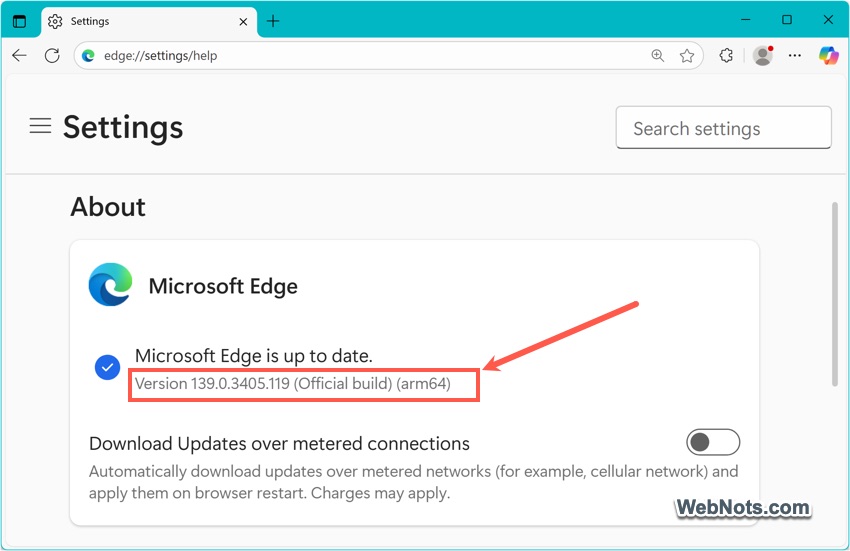
For legacy applications that haven’t been recompiled for ARM, Windows on ARM includes a compatibility layer capable of emulating x86 and x64 instructions. While it allows many traditional Windows apps to run on ARM-based PCs, some performance penalties can occur, especially with resource-intensive software. Also, some peripherals and specialized hardware may lack ARM-compatible drivers, limiting device expandability.
Key Players in ARM-Based Windows PCs
Several manufacturers are leading the charge in developing ARM-powered Windows machines:
- Qualcomm: Their Snapdragon line, particularly the Snapdragon 8cx and the newer Snapdragon X series, powers many Windows on ARM laptops and 2-in-1s.
- Microsoft: The Surface Pro X is a flagship ARM Windows device, often used to showcase the potential of this architecture.
- Samsung, Lenovo, HP: These companies have all introduced ARM-based Windows laptops, focusing on mobility and battery endurance.
Conclusion
With their focus on efficiency, mobility, and security, ARM chips are opening doors to lighter, longer-lasting, and more connected Windows computers. More software vendors are also releasing native ARM versions of their products, improving speed and efficiency for users. While challenges remain in terms of software compatibility and raw performance for niche applications, the trend is clear: ARM is poised to play a major role in the next generation of Windows PCs.