Google offers different types of ad formats for AdSense publishers to monetize their sites. Some formats like display (text and banner) ads are most common among publishers. However, formats like intent ads and related search are not used by many publishers. In this article, we will explain how to setup related searches in AdSense account.
Important Update: Google retired the Related Search ad format on 06 August 2026. So, you will no longer see that option in the Auto ads settings. This article has been retained for archival purposes.
What are Related Search Ads?
Related search is contextual navigational unit inserted in-between your site content as part of AdSense auto ads setup.
- Google will automatically insert the search ad unit.
- When users click one of the navigational links in the ad, it will open a slide-out showing the search results from your site.
- Sponsored ads will be shown on top of the search results similar to Google search page.
- You will be paid based on the number of clicks or impressions of ads shown in the search results page.
How to Enable Related Search Ads?
As mentioned, you should enable auto ads for using related search ad unit on your site.
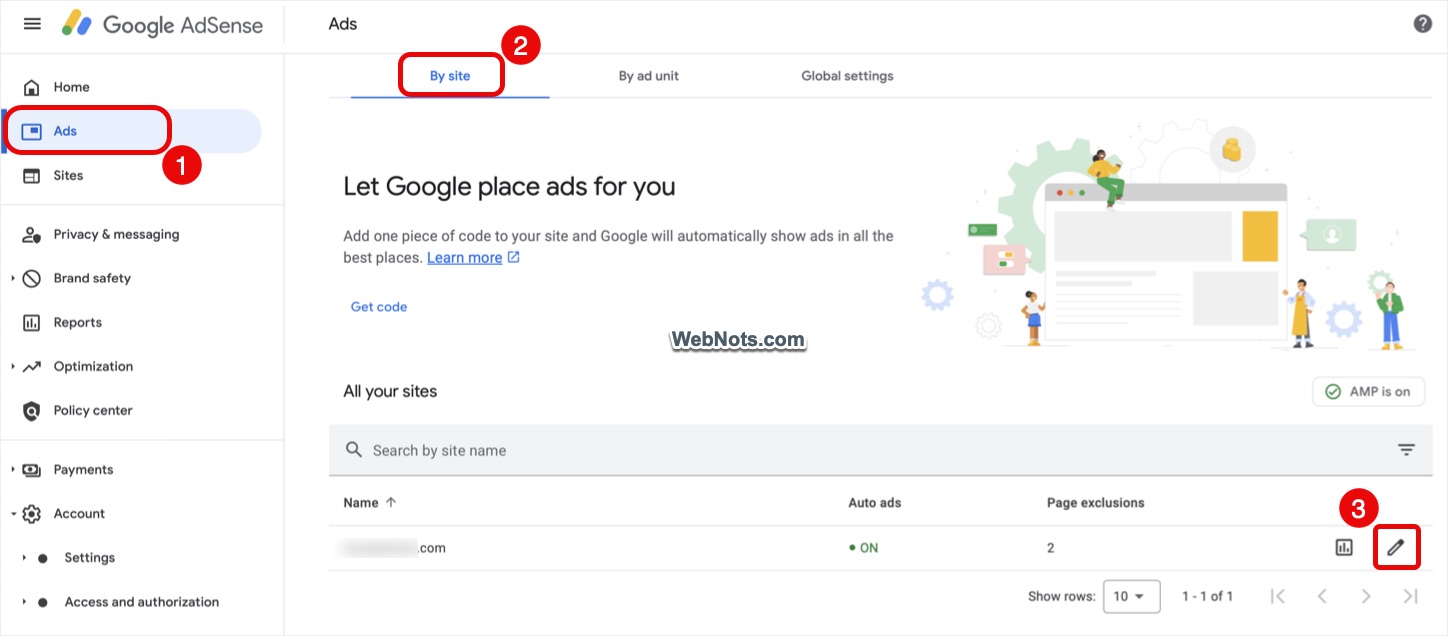
- Login to your AdSense account and go to “Ads” section.
- Under “By site” tab, click on the pencil icon showing against the site name.
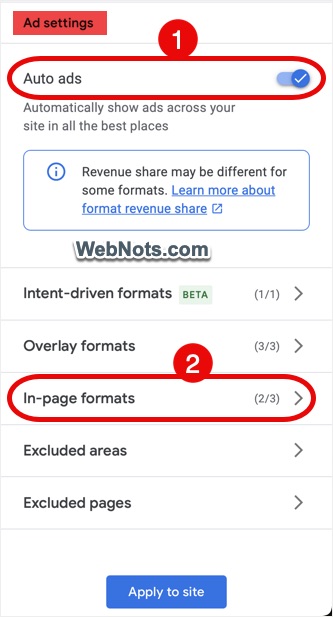
- If you are already not using Auto ads, make sure to turn on “Auto ads” option under “Ad settings” tab. After that, go to “In-page formats” section.
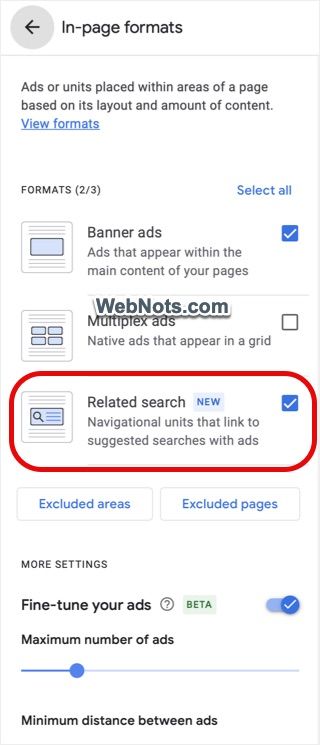
- Check “Related search” option to enable it. If required, you can exclude pages and area and fine-tune the ads.
- Go back and click on “Apply to site” button.
- You will be prompted to apply immediately or run an experiment. Choose the action to save your changes.
How it Looks and Works?
After enabling related search, wait for some time and check your pages. The ad unit shows something like below with a set of navigational links in a box.
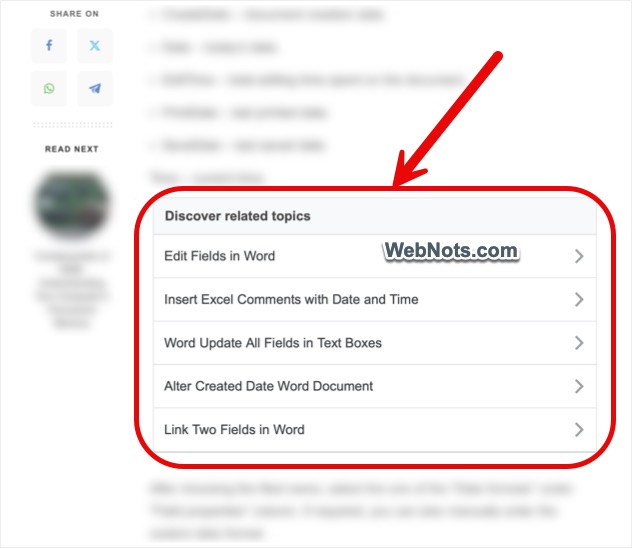
Clicking on any of the links will open a search results page showing sponsored ads along with other results.
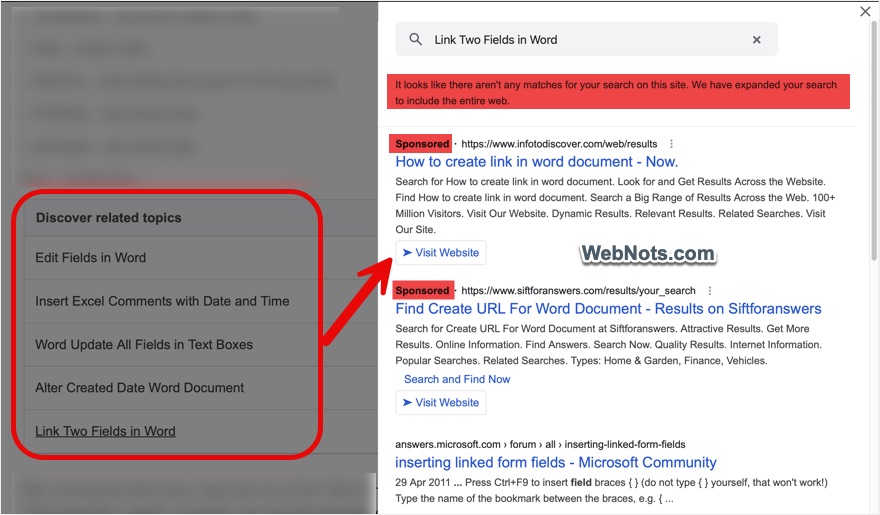
This works exactly like intent ads with the only difference of showing multiple navigational links in a box instead of inserting a link in your own content.
Limitations on Related Search Ads
Below are some of the points to note when using this ad format:
- Unlike display ads, related searches will not show immediately after enabling it in your AdSense account. It will take some time for Google to analyze your site and show search results.
- When there are no relevant or sufficient results from your site for the searched query, Google will show results from third-party sites (these are not ads).
- Related searches work only on sites with English, German, Spanish, French and Japanese languages. Check the latest status in this Google AdSense support page.
Google claims this ad format will increase the traffic, pageviews and revenue. However, the impact on revenue will be negligible as users first need to click the navigational link to view or click the sponsored ads.