Windows is one of the major targets for cybercriminals mainly because of its worldwide popularity. It comes with a pre-installed Windows Security app, previously known as Windows Defender. Though this makes Windows more secure than its predecessors, the solution is still not sufficient. Hackers are using advanced and creative methods to access your personal information or to take control of your computer resources. Today, there are many threats ranging from malware, ransomware to file-less attacks targeting Windows systems. Therefore, you need reputable third-party
security software to protect you from any kind of the latest threats.
Benefits of Third-Party Antivirus
There are many benefits of having a good and updated antivirus including:
- Protects devices from viruses, malware, spyware, and ransomware that can damage files or steal information.
- Blocks unsafe websites and phishing links to reduce the risk of online scams and fraud.
- Safeguards personal data such as passwords, photos, and financial details from unauthorized access.
- Monitors apps and downloads in real time to detect threats before they cause harm.
- Improves device performance by identifying and removing harmful or unwanted programs.
- Provides secure browsing and safer online experiences for both adults and children.
- Offers alerts and reports so users stay informed about potential security risks.
In today’s market, there are many options for both paid and free antivirus packages, making it difficult for users to identify the best solution for the Windows 11 PC. We have the top 5 antivirus recommendations for Windows 11.
1. Bitdefender Total Security
Bitdefender is one of the most reliable security software for Windows PC. The antivirus offers a range of basic protection features such as ransomware protection, privacy tools, and webcam protection. It also has a specialized security feature to monitor and protect children usage. It is available in both free and premium plans.

Key Features:
- Multi-layer ransomware protection.
- Privacy features – VPN, Banking protection (Safepay) and Webcam protection.
- Multi-platform support – Windows, Android and iOS.
Limitations:
- No scan scheduling or quick scans.
2. Kaspersky Total Security
Kaspersky Total Security is another reputable security software for Windows users with security features that protect you from potential threats. It secures all your online activities such as; shopping, surfing, socializing or streaming. Besides, the antivirus gives you access to their reliable antivirus engine and smart blocking of malware and malicious links.

Key Features:
- Privacy protection – Provides a secure password manager and cloud file backup.
- Transaction security – DATA encryption around your online shopping and banking.
- Parental Control – Protects your children against online dangers.
- Unbeatable Malware / Phishing / Ransom Protection – Intelligent detection and blocking of
various threats.
Limitations:
- The free version is too basic with no extra features.
3. AVG Antivirus
AVG is another good choice for the protection of your Windows PC. It offers decent security features such as link scanning for malicious emails, downloads and links. Besides the antivirus features, it offers a host of PC tune-up and clean-up tools.

Key Features:
- Webcam and ransomware protection.
- Superior firewall and real-time web updates.
- Enhanced malicious link blocker – For suspicious emails, links or downloads.
- Unlimited installation for PCs – Ideal for a big family.
- Additional PC performance optimization tools.

Limitations:
- It is not reliable for phishing protection.
- Slow scanning process.
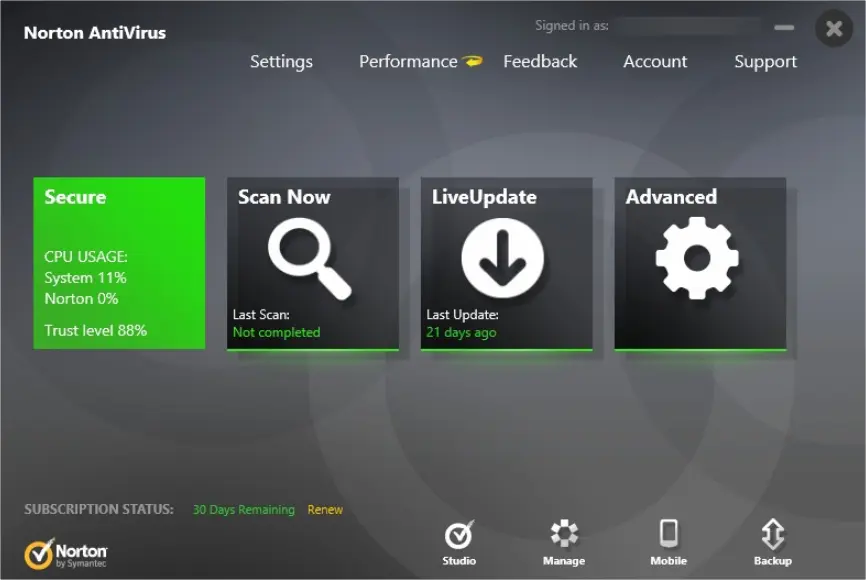
4. Norton Security
This has been one of the most consistent security software for Windows PC, and aims at shielding your financial information from cybercriminals. Moreover, it provides reliable protection against scammers when you are chatting, shopping or banking online. This awarding winning antivirus package is a subscription product, meaning that you don’t need a physical installation copy. This also makes it easier to install new updates and safe from the latest viruses or attacks. The free version offers all the basic Windows security features you may need, but you can upgrade to a premium plan to get advanced features.
Key Features:
- A comprehensive antivirus suite for Windows.
- Solid protection against various attacks – Including crypto mining attacks,
script-based attacks and fake tech support. - Norton safe web and Norton safe search – For secure browser activities.
- Firewall protection and intrusion prevention tool.
Limitations:
- Limited tech support for the free version.
- Premium plans are comparatively expensive.
5. McAfee Total Protection
McAfee Total Protection offers a host of antivirus security features to keep your system safe from malware, viruses, ransomware and spyware attacks. It is a reliable package when you want to prevent phishing, spam emails and malicious applications that can compromise the security of your computer systems. Furthermore, it provides parental controls that block unwanted websites and search results as well as password management tool.

Key Features:
- Spyware, Malware and virus protection – Active Windows protection that detects, removes or blocks any kind of viruses and malware.
- Data protection and backup – Anti-theft, data backup and shredder tools.
- Email and web protection – Phishing and junk mails prevention.
- Parental controls – Regulate what your children can do or see online.
- PC performance optimization – Increase PC performance by deleting unnecessary files.
- Money-back guarantee.
Limitations:
- No cloud backup for photos and files.
Conclusion
Windows users have a variety of antivirus software to enhance their PC security. However, these solutions have their strengths and weaknesses, and choosing the best depends on your security needs and budget. If you are looking for a reputable antivirus for your PC, you can opt for one of the above recommendations.