Envato is one of the largest marketplaces for purchasing digital goods. It’s also the go to place for purchasing premium WordPress themes and plugins. The process is easier that you can simply purchase, download and install the items on your site. However, problem comes when you want to update the theme or plugin. In this article, let us check how to get automatic updates for WordPress themes and plugins purchased from envato marketplace.
Linking Envato and WordPress Site
Since WordPress and PHP versions are updated continuously, you should update your theme and plugins for running a secured WordPress site. Most envato authors ask users to go for a manual update which is a painful process. You should first delete the theme/plugin from admin panel, download the latest version from themeforest/codecanyon and upload it again from admin panel (or through File Manager/FTP).
Many users do not aware that envato has an official WordPress plugin to link your site with the marketplace and get automatic updates through an API token.
Note: This process only works for WordPress themes and plugins and not for other purchased items like PHP scripts.
Installing Envato Market WordPress Plugin
There are multiple ways to install Envato Market plugin in WordPress site.
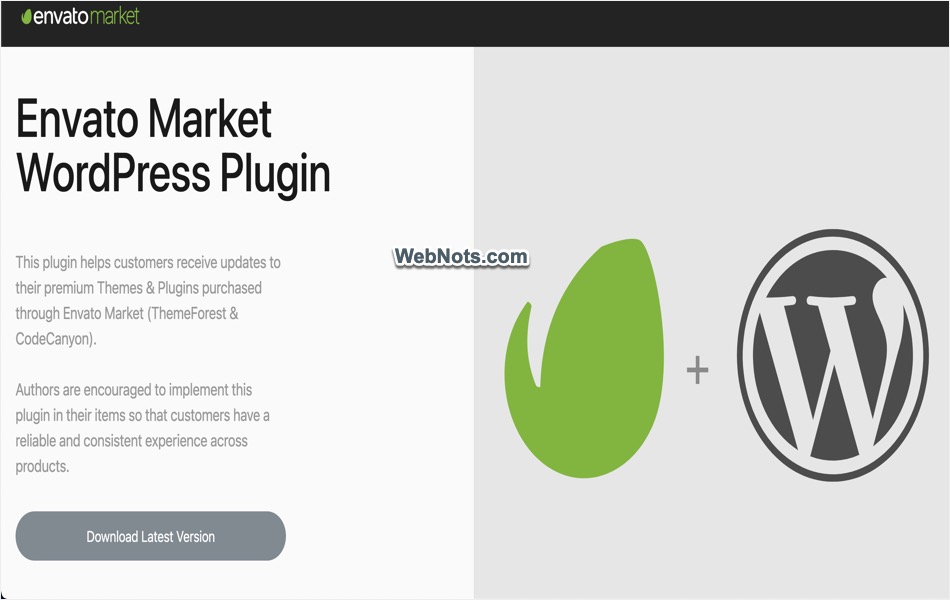
- Go to envato website and download latest version of the plugin’s ZIP file. Login to your WordPress admin area and navigate to “Plugins > Add New Plugin” section. Click “Upload Plugin” button and upload the zip file. Finally, go to “Plugins” section and activate the installed plugin.
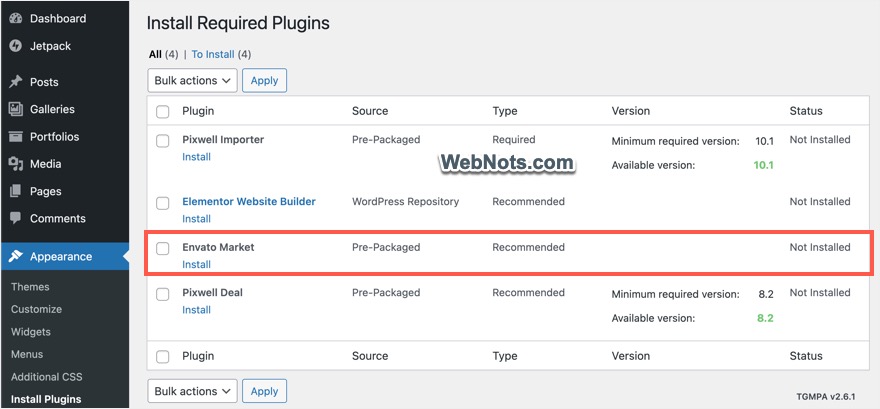
- Some theme authors also supply Envato Market plugin as part of the product download. You can generally find this under “Appearance > Install Plugins” section or under your theme’s menu in admin sidebar. Below is an example from Pixwell magazine theme which shows the plugin comes packaged as part of theme files. In such case, you can simply click on the “Install / Activate” link to add the plugin to your site.
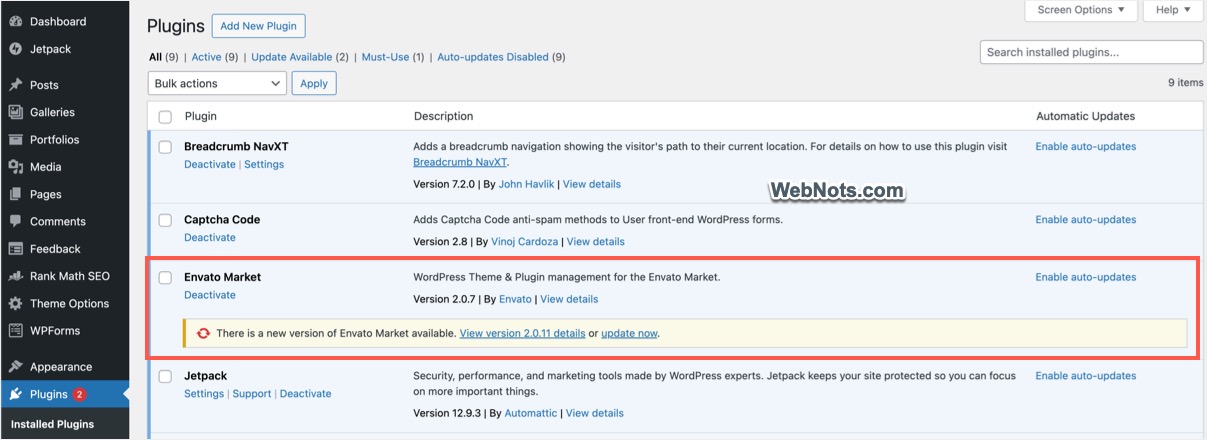
Once you have installed Envato Market plugin, go to “Plugins” section and update the plugin to latest version. This is required especially if you have installed the older version from theme package.
Generating Envato API Personal Token
Next step is to generate an API token in your envato account and link that with the plugin for getting updates.
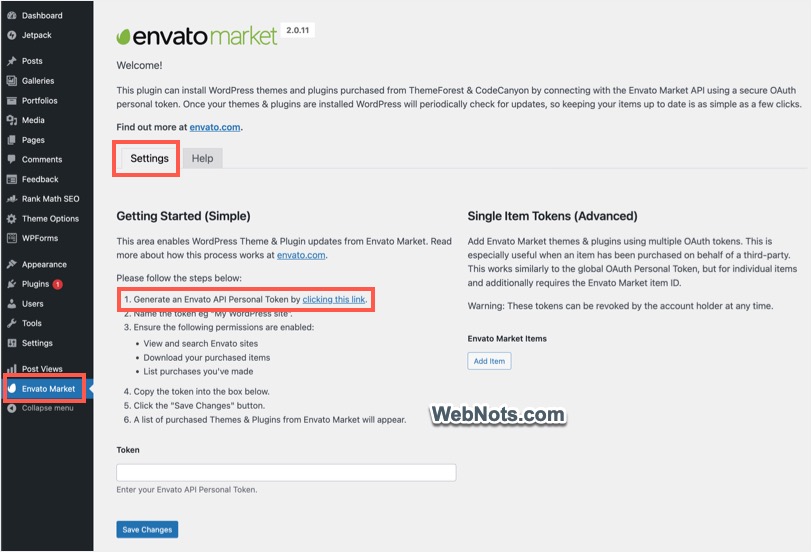
- The plugin will add a new menu item in sidebar called “Envato Market” (which is normally the last menu item). Go to “Envato Market > Settings” section and click the link in the first step.
- Type the username / password and login to your envato account. You will be automatically logged in if you have already logged in to your themeforest or codecanyon account.

- You will land on the token creation page and enter a name for your token.
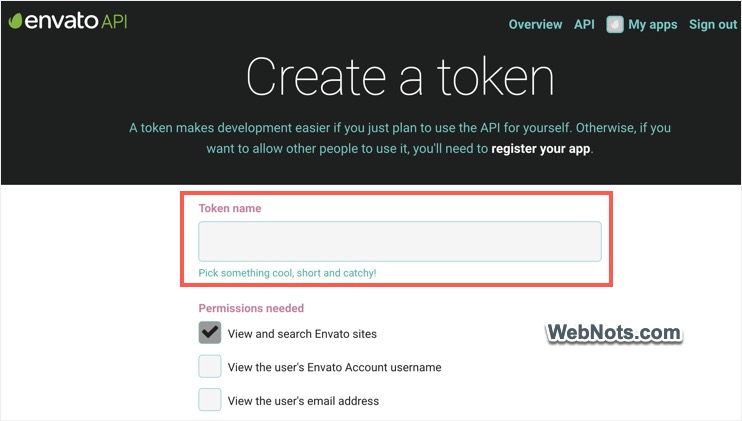
- By default, permissions for viewing, downloading and listing purchased items will be selected. Scroll down to the bottom, accept the terms and click on the “Create Token” button.
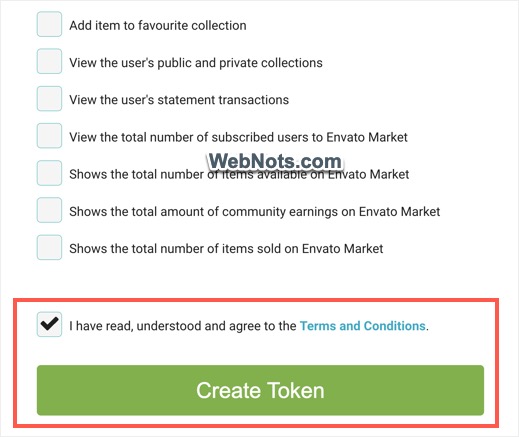
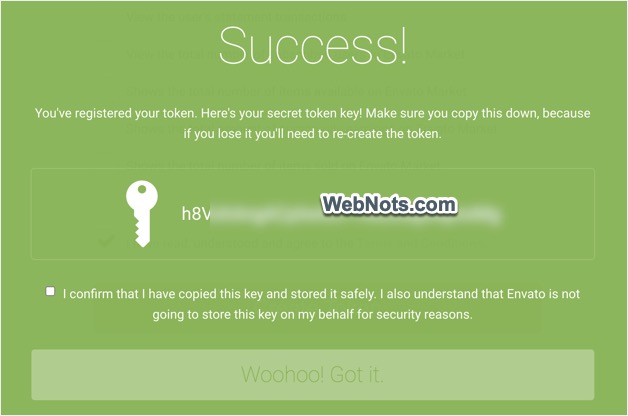
- Copy the created token and keep it safely by saving it locally in a text file. This is important as the token will not be visible in envato account if you need it later (though you can create a new one again). Check the confirmation checkbox and click on the “Woohoo! Got It” button.
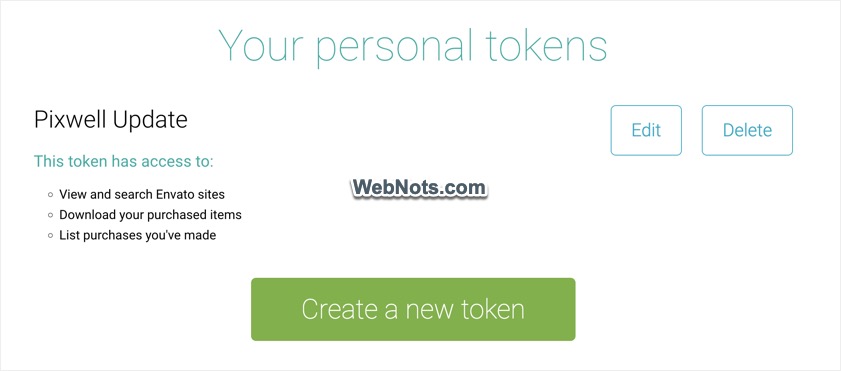
- You will see the list of all app access and personal tokens created. From this page, you can anytime edit the token to change its permissions or delete it to stop the usage.
Linking Envato Token in WordPress
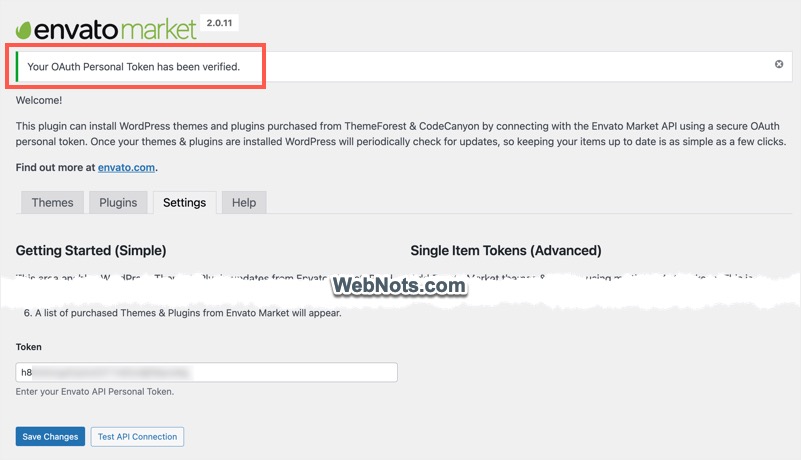
Go back to your WordPress admin and to the “Settings” section of Envato Market plugin. Simply paste the generated personal token in the box and click “Save Changes” button. You will see a success message saying, “Your OAuth Personal Token has been verified”. Now, click on the “Test API Connection” button showing next to the “Save Changes” button. You should see the same OAuth personal token successfully verified message. This indicates the token works fine and the plugin is connected with your envato account.
Manual and Automatic Updates
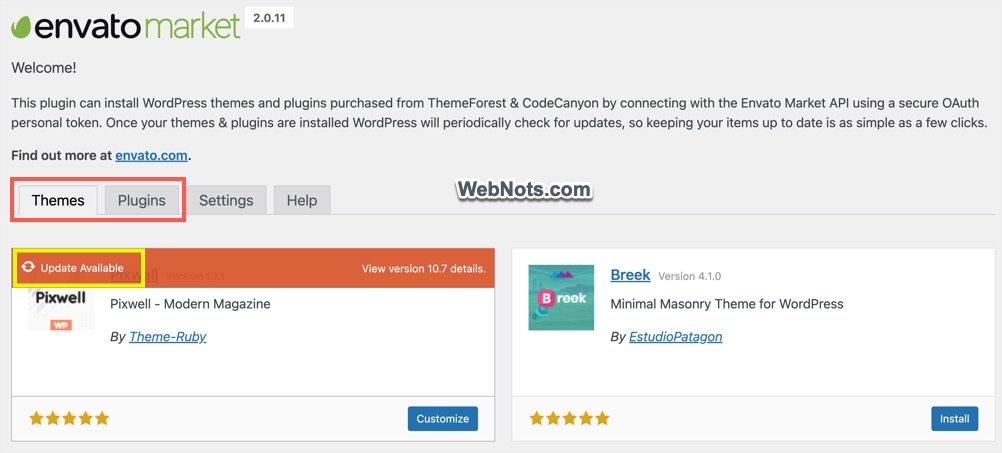
After successful token verification, the plugin will add “Themes” and “Plugins” tabs and pull all your purchases from envato account. From here, you can install any purchased theme or plugin from themeforest and codecanyon. Good part is that you can also switch to any other purchased theme without the lengthy downloading and uploading process.
For manual update – In my case, I go to “Envato Market > Themes” tab and click the “Update Available” link to get the latest theme version. This is a manual process that I can check the update is available and install whenever needed. For plugins, go to “Plugins” tab and install the latest updates.
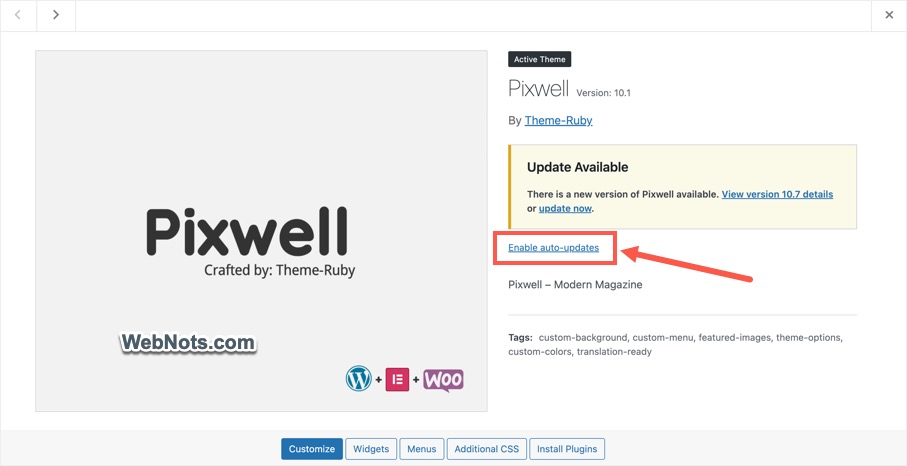
For automatic update – If you want to enable automatic update, go to “Appearance > Themes” section and click on your theme. Here also, you will see a notification that an update is available and click on the “update now” link to get the latest version. Click the “Enable auto-updates” link so that the theme will get updates from themeforest automatically. If you have a plugin, go to “Plugins > Installed Plugins” section and enable auto-update to get updates from codecanyon.
Final Words
Unfortunately, this plugin is not available in free WordPress repository and you need to get it along with theme/plugin purchase or download/install from envato site. Though there are few third-party plugins available in WordPress repository, Envato Market is the official plugin for linking your WordPress site and envato account. All you need is to create a personal API token in link it to the plugin to get the latest updates in admin panel.