Microsoft To Do has been a popular choice for managing everyday tasks, creating shopping lists, setting reminders, and organizing personal and professional work. Its simple interface, integration with Microsoft 365, and availability across multiple devices have made it a convenient productivity tool. However, Microsoft’s decision to retire the To Do apps, gives users a reason to start exploring other task management applications. The good news is that several capable alternatives offer similar features and here are 10 of the best Microsoft To Do alternatives worth considering.
1. Todoist
Todoist is one of the strongest alternatives to Microsoft To Do for those who want a simple task manager with additional organizational features. It allows you to create projects, organize tasks into sections, set due dates, add priorities, and use labels to categorize activities.

- One of its most useful features is natural language task entry. For example, typing “Submit report next Friday” automatically identifies the due date.
- Todoist also supports recurring tasks, reminders, productivity reports, and collaboration.
- Its applications are available for Windows, macOS, Linux, Android, and iOS, along with a web version.
The free plan is suitable for basic task management, while paid plans unlock additional features such as more projects, filters, and collaboration options.
2. TickTick
TickTick is another excellent replacement for Microsoft To Do. It combines traditional task management with calendar planning, habit tracking, and time management features.

- You can create tasks, organize them into lists, set priorities, add reminders, and configure recurring schedules.
- Its calendar views help you visualize upcoming activities and manage your daily workload.
- One feature that makes TickTick particularly attractive is its built-in Pomodoro timer, which helps users concentrate on individual tasks through timed work sessions.
- It also includes habit tracking and other productivity tools.
TickTick supports Windows, macOS, Linux, Android, iOS, and web browsers. Both free and Premium plans are available.
3. Google Tasks
Google Tasks is a straightforward task management application for people who already use Gmail and Google Calendar.

- You can create task lists, add subtasks, assign due dates, and receive notifications for upcoming activities.
- Its integration with Google’s services makes it particularly convenient. For example, you can create a task directly from an email in Gmail or view scheduled tasks alongside calendar events.
- Google Tasks is available on Android and iOS, and it can also be accessed through the web and Google’s productivity applications.
Unlike some competing applications, Google Tasks focuses on simplicity rather than offering extensive project management features. It does not provide advanced reporting, complex task dependencies, or sophisticated collaboration tools. However, its straightforward interface and free availability make it a practical alternative for everyday use.
4. Apple Reminders
Apple Reminders is a built-in task management application for Apple’s ecosystem. It provides an easy way to create reminders, organize activities, and manage personal or shared lists.
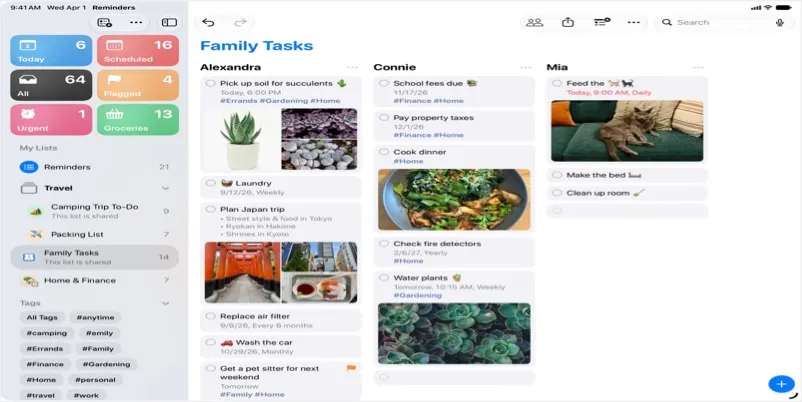
- You can create multiple lists, add subtasks, set dates and times, configure recurring reminders, and organize activities using tags and smart lists.
- Location-based reminders are also available, allowing you to receive notifications when arriving at or leaving a particular location.
- The application synchronizes through iCloud, making your reminders available across iPhone, iPad, Mac, and Apple Watch. You can also access reminders through iCloud.com.
Apple Reminders is included with Apple’s operating systems such as macOS, iOS, and iPadOS without requiring a separate subscription. However, its dependence on Apple’s ecosystem does not offer the same native Windows and Android experience as cross-platform alternatives.
5. Any.do
Any.do combines task management, daily planning, calendar integration, and reminders in a single application. Its interface is designed around helping users organize their day.
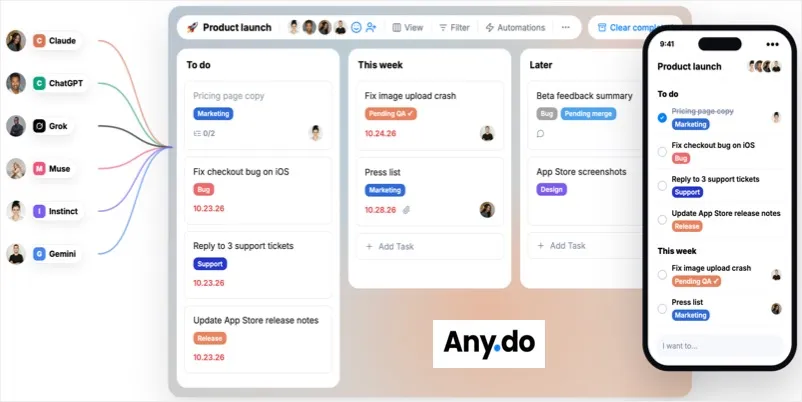
- You can create tasks, divide them into lists, add subtasks, schedule reminders, and plan activities using its calendar functionality.
- One of its distinguishing features is daily planning, which encourages users to review upcoming tasks and decide what to prioritize. This makes it useful for people who prefer planning their activities at the beginning of each day.
- Any.do also supports shared lists and collaboration, making it suitable for families and small teams.
The application is available on Android, iOS, Windows, macOS, and the web. A free version is available, with additional features offered through paid subscriptions.
6. Notion
Notion is more than a traditional to-do list application. It is a comprehensive workspace that combines notes, documents, databases, project management, and task organization.
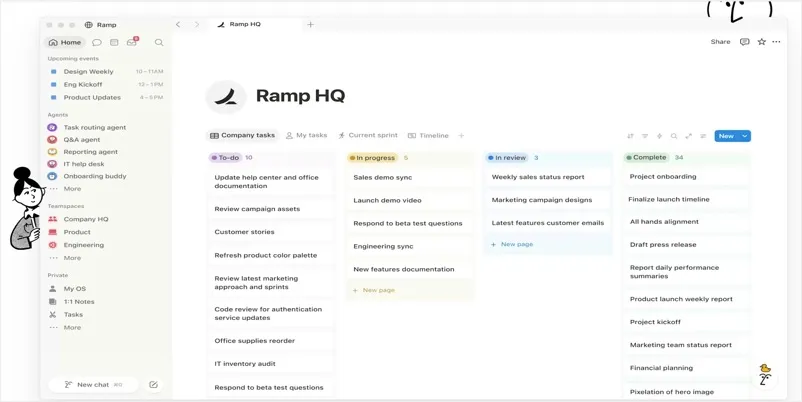
- You can create customized task databases, organize projects, assign deadlines, track progress, and build dashboards to manage different areas of your work.
- Notion’s flexibility is its biggest advantage. Instead of following a fixed task management structure, you can create your own system using tables, calendars, boards, and other database views.
- It also supports collaboration, allowing multiple users to work on shared documents and projects.
However, Notion may require more initial configuration than Microsoft To Do. Users who simply want to create a shopping list or set a reminder may find it unnecessarily complex.
7. Things 3
Things 3 is a premium task management application developed for Apple’s ecosystem. It offers a clean interface and a structured approach to personal productivity.
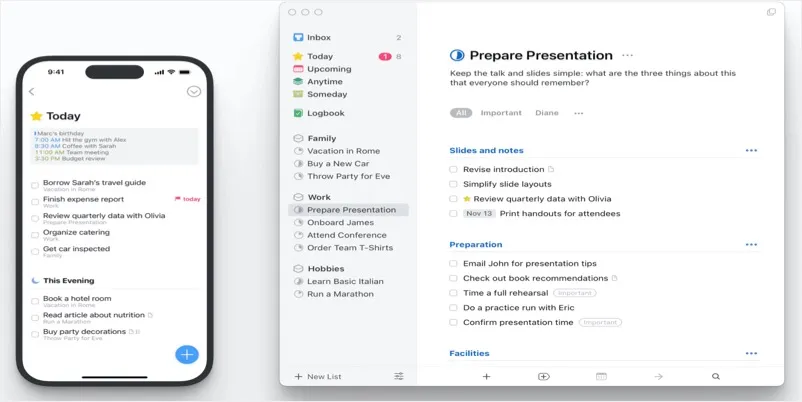
- The application organizes activities into areas, projects, and individual tasks.
- You can create deadlines, schedule tasks, add checklists, and organize upcoming activities using its Today, Upcoming, Anytime, and Someday views.
- Things 3 follows a one-time purchase model rather than requiring a recurring subscription. However, separate purchases are required for its Mac, iPhone, and iPad applications.
Its main disadvantage is platform availability. Things 3 is designed exclusively for Apple devices and does not offer native Windows or Android applications.
8. Trello
Trello takes a different approach to task management by organizing work through visual boards, lists, and cards.
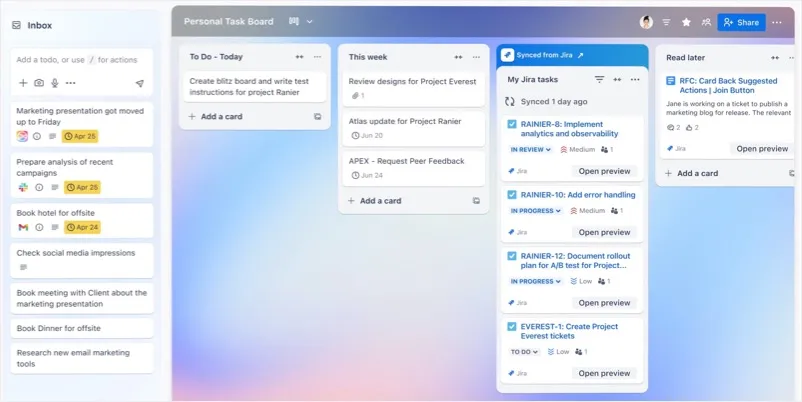
- Instead of displaying tasks as a conventional checklist, it allows you to create boards for different projects and move individual cards between stages.
- For example, a project board might contain columns such as To Do, In Progress, Under Review, and Completed. Each card can include descriptions, checklists, deadlines, attachments, labels, and comments. This makes Trello particularly useful for tracking the progress of projects and coordinating work among team members.
- Trello also provides automation features and integrations with other productivity applications.
Although it can be used for personal task management, its visual board-based structure is more suitable for users who manage multiple projects or collaborate with others.
9. Asana
Asana is a project and work management platform designed primarily for teams, businesses, and organizations. It offers task creation, project timelines, deadlines, task assignments, progress tracking, and team collaboration.
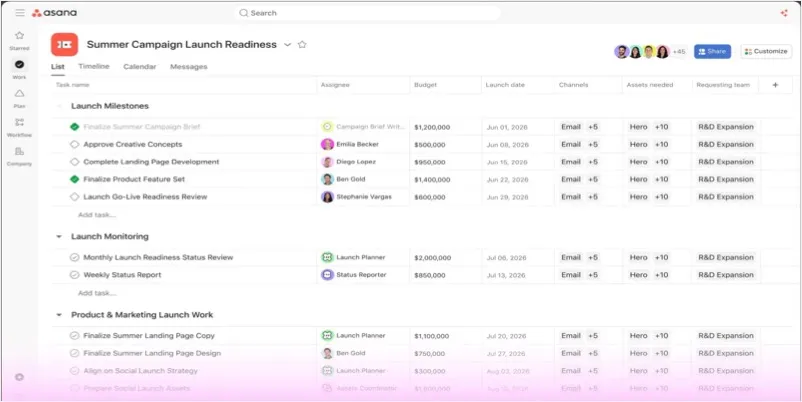
- You can organize work into projects and monitor activities using list, board, timeline, and calendar views.
- Unlike a basic to-do list application, Asana provides tools for managing dependencies, coordinating responsibilities, and tracking larger projects involving multiple people.
- It also supports integrations with popular business applications, helping teams centralize their workflows.
Asana may be excessive for someone who only needs a personal reminder application. However, it is a strong option for users who want to move beyond simple task lists and manage more complex work.
10. Microsoft Planner
Microsoft Planner deserves a place on this list because it is Microsoft’s preferred direction (for Business users) for task and project management following the retirement of Microsoft To Do.
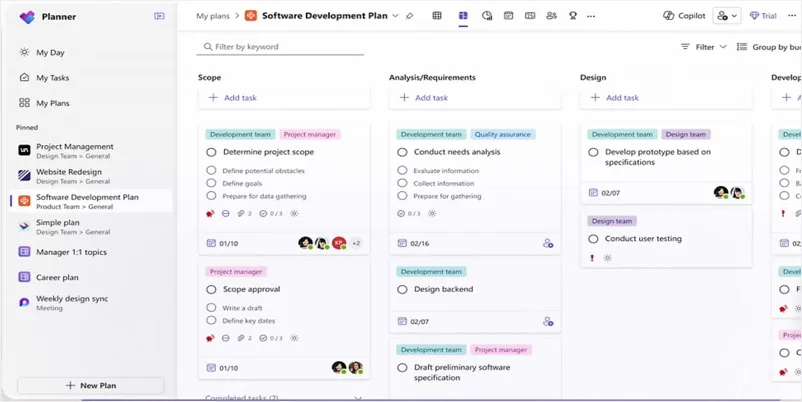
- Planner provides tools for creating plans, organizing tasks, assigning responsibilities, setting deadlines, and tracking project progress.
- It offers board-based task management and integrates with Microsoft 365 services, including Microsoft Teams.
- For Business and School accounts, Planner provides a familiar Microsoft environment and can serve as an alternative for users who need to manage work-related activities.
However, Planner is focusing more on work and project management than lightweight personal task lists. Also, it is not available for Personal Microsoft account users.
Final Words
The above list includes applications ranging from simple personal task managers to advanced project management platforms. Choosing the right alternative depends on how you currently use Microsoft To Do and which features matter most to you. The following table summarizes the discussed options to help you choose the best Microsoft To Do alternative.
| Requirements | Recommended Alternatives | Key Features |
|---|---|---|
| Personal reminders and simple checklists | Google Tasks, Apple Reminders | Simple interface, basic task lists, reminders, free to use |
| Advanced task management | Todoist, TickTick | Task organization, recurring tasks, reminders, priorities, cross-platform support |
| Notes, documents, and task management | Notion | Custom databases, notes, documents, project organization |
| Apple-focused task management | Things 3 | Clean interface, project organization, one-time purchase |
| Team collaboration and project tracking | Trello, Asana | Visual boards, task assignments, deadlines, project tracking, collaboration |
| Microsoft 365 business and school users | Microsoft Planner | Team task management, project planning, Microsoft 365 integration |