Novashare is a social sharing plugin for WordPress sites from the same developers of Perfmatters optimization plugin. Being said that the plugin is super light compared to heavy social plugins that bloat the source code. If your theme does not offer in-built sharing option, then Novashare is the go-to solution for adding social icons. Good thing is that you can get up to 30% discount on the purchase and here is how to get that.
Novashare Plugin Features
- Social share and follow buttons.
- Use inline SVG icons for buttons.
- Click to tweet option.
- GDPR complaint and supports Gutenberg blocks.
- Share count and Pinterest Pin on images.
- Google Analytics tracking and URL shortening (with bitly).
Check out the complete tutorial to learn how to setup Novashare plugin.
Getting Discount on Novashare
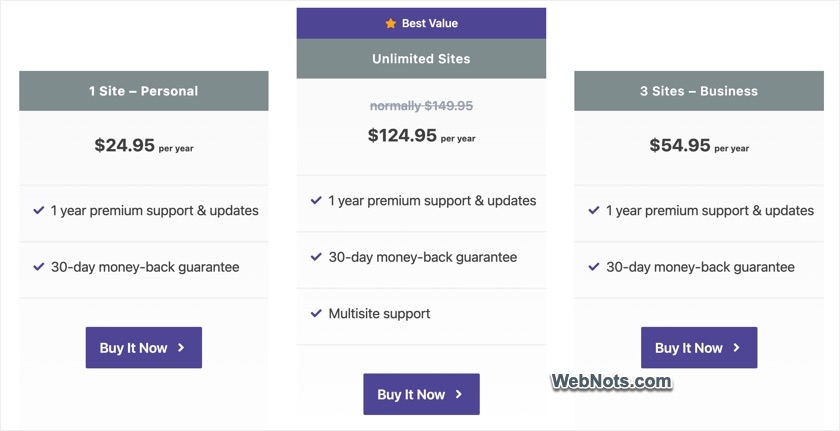
Simply go to Novashare website and select the pricing plan. You can choose from Personal, Business or Unlimited Sites plan based on the usage on number of sites as 1, 3 and unlimited respectively. All plans come with 1 year support and updates with 30 days money back guarantee. Note that only Unlimited Sites plan supports multisite feature and other two plans do not.
When you are on the checkout page, click on the “Enter a discount code” button.
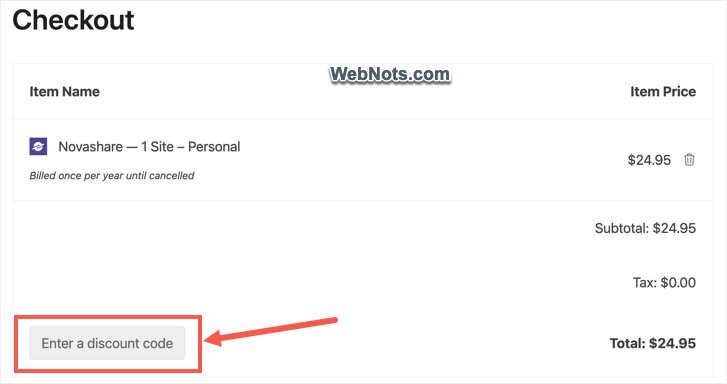
Copy one of the following coupon codes:
- BLACKFRIDAY – Get 30% discount available only during Black Friday.
- PERFNOVA – 25% coupon code though meant for Perfmatters users; it works for all.
- WPBASICPRO – get 20% discount.
- NOVASHARE – 10% coupon code available all the time.
The coupon codes will work on all plans and you will also get 15% discount on renewal price. Enter the copied code in box and press “Apply” button.
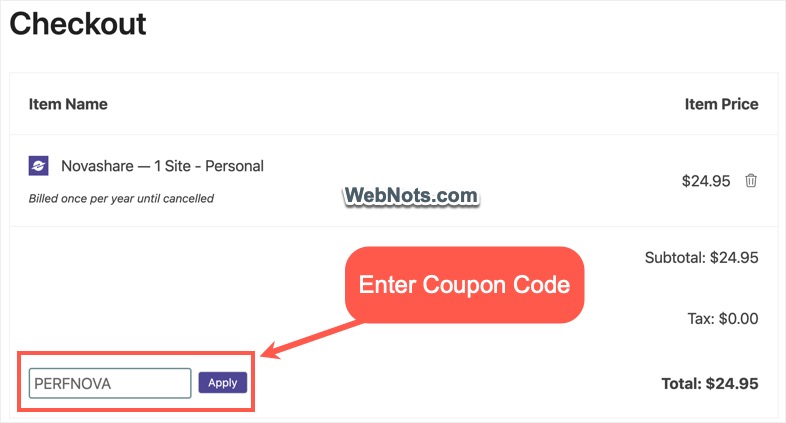
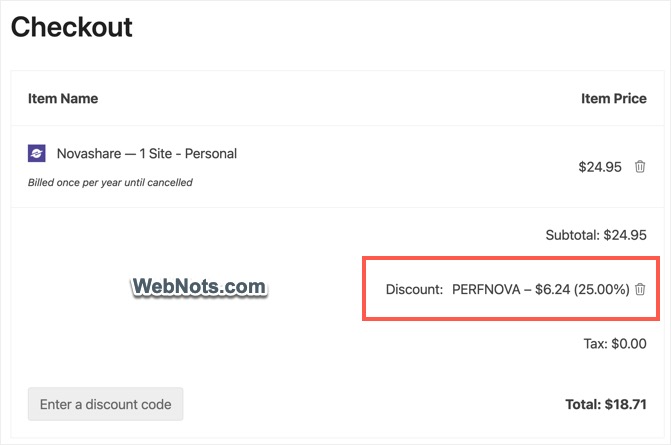
You will see 25% discount is applied on the total price (for PERFNOVA code).
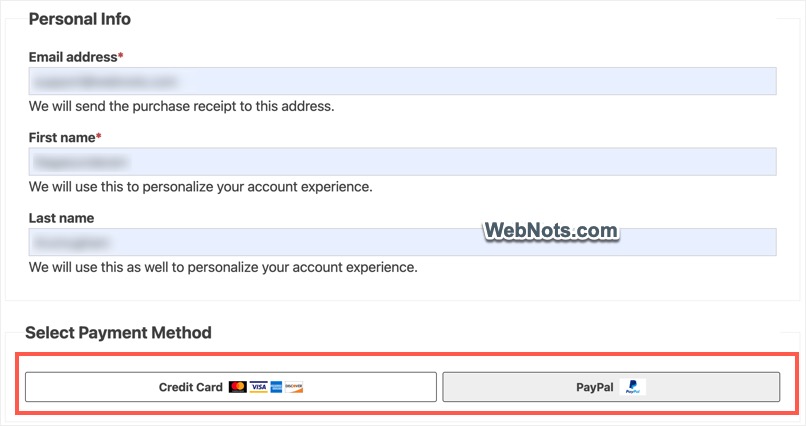
Check the price and fill out personal / billing information. You can pay through credit card or PayPal.
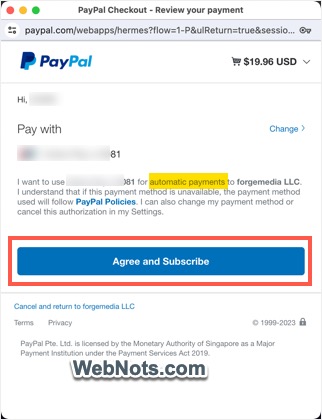
Finish the payment to purchase the plugin. If you are using PayPal, the plugin will setup automatic yearly subscription. In case if you do not want to renew the subscription after a year, make sure to disable recurring payment in your PayPal account.
Getting License Key and Plugin File
After completing the purchase, scroll down on the purchase confirmation page and note down your license key.
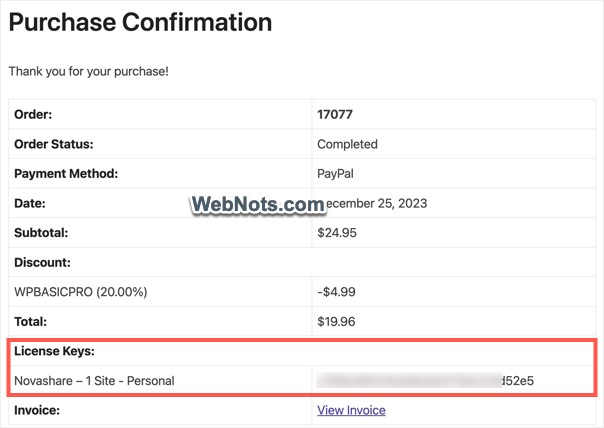
Click the “Download Plugin” button and get the plugin’s ZIP file. If you have closed the page, check your email to get the username / password. You can anytime login with these details and download your plugin as long as the subscription is active.

Activating License Key in WordPress Site
Follow the below steps to activate the plugin and license key.
- Login to your WordPress admin panel and navigate to “Plugins > Add New Plugin > Upload Plugin” section.
- Simply upload the plugin’s ZIP file to install Novashare on your site.
- Go to “Plugins > Installed Plugins” section and activate the installed plugin.
- Navigate to “Settings > Novashare” menu and go to “License” section.
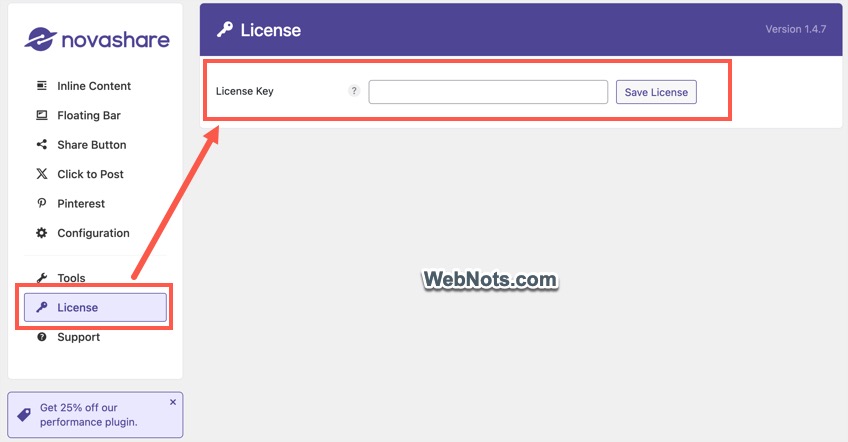
- Paste your license key in the box and click on “Save License” button. You will see a message showing “License is activated” along with expiration date.
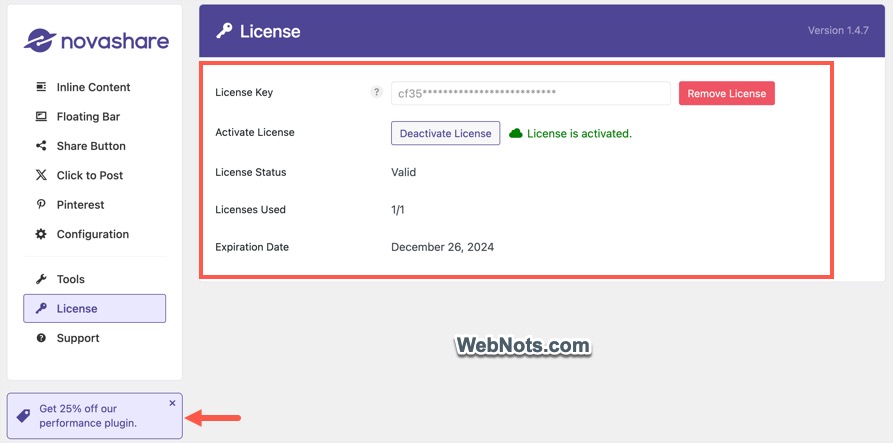
If you like Novashare, click the “Get 25% off our performance plugin” button showing on the bottom left. This will show you 25% coupon code for Perfmatters plugin which you can use to get the discount and optimize your site.