A digital marketing strategy is imperative for every small and big business today. The reason is that people spend a lot of their time on the internet, and it does not make sense to devote all of one’s energy (and budget) to traditional methods of promotion. The primary requirement for any digital marketing strategy is a well-designed website. Many entrepreneurs outsource the job of building their website. For those who prefer DIY, though, WordPress is a smart option that helps to create excellent sites or attractive blogs. For such people, who prefer to use WordPress, here are 10 design elements of WordPress site to take care of.
10 Important Design Elements for WordPress
Though we have listed most important design elements, it may not be possible to apply all on your site. For example, using hooks in WordPress is a difficult task for users unless you are a developer or using a supported theme. You can try to apply easy things before moving on to complex stuffs.
1. Text in Logo
The logo is the face of a brand, and it can be as creative as the designer wants it to be. Today, text-based logos are catching on, and designers can use it to convey the theme of the site in a few succinct words. If you do not want to use the traditional fonts, you can look for alternative styles that are perfect for logo creation. Plenty of websites offer a wide range of attractive fonts for free. Text-based logos offer the brand a chance to speak even before getting into content creation for the site. Instead of a pure text logo, you can also use an image logo with text showing your brand’s objective.

2. Minimalist Colors
We all have logged in to websites or opened blogs which assault the senses with loud colors. There are indeed some themes or target audiences that need a website or blog to be visually bold or colorful. However, this idea does not work well with all kinds of websites and blogs. Most visitors prefer a site to have a soothing palette of colors rather than a splash of too many colors. The recommended combination is to use 2 or 3 colors and use them consistently throughout the blog or website.
Themes like Astra offers set of color palettes and you can choose the preferred one in single click.
3. Easy Text
Using the wrong font size can damage the readability of the text, and it reduces the user experience. Though it is a fundamental aspect to keep in mind, many designers ignore it for various reasons. They often try to fit a massive amount of information into a small page by reducing the font size. Also, in line with the point about colors, it is crucial to remember that the text should always be in bold and dark colors so that it stands out from the lighter background. Small sized fonts in faint colors spell design flaws that you need to stay away from.
4. Responsiveness is Key
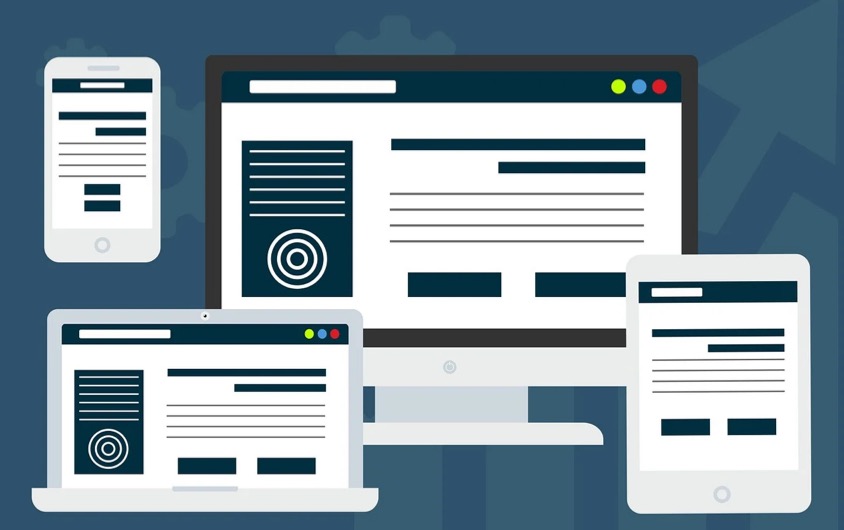
The use of desktop has reduced significantly over the last few years. Due to the rise and growing dependence on smartphones, people prefer to browse blogs and websites from mobile devices. That is why responsive web design is crucial to reach more users who exclusively use their smartphones or tablets. Sites that are built solely for the desktop will not load correctly on mobile devices or look odd even if it does. It is apparent that such websites or blogs would lose out on mobile users. Responsive design is one of the critical factors to offer seamless user experience across all devices.
5. Consistent Layout
Being consistent is key to creating excellent designs. The layout or theme of the overall website should reflect the core brand message. It aids immensely in the top of the mind recall of the visitors. If the images and fonts at the beginning of each blog post are different, the loyal readers will not be able to relate to it. WordPress offers both block-based and classic themes which you can choose to build a consistent website.
6. Optimum Plugins
Of all the useful features of WordPress, the plugins are the most noteworthy. The sheer variety of available plugins is impressive, and each of them serves a unique purpose in making a website more functional and user-friendly. However, the flip side of plugins is that they use up significant processing resources and cause a webpage to load slowly. Judicious use of plugins is, therefore, necessary to use them correctly without slowing a site down.
7. Take Advantage of Hooks
Whether you are a developer or website owner, you can write code for the WordPress site. However, using WordPress hooks need some basic understanding and design skill to make use of them effectively. The two areas where hooks are mostly used are:
- Actions – when the website is expected to do something.
- Filters – where the site is supposed to choose based on certain conditions.
Good thing is that many commercial and free WordPress themes offer an in-built option to use hooks. For example, you can use Astra or GeneratePress theme’s hook option to insert the advertisement or analytics code in the header section without editing template or using additional plugins. If your theme does not offer hooks, then look for plugins that help to do that.

8. Lead Management
Most websites and blogs need the nourishment of user interaction to flourish and grow, and they cannot afford to remain a one-way tool for dissemination of information. The most common way to get visitors to build a connection to the website or blog is to get them to volunteer for email updates. It helps the website or blog to build up a database of interested followers who can stay connected to the site even when they are not on it.
9. Specific Call to Action
Every blog or website needs some call to action or takeaway for the visitors which would encourage them to stay on the site or blog and navigate to other parts of it or to return later. The call-to-action block should be placed in appropriate position so that the visitors’ attention gets drawn to it.
Use Patterns to create a reusable call-to-action blocks which you can insert anywhere on the site. The advantage is that you can edit the pattern when needed to apply the changes to all instances where it is inserted.
10. A Sense of History
It is always a good idea to add some form of a timeline to a website. At a basic level, it would contain milestone years and the developments in those years. Designers can also embellish the timelines with icons and divide the different stories and achievements into categories. All visitors to a website might not have been associated from day one. So, the timeline helps them understand the journey so far. Learn more on how to create timeline in WordPress site.

Conclusion
WordPress has indeed emerged as one of the most popular content management systems, and its utility can be enhanced manifold if these ten design elements are incorporated. Nowadays, you can get most of these design features with a premium theme which will reduce your effort and save plenty of time. You can also use Gutenberg block plugins to create reusable and uniform blocks to be used throughout the site.