Emails are central to the WordPress experience, connecting site owners to users with important notifications. For example, notifications regarding new user registration, comment’s response, password resets, subscriptions, contact forms, memberships, and ecommerce messages are sent to user’s email (generally from your default administrator email). Nothing is more frustrating than discovering that your WordPress-generated emails are consistently landing in recipients’ spam folders. Not only does this risk vital communications being missed, but it can also erode user trust and damage your website’s reputation.
Ensuring that your WordPress emails reach inboxes reliably is both a technical and strategic challenge. In this article, we’ll explore the main reasons WordPress emails end up in spam and outline actionable steps to maximize deliverability.
Why Do WordPress Emails End Up in Spam?
Before diving into solutions, it’s important to understand why WordPress emails are often flagged as spam. Common causes include:
- Sending from a shared web server: Many WordPress websites are hosted on shared servers, which may have a poor sending reputation due to abuse from other sites (also hosted on the same server).
- Lack of proper authentication: Spam filters look for email authentication protocols like SPF, DKIM, and DMARC. Without these, your emails look suspicious.
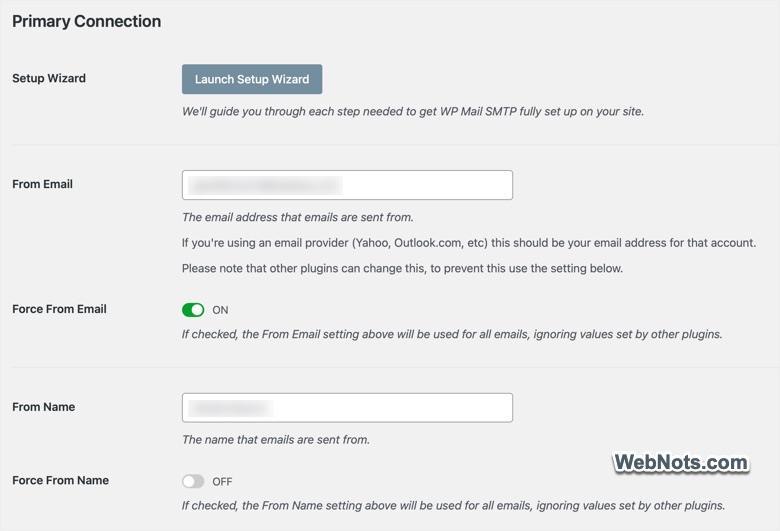
- Poorly configured “From” addresses: Using generic or mismatched email addresses (such as [email protected] or [email protected]) can trigger spam filters.
- Bulk sending or suspicious content: Emails that resemble spam (too many links, misleading subject lines, or suspicious attachments) are likely to be flagged.
- WordPress’ default PHP mail function: Many hosts use basic PHP mail(), which lacks authentication and isn’t well regarded by modern mail servers.
How to Avoid the Spam Folder?: Proven Strategies
The following best practices will help you maximize the chances of your WordPress emails being delivered successfully.
1. Use a Dedicated SMTP Service
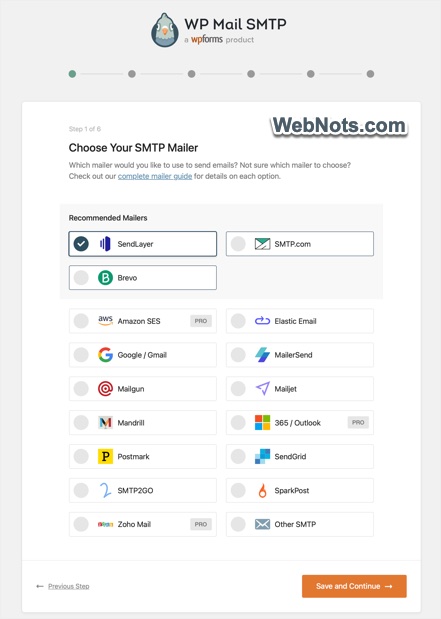
One of the most effective ways to improve deliverability is to use an SMTP (Simple Mail Transfer Protocol) service instead of WordPress’ default PHP mail. SMTP providers are equipped to authenticate, encrypt, and reliably deliver your emails. Popular options include SendGrid, SendLayer, Mailgun, Amazon SES, SMTP.com, and Google.
These services can be integrated via plugins like WP Mail SMTP or Easy WP SMTP. You can choose any SMTP service provider and configure the settings in the plugin. After configuration, all WordPress emails are routed through the SMTP provider, leveraging their infrastructure and reputation.
2. Authenticate Your Domain
Authentication is key to proving your emails are legitimate. The main protocols are:
- SPF (Sender Policy Framework): Specifies which mail servers can send email for your domain.
- DKIM (DomainKeys Identified Mail): Uses cryptographic signatures to confirm email integrity.
- DMARC (Domain-based Message Authentication, Reporting & Conformance): DMARC builds on SPF and DKIM, instructing mail servers on how to handle unauthenticated emails and providing reporting.
To set up these records, log into your domain registrar’s or hosting account where your DNS is managed and add the relevant TXT records. Most SMTP providers give step-by-step instructions and automatically generate the needed DNS values.
3. Choose a Professional “From” Address
Avoid generic sender addresses and ensure the “From” email matches your domain. For example, use [email protected] instead of [email protected]. This boosts professionalism and authenticity in the eyes of spam filters.
- Use addresses that are monitored, so users can reply if necessary.
- Avoid using “no-reply” addresses, which are often flagged as impersonal or spammy.
4. Monitor Your Sending Reputation
Spam filters evaluate your domain’s and server’s reputation. If your site shares a server with spammers, your emails may be penalized.
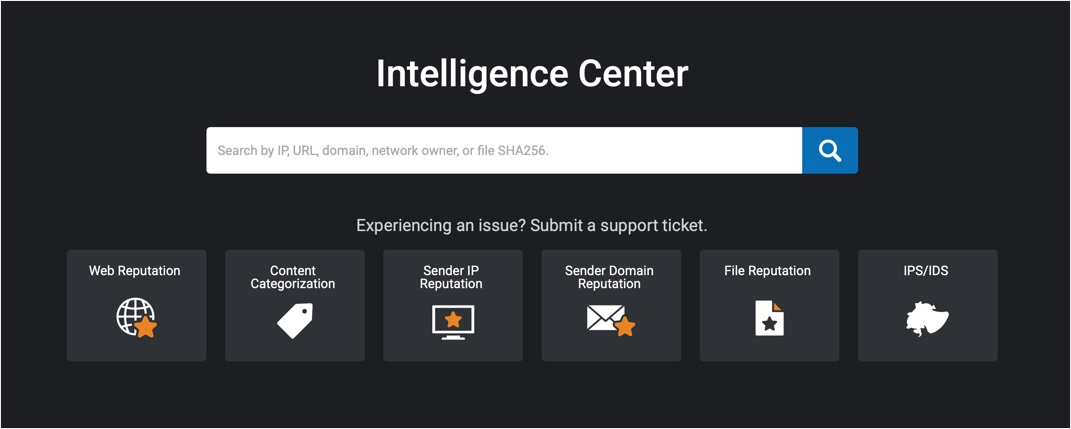
- Use tools like Talos Intelligence (from CISCO) to check your IP and domain reputation.
- If you discover issues, consider switching hosts or using a dedicated IP via your SMTP provider.
5. Avoid Spam Trigger Words and Suspicious Formatting
Email content plays a major role in deliverability. Here’s how to optimize:
- Keep subject lines clear and relevant; avoid all caps, excessive punctuation, and misleading claims.
- Limit the number of links and attachments; too many can flag spam filters.
- Balance images with text. Emails with only images can appear suspicious.
- Steer clear of “trigger words” like Free, Act Now, Urgent, or Buy.
Test your email content using services like Mail Tester or Litmus before sending and adjust accordingly.
6. Use High-Quality Plugins
Poorly coded plugins can send malformed emails or otherwise harm deliverability. Rely on trusted, regularly updated plugins with good reviews, especially for contact forms, newsletters, and ecommerce. Make sure to test plugin-generated emails to ensure they’re formatted and delivered correctly.
7. Keep Your WordPress and Plugins Updated
Outdated software can introduce bugs, vulnerabilities, and compatibility issues that affect email sending. Make regular updates a habit.
- Update WordPress core when new versions are released.
- Keep plugins and themes current.
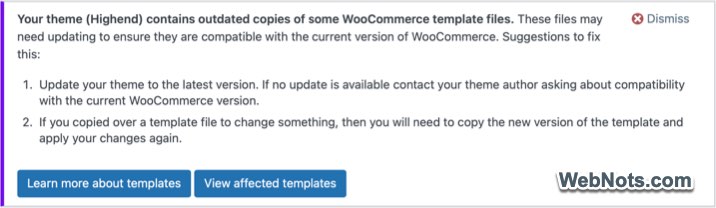
If you are using a theme bundled with WooCommerce, membership or bbPress plugin, make sure the templates are updated as per the latest version of the plugin to avoid conflicts.
8. Encourage Users to Whitelist Your Address
Ask subscribers or users to add your “From” email address to their contacts or safe sender list. This proactive step can dramatically improve inbox placement.
- Include whitelisting instructions in welcome emails or on your website (on your contact page, shopping cart, order forms, etc.).
- Mention the benefits, such as receiving important updates and notifications.
9. Regularly Test Your Emails
Monitor real-world performance by sending test emails to major providers like Gmail, Outlook, and Yahoo.
- Check both inbox and spam folders to see where your emails land.
- Adjust your content, settings, or sending method if your emails are flagged as spam.
10. Respect Subscriber Preferences and Privacy
Sending emails to people who haven’t opted in is a sure way to get marked as spam. Build genuine lists and respect unsubscribe requests.
- Use double opt-in to confirm subscriptions.
- Make unsubscribing easy and immediate.
- Never buy or scrape email lists.
Conclusion
Avoiding the spam folder is a multi-faceted effort, blending technical setup, content strategy, and ongoing reputation management. By implementing SMTP services, authenticating your domain, crafting professional and relevant emails, and respecting user preferences, you dramatically increase the odds of reaching your audience’s inbox where your communications are read and valued.