WP Coupons is the premium lightweight plugin to create coupons and deals page on your WordPress site. You can create stunning coupon pages with this plugin to increase your affiliate sales. We use WP Coupons in this site for creating coupons with discount deals.
Features of WP Coupons Plugin
- Single coupon that you can insert anywhere on your site using shortcode.
- Shortcode widget to insert on the sidebar.
- Custom template for coupons page to create single coupon page.
- Options to add category and tags to coupon page.
- Automatic archive page with filter based on categories.
WP Coupons Discount Coupon Code
Currently, you can get 10% discount on the plugin pricing using coupon code WPCOUPONS. This is a good chance to grab the plugin and start promoting your affiliate links.
How to Get Discounted Price?
Go to WP Coupons website and click on the “Buy Now” button.

This will take you to the pricing page where you can see three pricing plans.

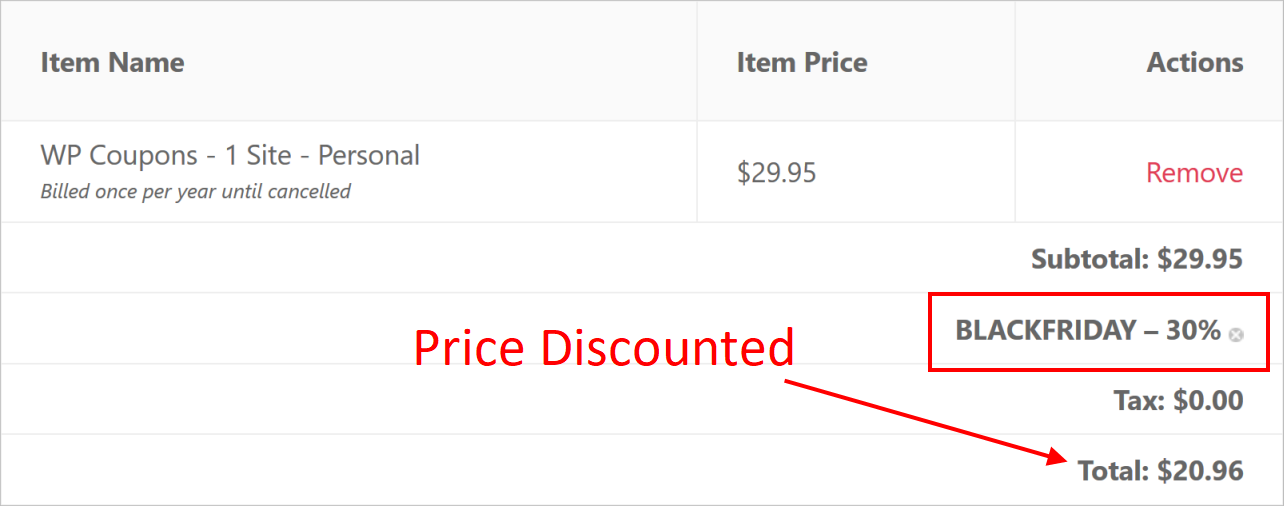
Click on the “Buy It Now” button under the plan, you can select “Personal” plan for a single site. It will cost you $29.95 per year as an offer price. On the checkout page, click on the link that says “Have a discount code? Click to enter it”.

Type your coupon code in the box and click on “Apply” button.

Check the price is reduce as per the discount coupon code you have applied.
WP Coupons accepts all popular credit cards and PayPal. Choose your payment method and fill up your details for creating an account.

Click “Purchase” button to complete the purchase. After purchasing the plugin, you can download it and get the license code from your account dashboard.

Check out our complete review of the plugin for you to understand all the features.