Microsoft Copilot is an advanced artificial intelligence (AI) assistant designed to enhance productivity and streamline tasks across various Microsoft platforms and applications. Launched in 2023 as a replacement for the discontinued Cortana, Copilot leverages large language models (LLMs), primarily based on OpenAI’s GPT-4 and GPT-5 series, combined with Microsoft’s proprietary technologies like the Prometheus framework and Microsoft Graph, to deliver context-aware, intelligent assistance. It is integrated into Microsoft 365 apps, Windows, Edge, and mobile platforms, making it a versatile tool for both personal and professional use. Below is a comprehensive explanation of what Microsoft Copilot is, how it works, its key features, and its applications.
What is Microsoft Copilot?
Microsoft Copilot is a generative AI chatbot and productivity tool that acts as a digital assistant.
- Helping users automate repetitive tasks, generate content, analyze data, and make informed decisions.
- It is embedded across Microsoft’s ecosystem, including Microsoft 365 apps (Word, Excel, PowerPoint, Outlook, Teams), Windows 11, Microsoft Edge, and mobile apps for iOS and Android.
- Unlike standalone AI tools, Copilot’s strength lies in its deep integration with Microsoft’s productivity suite, allowing it to access and process user-specific data such as emails, documents, and meeting transcripts (with appropriate permissions) to provide personalized, context-driven support.
Copilot operates on a freemium model, with a free tier offering robust features and a paid subscription, Copilot Pro, unlocking advanced capabilities like higher usage quotas, faster AI image creation, and deeper integration with Microsoft 365 apps. For businesses, Copilot for Microsoft 365 and enterprise versions cater to organizational needs with enhanced security and customization options.
How Does Microsoft Copilot Work?
Copilot combines advanced AI technologies with Microsoft’s cloud infrastructure to deliver intelligent assistance. Here’s a breakdown of its core components and functionality:
- Large Language Models (LLMs): Copilot is powered by OpenAI’s GPT-4 and GPT-5 models, fine-tuned with Microsoft’s Prometheus framework. These models enable natural language processing (NLP), allowing Copilot to understand and respond to user prompts in conversational language.
- Microsoft Graph Integration: Copilot accesses user and organizational data (with permission) through Microsoft Graph, which includes emails, documents, chats, and calendars. This ensures responses are tailored to the user’s context, such as pulling relevant information from a recent meeting or document.
- Natural Language Processing (NLP): Copilot interprets user queries, whether typed or spoken, and provides human-like responses. It can handle complex tasks like summarizing documents or generating code by understanding intent and context.
- Multimodal Capabilities: Copilot accepts text, voice, and image inputs, making it versatile for various tasks. For example, users can upload an image for analysis or use voice commands for hands-free operation.
- Cloud and Local Processing: While most features rely on Microsoft’s Azure cloud, Copilot+ PCs with Neural Processing Units (NPUs) can perform some AI tasks locally, enhancing performance and reducing latency.
- Security and Compliance: Copilot adheres to Microsoft 365’s enterprise-grade security standards, ensuring data privacy by only accessing permitted content. Prompts and responses are not used to train the underlying models, addressing privacy concerns.

How to Access Microsoft Copilot?
Here are the various options to access Copilot AI assistant.
- Web: Visit official Microsoft Copilot site or use the Copilot icon in Microsoft Edge.
- Windows: Copilot apps is preinstalled which you can access via the taskbar, Copilot key, or Alt-Spacebar shortcut on Windows 11. Otherwise, you can manually install the app from Microsoft Store.
- Mac: Install Microsoft Copilot and Microsoft 365 Copilot apps from Mac App Store.
- Mobile: Download the Copilot app from the iOS App Store or Google Play Store.
- Microsoft 365: Free for web editors and need Pro or Business license to use with desktop apps.
- Other Platforms: Integrated into WhatsApp, Telegram, and Bing for specific functionalities.
Key Features of Microsoft Copilot
Copilot offers a wide range of features tailored to different applications and user needs. Below are some of its standout capabilities across various platforms:
Microsoft 365 Apps
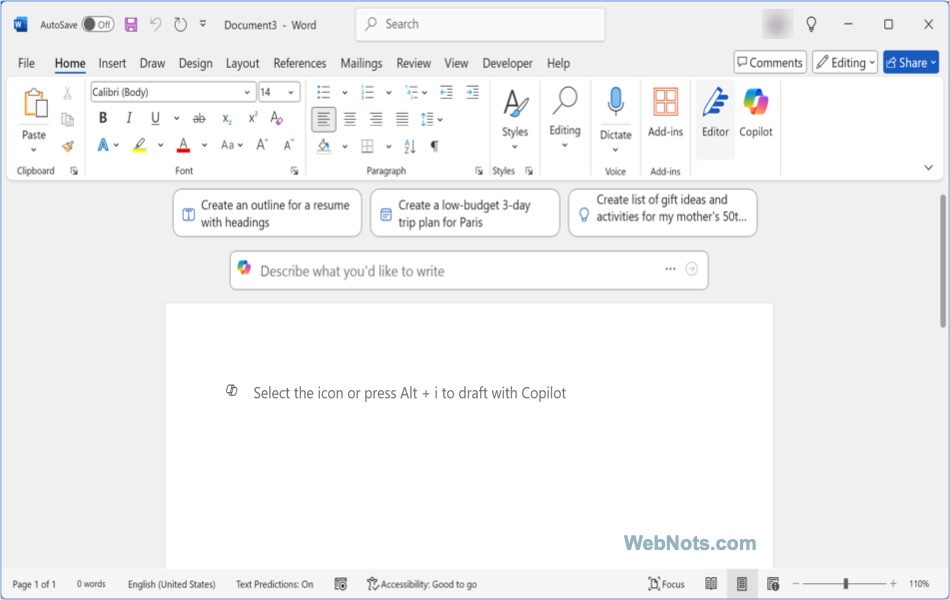
- Word: Drafts documents, rewrites text for clarity or tone, summarizes long documents, and suggests formatting improvements.
- Excel: Analyzes data, generates complex formulas, creates charts, and provides insights through natural language queries.
- PowerPoint: Creates slide decks from prompts or existing files, suggests layouts, and generates speaker notes.
- Outlook: Summarizes email threads, drafts responses, prioritizes messages, and adjusts tone for professional communication.
- Teams: Summarizes meetings in real-time, highlights action items, and answers questions based on chat or meeting transcripts.

Windows, Edge and Mac
- Windows: Integrated into the Windows 11 as an app, Copilot offers system-level assistance like file search, task management, and screen analysis via Copilot Vision, which can identify on-screen content or guide users through app navigation.
- Edge: Copilot Mode transforms Edge into an AI-driven browser, analyzing open tabs, summarizing web content, and performing tasks like booking reservations.
- Mac: Dedicated Copilot app is available for Mac with similar features like the Windows version.

Mobile and Web
- Mobile Apps: Available on iOS and Android, Copilot supports voice commands, visual search (e.g., identifying objects in photos), and on-the-go productivity tasks.
- Web: Accessible at copilot.microsoft.com, the web version offers a conversational interface for answering questions, generating text, and creating images.

Specialized Features
- Copilot Vision: Analyzes screen content or camera input to provide information or instructions, such as identifying a landmark or guiding users through software.
- Image Creator: Powered by DALL-E 3, it generates images from text prompts for presentations, marketing, or personal use.
- Copilot Daily: A podcast-like feature delivering personalized news and insights based on user interests.
- Copilot Actions: Automates tasks like scheduling or ordering through third-party integrations.
- Copilot Notebooks: Organizes chat history, files, and notes in a centralized workspace for persistent context.
Versions of Microsoft Copilot
Copilot is available in several variants tailored to specific use cases:
- Copilot for Microsoft 365: Enhances productivity in Word, Excel, PowerPoint, Outlook, and Teams, with enterprise-grade security for businesses.
- Copilot for Windows: Integrated into Windows 11, offering system-level assistance and local AI processing on Copilot+ PCs.
- Copilot for Developers: Integrates with Visual Studio Code and GitHub Copilot to assist with coding, debugging, and documentation.
- Copilot for Business & Enterprise: Supports business intelligence, automation, and data handling for large organizations.
- Free Copilot: Available on the web, Edge, Bing, and mobile apps, with limited access to advanced features.
Limitations and Challenges
Though Copilot is undoubtedly a productivity booster, it also comes with few challenges.
- Most features require an internet connection, limiting offline use.
- Some legacy app features, like those in Microsoft Lens (Microsoft discontinued Lens), are not fully replicated in Copilot, causing user frustration.
- While user-friendly, maximizing Copilot’s potential may require training, especially for complex tasks.
- It is not very strong in contextual understanding compared to ChatGPT.
Conclusion
Microsoft Copilot is a transformative AI assistant that redefines productivity by embedding intelligent support into everyday tasks. Its seamless integration with Microsoft 365, Windows, and Edge, combined with powerful features like content generation, data analysis, and task automation, makes it a valuable asset for individuals and businesses. While it faces challenges like subscription cost, its continuous updates and focus on AI-driven workflows position it as a cornerstone of Microsoft’s vision for the future of work.