In our earlier article, we’ve explained what UTF-8 is and why it’s widely used in apps. However, there is also another popular character encoding format called UTF-16. Both UTF-8 and UTF-16 are Unicode encodings, but they differ significantly in how they encode characters, their efficiency, and their usage scenarios. Here’s a breakdown of the key differences between them.
UTF-8 Vs UTF-16 Summary
| Feature | UTF-8 | UTF-16 |
|---|---|---|
| Byte Length | 1 to 4 bytes | 2 or 4 bytes |
| Backward Compatibility with ASCII | Yes (1 byte for ASCII) | No (2 bytes for ASCII) |
| Storage Efficiency | More efficient for ASCII | More efficient for non-ASCII |
| Endianness | No issues with byte order | Big-endian or Little-endian |
| Common Usage | Web, databases, APIs | Java, Windows, internal systems |
| Character Representation | 1 byte for ASCII, 2-4 bytes for non-ASCII | 2 bytes for most characters, 4 bytes for supplementary characters |
| Performance | Efficient for ASCII, slower for non-ASCII | Faster for non-ASCII-heavy text |
1. Encoding Format (Byte Length)
UTF-8 uses variable-length encoding with 1 to 4 bytes to encode characters. While characters in the ASCII range (0–127) are encoded using 1-byte, other characters outside the ASCII range use 2, 3, or 4 bytes, depending on the character.
Though UTF-16 is also uses variable-length encoding, it uses 2 or 4 bytes to encode characters. Most characters in Unicode’s Basic Multilingual Plane (BMP) are encoded using 2 bytes. Other characters outside the BMP (those with code points above U+FFFF) are encoded using 4 bytes by combining two 2-byte code units (known as surrogate pairs).
2. Byte Order (Endianness)
UTF-8 does not have issues with endianness, as it is byte-oriented and stores data in a straightforward left-to-right sequence. Each byte is stored independently.
On other hand, UTF-16 can be big-endian or little-endian, meaning the order in which bytes are stored can vary. This is important to consider when exchanging data between systems with different byte orders. To indicate the byte order, UTF-16 files often include a Byte Order Mark (BOM), which is a special character at the beginning of the file (U+FEFF) that tells whether the encoding is big-endian or little-endian.
3. Character Representation
UTF-8 is most efficient for encoding characters that fall within the ASCII range (0–127) because they only require 1 byte. For example, languages that primarily use the Latin alphabet (such as English), where characters often fit within 1 byte. For characters outside the ASCII range, it uses multiple bytes, making it less efficient for languages that use a lot of non-ASCII characters.
UTF-16 is more efficient than UTF-8 for representing characters that fall outside the ASCII range, especially for scripts that use characters from the BMP, such as Chinese, Japanese, or Arabic, because they require 2 bytes. However, characters outside the BMP require 4 bytes (surrogate pairs), which can lead to a larger overall size for text with many supplementary characters or emojis.
4. Backward Compatibility
UTF-8 is backward compatible with ASCII. Since the first 128 characters in UTF-8 are identical to ASCII, any ASCII text is valid UTF-8 without modification. This is a huge advantage when working with legacy systems or software that expects ASCII input.
UTF-16, on other hand, is not directly compatible with ASCII. Characters from the ASCII range (0–127) are still represented with 2 bytes in UTF-16, which can make ASCII text slightly less compact compared to UTF-8.
5. Usage and Adoption
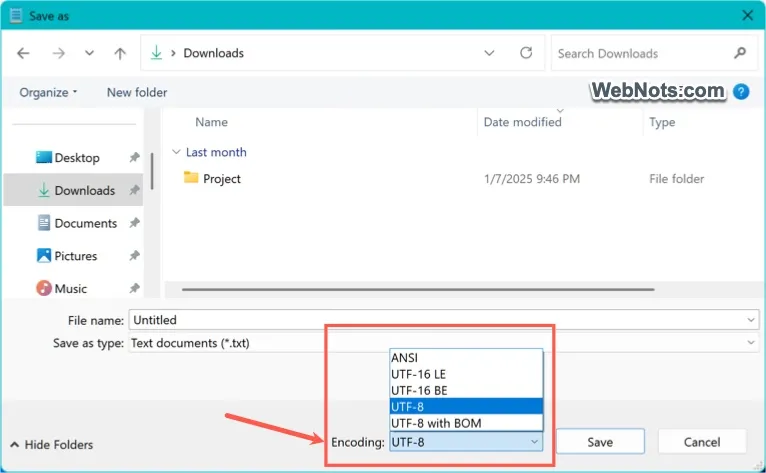
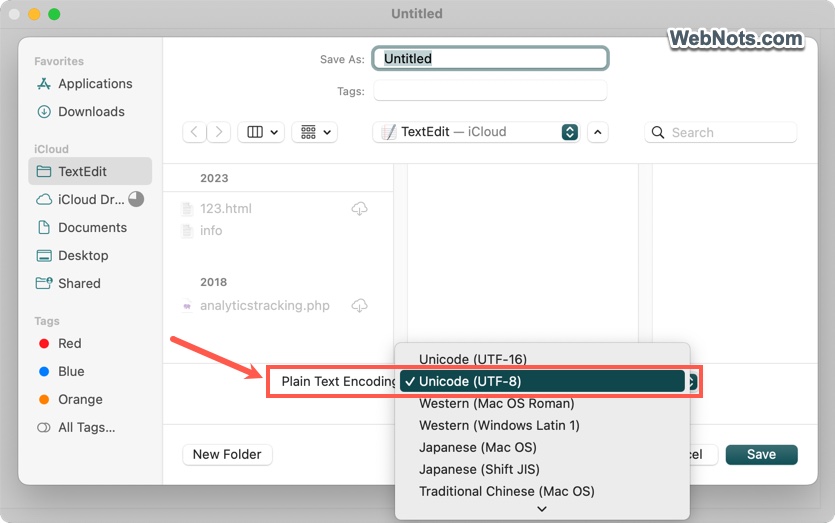
UTF-8 is the dominant encoding for web pages, APIs, and modern applications. It is widely supported in programming languages, operating systems, and databases. For example, Notepad in Windows and TextEdit in Mac uses UTF-8 as a default character encoding. It is also preferred for files that need to be transmitted or stored in a way that is compatible with both ASCII and non-ASCII systems (e.g., HTML, JSON, XML).
UTF-16 is often used in environments where Unicode text must be processed quickly and the text primarily consists of characters that fall within the BMP (e.g., many Asian languages). It is commonly used in languages like Java and Windows, where UTF-16 is the default encoding for strings.
6. Human-Readable / Debugging
UTF-8-encoded files tend to be more human-readable when opened in a text editor, especially when the content is ASCII-heavy. This makes it easier to debug and inspect raw text files.
UTF-16 files may appear less human-readable due to the use of 2 or 4 bytes for each character. This can make the files look like gibberish when opened in a text editor that does not support UTF-16.
7. Performance
UTF-8 can be more CPU-efficient when working with primarily ASCII-based data, as it does not require extra computation for characters that fit in 1 byte. However, when dealing with characters outside the ASCII range, it may require more processing to decode multi-byte characters.
UTF-16 may be more efficient for certain non-ASCII text processing because each character is typically 2 bytes (fixed size for most characters), leading to simpler and potentially faster operations for text with lots of non-ASCII characters.
Conclusion
Ultimately, the choice between UTF-8 and UTF-16 depends on your specific use case, the type of text you’re working with, and the systems you’re using. For most applications, UTF-8 is preferred due to its efficiency and wide support, especially on the web. However, for systems that need to handle lots of non-ASCII characters and need efficient text processing, UTF-16 can be a good choice.