The digital education revolution is in full swing, and WordPress has emerged as a powerful platform for delivering online courses. If you are a seasoned educator, a corporate trainer, or a subject matter expert looking to monetize your knowledge, choosing the right Learning Management System (LMS) plugin is the most important decision you will make. To help you navigate this landscape, we have analyzed and selected the top 5 LMS plugins for WordPress based on features, ease of use, scalability, and value for money.
Learning Management System Plugins for WordPress
A LMS plugin transforms a standard WordPress website into a fully functional online school, allowing you to create, manage, and sell courses. Here is a summary of top 5 LMS plugins covered in this article. Except LearnDash, all other plugins offer a free version, which you can install and test by creating your courses.
| Plugin | Best For | Starting Price |
|---|---|---|
| Tutor LMS | All-in-one solution with great frontend experience | Free and $199 /year |
| LifterLMS | Membership sites and multi-tiered courses | Free and $149.50 per year |
| Sensei LMS | Seamless integration with WooCommerce | Free and $15 /month |
| Masteriyo | Modern, lightweight, and free solution | Free and $99 /year |
| LearnDash | Advanced features and deep monetization | $119 /year |
Let’s explore the features of each plugin in detail.
Important Note: These plugins create a custom post type called “Course”. If you deactivate one plugin and install another, the previously created courses will reappear under the “Courses” section in the admin dashboard because the custom post type remains in the database. However, the front-end course layouts can break since the original blocks, shortcodes, or styling provided by the first plugin will no longer be available.
So, it is advisable to test alternatives on a staging site and decide on the best option before building your full course library. If you plan to replace a plugin on a live site, review or remove the existing courses to prevent broken layouts and inconsistent user experiences.
1. Tutor LMS
Tutor LMS has risen rapidly in popularity due to its user-friendly interface and comprehensive feature set, even in its free version.
- The Course Builder allows you to create and manage courses easily within WordPress dashboard.
- The plugin includes a comprehensive quiz builder with support for audio and video-based questions, along with a centralized question bank that enables randomized quizzes for better assessment variety.
- It integrates smoothly with ecommerce plugins such as WooCommerce and Easy Digital Downloads, making it possible to implement advanced monetization strategies including subscriptions and course rentals.
- You can set course prerequisites, ensuring that learners complete specific courses before enrolling in more advanced ones.
- Built in integration with Google Meet for conducting live classes, supporting hybrid and real time teaching environments.
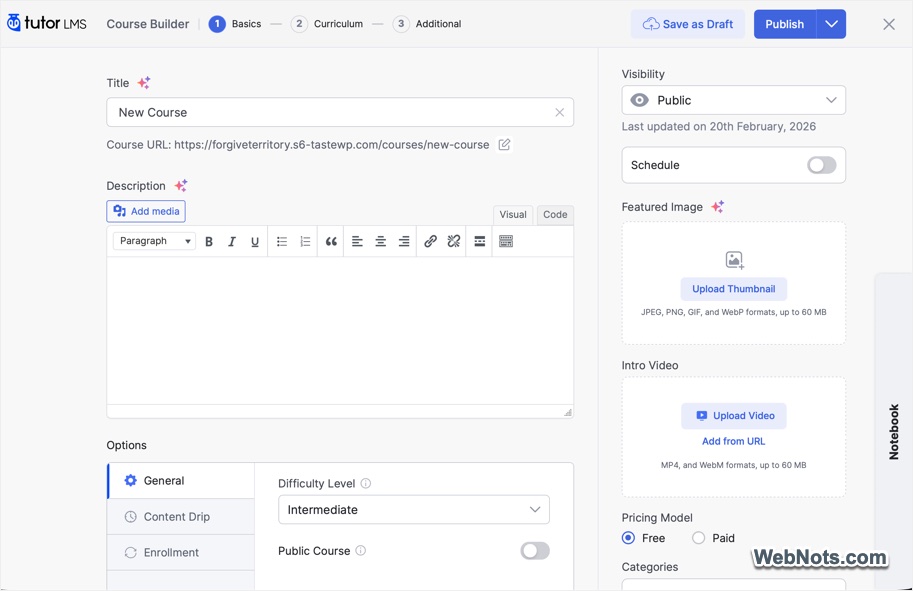
Tutor LMS plugin offers an incredible balance between power and usability. The free version is one of the most generous on the market offers unlimited courses, making it a great starting point for new course creators. The premium plan starts from $199 per year for a single site license.
2. LifterLMS
LifterLMS is a robust plugin, focusing heavily on the student journey from marketing to enrollment to completion.
- It enables the creation of detailed membership structures, allowing course access to be restricted based on membership levels. This setup works well for tiered learning paths.
- The plugin includes built in engagement triggers that can automatically award achievements, unlock additional courses, or send personalized emails when specific milestones, such as lesson completion, are reached.
- Offers integrated marketing capabilities, including customizable checkout pages, real time coupon management, and flexible payment plan options without requiring additional extensions.
- Supports structured instructional design by allowing course creators to define difficulty levels, specify lesson durations, and attach video or audio resources to individual lessons.
- Provides extensive hooks and filters, giving developers the flexibility to modify and extend nearly every aspect of the learning experience.
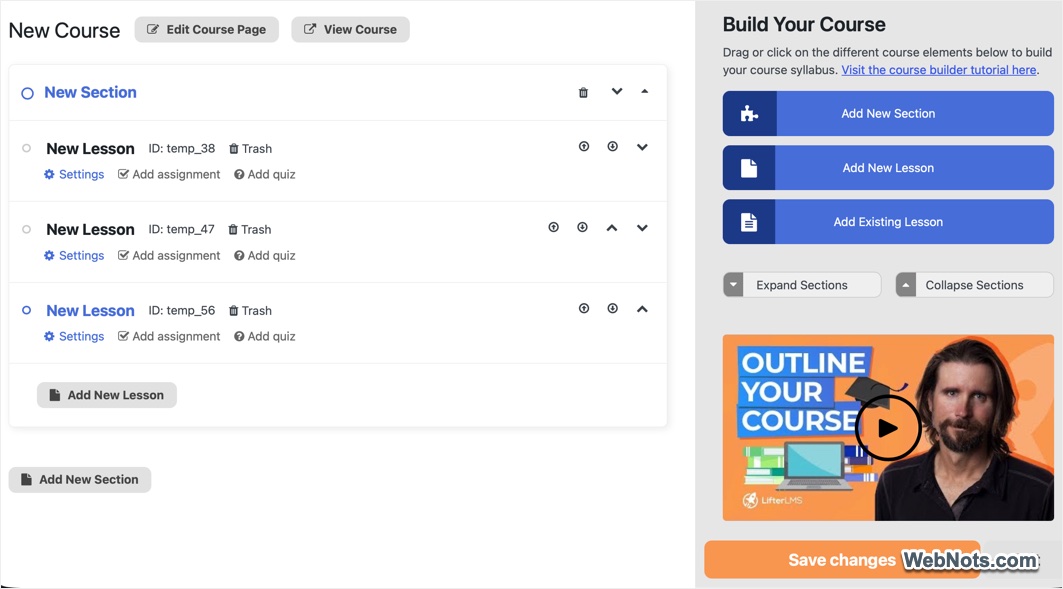
LifterLMS sits at the intersection of an LMS and a marketing automation tool. If your business model relies on recurring memberships and nurturing students through email sequences, LifterLMS is a strong contender. The premium plan starts from $149.50 per year for a single site license, which offers addons for WooCommerce, PayPal, and Stripe integrations.
3. Sensei LMS
Created by the makers of WooCommerce and Jetpack (Automattic Inc.), Sensei LMS offers a native, streamlined experience that feels like a natural extension of WordPress.
- Emphasizes a clean and simple interface by adding a dedicated Courses menu within the WordPress dashboard. The uncluttered layout makes navigation and course management accessible for beginners.
- Allows structured learning paths through scheduled lesson releases and the ability to set prerequisite lessons or courses before students can progress.
- Offers a distraction free, block-based learning layout that provides students with a consistent and focused course viewing experience.
- Maintains a lightweight core system while offering an official marketplace of extensions developed by WooCommerce to add features such as quizzes, grading, and group management when required.
- The plugin integrates seamlessly with WooCommerce (needs Pro version) making it straightforward to configure paid courses with variable pricing, subscriptions, and membership options.
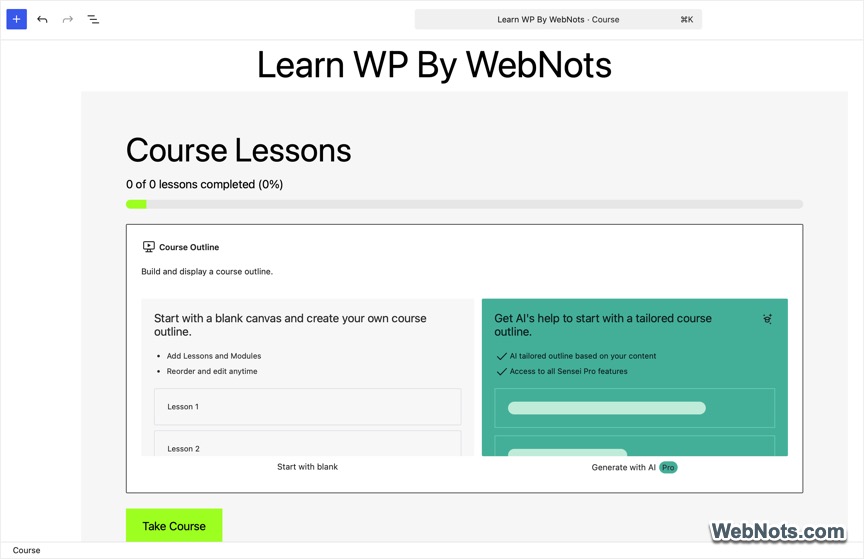
It is the best choice for existing WooCommerce store owners. If you already sell digital products and want to add courses to your catalog, Sensei provides the most native and seamless integration available. The free plugin offers unlimited courses with a certificate builder. For advanced features like interactive flashcard and WooCommerce integration, you need the Sensi Pro, which will cost $15 per month.
4. Masteriyo LMS
Masteriyo is a relative newcomer that has made waves by offering a modern, Gutenberg-first approach to LMS. It offers a generous set of core features in the free version, including quizzes, text / video lessons, and Live Streaming.
- Allows course pages to be designed using Gutenberg blocks, which provides greater flexibility and control over the layout.
- Delivers a clean user interface on the front end, reducing the need for additional styling to achieve a professional appearance.
- Includes dedicated widgets for popular page builders such as Divi and Elementor, enabling visual customization of course archive pages and single course layouts.
- The plugin is engineered with performance considerations, helping maintain fast loading times and avoiding unnecessary strain on website resources.
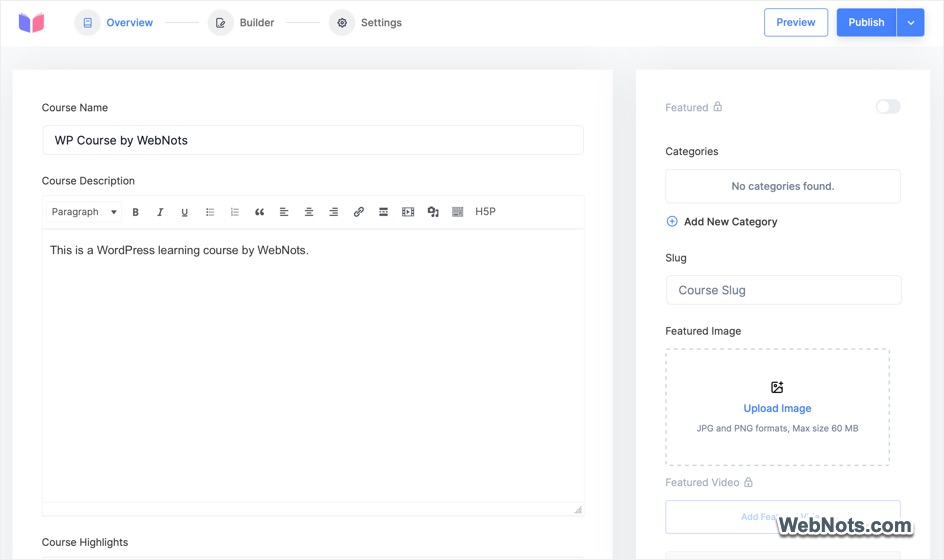
For creators who want a lightweight, fast, and visually modern LMS without the complexity, Masteriyo is the perfect solution. The premium plan starts from $99 per year for a single site license allowing integrations with Elementor, WooCommerce, PayPal, and Stripe.
5. LearnDash
LearnDash is widely regarded as the industry standard and is used by major universities as well as Fortune 500 companies. It is built for scale and complexity. However, it is a premium only plugin and no free version is available in WordPress plugin repository.
- It provides a drag and drop course builder that makes it easy to organize lessons, topics, and quizzes in a structured way. An integrated AI assistant can help generate course outlines and create quizzes quickly.
- LearnDash supports a wide range of question formats, including multiple choice, essay, fill in the blank, and matrix sorting. Features such as automatic grading and timed assessments help streamline evaluation and improve learning control.
- Course material can be released according to a predefined schedule or based on prerequisite completion, allowing instructors to guide learners step by step and prevent skipping ahead.
- Engagement tools such as points, badges, and certificates can be added through integrations like GamiPress or BadgeOS, encouraging participation and rewarding progress.
- A distraction free Focus Mode layout is available to give learners a clean, focused interface that feels similar to a dedicated learning application while they complete their lessons.

It is the most flexible and scalable option, but it has a steeper learning curve and relies heavily on third-party add-ons for advanced features. You can purchase the plugin for $119 per year for using on a single site.
Conclusion
Choosing the right LMS plugin depends entirely on your specific goals and technical comfort level.
- If you are building a scalable academy with complex rules and have a budget for premium add-ons, LearnDash is the undisputed leader.
- For those seeking the best all-rounder with a powerful free version and excellent frontend management, Tutor LMS is the ideal choice.
- If your business model relies on memberships and automated engagement, look no further than LifterLMS.
- WooCommerce users will find a soulmate in Sensei LMS, as the integration is seamless and native.
- Finally, if you are starting out and want a modern, fast, and visually appealing site without spending a dime, Masteriyo is the new standard-bearer for free LMS plugins.
No matter which you choose, each of these plugins provides the tools necessary to turn your knowledge into a thriving online education business.