Raptive, previously known as AdThrive, is one of the premium Google Certified Publishing Partners. If you are planning to monetize your website or want to switch from another ad network, this review provides a clear overview to help you make an informed decision.
Raptive Creator Levels
Raptive is a full-service digital advertising network that uses header bidding to help publishers maximize revenue through premium ad placements. The company offers multiple partner tiers, and this review focuses on the entry-level Insider program, which supports publishers earning up to $249K in annual revenue.

Previously, Raptive operated separate Rise and Insider programs, which have now been merged into a single partnership tier called Raptive Insider. The minimum requirement to join is 25,000 monthly pageviews. Publishers at this level can also add secondary sites, provided each site meets the same 25,000 monthly pageview threshold.
Raptive Approval Process
Although the approval criteria are relatively flexible, the onboarding process is detailed and involves several steps:
- Visit the Raptive website and submit your application.
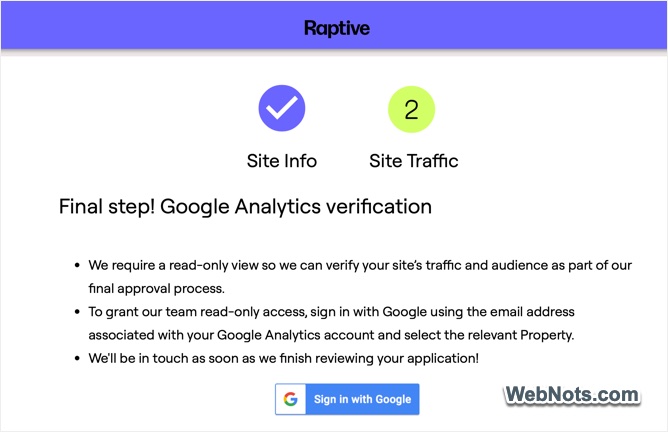
- Provide basic site information and grant read-only access to Google Analytics 4 for analyzing your site’s traffic.
- After initial approval, you receive temporary dashboard access to submit additional details, including your revenue data for the past six to twelve months.
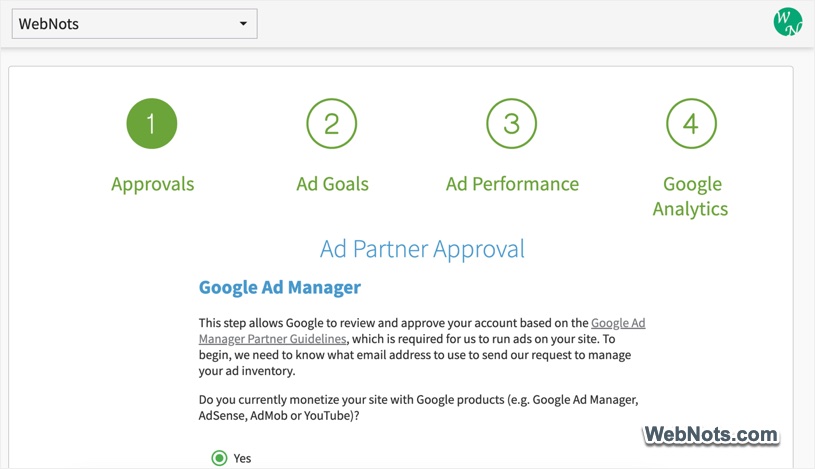
- Grant access to Google Ad Manager for ad inventory setup and complete Google’s approval process.
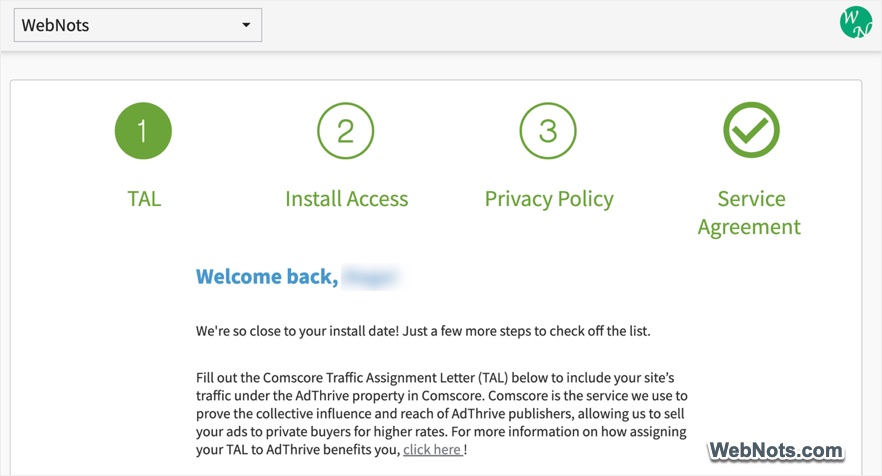
- Complete the Traffic Assignment Letter (TAL), update your site’s privacy page and sign the partnership agreement.
Creating Ad Setup Strategy for Your Site
Once all required information is submitted, Raptive team reviews your existing ad setup and shares a recommended strategy via email. Your assigned account manager typically provides separate strategies for desktop and mobile layouts. These must be reviewed and approved by you through the temporary dashboard.
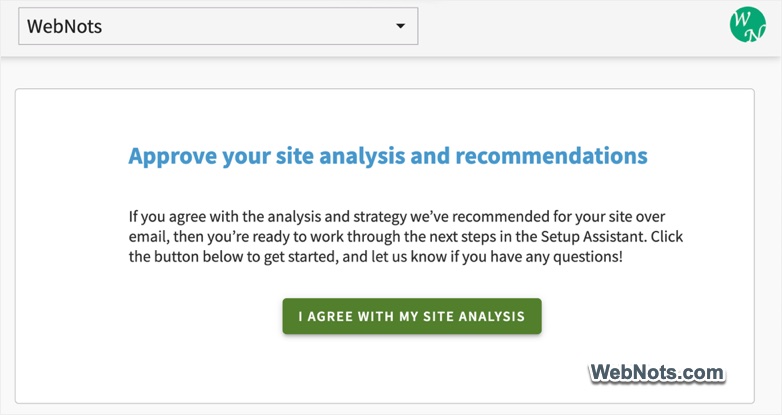
After approval, you install the required JavaScript for ads, consent management (CMP), Email identity, and ad blocker recovery, and redirect your ads.txt file to Raptive’s server. Ad placement strategies are based on your current theme, using CSS selectors to determine where ads appear. This makes it important to inform Raptive team about different page layouts on your site. Any theme change requires a complete ad strategy rebuild. This approach differs from networks such as BuySellAds or Freestar, where publishers manually place individual ad units.
Raptive Ads for WordPress
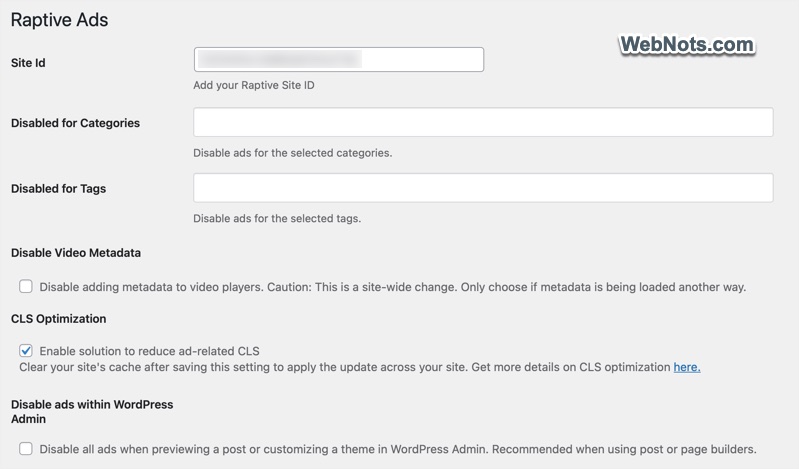
While publishers on other platforms must complete the setup manually, WordPress users can use their official Raptive Ads plugin. You need to enter the site ID and select options such as ad block recovery, layout shift reduction, AI crawler blocking, and category based playlist management.
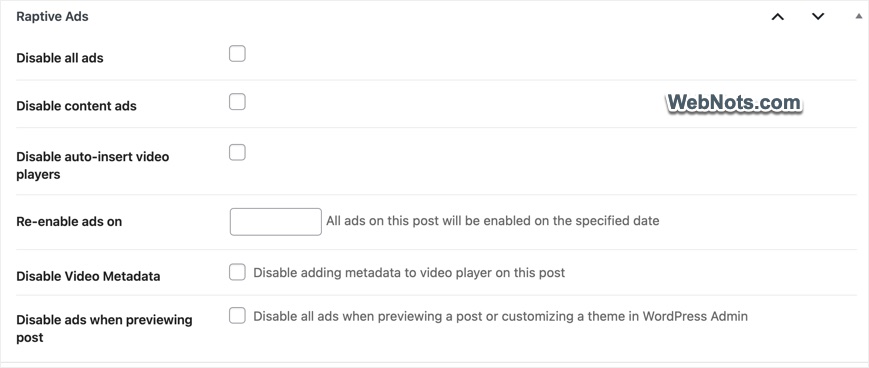
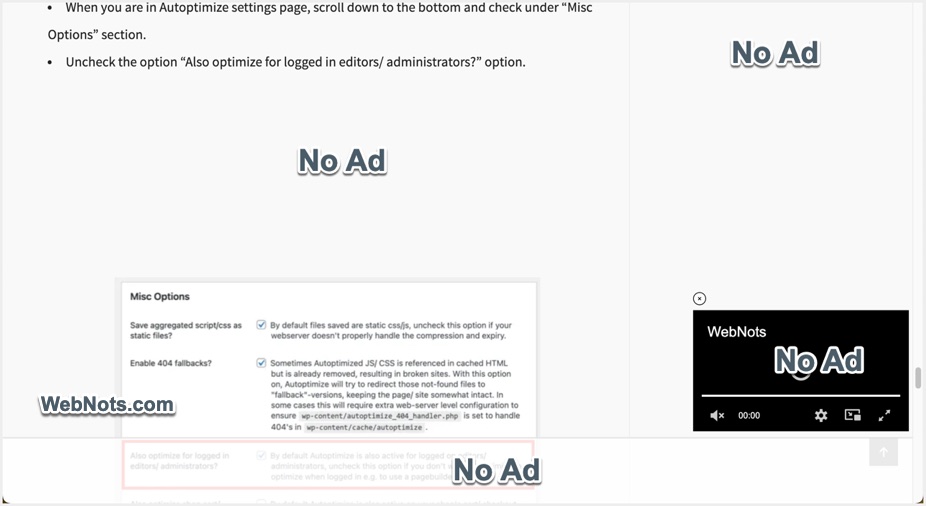
The plugin also allows you to disable ads and the video player on individual posts using a meta box. Once disabled, you can schedule a date to automatically re enable ads without editing the post again.
Once ads are live, you verify proper implementation and the account manager transitions your site to the standard support team. RPM ramp up may take couple of weeks and you can get in touch with their support team over email for further queries. Meanwhile, you will get full dashboard access for monitoring performance and making adjustments.
Ad Formats and Raptive Dashboard
One of Raptive’s strongest advantages is automated ad placement. You do not need to manually insert multiple ad codes, as ads are displayed dynamically based on your theme and header script, similar to AdSense Auto Ads. While this saves time, it may feel restrictive for publishers who prefer full control over ad placement.
Available ad formats include:
- Video ads displayed in-content, outstream, or as related content players.
- Interstitial (pop-up) ad and sticky footer ad.
- Fixed or sticky sidebar ads.
- Standard display ads.
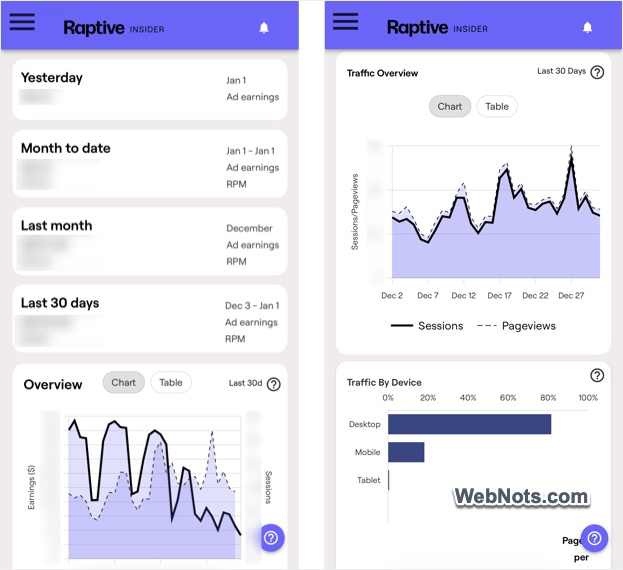
The Raptive dashboard provides extensive reporting and controls, including:
- Daily, month-to-date, last month and current month earning details.
- Traffic insights and content optimization recommendations (for keywords and high-performing pages).
- Ad control adjustments and video uploads.
- Payment setup and management options.
Earnings and Payments
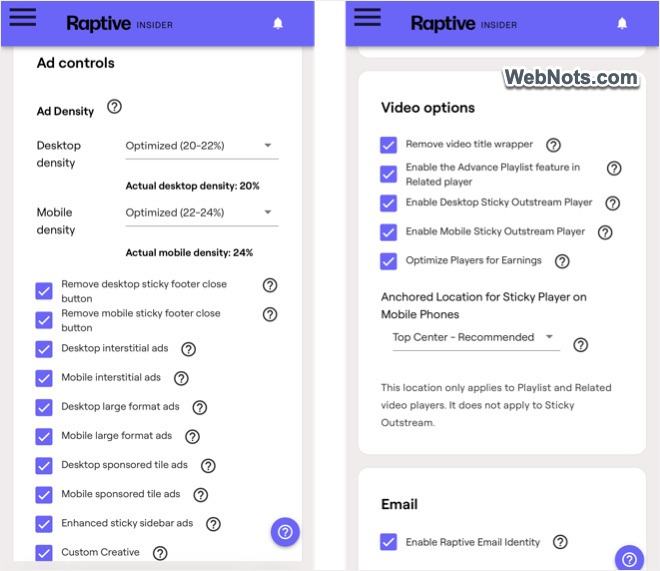
Raptive occasionally offers guaranteed RPM improvement programs. Generally, you will see RPMs that are 1.5 to 2 times higher than AdSense, largely due to video ads and sticky placements. During the initial setup phase, you can request changes such as fewer in-content ads or adjust the desktop and mobile ad density anytime later through the dashboard.
75:25 is the revenue sharing model, which means you receive 75 percent of the total revenue generated, while 25 percent is retained as commission by them. Raptive dashboard displays only your 75 percent share, so the amount shown there is exactly what you will be paid. Payments are processed via Tipalti on a net 45-day schedule. For example, January earnings are paid on or before February 15. They are very prompt in payment and always settle ahead of the schedule. International publishers should note that fixed transaction fees apply, along with currency conversion charges.
Support and Documentation
Support is available from the onboarding stage onward through email or a ticket-based system. Since many controls are available within the dashboard, direct support is usually needed only for major changes such as theme updates.
Raptive also sends regular newsletters containing industry insights, RPM trends, and performance updates. The documentation quality is among the best in the ad network space. However, most resources are restricted to approved Raptive publishers and require logging in with the associated Google account.
Issues You May Face with Raptive Setup
Though the setup works in most cases, you may face the following issues:
- Slow page loading: If you are using the WordPress plugin, make sure to turn on the “CLS Optimization” option. Otherwise, request the support team to adjust the setup on their side or manually delay JS loading on your site. Since the ads will refresh automatically, you need a solid hosting to support the setup.
- Layout broken: Too many ads can easily break the layout due to heavy scripts. Reduce the ad density or number of ads in the strategy to avoid broken layouts.
- Ads showing inside WordPress admin panel: Go to “Raptive Ads” menu in your WordPress admin panel and turn on “Disable ads within WordPress Admin” option. This will remove the ads loading in widgets editor and when editing content with page builder plugins.
- Ads not showing: This depends on the ad fill rate and seasonal fluctuations. For example, you will find the fill rate is higher during start of 4th quarter compared to end of the quarter. When in doubt, consult with their support team and confirm the setup is working fine and formats like advanced sticky ads (in sidebar) are loading properly.
Raptive Publisher Ad Network
Raptive is a well-established ad network for content publishers generating at least 25,000 monthly pageviews. Its automated ad setup allows publishers to focus more on content creation while benefiting from premium ad demand.
Pros:
High-performing CPM ads.
Professional onboarding experience and responsive support.
Dedicated WordPress plugin, custom video uploads, and advanced ad optimization tools.
Cons:
Aggressive ad density can negatively impact user experience and organic traffic.
Each site requires a separate payment stream, leading to multiple conversion and transaction fees.
Theme changes require a full ad strategy rebuild, which can be inconvenient for frequent redesigns.
Conclusion
With reduced pageview requirements, Raptive is now more accessible to mid-sized publishers with consistent traffic. For sites relying solely on AdSense, revenue gains can be significant due to premium demand and advanced ad formats. Raptive is best suited for publishers producing content at scale and consistently generating 100,000 or more monthly pageviews, which aligns with their original qualification standards. However, excessive ad placement can harm user experience and long-term organic growth, as Google tends to balance revenue against traffic quality over time. So, go for Raptive if revenue is important for you. Otherwise, you should look for less aggressive ad networks with manual ad insertion.