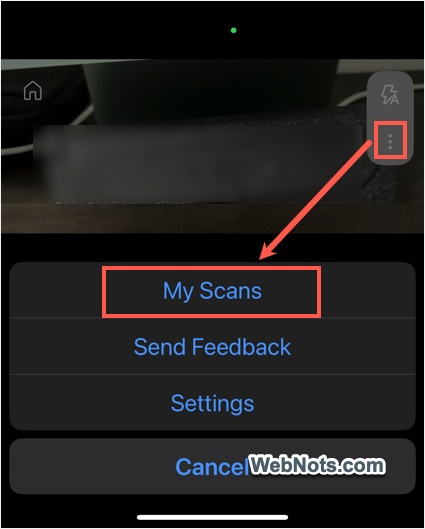
Microsoft has announced the retirement of its popular document scanning app, Microsoft Lens, marking the end of a tool that has been a staple for digitizing documents since its debut in 2014. The phase-out will begin on September 15, 2025, with the app being removed from the Apple App Store and Google Play Store by November 15, 2025. Users will be able to create new scans until December 15, 2025, after which the app’s scanning functionality will be disabled. Existing scans will remain accessible in the app’s My Scans folder as long as the app remains installed on users’ devices.
A Decade of Document Digitization
Originally launched as Office Lens, the app gained widespread popularity for its ability to convert paper documents, receipts, business cards, and whiteboard notes into digital formats such as PDFs, Word, PowerPoint, and Excel files. With over 90 million downloads and a 4.8-star rating on both Google Play and the App Store, Microsoft Lens became one of the company’s most successful free mobile apps, praised for its simplicity and subscription-free model.

Transition to Copilot: A New Era
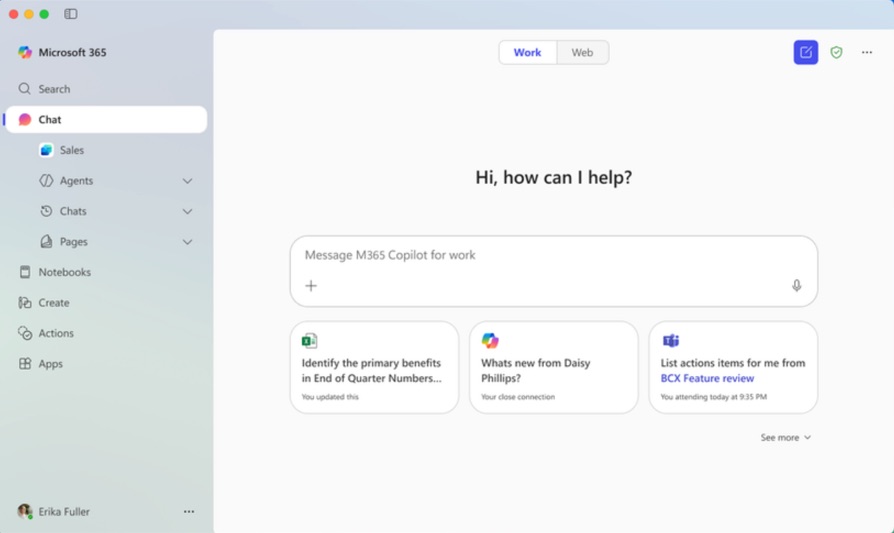
Microsoft is directing users to transition to the Microsoft 365 Copilot app, which includes a built-in scanning feature. The company describes Copilot as a next-generation AI-powered assistant designed to streamline productivity by integrating scanning with other tools like document drafting, data analysis, and cloud storage via OneDrive. However, the transition has raised concerns among users, as Copilot lacks several key features of Lens, including direct saving to OneNote, Word, or PowerPoint, business card scanning, and accessibility tools like read-aloud functionality and Immersive Reader integration.
If you are using Lens, make sure to move all your scanned documents (under My Scans) to OneDrive. You can automatically find those documents under “Create > My Creations” section in Microsoft 365 Copilot app. Documents stored on your local phone will not be migrated automatically.
Strategic Shift to AI-Driven Tools
The decision to discontinue Lens reflects Microsoft’s broader strategy to consolidate its productivity tools under AI-driven platforms, aligning with industry trends toward automation and cloud integration. “By combining various operations into Copilot, Microsoft is able to provide consumers with more robust tools while streamlining development and support,” the company stated in a support document. This move follows Microsoft’s recent phase-out of other legacy apps, such as Microsoft Publisher and the consumer version of Skype, as it prioritizes AI-enhanced solutions.
Alternatives and Next Steps
The current Lens app allows to scan documents, business cards, whiteboard content from whiteboard, and photos. You can also extract text from images (using OCR) and keep the scanned copies as PDF or images. The files can be stored on your phone, OneDrive, or shared with someone through email. Users across social media platforms expressed disappointment over the loss of Lens app, as getting all these features in another free app is kind of difficult task.
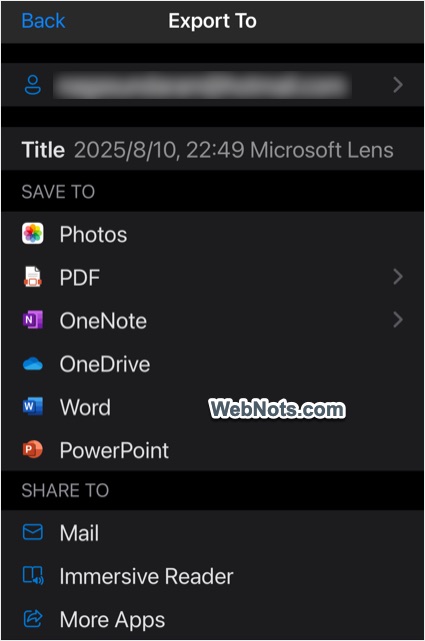
As mentioned, the alternate option suggested by Microsoft (Microsoft 365 Copilot) does not have all the options offered by Lens. Also, you need the Copilot Pro premium subscription for accessing certain features. For those seeking for better alternatives, options like Adobe Scan, CamScanner, and Google Lens offer robust scanning capabilities, while open-source tools like GImageReader provide community-driven solutions.
Microsoft encourages users to transition their scans to OneDrive before the December cutoff and to explore Copilot’s evolving feature set, which the company promises will expand based on user feedback.
Looking Ahead
As Microsoft Lens prepares to exit the stage, its retirement marks both the end of a beloved utility and a bold step toward an AI-driven future for Microsoft’s mobile productivity ecosystem. Users are advised to back up their scans and familiarize themselves with Copilot to ensure a smooth transition before the app is fully phased out.