Modifying content is one of the regular works for any website owner. Though it is not necessary to submit all the modified pages to search engines, you can request for reindexing if required. All popular search engines like Google and Bing have option to resubmit URLs. You can also reindex pages in Yandex webmaster tools account if you are targeting users from that search engine.
Request for Reindexing Pages in Yandex
First, you need to register for Yandex Webmaster Tools account to submit your site and verify the ownership. You can’t submit pages to Yandex without webmaster tools account.
- Login to your Yandex Webmaster Tools account.
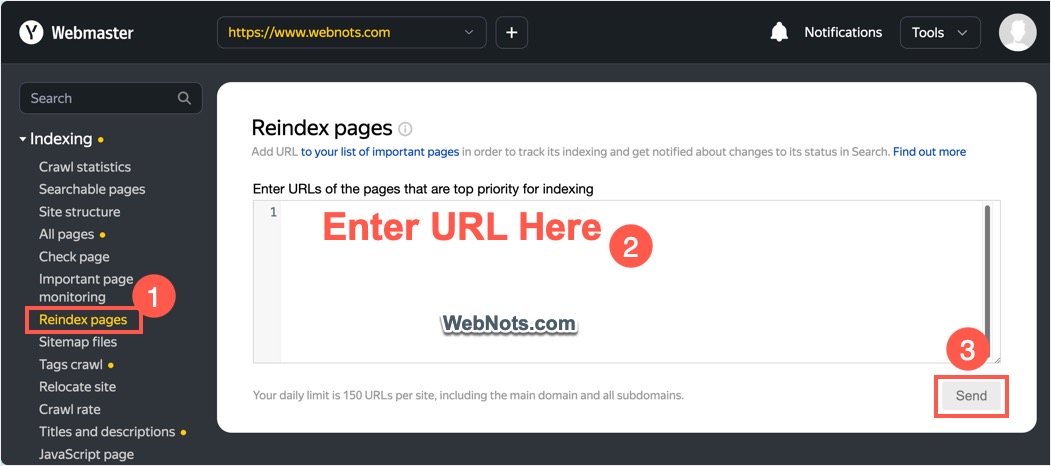
- Expand “Indexing” section and navigate to “Reindex pages” option.
- Paste your URL in the box and click “Send” button.
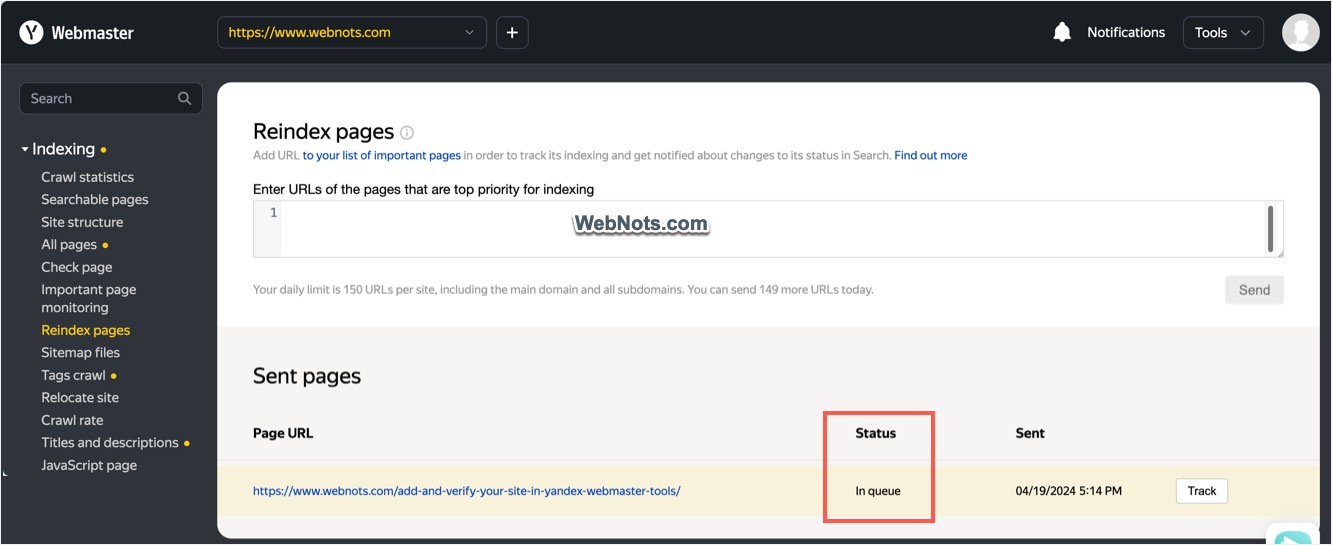
- You will see the submitted URL is showing under “Sent pages” section with the status as “In queue”.
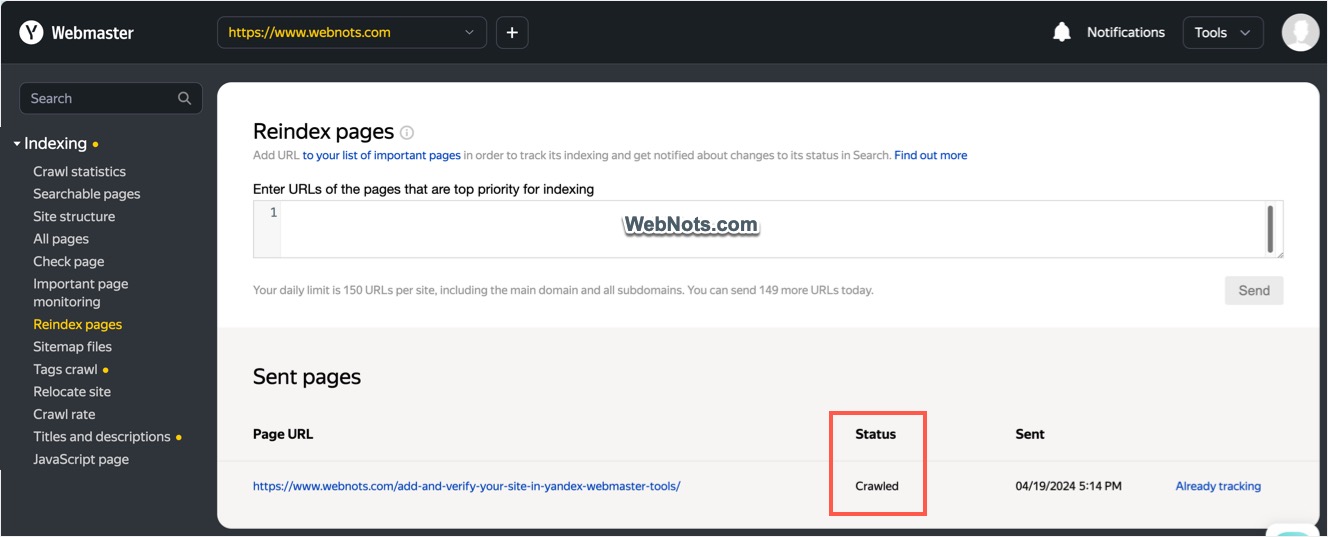
- Wait for some time and check the status again. It should show “Crawled” indicating the page is resubmitted successfully.
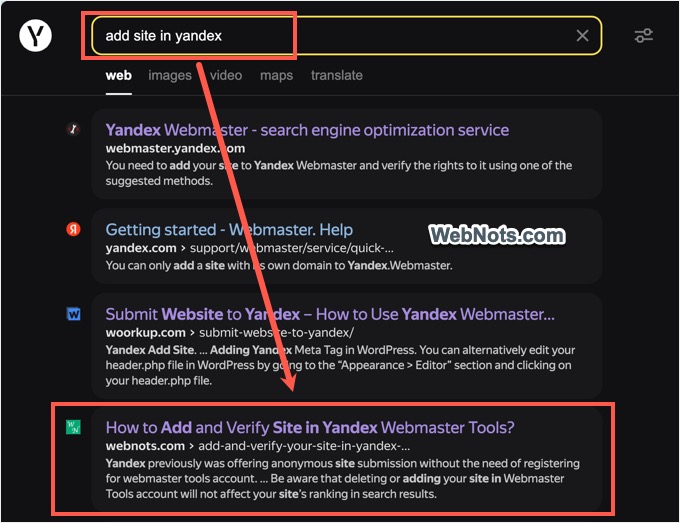
- Now, check in Yandex search results that the page is showing with the modified title, URL, description and content.
You can request reindexing of 150 pages per day and it is possible to paste multiple URLs (one per line) and send for reindexing.
Monitoring Indexing Status of Important Pages
If the requested page is very important and brings lot of traffic or customer to your site, then it makes sense to track indexing changes of that page.
- After submitting the page for reindexing, click on the “Track” button. You will see a top notification saying the page is added and you can configure the notification settings for that page. Now, the button will be changed to “Already tracking” link.
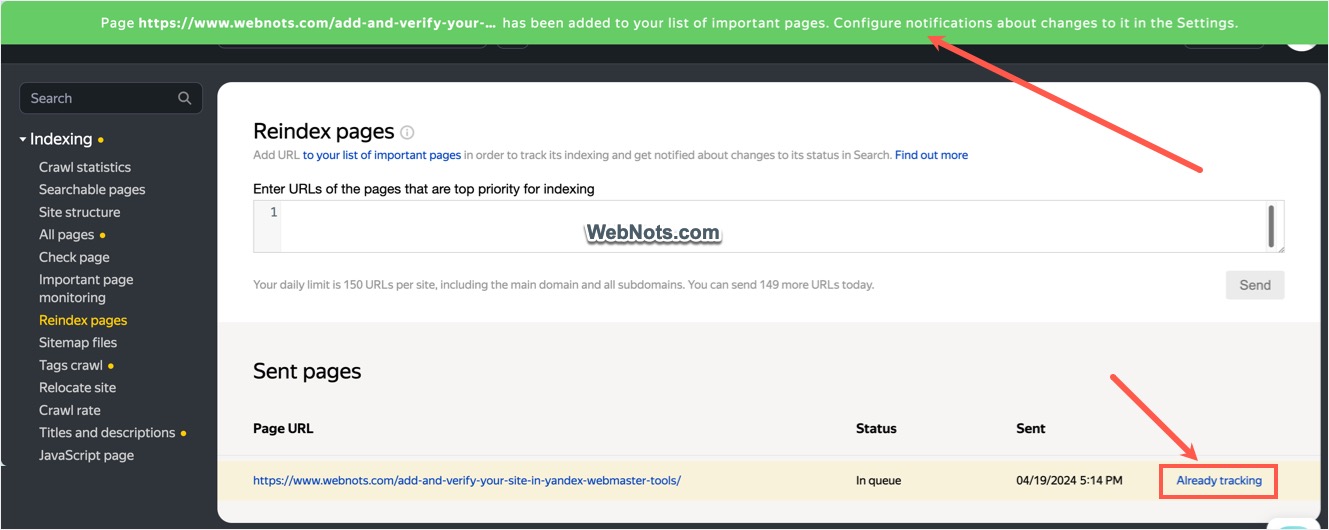
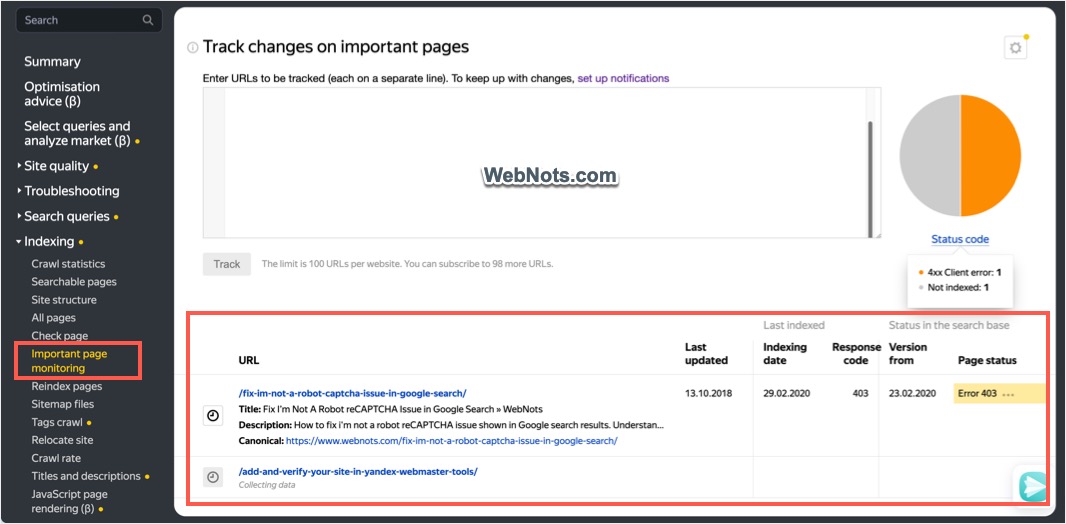
- Click the “Already tracking” link to go to “Indexing > Important page monitoring” section. Note that you can also add important pages directly under this section without requesting for reindexing.
- Click the gear settings icon showing on top right corner to setup the required notifications.
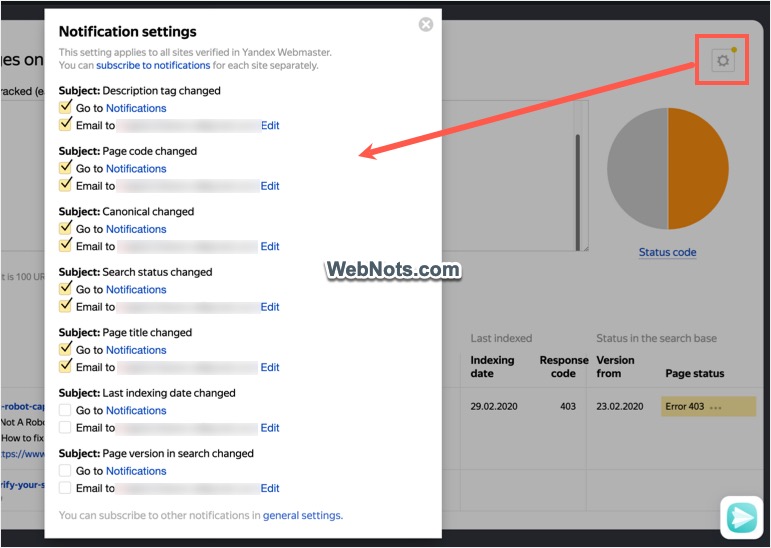
- Yandex will send email to your whenever the selected options like meta description, page code, canonical, title, search status, last indexed data or page version in search is changed.
As you can see in the above screenshot, one important page was having HTTP 403 error. This indicates the Yandex bot is blocked by the site, or the page is forbidden from accessing. You can check the robots.txt, .htaccess directives or check with you hosting company to resolve the issue.
Note: Go to “Tools > Robots.txt analysis” section to check your live robots.txt file.
When to Submit for Reindexing?
You can use the “Reindex pages” option to submit the URLs of important pages whenever they are changed. Note that Bing and Yandex uses IndexNow API for automatic submission of new and modified pages. If you are using IndexNow setup (using plugins in WordPress or Cloudflare CDN), then the pages will be automatically submitted and you do not need to resubmit manually.