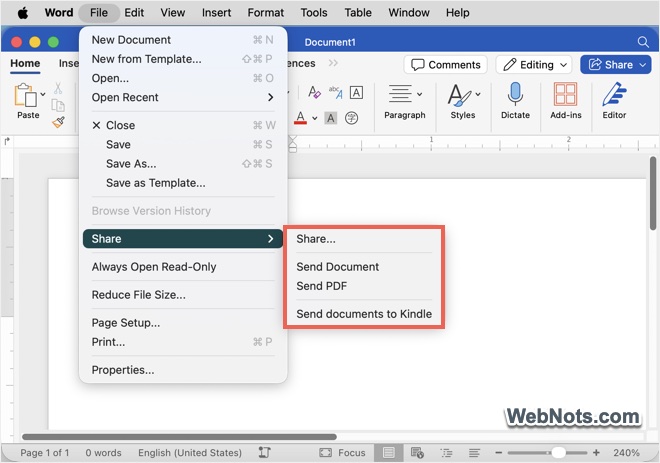
By default, macOS offers a list of sharing options built into all native apps. This helps to share your content right from the app whether you are writing on Pages, taking notes on Notes or TextEdit or creating a grocery list on Reminders app. However, AirDrop, Mail and Messages are sufficient in most cases and you may not use certain sharing options like Freeform or iCloud sharing at all. So, depending on your usage it is possible to customize the default sharing list on Mac and here is how you can do that.
Default Mac Sharing Options
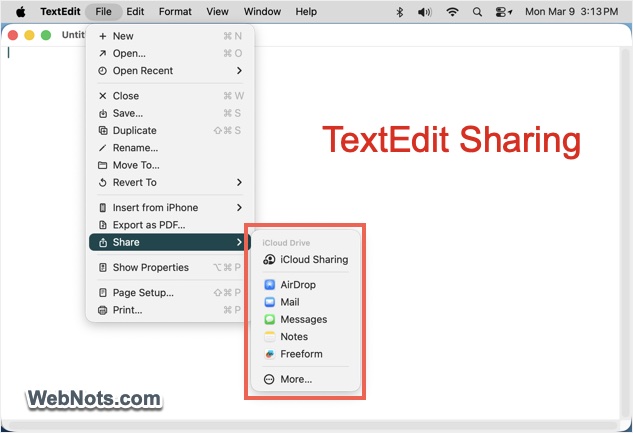
Let’s open a TextEdit file and go to “File > Share” menu. It has the following options:
- iCloud Sharing
- AirDrop
- Messages
- Notes
- Freeform
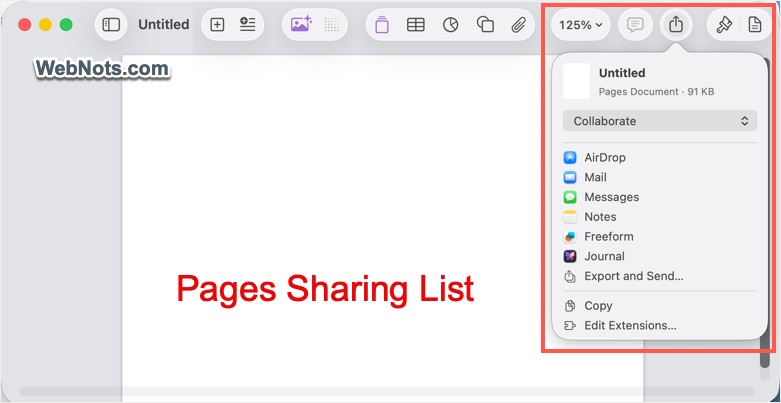
On Pages app, you will see an additional option for sharing with Journal.
Removing Unnecessary Sharing Options
Each macOS app will show a custom list of sharing items though it can be customized centrally.
- Depending on the app, go to “File > Share” menu or click the “Share” icon from toolbar. Select “More” or “Edit Extensions…” option.
- Alternatively, go to “Apple Menu > System Settings > General > Login Items & Extensions” section. Scroll down to “Extensions” section and select “By Category” tab. Click the ⓘ icon showing at the end of “Sharing” option.
- On the pop-up, turn off unnecessary items that you don’t want to appear in the sharing list.
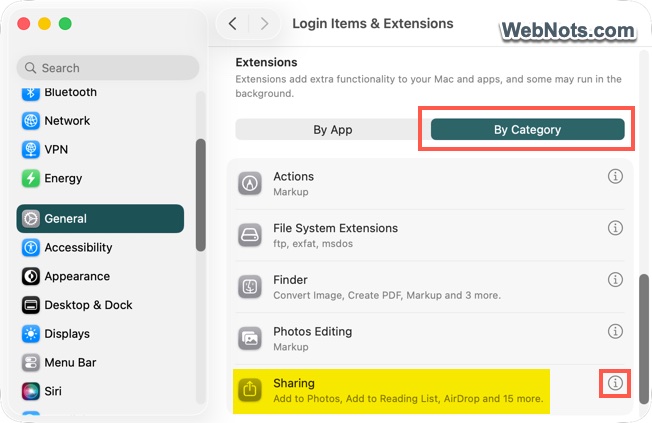
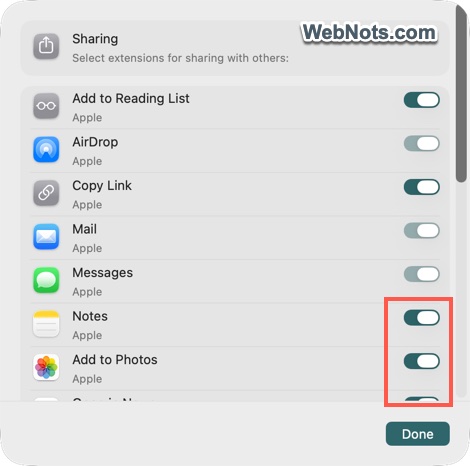
For example, you can turn off Freeform, Journal, Open in News, Create iCloud Link, etc.
Disabling an App from Sharing List
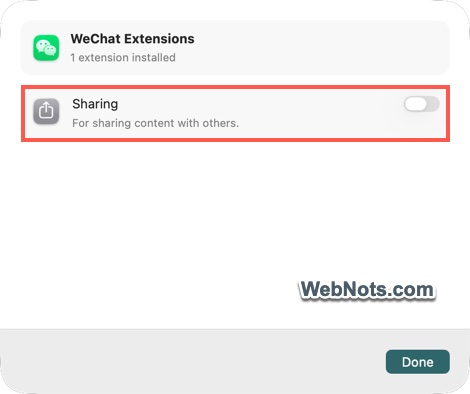
Other than those default Notes, Freeform and Reminders apps, some third-party apps like WeChat and WhatsApp also install a sharing extension. You can check all extensions installed by a specific app and disable unnecessary items easily.
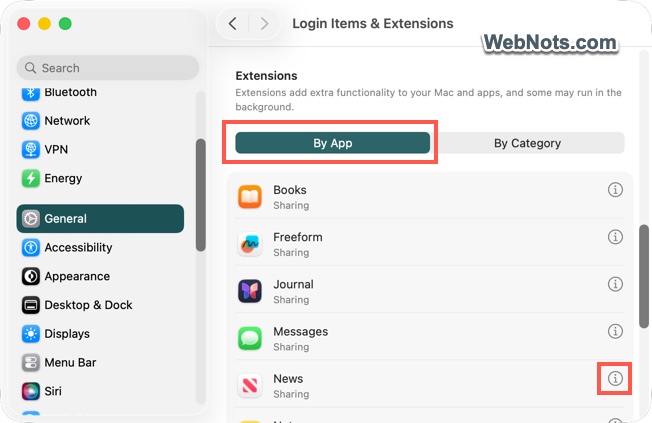
- When you are in the “Login Items & Extension” page, select “By App” tab under “Extensions” section.
- Here you can view the available list of apps having extensions on your Mac.
- Click the ⓘ icon at the end of any app.
- Turn off sharing or any other extension.
What You Can’t Remove
There are few things you can’t remove from the sharing options list:
- Mandatory Items: Mail, Message and AirDrop are the three mandatory items that you can’t remove from the list. The buttons will be grayed out for these options.
- App Specific Items: Certain custom sharing options applicable for specific apps can’t be removed as those item will not be displayed in the extensions list. For example, Notes will have a sharing option for “Open with Pages”, which can’t be removed. Similarly, collaboration and exporting options can’t be removed from Pages app.
- On Third-Party Apps: Some third-party apps may have a completely different sharing options. You can’t customize those options as they are not part of standard macOS extension. For example, Microsoft Word on Mac will have options for sharing on OneDrive, Kindle and email, which you can’t disable.