
WeChat Pay is the popular digital payment gateway you need in China and few other countries. You can spend money from the balance in your app or from your linked bankcard. The problem with digital spending is that it can quickly drain your savings. So, it’s a good habit to monitor the transactions history in WeChat app and control your budget accordingly. This article explains how you can do that in WeChat iPhone app and you can follow the same steps in Android version also.
View Transactions History in WeChat iPhone App
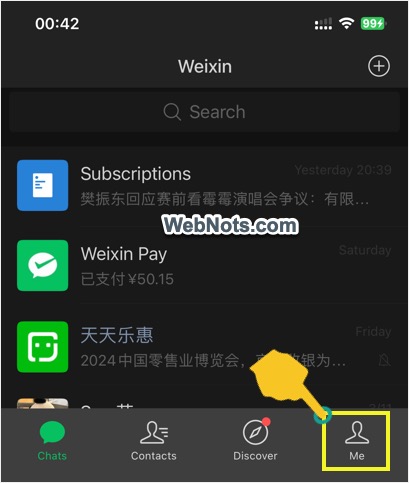
- Open WeChat app and tap on “Me” option showing at the bottom right corner.
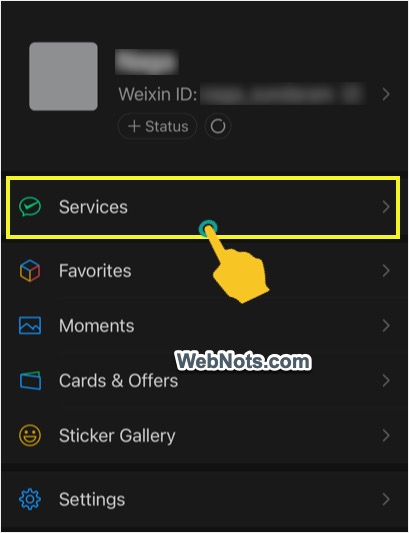
- Select “Services” section and access the screen with your Face ID or passcode (if you have setup security lock).
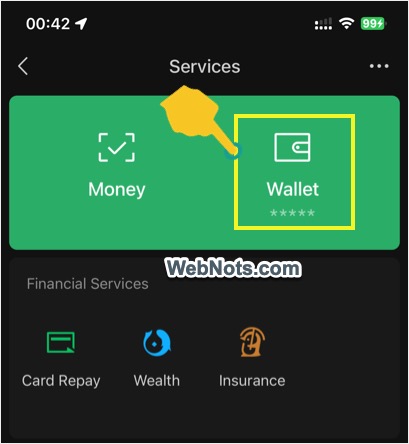
- Tap on “Wallet” option on the next screen.
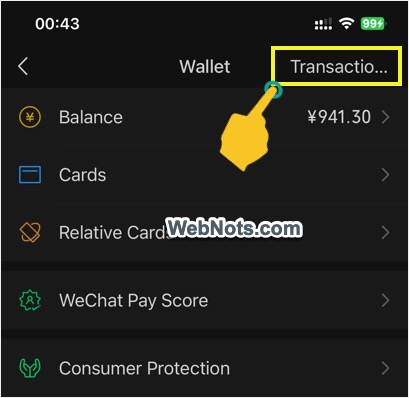
- Tap on “Transactions” link showing on top right corner of the screen.
- You will see a list of all transactions carried out from your app.
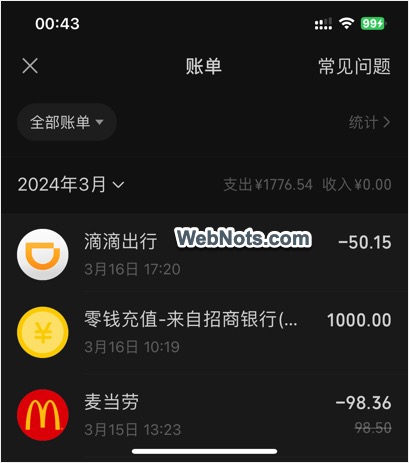
Exploring Transactions History Page
Unfortunately, WeChat shows transactions history section only in Chinese and not in English (though other sections show in English). You also can’t tap and hold on a word to use the default iPhone translate function. However, it is easy to navigate and use the options as it is a financial statement.
- Tap on any single item to view payee, date, QR code and other payment information.
- By default, WeChat will show the details for the current month along with a summary of expenditure and income. Tap on the date button and select different month to view transactions for that month.
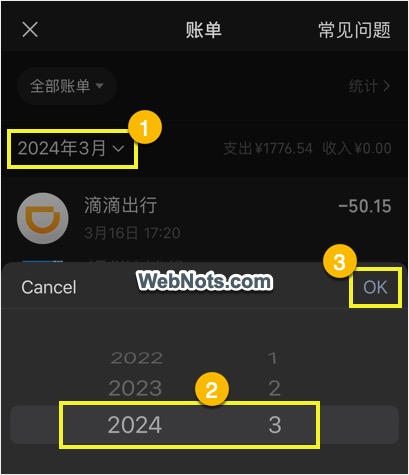
- Tap on the top button that shows “全部账单” which means “All Bills” (shows just below the X icon on top left corner of the screen). This will show various filters and the first section shows buttons to filter all, expense and income transactions. Second section shows button to filter type of transaction like Red Packet, refund, QR code payments, etc.
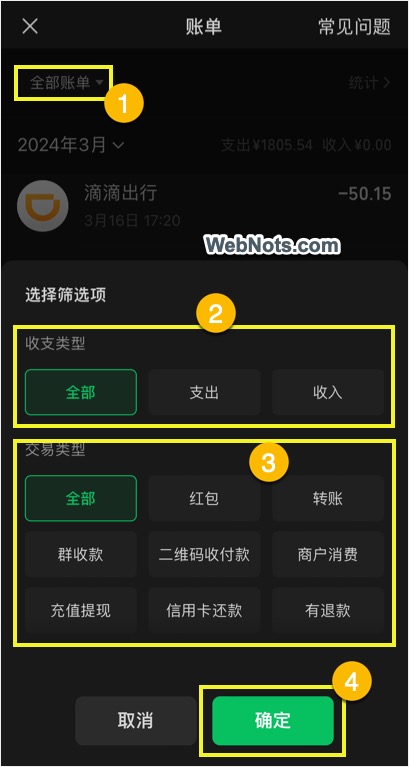
- After applying filters, tap on “Confirm” (确定) button to view the report.
View Detailed Spending Chart
Another useful function in WeChat pay is that you can view the transaction statistics as a bar chart.
- Tap on the “Statistics” (统计>) option showing just below the top right corner of the screen.
- You can again use the filters to view monthly and annual bills for income/expense transactions.
- A neat graph will show your monthly spendings in bar chart.
- Bottom section shows the top 10 expenditure transactions for the selected period.
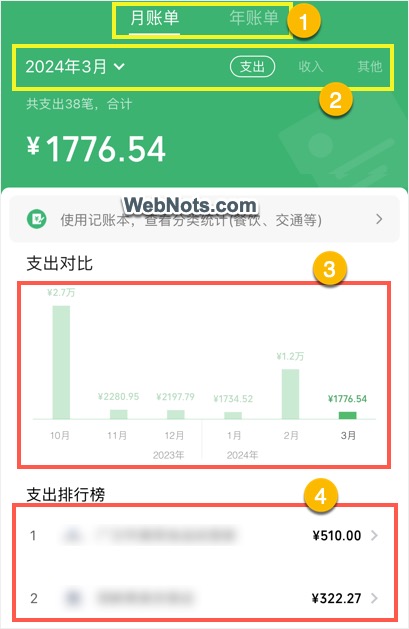
This is really like a complete budget management tool within WeChat app.
Contacting WeChat Pay Support
If you have a problem in using the payment feature or with a transaction, you can contact the support team and get clarifications.
- Tap on the “FAQ” (常见问题) link showing on top right corner of the app.
- You will list of frequently asked questions in Chinese and tap o any item.
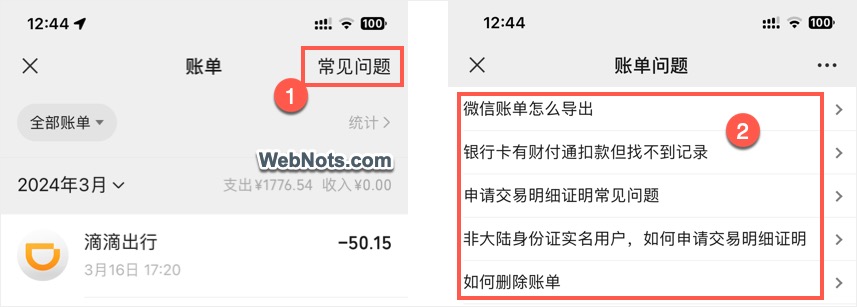
- At the bottom of the answer, you will find a chat option and tap on it.
- This will open a chat window with WeChat Pay smart assistant.
- Send your questions and get clarifications.
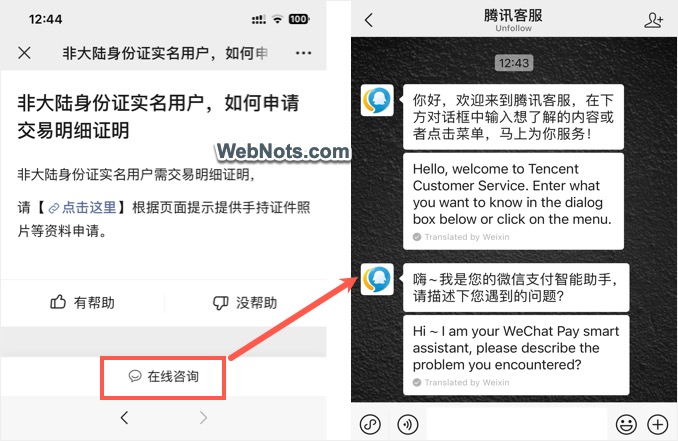
You can read the message using WeChat translation and for sending messages in Chinese, probably you need someone’s help or copy paste from a translation app.


