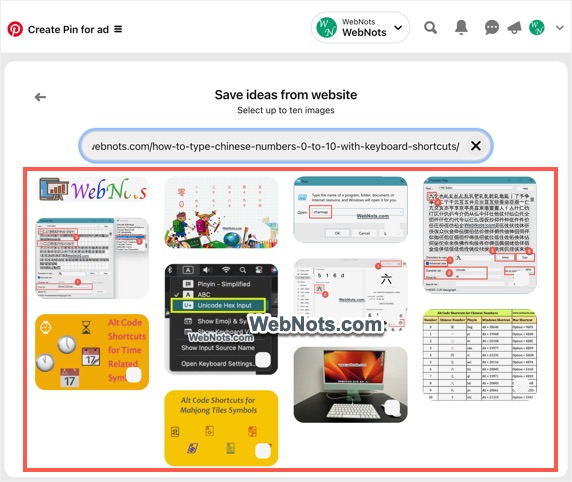
Pinterest is one of the popular social platforms for sharing your images and driving traffic through them. However, using Web Application Firewall protections like Cloudflare will block any requests coming from Pinterest domain. This is done when you have (or the website owner) enabled Hotlink Protection in Cloudflare to prevent directly linking images from the domain. If you are using Cloudflare and not able to share images in Pinterest, here is how to resolve the issue.
Note: This article is meant for website owners. If you are a user, then contact the site owner and inform about the error to fix it as explained in this article.
No Images Found in URL Error
When you or someone try to add images to a board or create a pin from your domain, Pinterest will show a message “No images found. Check your URL and try again”. This notification is misleading as there are no clues that Pinterest is blocked by Cloudflare or website’s firewall setup.

There are two ways to fix the issue:
- Create a custom configuration rule to exempt only Pinterest.
- Completely disable Hotlink Protection in Cloudflare.
We will explain both options, though second method is not recommended.
1. Exclude Pinterest in Cloudflare Configuration Rules
This is the recommended method to create a custom rule in Cloudflare to allow requests from Pinterest as an exception.
- Login to your Cloudflare account and select the site from the dashboard.

- Go to “Rules > Configuration Rules” section and click the “+ Create rule” button.
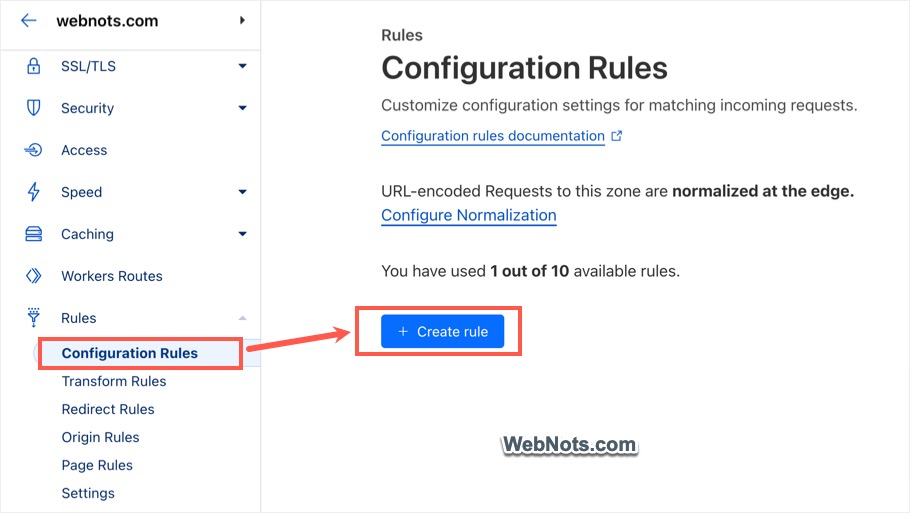
- Enter the name for your rule under “Rule name (required)” box. Let’s name it as “Pinterest Rule” so that you can easily remember it later.
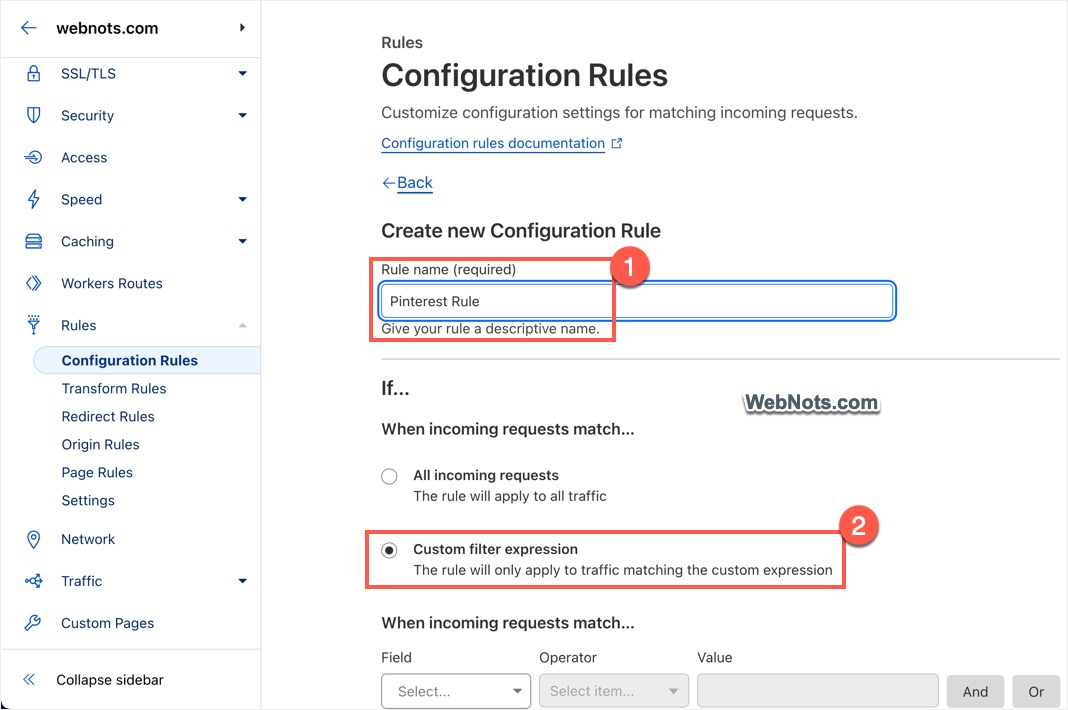
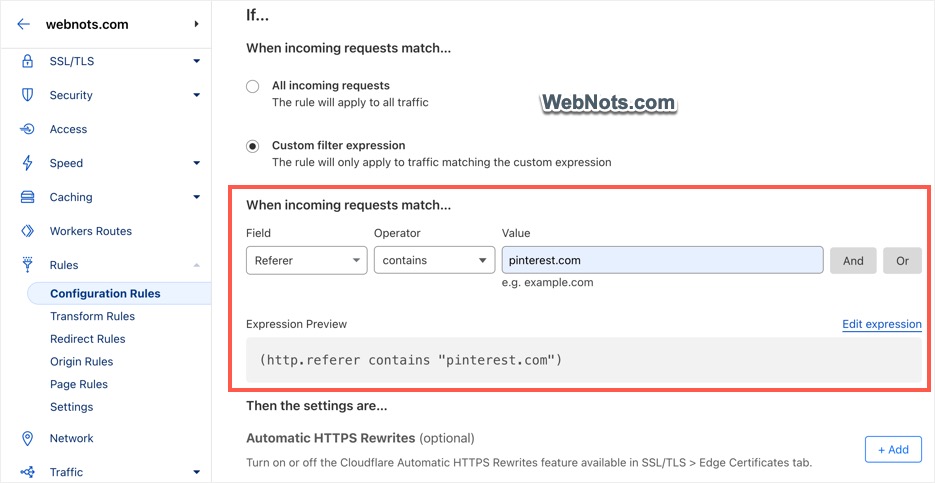
- Select “Custom filter expression” option and setup the followings:
- Field – Referrer
- Operator – contains
- Value – pinterest.com
- You should see the “Expression Preview” shows as (http.referrer contains “pinterest.com”).
- Scroll down below and click on the “+Add” button showing against “Hotlink Protection (Optional)” option. This will turn that option to off status.
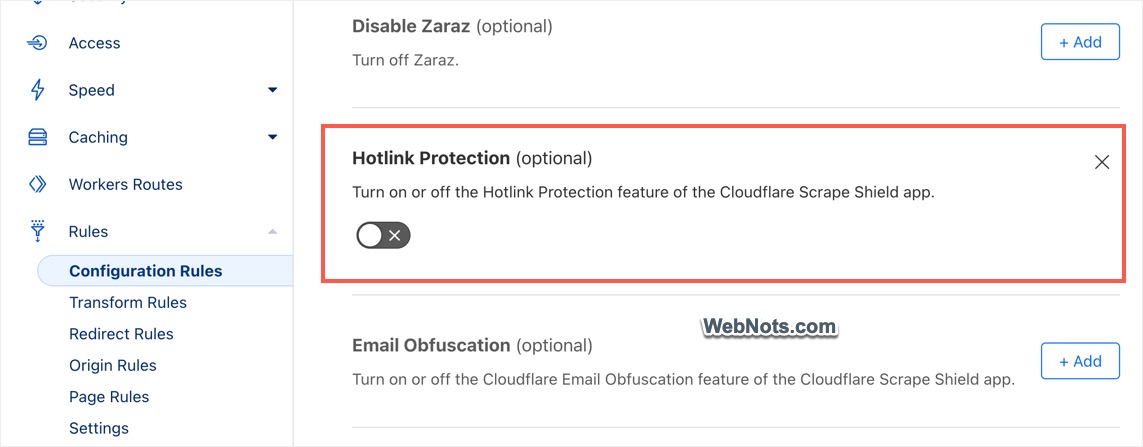
- Scroll down to bottom of the page and click on “Deploy” button.
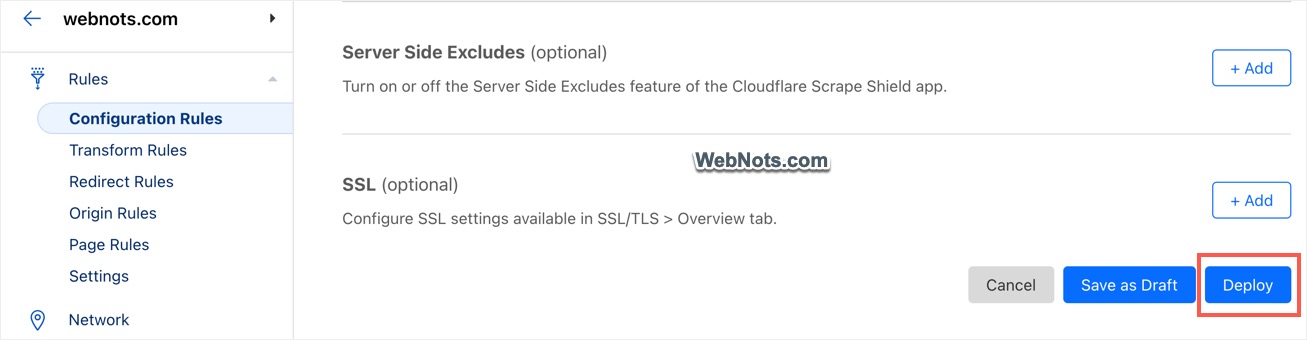
- The rule will be deployed instantly and you can see its name (Pinterest Rule) in the list under “Rules > Configuration Rules” section.

You can create up to 10 configuration rules in Cloudflare with a free account.
2. Disable Hotlink Protection for All Sites in Cloudflare
As mentioned, this is not recommended as it will allow all external domains to directly link your images (thus wasting your server resources).
- Login to your Cloudflare account and select the correct site.
- Navigate to “Scrape Shield” option from left sidebar.
- Scroll down on the right pane and turn off “Hotlink Prevention” option.
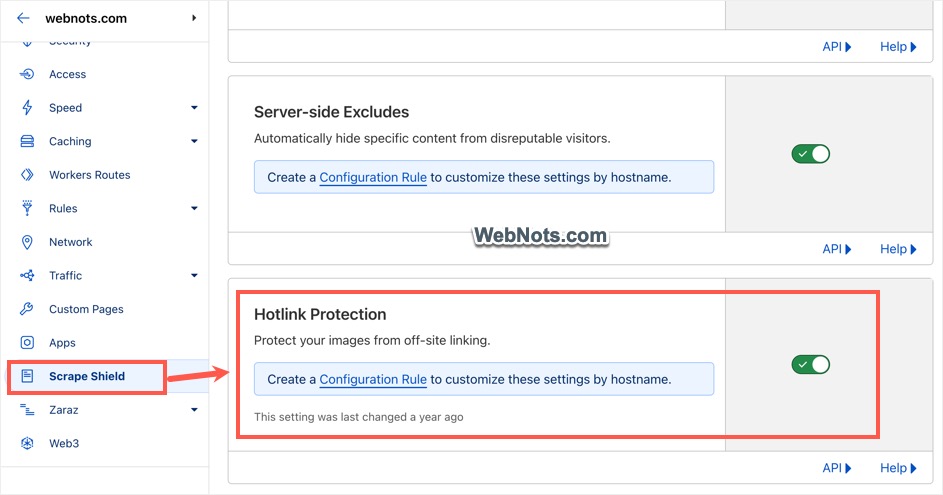
Testing from Pinterest
After setup one of the above options, go to your Pinterest account. Use any of the URL from your site and try to share the images. This time you should find Pinterest shows all the images (up to 10) from the provided URL. Select the images to add in your board or pin them.