If you have newly bought an Apple device or switched from Windows or Android, it will take some time to get yourself familiarized with Apple’s world. Other than using the device, Apple App Store subscriptions is one of the major things you need to understand. Whether you have an iPhone, iPad or Mac, here are the few things you should know before making purchases from App Store.
1. Mac and iPhone App Stores are Different
Though the purpose is same to sell apps (free and paid), Mac App Store and iPhone or iPad App Store are TWO DIFFERENT platforms. That essentially means, the apps you download or purchase in one App Store may or may not be available on another App Store. On other hand, you can use the same Apple ID (also called as Apple account) on all your devices for purchasing or downloading apps.

2. Installing Mobile Apps on Mac
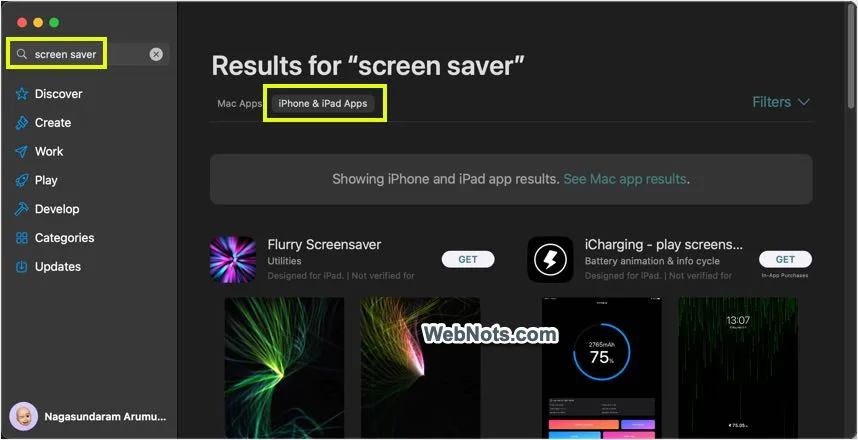
Most popular game apps are designed only for iPhone and you will not find them on Mac App Store. If you plan to use multiple Apple devices (for example – Mac and iPhone), then make sure the apps you are planning to use are available on both devices. Good thing is that you can install and use iPhone / iPad apps on Mac through Mac App Store when your Mac has Apple Silicon chip processor. You can’t install iPhone apps on old Macs using Intel processor.
3. Subscriptions are Valid on Country Basis
This is important when you frequently travel or need to change the App Store’s country. The subscriptions are valid based on the country and you can’t renew them once the country is changed. You may need to purchase afresh from another country to use the premium apps. If the app is not available in your current App Store, then there are no options to renew other than changing the country to previous App Store from where you have purchased.
4. Subscription are Renewed on Last Day
All subscriptions you purchased through App Store can only be renewed on the last day of the current expiry. You can’t renew it beforehand as it automatically happens on the last day. There are no options for manually renewing a subscription in Apple App Stores.
As mentioned, subscriptions will be available across your devices as they are based on your Apple ID. So, you can view any renew them from any of your devices.
5. Cancelling Subscriptions
Here are the points to remember:
- You can cancel the subscription any time after purchase.
- This will ONLY cancel the renewal payment and you can continue to use the premium app features till the expiry of current subscription.
- There are no options to cancel the subscription and get refund on pro-rata basis.
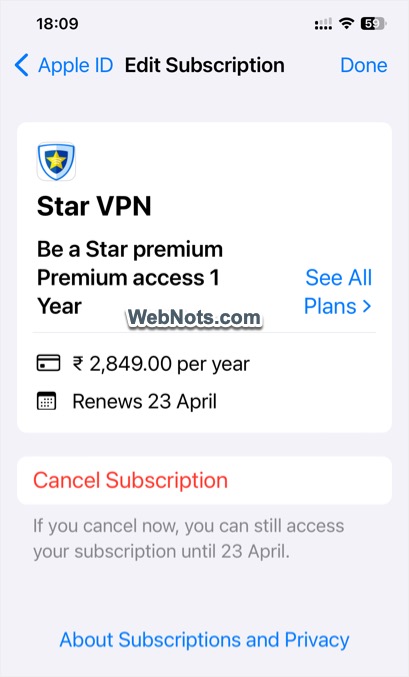
When you claim refund, the amount will be either refunded or rejected fully.
6. Purchased Items are Available Across Devices
The best part of Apple subscriptions is that you can make use of them on all the devices logged in with same Apple or iCloud account. The downloaded items are stored in iCloud and shared across devices to make it easier for using them. However, you need to check whether the app allows the usage of multiple devices. For example, Microsoft 365 apps allow to use the app on multiple devices by logging into same Microsoft account. However, some VPN apps may restrict the usage based on device type (mobile or desktop). In that case, you need to purchase additional subscriptions as needed.
7. Family Sharing Allows Purchase Sharing
When family members are using multiple Apple devices, it is a good idea to share the purchases through Family Sharing. You can share the payment method and allow others to use your purchase using this option. For example, you can purchase iCloud+ subscription and allow other family members to share the storage space.

8. Switching Subscriptions Not Possible
Some subscriptions are available through Apple App Store as well as through third-party websites. Parallels Desktop for Mac and Microsoft 365 apps are some of the best examples.
- If the app allows trial usage (which is the general case), you can install it from App Store and activate the premium features with a license key purchased from third-party website.
- Apple subscriptions can’t be transferred to third-party developer websites. For example, there are no possibilities to transfer the subscription from Apple to Microsoft after purchasing Microsoft 365 through Apple App Store. You need to wait for the expiry, cancel Apple’s subscription and then switch to Microsoft payment mode through your Microsoft account on their website.
- Apps may have different features and work differently when installing from third-party and installing from App Stores. For example, Parallels Desktop for Mac app will not have VPN sharing feature as with the downloaded version from their website. Similarly, Microsoft 365 apps will be updated through Microsoft or Apple App Store depending on how you install them.
9. In-App Purchases and Subscriptions
There are multiple ways to purchase an app from App Store. Some apps are premium only while many other apps are free offering in-app purchases. These two terms may easily confuse you as subscriptions are also offered through in-app purchases and some apps offer both. You can keep the following points as a rule of thumb:
- Subscriptions are renewable setup generally after a week, month or year. They can be offered through in-app purchases or you will be forced to buy a license key from third-party website after trial period.
- Fixed purchases are generally one-time payments for purchasing an app or extending with premium features or for removing advertisements.
The difference is that the one-time payments will NOT be shown under “Subscriptions” section of your Apple account.
10. Restoring or Reactivating Subscriptions
Do not worry, if you or someone deleted a premium app on your iPhone, iPad or Mac. You can easily re-download the app from App Store by tapping on the cloud icon showing against the app. In most cases, the premium features (one-time paid as well as subscription) are restored automatically. Otherwise, you can manually restore the purchase within the app. sometimes, you need to reactivate the app with the license key purchased from third-party websites.