Search Engine Optimization (SEO) is essential for anyone looking to boost their website’s visibility on search engines. If you are new to SEO, learning the terminology is the first step to mastering the basics. In this article, we have compiled a glossary of 100+ key terms and their descriptions to help you navigate the complex world of SEO.
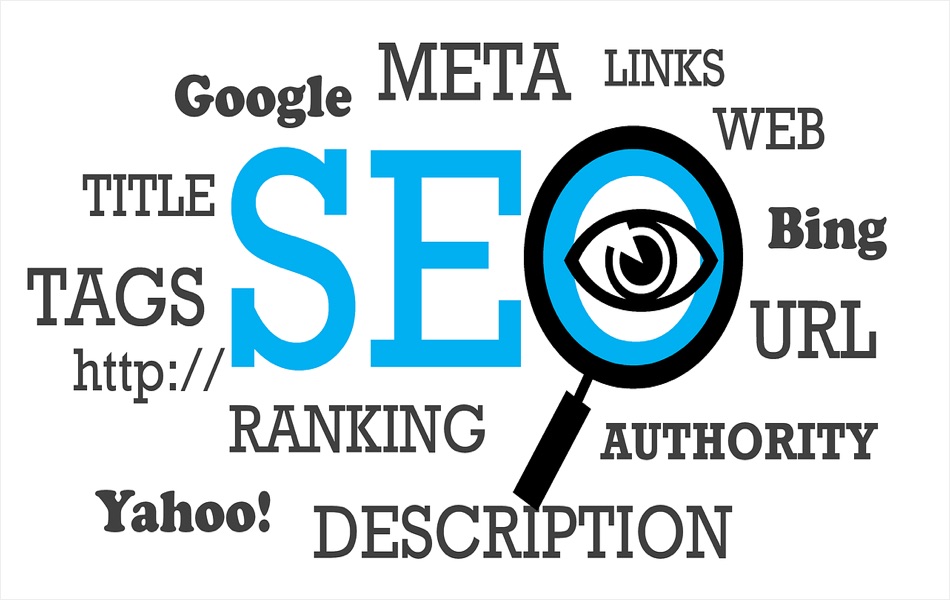
SEO Glossary Terms
Below is a detailed table listing the most important SEO terms and their meanings.
| Term | Description |
|---|---|
| 301 Redirect | A permanent redirect from one URL to another, often used when a page is moved or deleted. |
| 302 Redirect | A temporary redirect indicating the original URL may return anytime in future. |
| 404 Error | An error message indicating that a page is not found on the server. |
| AI Overview (AIO) | A feature in Google search results that uses artificial intelligence to provide a concise, summarized answer to a query, often derived from multiple sources. |
| Algorithm | A set of rules used by search engines to rank web pages. |
| Algorithm Update | A change to Google’s ranking system that affects search results. |
| Alt Text | Text describing an image, used by search engines to understand the content of images. This is also HTML tag providing alternative text for images. |
| Anchor Text | Clickable text in a hyperlink, often containing keywords. |
| Backlink | A link from one website to another, important for SEO rankings. |
| Black Hat SEO | Unethical SEO practices that violate guidelines. |
| Bounce Rate | The percentage of visitors who leave a site after viewing only one page. |
| Breadcrumb | A navigational element that shows a user’s location within a website, often displayed as a horizontal trail of links. |
| Broken Link | A hyperlink leading to a missing or unavailable page. |
| Canonical Tag | An HTML tag used to specify the preferred version of a web page when duplicate or similar content exists across multiple URLs. |
| Canonical URL | The preferred URL for a piece of content. |
| Citation | An online mention of a business’s NAP (Name, Address and Phone Number) information. |
| Click-Through Rate (CTR) | The percentage of users who click on a search result or ad. |
| CLS | Cumulative Layout Shift measures unexpected page movement during loading. |
| Content Audit | A process of evaluating and analyzing all content on a website to assess its performance and identify opportunities for improvement. |
| Content Cluster | A group of related articles linked together around a central topic. |
| Content Gap | Topics or keywords your competitors cover but your website does not. |
| Content Marketing | A strategy focused on creating and sharing valuable content to attract and engage an audience. |
| Content Pruning | Removing, merging, or improving outdated or low-quality content. |
| Content Strategy | A planning and management approach to creating, publishing, and maintaining content to achieve specific business goals. |
| Conversion Rate | The percentage of users who complete a desired action, such as making a purchase. |
| Copilot | An AI-powered assistant integrated into Microsoft Bing, which helps users by providing direct, intelligent answers, content suggestions, and context-aware assistance. Also, available in many Microsoft applications including Windows 11. |
| Core Web Vitals | Metrics measuring website speed, responsiveness, and visual stability. |
| Cornerstone Content or Pillar Page | High-quality, foundational articles that provide comprehensive information on a key topic and link to related pages. |
| Crawl | The process by which search engines discover web pages. |
| Crawler (Bot/Spider) | Automated software used by search engines to scan websites. |
| Crawl Budget | The number of pages a search engine is willing to crawl on your website within a certain period. |
| Crawl Depth | The number of clicks required to reach a page from the homepage. |
| Crawl Error | A problem preventing search engines from accessing a page. |
| CTR (Click-Through Rate) | The percentage of people who see your listing in the SERP and actually click on it. |
| Disavow Tool | A tool to ignore low-quality backlinks. |
| Dofollow Link | A type of link that allows search engines to pass authority from one website to another, influencing rankings. |
| Domain Authority (DA) | A metric predicting a website’s ability to rank in search engines. |
| Duplicate Content | Identical content that appears on multiple URLs, which can harm SEO. |
| Dwell Time | The time users spend on a site before returning to search results. |
| E-E-A-T | E-E-A-T stands for Experience, Expertise, Authoritativeness, and Trustworthiness. It is a set of concepts Google uses to evaluate the quality and reliability of content. |
| Engagement Rate | Measures how users interact with content, such as time spent on page or shares. |
| Evergreen Content | Content that remains relevant and valuable over time. |
| Exit Rate | The percentage of users who leave from a specific page. |
| Faceted Navigation | Filtering options on ecommerce websites that can create many URL variations. |
| Featured Snippet | A short, direct answer to a query displayed at the top of search results. |
| Focus Keyword | The main keyword targeted in an SEO strategy. |
| Generative Engine Optimization (GEO) | Optimizing content for AI chatbots (like ChatGPT, Gemini, or Perplexity) to cite your website in generated answers. |
| Google Analytics | A free tool from Google for tracking website traffic and user behavior. |
| Google Business Profile | Google’s free business listing used in Maps and local search results. |
| Google Search Console | A free tool to monitor and optimize site performance in search results. |
| Guest Blogging | Writing blog posts for other websites to gain backlinks. |
| Heading Tags | HTML tags (H1, H2, etc.) used to structure content. |
| Helpful Content System | Google’s ranking system rewarding content created primarily for people rather than search engines. |
| Hreflang | An HTML attribute indicating language and regional versions of a webpage. |
| HTML | The standard language for creating web pages. |
| HTML Sitemap | A navigational sitemap page on a site for users. |
| HTTPS | A secure version of HTTP that encrypts communication between browsers and websites. |
| HTTP Status Codes | Codes indicating how a web server responds to a browser request. |
| Hyperlink | A clickable link that connects one webpage to another, either on the same site or a different one. |
| Image Optimization | Reducing image size and using proper tags to improve page speed and SEO. |
| Index | A database of all web pages discovered by search engines. |
| Indexed Content | Content stored in a search engine’s database for retrieval. |
| IndexNow | A protocol allowing websites to instantly notify participating search engines about content changes. |
| Indexed Pages | Pages stored in a search engine’s index and eligible to appear in search results. |
| INP | Interaction to Next Paint measures how quickly a page responds to user interactions. |
| Internal Link | A link pointing to another page within the same website. |
| Keyword | Words or phrases that users search for online. |
| Keyword Cannibalization | When multiple pages target the same keyword, competing against each other. |
| Keyword Density | The percentage of times a keyword appears compared to the total word count. |
| Keyword Research | The process of finding and analyzing search terms people use. |
| Keyword Stuffing | Overloading a page with keywords, which can harm SEO. |
| Knowledge Graph | Google’s database of entities and their relationships used to understand search queries. |
| Knowledge Panel | The information box displayed beside search results for well-known entities. |
| Landing Page | The first page a user visits on a website. |
| Latent Semantic Indexing (LSI) Keywords | The use of related keywords and phrases to improve context. |
| LCP | Largest Contentful Paint measures loading performance. |
| Link Building | The process of acquiring backlinks to improve a site’s authority. |
| Link Equity or Link Juice | The SEO value passed through hyperlinks. |
| LLM (Large Language Model) | An artificial intelligence model trained on large amounts of text and other data to understand, process, and generate human-like language. |
| Local Pack | The group of local business listings appearing in search results. |
| Local SEO | Optimization strategies to improve visibility for local searches. |
| Long-Tail Keywords | Specific, longer search phrases with lower competition. |
| Manual Action | A penalty applied by Google’s human reviewers for violating search guidelines. |
| Meta Description | A short summary of a page’s content (about 160 characters), displayed in search results. |
| Meta Tags | HTML elements that provide metadata about a web page. |
| Meta Title | The clickable headline that appears in search results. It’s the first thing users see and must contain your primary keyword. |
| Mobile Optimization | Ensuring a site is user-friendly on mobile devices. |
| NAP | Name, Address, and Phone Number consistency across online directories. |
| NLP (Natural Language Processing) | Technology that helps search engines understand human language the way we actually speak rather than just matching exact keywords. |
| NoFollow Link | A link that tells search engines not to pass link authority. |
| Noindex Tag | A directive used in meta tags to prevent search engines from indexing a specific page. |
| Off-Page SEO | SEO activities performed outside your website to improve rankings, such as link building, social media marketing, and influencer outreach. |
| On-Page SEO | SEO tactics applied directly to a website, such as optimizing titles, meta descriptions, headings, and content. |
| Organic Search | Results that appear naturally in search engines without paid promotion. |
| Organic Traffic | Visitors who arrive at a site through unpaid search results. |
| Orphan Page | A page with no internal links pointing to it. |
| Outbound Link | A link from your website to another site. |
| Page Authority (PA) | A score predicting how well a specific page will rank. |
| Page Experience | Google’s evaluation of user experience signals including Core Web Vitals and HTTPS. |
| Page Speed | How quickly a web page loads, which impacts rankings. |
| Parasite SEO | Black Hat technique of publishing content on high-authority third-party websites to leverage their rankings. |
| Passage Ranking | Google’s ability to rank individual sections of a page for relevant queries. |
| Pay-Per-Click (PPC) | An advertising model where advertisers pay for each click on their ad. |
| People Also Ask (PAA) | Expandable question boxes shown in Google Search results. |
| Primary Keyword | The main keyword a page is optimized for. |
| Programmatic SEO | Creating large numbers of optimized pages using templates and structured data. |
| Query Deserves Freshness (QDF) | Google’s tendency to prioritize newer content for rapidly changing topics. |
| RankBrain | Google’s AI-based algorithm for understanding search queries. |
| Ranking | The position of a web page in search engine results. |
| Readability | The ease with which text can be read and understood by users. |
| Referring Domain | A unique website linking to your site. |
| Referral Traffic | Visitors who come to a site via links from other websites. |
| Responsive Design | A design approach ensuring websites function well on all devices. |
| Rich Snippets | Enhanced search results that display additional information like ratings. |
| Robots Meta Tags | HTML tags that provide instructions to search engine crawlers about how to index or follow a web page. |
| Robots.txt | A file that tells search engines which pages to crawl or ignore. |
| Schema Markup | Code added to a site to help search engines understand content better. |
| Search Console | A free Google tool that allows website owners to monitor and optimize their site’s performance in search results. |
| Search Demand | The overall popularity of a topic or keyword across search engines. |
| Search Engine | A tool (like Google or Bing) used to find information online. |
| Search Engine Marketing (SEM) | Using paid ads to improve visibility on search engines. |
| Search Engine Optimization (SEO) | Strategies to increase a website’s visibility in search engine results. |
| Search Engine Results Page (SERP) | The page displayed by a search engine in response to a query. |
| Search Intent | The purpose behind a user’s search query. |
| SearchGPT | ChatGPT search mode using advanced natural language processing (NLP) technology to generate AI responses with citations and search results. |
| Search Volume | The estimated number of searches a keyword receives each month. |
| Secondary Keyword | Supporting keywords related to the main topic. |
| Semantic SEO | Optimizing content around related concepts and meanings instead of repeating exact keywords. |
| SERP Features | Non-traditional search results like maps, snippets, or videos. |
| Session | A single visit by a user to a website. |
| Session Duration | The total time a user spends on a website. |
| Sitemap | A file listing a website’s pages help search engines to crawl (XML Sitemap) or users to navigate (HTML Sitemap). |
| SSL Certificate | A security certificate that encrypts data and affects rankings. |
| Structured Data | Organized data presented in a specific format, often using schema markup. |
| Target Audience | The group of people a website or content is designed to attract. |
| Technical SEO | Optimizing the backend structure of your site (site speed, mobile-friendliness, and indexing) to help crawlers access your content. |
| Thin Content | Pages with very little useful or original information. |
| Title Tag | The title of a web page shown in search results. |
| Title Tag Optimization | Ensuring page titles are engaging and include primary keywords. |
| Topic Cluster | A content strategy consisting of a pillar page and supporting articles. |
| Topical Authority | The level of expertise a website demonstrates by covering an entire subject comprehensively. |
| Toxic Backlink | A low-quality or spammy backlink that may hurt SEO. |
| Traffic | Visitors who come to a website. |
| UGC Link | A link marked as user-generated content using rel=”ugc” parameter. |
| URL | The web address of a page. |
| URL Slug | The readable part of a URL after the domain name. |
| User Experience (UX) | How users interact with and feel about a website. |
| User Intent | The goal a user has when typing a search query. |
| Video SEO | Optimizing videos to rank in search engines and video platforms. |
| Voice Search Optimization | Adapting content to be easily found through voice queries. |
| Webmaster Tools | Tools provided by search engines for site monitoring and optimization. |
| White Hat SEO | Ethical SEO strategies adhering to search engine guidelines. |
| XML Sitemap | A specific type of sitemap for search engines to crawl. |
| YMYL | “Your Money or Your Life” topics that require especially high levels of trust and accuracy. |
| Zero-Click Search | Finding answer directly on the SERP (via AI Overviews or Featured Snippets) and never clicks through a website link. |
Final Advice for Beginners
- Don’t chase the algorithm; focus on the user. If you write comprehensive, helpful content that solves a problem, you are 80% of the way there.
- AI is a co-pilot, not a replacement for expertise. Use AI to brainstorm ideas, organize information, research topics, or create initial drafts, but add your own experience, insights, examples, analysis, and original data.
- Master the basics first. There is no point worrying about AI Overviews if your site takes 10 seconds to load or doesn’t have a single backlink. Perfect your on-page and technical SEO before diving into Generative Engine Optimization.
SEO is a marathon, not a sprint. This glossary is a starting point for mastering SEO. By familiarizing yourself with these terms, you will gain confidence in your ability to understand and implement effective SEO strategies. Bookmark this glossary and refer to it as you continue to learn!
🏷️ Tags: Glossary