WordPress is the most popular content management system in the world, powering millions of websites across different industries. Despite its popularity, beginners often have many questions about how WordPress works, what it can do, and how to use it effectively. This article answers 100 of the most common WordPress FAQs in a clear and simple way.
100 WordPress FAQs
The questions are organized into clear categories to make them easier to understand and navigate. Each answer is deliberately concise and written in a beginner friendly manner. Wherever applicable, links to detailed articles are provided so readers can explore the topic further and gain more in depth information.
General WordPress Questions
1. What is WordPress?
WordPress is a content management system that allows users to create, edit, and manage websites easily. It does not require advanced technical skills and works through a web browser. It is widely used for blogs, business sites, and online stores.
2. Is WordPress free?
Yes, WordPress itself is free and open-source software. You can download and use it without paying for a license. However, you may need to pay for hosting, a domain name, or premium tools.
3. What is the difference between WordPress.org and WordPress.com?
WordPress.org lets you host your website on your own server with full control. WordPress.com is a hosted service that manages technical aspects for you. The self-hosted version offers more flexibility.
4. Do I need coding skills to use WordPress?
No coding skills are required to use WordPress at a basic level. Most tasks can be done using themes, plugins, and visual editors. Coding is only needed for advanced customization.
5. What types of websites can be built with WordPress?
WordPress can be used to create blogs, business websites, portfolios, news sites, forums, and online stores. Its flexibility allows it to support almost any website type.
6. Is WordPress good for beginners?
Yes, WordPress is very beginner friendly. It has an easy to use dashboard and a large support community. Many tutorials are available for new users.
7. Is WordPress only for blogs?
No, WordPress started as a blogging platform but has grown much more. Today, it supports complex websites, including eCommerce and membership platforms.
8. How popular is WordPress?
WordPress powers a large portion of websites on the internet. Its popularity comes from ease of use, flexibility, and strong community support.
9. Is WordPress secure?
WordPress is secure when properly maintained. Regular updates, strong passwords, and security plugins help protect your site from threats.
10. Can WordPress handle large websites?
Yes, WordPress can support large and high traffic websites. With good hosting and optimization, it performs well even at scale.

SiteGround Web Hosting
Get super fast managed WordPress hosting with free email, CDN, ultrafast PHP and three levels of caching on Google Cloud Platform.
Hosting and Installation
11. What is WordPress hosting?
WordPress hosting is a service that stores your website files and makes them accessible online. Some hosts are optimized specifically for WordPress performance.
12. Do I need hosting to use WordPress.org?
Yes, WordPress.org requires hosting to run your website. Hosting provides server space and resources needed to keep your site online.
13. Can I install WordPress myself?
Yes, most hosting providers offer one click WordPress installation. Manual installation is also possible for users who prefer full control.
14. What are the system requirements for WordPress?
WordPress needs a web server, PHP, and a database like MySQL or MariaDB. Most hosting providers meet these requirements automatically.
15. Which hosting is best for WordPress?
Shared hosting works well for beginners, while managed WordPress hosting is better for performance and security. The best option depends on your budget and needs.
16. Can I use WordPress on localhost?
Yes, WordPress can be installed on a local computer for testing or learning. This setup is useful for development without going live.
17. Is WordPress available on Windows and Mac?
Yes, WordPress works on any operating system. You access it through a web browser, not a specific desktop app.
18. How long does WordPress installation take?
WordPress installation usually takes only a few minutes. One-click installers make the process quick and simple.
19. Can I move my WordPress site to another host?
Yes, WordPress sites can be migrated to new hosting providers. Migration plugins or manual methods can be used.
20. What is a domain name?
A domain name is your website’s address on the internet. It helps visitors find your site easily.

Astra Theme
Get the most popular WordPress theme to build your site with complete suite of tools and grow your business online.
Themes and Design
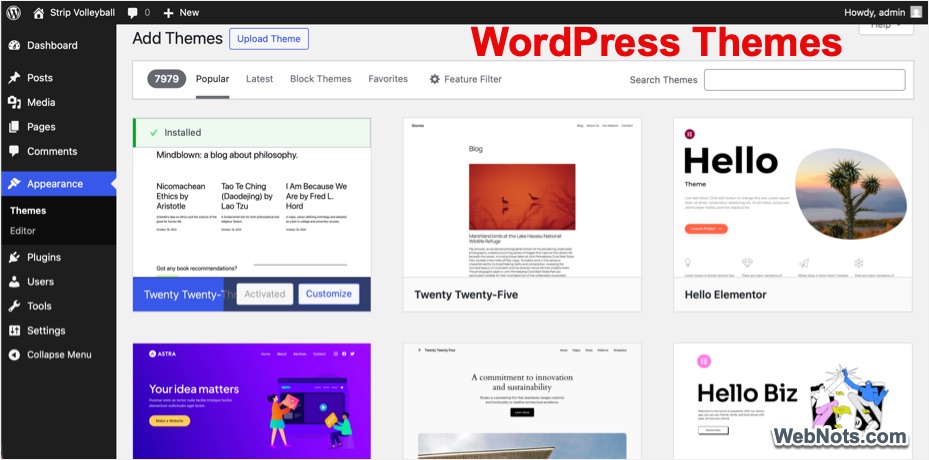
21. What is a WordPress theme?
A theme controls how your website looks and feels. It affects layout, colors, fonts, and overall design.
22. Are WordPress themes free?
Many free themes are available in the WordPress theme directory. Paid themes offer extra features and professional support.
23. Can I customize a WordPress theme?
Yes, themes can be customized using built in settings or page builders. Some customization may require basic CSS or PHP.
24. What is a child theme?
A child theme allows you to modify a parent theme safely. Changes are preserved even when the parent theme updates.
25. Can I change my theme later?
Yes, you can change your theme at any time. Content remains the same, though layout and styling may change.
26. Are premium themes worth it?
Premium themes often include advanced design options and support. They can save time and provide better quality.
27. What is responsive design?
Responsive design ensures your website looks good on all devices. It adapts layouts for phones, tablets, and desktops.
28. Can I use custom fonts in WordPress?
Yes, custom fonts can be added using themes or plugins. This helps improve branding and design consistency.
29. How do I add a logo to my site?
Logos can be added through the WordPress customizer. Most themes include a logo upload option.
30. What is a page builder?
A page builder lets you design pages using drag and drop tools. It removes the need for coding.
Plugins and Functionality
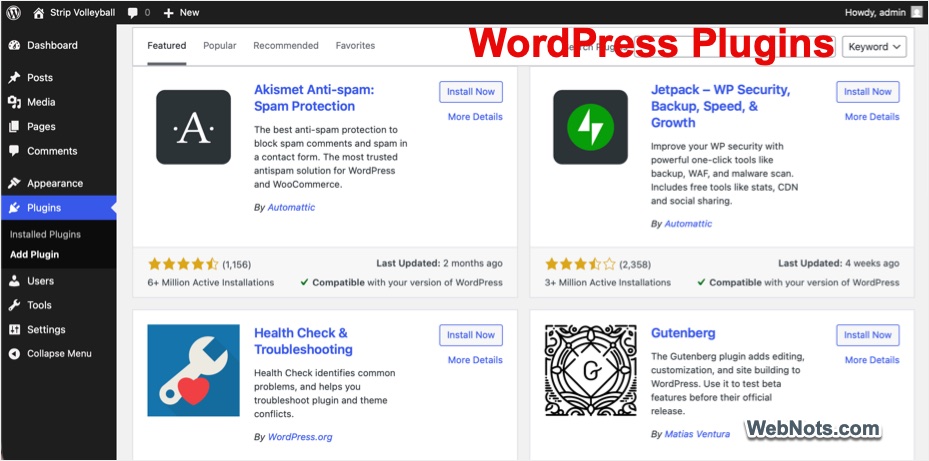
31. What is a WordPress plugin?
A plugin adds new features or functionality to your site. Plugins extend what WordPress can do.
32. Are plugins free?
Many plugins are free, while others are premium. Paid plugins usually offer advanced features and support.
33. How many plugins can I install?
There is no fixed limit, but installing too many can slow your site. Quality matters more than quantity.
34. Can plugins slow down my website?
Yes, poorly coded or unnecessary plugins can affect speed. It is important to use reliable plugins.
35. How do I install a plugin?
Plugins can be installed from the dashboard or uploaded manually. Activation is required after installation.
36. What are must have WordPress plugins?
SEO, security, backup, and caching plugins are commonly recommended. They improve performance and safety.
37. Can I create my own plugin?
Yes, custom plugins can be created using PHP. This is useful for adding unique features.
38. What happens if a plugin is deleted?
Deleting a plugin removes its functionality. Some settings or data may remain depending on the plugin.
39. Are plugins safe?
Plugins are safe when downloaded from trusted sources. Regular updates help maintain security.
40. Do plugins update automatically?
Plugins can be set to update automatically. Manual updates are also an option.
Content Management
41. What is the difference between posts and pages?
Posts are used for blog content and updates. Pages are used for static content like About or Contact pages. Learn more about Posts Vs Pages.
42. How do I add a new post?
Posts are added through the WordPress dashboard. You can write, edit, and publish content easily.
43. What are categories and tags?
Categories organize content broadly, while tags describe specific details. Both improve navigation.
44. Can I schedule posts?
Yes, posts can be scheduled for future publication. This helps with content planning.
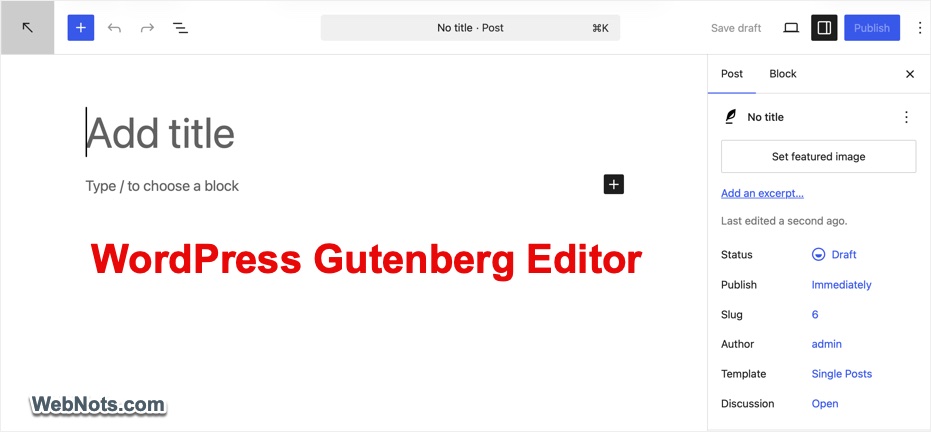
45. What is Gutenberg block editor?
The Gutenberg block editor allows content to be built using blocks. Each block represents a different content type.
46. Can I upload images and videos?
Yes, WordPress supports media uploads through the media library. Files can be added to posts and pages.
47. What file types are supported?
WordPress supports images, audio, video, and document files. Some file types may require plugins.
48. Can I embed YouTube videos?
Yes, YouTube videos can be embedded by pasting the link. WordPress automatically displays the video.
49. What is a featured image?
A featured image represents a post visually. It is often shown in blog lists and previews.
SEO and Performance
50. Can I edit old posts?
Yes, posts can be edited at any time. Changes are saved immediately or updated when published.
51. What is SEO in WordPress?
SEO helps your site rank higher in search engines. WordPress includes SEO friendly features (with the help of plugins).
52. Does WordPress support SEO?
The basic free software does not support SEO features like adding meta description, internal linking suggestions, or table of content. However, you can easily get these features using additional plugins.
53. Do I need an SEO plugin?
Yes, SEO plugins provide advanced tools and insights. They help optimize titles, descriptions, and content.
54. What is a permalink?
A permalink is the permanent URL of a page or post. Clear permalinks improve SEO and usability.
55. How can I speed up my WordPress site?
Speed can be improved using caching, optimized images, and good hosting. Fewer plugins also help.
56. What is caching?
Caching stores static versions of pages. This reduces load time and server usage.
57. Can WordPress handle mobile SEO?
Yes, responsive themes ensure mobile friendliness. Search engines favor mobile optimized sites.
58. What is image optimization?
Image optimization reduces file size without losing quality. This improves loading speed.
59. Does WordPress generate sitemaps?
Yes, newer versions generate XML sitemaps automatically. Sitemaps help search engines crawl your site.
60. How do I track website traffic?
Traffic can be tracked using analytics tools. Plugins make integration easier.

Perfmatters Plugin
Speed up and remove unnecessary CSS and JS bloat to skyrocket page loading speed of your WordPress sites.
Security and Maintenance
61. How do I secure my WordPress site?
Security plugins, strong passwords, and updates improve protection. Regular monitoring is also important. Check our complete WordPress security guide to learn more.
62. What are WordPress updates?
Updates include new features, bug fixes, and security improvements. They keep WordPress stable.
63. Should I update WordPress regularly?
Yes, updates reduce security risks. Backups should be taken before updating.
64. What is a WordPress backup?
A backup is a copy of your site’s data. It helps restore your site if something goes wrong.
65. How often should I back up my site?
Backups should be done regularly and most hosting companies offer a daily backup. You can also manually backup the site files and database if needed.
66. Can WordPress be hacked?
Any website can be hacked if poorly secured and proper maintenance reduces risk.
67. What is SSL?
SSL encrypts data between users and your site. It improves security and trust especially for collecting payments from customers.
68. Does WordPress support SSL?
Yes, WordPress supports SSL certificates. Many hosts provide free SSL supported by Let’s Encrypt.
69. What is two factor authentication?
It adds an extra verification step during login and improves account security.
70. Can I restrict login attempts?
Yes, plugins allow login attempt limits. This prevents brute force attacks.
eCommerce and Advanced Features
71. Can WordPress be used for eCommerce?
Yes, WordPress supports online stores. However, you need additional plugin(s) for adding shopping features.
72. What is WooCommerce?
WooCommerce is an eCommerce plugin for WordPress. It allows product and payment management.
73. Can I sell digital products?
Yes, WordPress supports digital downloads. Plugins manage file delivery.
74. Does WordPress support multiple languages?
Yes, multilingual plugins enable translations. This helps reach global audiences.
75. Can I create membership sites?
Yes, membership plugins manage user access. Content can be restricted.
76. Can WordPress handle online courses?
Yes, LMS plugins help create courses. Lessons and quizzes can be managed.
77. What is multisite?
Multisite allows multiple sites under one installation. It is useful for networks.
78. Is multisite good for beginners?
Multisite is complex and not beginner friendly. It is better for advanced users.
79. Can WordPress integrate with third party tools?
Yes, WordPress integrates with many services. APIs and plugins make this easy.
80. Can I add forms to my website?
Yes, form plugins allow contact and survey forms. No coding is needed.
Troubleshooting and Miscellaneous
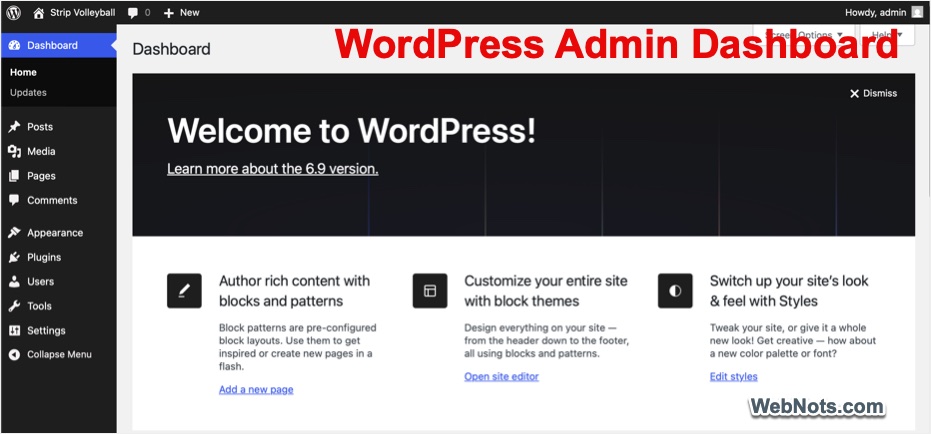
81. What is the WordPress dashboard?
The dashboard is the control center of your site. All management tasks are done here.
82. How do I reset my WordPress password?
Passwords can be reset using email recovery. Administrators can reset other user’s password.
83. What is white screen of death?
It is a blank white page error, usually caused by plugin or theme conflicts.
84. How do I fix common WordPress errors?
It depends on the type of error you encounter. Generally, errors can be fixed by disabling plugins or switching themes. Checking the server logs helps to identify and troubleshooting issues.
85. Can I hire a WordPress developer?
Yes, many developers specialize in WordPress and they help with customization and fixes. However, you may need to pay a hefty fee as WordPress development work is costlier than other software development works.
86. Is WordPress good for small businesses?
Yes, WordPress is affordable and flexible. It suits small business needs well.
87. Can I monetize a WordPress site?
Yes, sites can earn through display ads, affiliate marketing, and by selling products or services.
88. What is a staging site?
A staging site is a testing version of your website. It helps avoid errors on live sites.
89. Can I duplicate a WordPress site?
Yes, plugins allow site cloning. This is useful for testing or migration.
90. How do I delete a WordPress site?
Deleting involves removing files and the database. Hosting providers offer tools for this.
Future and Support
91. Is WordPress future proof?
WordPress is actively developed and updated. It has strong long term support.
92. Who maintains WordPress?
WordPress is maintained by a global community and developers (independent as well as from organizations) contribute regularly.
93. Is WordPress supported long term?
Yes, long term support is strong. Updates and improvements continue consistently.
94. Where can I get WordPress support?
Support is available through forums and documentation. Developers also provide paid support.
95. Can I learn WordPress online?
Yes, many free and paid tutorials exist. Learning resources are widely available.
96. How long does it take to learn WordPress?
Basic skills can be learned in a few days but advanced mastery takes longer. Also, the learning time is higher compared to hosted content management systems like Wix or Weebly.
97. Can kids or students use WordPress?
Yes, WordPress is suitable for learners. It is often used for educational projects.
98. Does WordPress support accessibility?
Yes, accessibility is considered in development. Many themes follow accessibility standards.
99. Can WordPress run without internet?
Only local installations work offline. Live sites require internet access.
100. Is WordPress worth using?
Yes, WordPress offers flexibility and scalability. It remains one of the best website platforms.
Conclusion
WordPress continues to be a powerful and flexible platform for building websites of all kinds. Whether you are starting a blog, building a business site, or learning web development, WordPress remains a reliable choice. Understanding these frequently asked questions helps beginners to avoid confusion and make better decisions while creating and managing websites.